What if your server room was costing you more in wasted electricity and floor space than the actual data it processes? For many UK SMEs, the traditional model of “one server per application” has become a literal drain on resources. Implementing server virtualisation for small business is no longer a luxury reserved for big tech; it’s a vital step to avoid high maintenance fees and the constant fear that a single hardware failure could bring operations to a standstill. We know your priority is keeping the lights on and the orders flowing, not worrying about a buzzing rack of hardware in the corner of the office.
Consolidating your systems is the most effective way to reclaim that wasted budget. As an award-winning provider with strategic partnerships with Microsoft and IBM, we’ve seen how this technology allows you to run multiple systems on a single physical machine. It’s about more than just saving money; it’s about building a resilient foundation that protects your company from downtime. This 2026 guide explains how to streamline your infrastructure, boost your reliability, and prepare your business for a scalable future.
Key Takeaways
Learn how server virtualisation for small business turns multiple physical machines into a single, efficient unit to slash your energy bills and hardware costs.
Understand the mechanism behind dynamic resource scaling, ensuring your most critical applications always have the power they need to perform.
Discover the five essential steps to auditing your current setup and choosing the right hypervisor for your specific operational goals.
See why a managed approach to virtualisation acts as a foundational element for your disaster recovery plan, keeping your business running even if hardware fails.
Transition from reactive IT maintenance to a proactive model that supports long-term growth and technical stability.
For years, the standard approach to IT was simple but expensive. You bought a new physical server every time you needed a new major application. This “one server, one job” model created cluttered server rooms full of underutilised hardware. Most of these machines sit idle, using only a fraction of their processing power while still drawing full power from the grid. In a climate where UK energy costs remain a top concern for directors, running hardware at 15% capacity isn’t just inefficient; it’s bad for the bottom line.
Server virtualisation for small business changes this dynamic by decoupling your software from the physical hardware it runs on. Instead of one operating system per box, you use a special layer of software called a hypervisor. Think of the hypervisor as a digital traffic warden. It sits between the hardware and your applications, intelligently directing resources like CPU and memory to where they’re needed most. This allows a single high-performance machine to do the work of five, ten, or even fifteen older servers.
Why is 2026 the tipping point for this transition? The push for digital transformation and the need for rapid scalability mean that physical-only setups can’t keep pace. Modern SMEs need to deploy new services in minutes, not weeks. By moving away from rigid physical constraints, you gain the agility to grow without waiting for a hardware delivery or an expensive engineer visit every time you want to test a new system.
Physical vs. Virtual Servers: A Simple Analogy
Imagine a traditional physical server as a single-family detached house. It has its own foundation, roof, and utility connections. If only one person lives there, most of the rooms stay empty, yet you still pay to heat the whole building. It’s a waste of space and money. Server virtualisation for small business is more like a modern apartment complex. You have one strong foundation and one set of main utilities, but inside, multiple independent households live in their own private, secure spaces. Each apartment shares the building’s resources, but they don’t interfere with one another. This setup maximises every square inch of the “building,” ensuring nothing goes to waste.
The Core Components of a Virtual Environment
Building this environment requires three main elements working in harmony to deliver a stable experience:
Host Hardware: This is the physical engine. It’s a high-spec server with significant RAM and processing power that provides the raw resources for everything else.
Virtual Machines (VMs): These are the independent “servers” that your staff actually interact with. Each VM runs its own operating system and applications as if it were a standalone machine.
Hypervisor: This is the essential software layer that makes virtualisation possible. It manages the hardware’s resources and ensures each VM gets what it needs to run smoothly.
By combining these components, you create a flexible infrastructure that’s easier to manage and far more resilient than a room full of individual boxes.
How Virtualisation Actually Works (Without the Jargon)
Understanding the mechanics of server virtualisation for small business doesn’t require a computer science degree. At its heart, this technology breaks the rigid link between your software and the physical box it lives in. Once you separate these two elements, your IT environment becomes incredibly fluid. You’re no longer restricted by what one specific machine can do; instead, you’re looking at what your entire hardware setup can achieve as a single unit.
This flexibility enables dynamic resource scaling. If your accounts team is running intensive year-end reports, the system automatically redirects spare processing power from other areas to ensure their software doesn’t lag. It’s a proactive way to manage performance. This architecture also forms the backbone of modern cloud solutions, allowing your business to bridge the gap between on-site hardware and off-site accessibility seamlessly.
One of the most reassuring features for any business owner is the ‘Snapshot’. Think of this as a digital “undo” button. Before you perform a major software update or change a configuration, you take a snapshot of the server’s current state. If the update causes a crash, you can revert to that exact moment in seconds. It makes backups faster and significantly safer than traditional methods.
The Magic of the Hypervisor
The hypervisor is the brain of the operation. It sits directly on your hardware and carves out portions of CPU, RAM, and storage to hand over to individual Virtual Machines (VMs). We often work with industry-standard platforms like Microsoft Hyper-V and VMware to create these stable environments. A key benefit here is isolation. Because each VM is self-contained, a “blue screen” on your mail server won’t affect your file server or your database. Your office stays productive even if one specific application encounters a glitch.
Resource Pooling and Efficiency
Resource pooling is the strategic practice of combining your hardware’s total power into a single reservoir to maximise your return on investment. This approach eliminates the “idle time” that plagues traditional setups. It also offers a lifeline for legacy software. If your business relies on an older application that only runs on an outdated operating system, virtualisation allows that software to run in its own protected bubble on brand-new, high-speed hardware. If you’re unsure how your current kit stacks up, our team can provide managed IT support to audit your environment and find these hidden efficiencies.
The Business Case: Why SMEs are Moving to Virtual Servers
Running a business in 2026 requires a lean approach to overheads. Many UK business owners overlook the “silent” costs of their server room: the constant hum of cooling fans, the mounting electricity bills, and the physical space occupied by aging hardware. Transitioning to server virtualisation for small business allows you to condense your infrastructure significantly. Imagine turning five separate physical servers into just one high-performance machine. You aren’t just saving floor space; you’re cutting your energy consumption and reducing the number of components that can potentially fail.
This consolidation makes scaling your operations far more predictable. In a traditional setup, adding a new department or a major piece of software often meant ordering a new physical box, waiting for delivery, and paying for an engineer to install it. With a virtual environment, you simply allocate more resources from your existing pool. You can deploy a new server in minutes, not weeks. This agility ensures your IT infrastructure moves at the speed of your business, not the speed of a courier service.
Cost Savings: CAPEX vs. OPEX
The financial shift from heavy upfront capital expenditure (CAPEX) to manageable operational costs (OPEX) is a game-changer for SME cash flow. By reducing the number of physical machines you need to buy and replace every few years, you keep more capital inside your business. Your long-term maintenance and support fees also drop because your IT partner has less physical hardware to monitor and repair. This strategic shift is a core part of modern it company solutions that focus on efficiency rather than just selling more hardware.
Maximising Uptime and Business Continuity
Downtime is the enemy of growth. Server virtualisation for small business introduces a concept called High Availability (HA). If your primary physical server needs a hardware repair or a memory upgrade, your virtual servers can be moved to another piece of hardware while they’re still running. Your staff won’t even notice the switch. This level of resilience was once only available to global corporations, but it’s now an affordable standard for local businesses. It provides the emotional security of knowing that a single hardware glitch won’t result in a total business shutdown. You gain a robust Disaster Recovery foundation that ensures your data is portable, protected, and always accessible when you need it most.
Planning Your Virtualisation Strategy: A 5-Step Approach
Success in server virtualisation for small business isn’t just about the software you buy; it’s about the strategy you follow. A poorly planned migration can lead to unexpected downtime or performance bottlenecks that frustrate your team. We recommend a structured, business-first approach that prioritises your operational stability over technical flashiness. By following these five steps, you can ensure your transition is smooth, secure, and ready for future growth.
Step 1: Audit your current setup. You can’t move what you don’t understand. A thorough review identifies which physical machines are prime candidates for consolidation.
Step 2: Select the right hypervisor. Whether you choose Microsoft Hyper-V or VMware, the platform must align with your existing software ecosystem.
Step 3: Design for redundancy. Avoid creating a single point of failure. We always recommend using at least two host machines so that if one fails, the other automatically takes over.
Step 4: Perform the P2V migration. This is the process of converting your physical server data into a virtual format. It’s the “moving day” for your IT infrastructure.
Step 5: Proactive monitoring. Once live, your virtual environment needs constant oversight to ensure resources are balanced and security is maintained.
The Importance of an IT Audit
An audit is the foundation of a successful project. It’s during this phase that we identify “zombie servers” that consume power while doing very little. We also check the compatibility of your legacy software. Some older applications require specific configurations to run in a virtual environment. By mapping out your data storage requirements early, you avoid the cost of buying more capacity than you actually need. It’s about being efficient with your budget from day one.
Executing a Seamless Migration
The goal of any Physical-to-Virtual (P2V) migration is to minimise disruption. We often perform these transitions outside of your core business hours to keep your staff productive. Before the final switch, we test the virtual environment in a “sandbox” to catch any potential glitches. Security shouldn’t be an afterthought. We ensure your cyber security services are fully integrated into the new virtual network to protect your data as it moves. If you’re ready to modernise your infrastructure, speak to our award-winning team about a tailored migration plan.
Managed Virtualisation: Why a Partner Makes the Difference
Partnering with a multi-award-winning IT provider changes the equation. We provide 24/7 proactive monitoring that identifies potential hardware bottlenecks or software glitches before they impact your staff. This move from reactive “firefighting” to a managed model ensures your infrastructure remains stable. Our experts align your virtual strategy with your long-term growth plans. We ensure you never outgrow your technology by building systems that expand alongside your success.
Your Path to a Modern IT Infrastructure
Moving to a managed virtual environment provides more than just technical efficiency; it offers emotional security. You can rest easy knowing that your business continuity is backed by experts who understand the foundational role of IT in your stability. We focus on proactive system health. This ensures your network is resilient against hardware failure or cyber threats. It’s about giving you the freedom to focus on your business while we handle the digital engine powering it. We take the stress out of technology so you can lead with confidence.
Ready to consolidate your hardware and future-proof your operations? Book a consultation with our experts to discover how a tailored virtualisation strategy can transform your business.
Future-Proof Your Business with Scalable Infrastructure
Transitioning to server virtualisation for small business is about more than just clearing out the server room. It’s a strategic move that slashes your hardware costs and energy bills while providing the enterprise-level resilience your company deserves. By consolidating your physical machines, you create a flexible environment that scales at the speed of your growth. You gain the peace of mind that comes from knowing a single hardware failure won’t result in a total business shutdown.
As a multi-award-winning IT provider with strategic partnerships with Microsoft and Cisco, we specialise in delivering bespoke UK-wide business support. We don’t just set up the technology; we act as your dedicated partner to ensure your systems remain healthy and secure. It’s time to move from reactive repairs to a proactive, modern infrastructure that supports your long-term vision. Discover how our Managed IT Support can transform your infrastructure. We’re here to help you navigate this transition with confidence and clarity.
Frequently Asked Questions
Is server virtualisation safe for my sensitive business data?
Yes, virtualisation is inherently safe and often more secure than traditional setups. By isolating each application into its own virtual machine, you prevent a single security breach from spreading across your entire network. We integrate robust cyber security services into the virtual layer to ensure your sensitive data remains protected. This architecture also makes it much easier to implement strict access controls and regular, automated security patches without disrupting your whole office.
How many physical servers do I need to make virtualisation worthwhile?
You don’t need a room full of hardware to see the benefits. While the most dramatic savings occur when consolidating three or more machines, even businesses with two servers find value in the increased reliability. Implementing server virtualisation for small business allows you to run multiple roles on one powerful host while keeping a second for redundancy. This setup provides high availability that simply isn’t possible with a traditional “one server, one job” approach.
Will my existing business software work on a virtual server?
Most modern business applications are fully compatible with virtual environments. Whether you use standard office tools or specialised industry software, these programs usually run exactly as they did on physical hardware. Our team performs a comprehensive audit of your current software licenses and versions before any migration begins. This ensures that every piece of software is verified for the virtual layer, preventing any unexpected downtime or performance glitches during the transition.
How much does it cost to virtualise a small business server setup?
The investment depends on your specific requirements and the complexity of your current infrastructure. Typically, you’ll pay a professional service fee for the design and migration project, followed by recurring managed IT support fees for proactive monitoring. While we don’t provide flat rates, the long-term savings on energy, cooling, and hardware replacement often outweigh the initial setup costs. It’s about moving from unpredictable capital expenses to a stable, manageable operational budget.
What happens if the physical host server fails?
We prevent total failure by designing your system with redundancy in mind. In a professional setup, we use multiple physical host servers working together. If one physical machine encounters a hardware fault, the virtual servers automatically move to the remaining healthy host. This process happens in the background, often without your staff even noticing a flicker. It’s a foundational element of a modern disaster recovery plan that keeps your business running regardless of hardware glitches.
Do I still need a physical server if I move to the cloud?
How long does a server virtualisation project typically take?
Most projects are completed within a few days to two weeks, depending on the volume of data and the number of applications being moved. We start with a thorough audit to map your environment, followed by the actual migration, which we often schedule outside of your core business hours. This structured approach ensures that the transition is seamless and that your staff face minimal disruption while we modernise your digital infrastructure.
What is the difference between a virtual server and a virtual desktop?
Did you know that the average organization wastes up to 45% of its Microsoft 365 investment on inactive accounts and unassigned seats? For many UK businesses, managing these subscriptions feels like a constant battle against license bloat and administrative complexity. It’s frustrating to watch your monthly bill climb, especially after the July 2026 price hikes for Business Basic and Standard plans. You deserve to know that every penny spent on microsoft 365 license management is actually delivering value to your team rather than funding unused software.
We’re here to help you turn that frustration into a strategic advantage. This guide provides a clear path to eliminating wasted spend and securing your environment against risks from former employees. We’ll explore automated onboarding workflows and the latest 2026 updates, including the new security features bundled into E3 and E5 plans. You’ll gain the confidence that your business is compliant, secure, and only paying for exactly what it uses. Let’s look at how you can streamline your subscriptions and protect your bottom line.
Key Takeaways
Stop paying for “ghost” seats by identifying and eliminating licenses for inactive users to instantly reduce your monthly overhead.
Optimize your budget through strategic microsoft 365 license management, tailoring specific tiers to individual job roles rather than using a one-size-fits-all approach.
Strengthen your cyber security by learning how to revoke licenses from former employees, closing potential entry points for data breaches.
Follow our step-by-step audit process to regain full visibility of your user-to-license mapping and ensure your business stays compliant.
Explore the benefits of a managed subscription model that simplifies your billing into a single, predictable monthly fee while removing the admin burden.
What is Microsoft 365 License Management and Why Does It Matter?
Effective microsoft 365 license management is the strategic oversight of your organization’s software subscriptions. It goes far beyond simply checking a box in an IT portal or assigning a seat to a new starter. To understand the scale of this task, it’s helpful to look at What is Microsoft 365 and the vast array of services it encompasses. For a modern UK business, visibility is the primary weapon against rising overheads. In 2026, the market demands an agile approach. You can’t afford to sit on rigid, oversized plans when the economic landscape shifts so quickly. Proactive governance ensures you aren’t just reacting to a bill. You’re directing your resources where they actually drive growth.
The difference between simple administration and proactive governance is significant. Administration is reactive; it’s what happens when someone asks for access. Governance is a mindset of continuous optimization. It involves regular audits, role-based licensing, and a deep understanding of how your team uses technology. By mastering microsoft 365 license management, you transform a monthly expense into a lean, efficient engine for business continuity. We believe that technology should serve your business, not the other way around.
The Hidden Costs of “Set and Forget” Licensing
Many growing firms fall into the “set and forget” trap. They buy seats for a specific project or a hiring surge and then never look back. This oversight creates “zombie” licenses. These are active, paid subscriptions that nobody is using. Over a single year, these small monthly leaks turn into a significant financial drain. Bill shock is a common reality for businesses that don’t have a clear view of their seat count, especially following the July 2026 price adjustments. Beyond the direct cost, the administrative drain of manual tracking is exhausting. Your team spends hours in complex spreadsheets instead of focusing on innovation. It’s a cycle of waste that impacts your bottom line and your team’s productivity.
Beyond the Admin Center: Strategic Governance
True governance moves you past the basic functions of the Microsoft 365 Admin Center. It’s about resource planning. You shouldn’t just assign a seat because someone started a job. You should align that spend with their specific role. Some staff need the full power of Premium, while others might only need Business Basic for email and storage. This level of precision is what makes our cloud solutions so effective for our partners. We help you build a foundation where technology supports your staff requirements perfectly. It’s about creating emotional and financial security through technical stability. When your licensing strategy is intentional, your business becomes more resilient.
Decoding the Microsoft 365 License Matrix for Cost Optimization
Navigating the license matrix shouldn’t feel like a guessing game. Effective microsoft 365 license management is about precision, not just purchasing. Following the July 2026 price increases, the gap between tiers has shifted significantly. While Business Basic rose to $7 and Standard to $14, Business Premium held steady at $22. This change makes the decision process more nuanced for UK business owners. Microsoft often nudges businesses toward the most expensive tiers, but a “one size fits all” approach usually leads to significant waste. You can achieve better results by understanding exactly what each tier offers and where your team’s needs actually lie.
The “Mix and Match” strategy is the most effective way to protect your budget. You don’t have to put every employee on the same plan. Your field engineers or warehouse staff likely only need the $7 Business Basic plan for mobile email and the newly increased 50GB of mailbox storage. Meanwhile, your power users or management team might require the advanced security and desktop applications found in Business Premium. Moving to Enterprise tiers like E3 ($39) or E5 ($60) becomes necessary once you exceed 300 users or require high-level compliance features. If you’re unsure which combination fits your team, our managed IT services experts can help you map out a cost-effective plan that eliminates redundant features.
Right-Sizing Your Subscriptions
Right-sizing starts with mapping user personas to the correct license level. Use your Admin Center usage reports to identify over-licensed users who aren’t utilizing the premium features you’re paying for. If a staff member only uses the web version of Word and Excel, they don’t need a Standard license. By identifying these gaps, you can downgrade seats without affecting productivity. It’s a simple way to reclaim your budget while keeping everyone equipped with the tools they need to succeed.
The Role of Add-ons: Defender, Copilot, and Storage
In 2026, add-ons require careful evaluation. Microsoft Copilot is a powerful tool, with early adopters reporting an average of 11 hours saved per user per month. However, it remains a separate add-on. You must weigh this productivity gain against the extra cost. Managing standalone security licenses versus bundled tiers is also critical. Ensure you aren’t paying for a third-party security tool that overlaps with the Defender features already included in your Premium or E5 seats. Avoiding this “feature overlap” is a foundational part of proactive microsoft 365 license management.
The Security Risks of Poor License Governance
Mastering microsoft 365 license management is about more than just balancing the books. It’s a fundamental part of your business defense. Every active license represents a potential entry point for a cyber attack. If you leave licenses active for employees who have moved on, you’re essentially leaving the back door to your office wide open. This oversight creates a massive attack surface that’s often overlooked until it’s too late. We believe that true security starts with knowing exactly who has the keys to your digital kingdom.
This is why we integrate license oversight into our broader cyber security services. The Information Commissioner’s Office (ICO) expects UK businesses to maintain strict control over user access. If you can’t provide a clear audit trail of who has access to your data, you’re at risk of significant compliance failures. Finding the balance between data retention and license removal is key. You need to keep the data you’re legally required to hold without paying for the privilege of an unmonitored security risk. It’s about protecting your reputation as much as your budget.
Orphaned Accounts and Ransomware Risks
“Zombie” accounts are the primary target for credential harvesting. Because these accounts aren’t being used, suspicious login attempts often go completely unnoticed by the business. Immediate license revocation during offboarding must be a non-negotiable part of your workflow. We recommend automated microsoft 365 license management processes to eliminate the risk of human error. It’s a simple step that provides immense peace of mind for you and your team. When you automate, you ensure that no account is ever left behind to become a liability.
Compliance and Regulatory Alignment
Step-by-Step: Conducting a Microsoft 365 License Audit
Conducting a regular audit is the only way to ensure your microsoft 365 license management remains effective and lean. Start by exporting your user-to-license mapping report from the billing section of your portal. This spreadsheet is your source of truth. You should immediately identify “inactive users” who haven’t logged in for 30 days or more. These accounts are often the primary source of wasted spend. We’ve seen many local businesses reclaim significant portions of their budget by simply cross-referencing this list with their current HR payroll. It’s surprisingly common for licenses to remain active long after a staff member has moved on. Once you have a clear view, you can begin downgrading over-licensed users to tiers that match their actual workload. If you want to stop the “bill shock” for good, our managed IT support team can handle this entire audit process for you.
Consolidating duplicate subscriptions is another quick win. You might find you’re paying for a third-party backup or security tool that’s already included in your Microsoft tier. By removing these overlaps, you simplify your infrastructure and reduce your monthly outgoings. It’s about being proactive rather than reactive. We believe that every pound spent on technology should actively support your business growth. A clean, audited environment is a more secure and cost-effective one.
Analysing Usage Data for Better Decision Making
The “Usage Reports” tool provides a goldmine of information for any business owner. It shows you exactly who uses Teams or OneDrive and who doesn’t. If you spot users who haven’t touched a specific app in months, they’re prime candidates for a lower-cost license tier. This process also helps you identify “Shadow IT”. These are unauthorized third-party apps that staff might be using instead of the tools you already pay for. Setting up automated alerts for license thresholds ensures you never get hit with an unexpected bill when you reach your limit.
The Offboarding Checklist for IT Managers
A structured offboarding process is vital for both security and cost control. Avoid simply deleting a user account. Convert the mailbox to a shared mailbox first. This allows you to retain the data without paying for an active license. Move any critical files to SharePoint before unassigning the seat entirely. We recommend a strict 24-hour protocol for seat revocation once an employee leaves. This quick turnaround secures your data and stops the billing clock immediately. It’s a proactive way to keep your environment lean and protected.
Simplifying Complexity: The Case for Managed Microsoft 365
Direct billing with Microsoft often feels like a transactional burden for busy UK business owners. Managing subscriptions through a massive global portal lacks the personal oversight and strategic direction needed to stay lean. This is why many SMEs are moving away from direct billing in favour of a partnership model. By integrating your subscriptions into managed IT services, you trade administrative headaches for a single, predictable monthly fee. This approach ensures your microsoft 365 license management is handled by experts who spot potential savings before they even appear on your balance sheet. We believe that proactive governance is the only way to truly eliminate waste.
Choosing a managed route allows for seamless integration with broader it company solutions. Your licensing strategy should never exist in a vacuum. It must align with your hardware, security, and cloud infrastructure to create a stable foundation for growth. We take a proactive stance, moving you away from reactive seat assignments toward a model of continuous optimization. This shift provides both financial clarity and the emotional security of knowing your systems are in safe hands. You gain the freedom to focus on your core business while we ensure your technology remains an asset rather than a drain.
CSP vs Direct: Why the Partner Model Wins
The Cloud Solution Provider (CSP) model offers a level of flexibility that direct subscriptions simply can’t match. You gain access to flexible monthly billing, allowing you to scale your seat count up or down as your team changes. Having a local expert who understands your specific business goals is an invaluable advantage. You aren’t just another user in a database; you’re a partner. If you face a technical hurdle, you have one local number to call for all your 365 issues. We provide clear, direct support that respects your time and simplifies the complex nature of cloud licensing.
Cornerstone’s Approach to Microsoft 365 Success
We handle the heavy lifting of your Microsoft 365 migration and ongoing microsoft 365 license management. Our multi-award-winning team is committed to regular audits that keep your costs low and your security high. As a certified Microsoft Partner, we combine industry recognition with a humble, community-focused style. We provide expert guidance on securing your environment from day one, ensuring your business is resilient against 2026’s evolving threats. Our approach is built on trust, reliability, and a genuine interest in your success. We don’t just provide a service; we act as your long-term technology partner.
Take Control of Your Digital Future in 2026
You’ve seen how a strategic approach to microsoft 365 license management can transform your IT from a growing expense into a lean, secure asset. By eliminating “zombie” licenses and matching tiers to specific job roles, you protect your budget and your data. It’s about moving beyond the daily complexity of the Admin Center to a place of total clarity and control. You deserve a system that works as hard as you do without the hidden costs of underutilized seats or the risks of orphaned accounts. Taking these steps now ensures your business remains agile in an ever-changing economic landscape.
As a multi-award-winning, Certified Microsoft Partner, we’re here to ensure your technology always supports your local business goals. We include proactive cost-optimization in our managed fees so you never have to worry about bill shock again. We’re proud of our regional roots and dedicated to being your long-term partner in growth. We invite you to Get a Professional Microsoft 365 License Audit from Cornerstone and discover exactly where you can save. Let’s work together to make your business more resilient, efficient, and ready for whatever 2026 brings.
Frequently Asked Questions
How can I tell if I am paying for unused Microsoft 365 licenses?
You can identify unused licenses by visiting the Billing section of your Microsoft 365 Admin Center and comparing “Total licenses” to “Assigned licenses”. If the numbers don’t match, you’re paying for empty seats that aren’t serving your business. We also recommend checking the Usage Reports tool to find users who haven’t logged in for 30 days, as these are often “zombie” accounts that should be revoked to save money.
What is the difference between unassigning a license and deleting a user?
Unassigning a license stops the monthly cost but keeps the user’s account and data intact for a short period. Deleting a user removes the entire account and all associated files from your system. We usually suggest unassigning the license first so you can move important files to SharePoint or convert the email to a shared mailbox before the account is gone for good.
Can I mix different types of Microsoft 365 licenses in one business?
You absolutely can mix different license types within one business tenant. This “mix and match” strategy is a cornerstone of smart microsoft 365 license management. It allows you to give Premium features to your management team while keeping warehouse or field staff on a more cost-effective Basic plan, ensuring you only pay for the tools each person actually needs to do their job.
How long is data kept after I remove a Microsoft 365 license?
Microsoft typically holds onto your data for 30 days after a license is unassigned. Once that window closes, the data is purged from their servers and can’t be recovered easily. It’s vital to back up important files or convert mailboxes to a shared format before you remove the license to ensure your business continuity isn’t interrupted by accidental data loss.
Is it cheaper to buy Microsoft 365 licenses through an IT partner?
The face value of the license is usually identical to direct pricing, but the real savings come from the partner’s expertise. We provide flexible monthly billing through the CSP model, which avoids the rigid annual commitments Microsoft often pushes. Our proactive monitoring spots waste that direct billing ignores, ultimately protecting your bottom line more effectively than a direct subscription would.
What happens to my email if my Microsoft 365 license expires?
When a license expires, your email service stops working and you won’t be able to send or receive messages. You’ll have a 30-day grace period to renew before the data becomes harder to access. To avoid business disruption, it’s best to set up automated renewals or work with a partner who monitors your subscription status to keep your communication lines open.
How often should a business perform a Microsoft 365 license audit?
We suggest performing a microsoft 365 license management audit at least once every quarter. If your business is growing fast or has seasonal staff, a monthly check is even better. Regular reviews stop small leaks from turning into large annual losses and keep your user list clean, which is essential for both your budget and your overall cyber security.
Does Microsoft 365 Business Premium include cyber security features?
Business Premium is packed with high-level security features like Microsoft Defender for Business and Intune for mobile device management. It’s a significant step up from the Standard tier, offering advanced protection against sophisticated ransomware and phishing attacks. It’s often the best choice for UK businesses that want to combine top-tier productivity tools with robust, built-in security defense.
Your local server room isn’t just a piece of hardware anymore; in 2026, it’s a growing financial liability and a potential security bottleneck. We understand the pressure you’re under. Between volatile energy prices and the constant threat of sophisticated cyber-attacks, managing physical infrastructure feels like a full-time job you didn’t sign up for. Many local business owners tell us they feel stuck between high capital costs and the need to support a hybrid workforce. As a multi-award-winning provider, we’ve seen how the azure cloud benefits for uk business can turn these challenges into advantages. It’s a strategic necessity for staying competitive and secure.
In this guide, we’ll show you how to swap unpredictable energy bills for a streamlined, pay-as-you-go model that scales as fast as your team does. We will explore how Microsoft Azure protects your data against modern threats while ensuring you stay compliant with the latest UK Data Act regulations. You’ll learn how to reduce capital expenditure and gain the peace of mind that comes with enterprise-grade security. We’re here to help you transform your IT from a cost center into a growth engine that supports your long-term success.
Key Takeaways
Swap unpredictable capital outlays for a flexible monthly model that slashes energy costs and simplifies your budget.
Discover how the azure cloud benefits for uk business provide a robust shield against 2026 cyber threats through Microsoft’s massive global security investment.
Learn the secrets to scaling your infrastructure instantly, ensuring your hybrid team stays productive without waiting for new hardware.
Explore our bespoke migration framework designed to move your operations to the cloud smoothly while meeting strict UK compliance standards.
Understand the value of a proactive local partnership that monitors your systems 24/7, turning your IT into a reliable foundation for growth.
Why UK Businesses are Prioritising Microsoft Azure in 2026
The azure cloud benefits for uk business start with a simple reality: your office hardware is aging faster than ever. Microsoft Azure isn’t just a place to store files. It’s a vast ecosystem of over 200 services designed to replace or enhance your existing on-premises hardware. The Microsoft Azure platform provides everything from virtual desktops to advanced data analytics, allowing you to run your entire operation without a single server humming in the corner. In 2026, the shift away from physical infrastructure is accelerating as local firms realise that “on-prem” setups are becoming a strategic liability. They’re expensive to power, difficult to secure, and nearly impossible to scale quickly.
The End of the Physical Server Era
Maintaining a local server room comes with a list of hidden costs that quickly drain your budget. You aren’t just paying for the box itself; you’re paying for high-performance cooling, dedicated floor space, and increased insurance premiums. You’re also stuck in the “hardware refresh” trap. Every few years, you’re forced to spend thousands on new equipment just to keep up with software demands. Our cloud solutions eliminate this cycle entirely. With Azure, you never have to worry about hardware becoming obsolete. You simply adjust your subscription to match your current needs, ensuring you only pay for the processing power you actually use.
Azure as a Catalyst for Business Continuity
Resilience is the foundation of any successful company. If a pipe bursts or a power cut hits your office, a physical server can bring your entire business to a standstill. Azure provides a different level of security. It ensures your staff remain productive regardless of local infrastructure failures. For national UK service providers, “always-on” availability isn’t a luxury; it’s a requirement for maintaining client trust. Azure’s built-in redundancy means your data is mirrored across multiple locations, so if one site has an issue, another takes over instantly. This proactive approach to stability gives you the emotional security to focus on growth rather than worrying about your next IT headache.
Core Benefits: Security, Scalability, and UK Compliance
Security is no longer just an IT concern; it’s a fundamental pillar of your business’s reputation. When you look at the azure cloud benefits for uk business, the sheer scale of protection is often the most striking factor. Microsoft invests over $1 billion annually in cyber defence, providing a level of security that’s impossible for most local firms to replicate on their own. This means your data sits behind the same enterprise-grade shields used by global financial institutions. Whether you’re a growing SME or a national provider, you benefit from a proactive defence system that’s constantly learning from global threats.
Scalability is the second pillar. In a traditional setup, handling a sudden spike in demand meant buying and installing new hardware, a process that could take weeks. Azure changes the game by allowing you to increase your resources instantly. If you have a busy seasonal period or a new project launch, you can scale up your processing power with a few clicks. Once the rush is over, you scale back down. You only pay for what you use, ensuring your IT budget remains lean and efficient. It’s about having an agile infrastructure that supports your growth rather than holding it back.
Data residency is equally critical for UK organisations. Azure allows you to specify exactly where your data lives, with major data centres located in the UK South and UK West regions. This ensures your sensitive information never leaves the country, which is a vital requirement for many sectors. By following the UK government’s G-Cloud framework, Azure provides a transparent and compliant environment for public and private sector work alike. If you’re looking for a partner to help manage these complexities, our team can provide a bespoke cloud solutions strategy tailored to your specific needs.
Proactive Cyber Security in the Cloud
Azure doesn’t just wait for an attack to happen; it uses advanced AI and machine learning to spot suspicious patterns before they become breaches. This proactive approach is built on a “Zero Trust” architecture. In this model, the system never assumes a user is safe just because they’re on your network. Every access request is fully authenticated and authorised. This creates a much tighter security perimeter for your hybrid team. To ensure your defences are always sharp, it’s wise to pair this technology with professional cyber security services for continuous monitoring and expert oversight.
Meeting UK Regulatory Standards
The regulatory landscape in 2026 is complex, with strict requirements under UK GDPR and the NIS2 directive. Azure simplifies compliance by offering automated auditing and reporting tools. These features track your data handling and provide ready-to-use reports for regulators, saving your team hours of manual work. For industries like finance, legal, and education, this automation provides immense peace of mind. You can prove your compliance at any moment, knowing that your infrastructure is built on a platform that meets the highest national standards for data protection and resilience.
Financial Efficiency: Moving from CapEx to OpEx
The Power of Pay-As-You-Go
The beauty of Azure lies in its granular control. Unlike on-premises servers that draw power and cost money even when your office is empty, Azure allows you to “spin down” or even pause resources during weekends and bank holidays. If your team only works 9-to-5, why pay for 24/7 processing power? This pay-as-you-go flexibility ensures your billing matches your actual activity levels. Total Cost of Ownership (TCO) in this context is the combined sum of all expenses related to your hardware, including the initial purchase, energy for cooling, physical space, and the staff time required for maintenance.
Azure and the Green Business Agenda
Energy volatility is a significant pain point for any UK business owner right now. Local server rooms are notoriously inefficient, often requiring expensive, high-consumption cooling systems to prevent hardware failure. By offloading these workloads to Microsoft’s highly efficient data centres, you instantly mitigate these rising local electricity bills. It also helps you meet your carbon reduction goals. Microsoft is committed to running carbon-neutral data centres by 2030, meaning your move to the cloud isn’t just a win for your balance sheet; it’s a proactive step toward a more sustainable, environmentally responsible business model.
Navigating the Migration: A Framework for Success
Moving your operations to the cloud isn’t a leap of faith; it’s a calculated transition. To truly capture the azure cloud benefits for uk business, you need a structured approach that respects your current workflows while preparing for future growth. We don’t believe in one-size-fits-all transitions. Instead, we follow a rigorous four-phase framework designed to keep your business stable and your data secure throughout the process.
The journey begins with a comprehensive audit of your existing infrastructure. We look at every application and database to determine its cloud readiness. Once we understand your starting point, we design a bespoke Azure roadmap. This isn’t just a technical document; it’s a strategic plan that aligns your IT capabilities with your specific commercial goals for 2026 and beyond. From there, we execute a secure data transfer using zero-downtime strategies, followed by post-migration optimisation to ensure your new environment remains as cost-effective as possible.
If you’re ready to start this journey with a partner who understands the local landscape, we invite you to speak with our Azure experts today.
Assessing Legacy Applications
Many UK firms rely on older, “legacy” software for accounting or inventory management. These tools often require a specific approach during migration. You’ll likely hear the terms “Lift and Shift” versus “Refactor.” Lift and Shift involves moving an application to the cloud exactly as it is. It’s fast but doesn’t always take full advantage of cloud efficiencies. Refactoring means updating the app’s code to run more effectively in a cloud-native environment. We help you weigh these options based on your budget and long-term needs. This assessment is often part of a broader Microsoft 365 migration for business UK, ensuring all your productivity tools work in harmony.
Ensuring Minimal Business Disruption
The fear of downtime keeps many business owners awake at night. We mitigate this risk by using a phased migration approach. Rather than moving everything at once, we transition your systems in manageable stages. This allows us to test and verify each component before moving to the next. Our team handles the “heavy lifting” outside of your core business hours, ensuring your staff arrive at work to a system that simply works. We also prioritise staff training. A new cloud environment is only effective if your team knows how to use it, so we provide the guidance they need to master new, agile workflows from day one.
Why Partner with Cornerstone for Your Azure Journey?
We believe your cloud setup should be as unique as your business. That’s why we specialise in bespoke solutions rather than one-size-fits-all templates. Whether you’re based in the North East or operating across the country, our national support network ensures expert assistance is always within reach. We combine the sophisticated capabilities of a major IT provider with the friendly, approachable face of a local team that truly cares about your success. It’s about providing the technical strength you need with the personal reliability you deserve.
A Dedicated Long-Term Partner
We aim to be more than just a service provider; we want to be your strategic technology partner. This means moving beyond transactional fixes to focus on long-term planning that supports your commercial goals. By integrating your cloud environment with our wider managed IT services, we create a seamless technology stack that’s both resilient and efficient. It’s about building a foundation that gives you emotional security and technical stability. You get the strength of a national provider with the personal touch of a team that knows your business inside out.
Your Next Steps to the Cloud
The transition to a cloud-first economy doesn’t have to be overwhelming. We invite you to an informal conversation about your goals and the specific challenges your business faces. A professional cloud readiness audit is the best place to start. It provides a clear picture of your current setup and identifies the most effective path forward. When you look at our broader it company solutions, you’ll see a framework designed to help UK businesses thrive in 2026. Let’s talk about how the azure cloud benefits for uk business can work for your specific team.
Ready to Secure Your Digital Future?
The shift toward cloud-native operations is no longer a choice for businesses that want to thrive in 2026. By moving away from costly, depreciating hardware, you unlock a level of financial flexibility and cyber resilience that on-premises systems simply can’t match. We’ve seen how the azure cloud benefits for uk business transform IT from a source of stress into a foundation for stable, predictable growth. It’s about protecting your data while ensuring your team can work securely from anywhere in the country.
You don’t have to navigate this transition alone. Our team brings multi-award-winning expertise and deep Microsoft Partner knowledge to every project, offering national UK support with a friendly, regional heart. We’re ready to help you audit your current setup and design a bespoke roadmap that fits your specific commercial goals. Take the first proactive step toward a more efficient future today. Book a Cloud Readiness Audit with Our Award-Winning Team. We look forward to helping your business reach its full potential in the cloud.
Frequently Asked Questions
Is Microsoft Azure secure for small UK businesses?
Yes, it is exceptionally secure. Small businesses benefit from the same enterprise-grade protection as global banks because Microsoft invests at least $1 billion annually in security. By choosing this platform, you’re moving your data behind a proactive shield that uses AI to block threats before they reach your network. It’s a significant step up from the limited security of a typical on-premises server room.
How much does it cost to migrate to Azure in the UK?
Migration costs vary depending on the size of your team and the complexity of your current setup. Instead of a large upfront bill, the azure cloud benefits for uk business include a shift to a predictable monthly subscription. This pay-as-you-go model ensures you only pay for the resources you use. We recommend starting with a professional cloud readiness audit to get an accurate picture of your specific requirements.
Where is my data actually stored when using Azure?
Your data is stored in highly secure, UK-based data centres, specifically in the UK South and UK West regions. This is a critical feature for businesses that must comply with strict data residency laws. It ensures your sensitive information stays within our borders, providing both legal compliance and faster access speeds for your local staff. You have full control over where your data lives, which is vital for maintaining client trust.
Do I still need an IT support team if I move to the cloud?
Yes, you still need professional management. While Microsoft maintains the physical hardware, you are responsible for managing your data, user access, and security settings. This is known as the shared responsibility model. A managed IT support partner ensures your Azure environment is always optimised, secure, and aligned with your business goals. We monitor the system so you don’t have to worry about the technical details.
Can Azure help with GDPR compliance?
Yes, Azure provides sophisticated tools designed to simplify compliance with UK GDPR and the Data (Use and Access) Act 2025. It offers automated auditing and reporting features that make it much easier to prove you’re handling data correctly. This automation saves your team hours of manual work and provides peace of mind during regulatory checks. It’s a proactive way to manage your legal obligations without constant manual oversight.
How long does a typical cloud migration take?
A typical migration can take anywhere from a few weeks to several months. The timeline depends on how many applications you’re moving and whether they need to be updated for the cloud. We use a phased approach to ensure there’s minimal disruption to your daily operations, often handling the transition outside of your core business hours. This steady pace ensures your data remains secure and your team stays productive.
Can I use Azure alongside my existing Microsoft 365 subscription?
Yes, they are designed to work together perfectly. Using them together allows for a single identity system, meaning your staff use the same login for their email and their cloud applications. This integration is one of the key azure cloud benefits for uk business, as it creates a unified and secure digital workspace for your hybrid team. It simplifies management while improving the overall user experience for your staff.
What happens if the internet goes down and my data is in Azure?
You need an internet connection to access live cloud data, but modern workflows are designed for resilience. Tools like OneDrive and Teams allow for offline file syncing, so you can keep working on documents even without a connection. We also recommend implementing a Business Mobile or 4G/5G failover solution to ensure your office stays online if your primary line fails. This proactive planning ensures your business remains operational regardless of local connection issues.
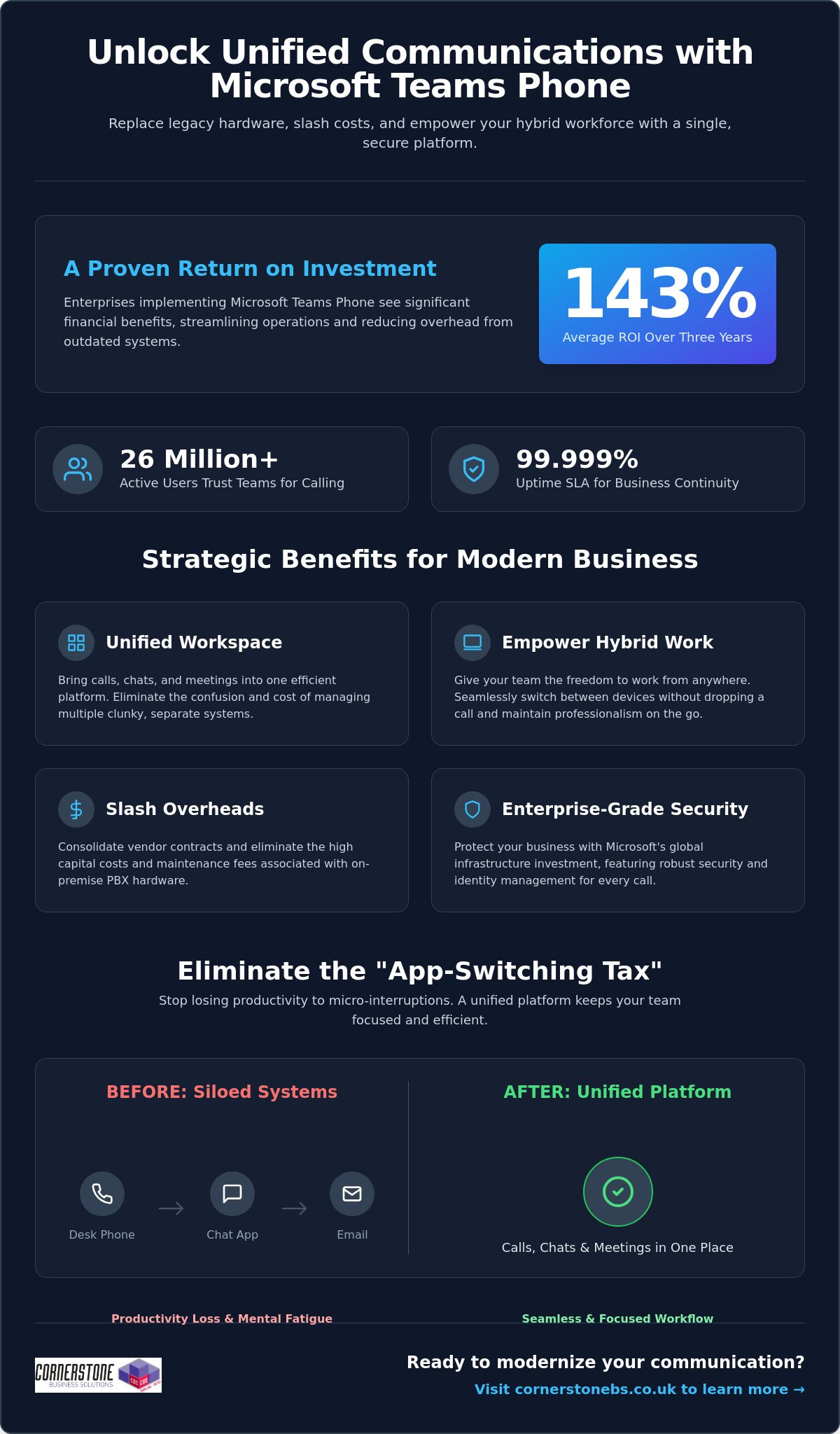
Did you know that enterprises implementing Microsoft Teams Phone achieve an average return on investment of 143% over three years? For many business owners we talk to, the biggest hurdle isn’t the technology itself, but the sheer exhaustion of managing legacy hardware and separate telecom bills. You want to focus on growth, not on why a desk phone in an empty office is still costing you money. The benefits of using Microsoft Teams for calling go far beyond just making a phone call; it’s about reclaiming your time and your budget.
We understand that maintaining multiple communication platforms feels like a constant uphill battle, especially when supporting a hybrid team. You need a system that just works, whether your staff is at their desk or working from a local coffee shop. This article will show you how Microsoft Teams Phone transforms your business communication by unifying calls, chats, and meetings into a single, secure platform. We’ll preview the cost savings, explore the productivity gains reported by over 26 million users, and explain how this shift provides the stability your organization deserves in 2026.
Replace clunky legacy phone systems with a unified cloud solution that brings your calls, chats, and meetings into one efficient workspace.
Explore the benefits of using Microsoft Teams for calling to give your hybrid team the freedom to switch between devices without dropping a single word.
Slash your monthly overheads by consolidating vendor contracts and eliminating the high capital costs of maintaining on-site PBX hardware.
Protect your business with enterprise-grade security and identity management backed by Microsoft’s massive global infrastructure investment.
Follow a proven implementation roadmap, from network readiness assessments to selecting the right licensing model for your specific business needs.
Microsoft Teams Phone is the modern answer to the clunky, hardware-heavy office setups of the past. We’ve seen many local businesses struggle with siloed legacy PBX systems that simply don’t talk to each other. Teams Phone is a cloud-based integrated calling solution that solves this by replacing your old hardware with a unified platform. This transition to Unified Communications as a Service (UCaaS) represents the most significant shift in business infrastructure we’ve seen in years. It’s why the platform now supports approximately 26 million users as of early 2026.
What is a Cloud-Based Phone System?
VoIP technology has officially retired traditional copper-wire telephone lines. By 2026, the old Public Switched Telephone Network (PSTN) is largely obsolete, replaced by flexible, software-based systems. A cloud-based phone system uses your internet connection to transmit data, which means you aren’t tethered to a physical desk. This software-first approach allows for rapid scaling and easy updates. It provides a 99.999% uptime SLA, offering a level of business continuity and reliability that traditional hardware-dependent systems simply can’t match.
The End of the “App-Switching Tax”
Every time your employees jump between a separate phone app, a chat window, and an email client, they pay an “app-switching tax.” These micro-interruptions lead to productivity loss and mental fatigue across your entire workforce. By integrating your business calling directly into Teams, you eliminate this friction entirely. Calling becomes a natural extension of your existing Microsoft 365 workflows. You can start a chat, turn it into a video call, or dial an external number all from the same interface. This level of integration is one of the primary benefits of using Microsoft Teams for calling, as it keeps your team focused and reduces the daily stress of managing multiple tools.
Management becomes significantly easier for your IT lead or office manager. Instead of juggling separate portals for your phone system and your email, everything lives within the Microsoft 365 Admin Centre. You can assign numbers, manage call queues, and review usage reports all from one familiar place. It’s about giving you back control without the technical headache. If you’re looking to streamline your setup, our team can help you explore business VoIP solutions that fit your specific local needs.
Empowering the Modern Hybrid Workforce
The Teams mobile app is a vital tool for privacy and professionalism. Your employees can make and receive business calls on their personal smartphones without ever revealing their private numbers. The caller ID shows your business line, keeping personal lives separate and secure. Presence indicators also play a crucial role in daily operations. You’ll know at a glance if a colleague is “In a meeting,” “Busy,” or “Available.” This visibility prevents unnecessary interruptions and helps manage expectations across a distributed team, making collaboration feel as natural as if you were all in the same room.
Smart Features That Drive Productivity
AI features in 2026 have moved beyond simple voice-to-text. Teams now provides real-time captioning and intelligent call summaries that automatically identify action points. You don’t have to worry about missing a detail while taking notes; the system does the heavy lifting for you. Integrating these calling insights with your CRM system provides a complete view of customer interactions. Whether it’s using shared lines for executive support or setting up delegate access for a personal assistant, these tools ensure that no important call ever goes unanswered. These benefits of using Microsoft Teams for calling allow your staff to focus on the conversation rather than the technology behind it.
Managing a stack of different telecom invoices is a drain on your resources. It’s common for local businesses to juggle separate contracts for their phone lines, mobile plans, and internet. One of the core benefits of using Microsoft Teams for calling is the ability to consolidate these vendors into a single, manageable Microsoft subscription. This move doesn’t just simplify your paperwork; it gives you a predictable monthly cost that scales exactly as your team grows. You’ll no longer pay for capacity you don’t use or get hit with surprise fees from multiple providers.
You’ll also say goodbye to the high capital expenditure of on-site PBX hardware. Maintaining those physical boxes in your office is expensive and unnecessary in 2026. By shifting to a cloud-based model, you eliminate maintenance fees and the need for periodic hardware refreshes. Research by Forrester found that enterprises can achieve a 143% ROI over three years by making this switch. For smaller organizations, that ROI is even higher at 146%, with most businesses seeing the system pay for itself in less than six months. It’s a clear financial win that stabilizes your IT budget.
Hidden Savings: Beyond the Monthly Bill
The real value often lies in the time you reclaim. Your IT team will no longer spend hours configuring individual phone extensions or troubleshooting hardware failures. Because your staff already use Teams for chat and meetings, the learning curve is flat. This reduces the training costs that usually plague new software rollouts. To get the most out of this transition, it helps to view it as part of a wider digital strategy. We’ve detailed how to handle this shift in our guide to Microsoft 365 migration for business UK.
Preparing for the UK PSTN Switch-Off
The national deadline for the PSTN switch-off is a major driver for change. Traditional copper-wire lines are being retired; businesses that wait until the last minute risk service disruptions or inflated migration costs. Moving to Teams Calling now ensures you’re already on a modern, IP-based system long before the old network goes dark. It’s a proactive step that protects your business continuity for the next decade. By securing your communication infrastructure today, you avoid the rush and ensure your team stays connected to your customers without a hitch. These strategic benefits of using Microsoft Teams for calling provide the stability every local business owner needs.
Security shouldn’t be an afterthought for your business communications. When you move your telephony to the cloud, you’re leveraging Microsoft’s multi-billion dollar annual investment in global cyber security. This isn’t just about protecting files; it’s about securing every voice conversation your team has. One of the standout benefits of using Microsoft Teams for calling is the integration with Entra ID. This unified identity management ensures that only authorized staff can access your phone system, significantly reducing the risk of unauthorized usage or toll fraud.
Multi-factor authentication (MFA) adds another vital layer of protection. By requiring a second form of verification, you stop the vast majority of identity-based attacks before they even start. Your voice traffic is also protected by industry-standard encryption protocols. This means your conversations remain private and secure, whether your team is in the office or working from a home network. We help local firms implement these robust cyber security measures to ensure their communication stays resilient against modern threats.
Built on a Foundation of Trust
Teams Calling doesn’t exist in a vacuum. It benefits directly from the cyber security services already protecting your Microsoft 365 environment. Reliability is equally impressive, with Microsoft offering a 99.999% uptime Service Level Agreement (SLA). This level of stability is essential for maintaining customer trust. High Availability in cloud telephony means your phone system remains operational through redundant data centres, ensuring you never miss a call due to a single point of hardware failure.
Compliance and Data Governance
Meeting regulatory requirements like GDPR is much simpler when your communications are unified. Teams allows you to manage data residency, ensuring your call logs and recordings stay within the UK. This is a major advantage for businesses in regulated sectors like finance or legal. You also benefit from a single audit log for all interactions. Having your calls, chats, and meetings tracked in one place makes reporting and governance straightforward. These benefits of using Microsoft Teams for calling provide the emotional security you need to focus on your clients, knowing your data is handled with care.
Transitioning your business to a cloud-based phone system is a significant step toward future-proofing your operations. It isn’t just about software; it’s about a strategic roadmap that ensures your team stays connected without a hitch. The process begins with a thorough network readiness assessment. We look at your current internet bandwidth and network configuration to ensure your infrastructure can handle high-quality voice traffic. This prevents the common pitfalls of “jitter” or dropped calls that often plague poorly planned DIY setups. One of the greatest benefits of using Microsoft Teams for calling is that, when configured correctly, it offers a level of clarity that traditional lines simply can’t match.
Choosing the right licensing model is your next vital decision. Microsoft offers different paths, typically categorized into Business Voice for smaller firms or Enterprise models for larger organisations. We help you navigate these choices to ensure you aren’t paying for features you don’t need. Once the licensing is set, we manage the porting of your existing phone numbers. We coordinate the switch to ensure zero downtime. Your clients won’t even notice a change in service, but your staff will certainly notice the improved flexibility. This seamless transition is one of the many benefits of using Microsoft Teams for calling that we prioritise for our local partners.
The Importance of a Managed IT Partner
While the interface looks simple, the underlying architecture of a global telephony system is complex. Opting for bespoke it company solutions is far superior to a “DIY” approach. We provide the proactive monitoring and ongoing support needed to maintain peak performance. If a connectivity issue arises, our team is often working on a fix before you’ve even picked up the phone. This level of care provides the emotional security and business stability that allows you to focus on your growth rather than your dial tone.
Your Migration Checklist
Success depends on preparation. Follow these three steps to ensure a smooth rollout for your team:
Step 1: Audit your environment. Review your existing hardware and identify which users need physical handsets versus those who prefer a mobile-only approach.
Step 2: Verify your connection. Ensure your office Wi-Fi and wired networks are optimised for voice-over-IP traffic to maintain professional standards.
Step 3: Empower your “Teams Champions.” Identify tech-savvy staff members to lead the change. Their peer-to-peer training will drive faster adoption and reduce frustration.
Ready to unify your communications and reclaim your productivity? Book a conversation with our experts today and let’s discuss how we can support your business journey.
Choosing a modern phone system is about more than just making calls; it’s about building a resilient foundation for your company’s growth. By eliminating legacy hardware and embracing a cloud-first approach, you’re not just saving on overheads. You’re giving your team the tools they need to collaborate without friction, no matter where they’re working. The benefits of using Microsoft Teams for calling are clear: higher ROI, simplified management, and enterprise-grade security that protects every conversation.
As a multi-award-winning managed IT provider and Microsoft Gold Partner, we specialize in delivering bespoke technology solutions that align with your specific goals. We don’t just set up the software; we act as your long-term partner to ensure your infrastructure remains stable and secure. Upgrade your business communication with Microsoft Teams Phone; contact Cornerstone today to start your transition. We’re here to help you navigate the 2026 landscape with confidence and approachable, local expertise.
Can I keep my existing business phone numbers when moving to Microsoft Teams?
Yes, you can keep your existing business phone numbers through a process called porting. We manage the entire transition with your current provider to ensure there’s zero downtime for your team. You won’t need to change your business cards or update your website. Once the numbers move to Microsoft, you’ll manage them directly from your admin dashboard, giving you total control over your communication identity.
Do I need special hardware or desk phones to use Microsoft Teams for calling?
No special hardware is required to start making calls. One of the main benefits of using Microsoft Teams for calling is that it works on devices you already own, like laptops, tablets, and smartphones. While you can invest in Teams-certified desk phones for a traditional office feel, most local businesses find that a high-quality headset provides more flexibility and better audio clarity for their hybrid teams.
Is Microsoft Teams calling reliable enough for a professional business environment?
Microsoft Teams Phone is exceptionally reliable, backed by a 99.999% uptime Service Level Agreement (SLA). This level of stability is possible because the system runs on Microsoft’s global cloud infrastructure. If one data center experiences an issue, your calls automatically route through another. This built-in redundancy ensures your business stays reachable, providing a professional experience that matches or exceeds traditional landline systems used by regional firms.
How does Microsoft Teams calling handle emergency services (999) calls?
The system fully supports emergency calling to 999 and 112 services. Microsoft uses dynamic location features to share your precise position with emergency dispatchers when you place a call. This is particularly important for hybrid workers who might be at home or in a satellite office. We help you configure these emergency addresses correctly during setup to ensure your staff stays safe and your business remains compliant with UK regulations.
What is the difference between Microsoft Teams calling and a standard VoIP system?
The biggest difference is deep integration. While a standard VoIP system offers voice over the internet, Teams brings your calls, chats, and files into one place. You don’t have to switch apps to check a calendar or share a document during a call. This unification reduces the “app-switching tax,” making your daily workflows much more efficient than using a standalone phone system that sits outside your workspace.
Can I use Microsoft Teams for calling on my mobile phone when out of the office?
Absolutely, you can use the Teams app on your mobile phone to stay connected anywhere. When you make a call, the recipient sees your professional business number rather than your private mobile ID. This keeps your personal details secure while ensuring you never miss an important client inquiry. It’s a perfect solution for staff who split their time between the office and visiting clients across the region.
What happens to my phone system if the internet goes down?
If your office internet goes down, your phone system stays active in the cloud. Calls can be answered immediately on mobile devices using 4G or 5G data. You can also set up automatic failover rules to redirect calls to a different office or an external mobile number. This flexibility means your business never truly goes “offline,” even if your physical premises lose their primary connection during a local outage.
How much does it cost to add calling capabilities to my existing Microsoft 365 plan?
The cost depends on your current subscription. If you’re on a Microsoft 365 E5 plan, calling capabilities are often already included. For Business Standard or E3 users, you’ll simply add a specific phone license. While we don’t quote prices here, the benefits of using Microsoft Teams for calling include consolidating your bills into one predictable monthly payment, which often reduces your total telecom spend compared to multiple vendors.
Did you know that 39% of UK businesses identified a cyber attack in the last 12 months, with the average cost of a breach for small firms now reaching £11,000? It’s a staggering figure that highlights why many North East directors feel their tech is a liability rather than an asset. You likely agree that the benefits of outsourcing IT for SMEs have never been more critical as you face rising recruitment costs and unpredictable repair bills. Managing your own infrastructure has become a complex, expensive distraction that pulls you away from your core mission.
Our award-winning team at Cornerstone Business Solutions is here to simplify the complex. We promise to show you how a strategic partnership provides access to enterprise-grade security and proactive 24/7 support while keeping your monthly spend entirely predictable. This guide previews ten strategic advantages that will help you level the playing field and secure your digital future through 2026. We’ll explore how shifting to a managed model provides the peace of mind you need to focus on growth.
Key Takeaways
Discover how to replace unpredictable repair bills with a fixed monthly fee, significantly reducing overheads by avoiding the “hidden” costs of internal recruitment like NI and pensions.
Understand the strategic benefits of outsourcing IT for SMEs, giving your business instant access to an award-winning team of specialists and enterprise-grade technology.
Strengthen your digital defences against rising ransomware threats and simplify the path to vital certifications like Cyber Essentials for ultimate peace of mind.
Learn why a proactive partnership with a local North East expert is more effective than a traditional transactional service for long-term business growth.
Identify why the traditional “break-fix” model is failing in 2026 and how a modern managed service approach secures your company’s digital future.
The SME IT Dilemma: Why the Traditional Model is Failing
For years, North East business owners treated IT like a utility; you only noticed it when the lights went out. This “break-fix” approach worked when technology was a secondary tool, but in 2026, it’s a recipe for stagnation. To truly understand what outsourcing is in a modern business context, we have to view it as a strategic shift. It’s no longer about hiring a contractor to mend a broken server. It’s about moving to a managed services model that aligns your technology with your growth goals. One of the primary benefits of outsourcing IT for SMEs is the transition from reactive panic to proactive stability.
Traditional internal management is struggling to keep pace. Most small businesses lack the budget to hire a full-time, multi-disciplined tech team, leading to a widening “Technology Gap.” While large enterprises use AI-driven security and automated workflows to scale, many SMEs remain tethered to ageing systems. This gap isn’t just about hardware; it’s about the expert knowledge required to navigate a digital-first economy. Our award-winning approach bridges this divide, giving local firms access to enterprise-grade tools without the enterprise-level price tag.
Of course, a company’s digital footprint extends beyond internal systems. Navigating this economy also means having a powerful online presence to attract customers, a challenge that B2B web design and SEO specialists like Cheerway help businesses overcome to secure international growth.
Similarly, developing a cohesive long-term strategy for your online growth is essential, and Fireheart Digital helps businesses prioritise strategy over scale to achieve sustainable results.
The Rising Complexity of the SME Tech Stack
The days of simple hardware maintenance are over. Your business now operates within a complex ecosystem of cloud integrations, hybrid work software, and intricate security protocols. In 2025, data showed that 72% of UK SMEs utilised at least six different SaaS platforms to manage daily operations. For retailers, this often means juggling disparate tools, a challenge addressed by modern commerce operations platforms like ommni.io. This level of complexity means “the person who knows computers” in your office is no longer a viable IT strategy. They simply can’t be an expert in cyber defence, cloud architecture, and software compliance all at once. Modern IT demands a team of specialists who can ensure your systems are seamless and robust, rather than just “working.”
For these retailers, building a powerful and stable online store is another critical challenge. For expert guidance on platforms like Magento or Shopify, you can visit CDA Group. This ensures the customer-facing side of your business is as robust as the internal IT infrastructure that supports it.
For businesses struggling specifically with integrating their sales, inventory, and accounting systems, it’s worth exploring specialized solutions; you can read more about integrated ERP and POS systems here.
The Real Cost of Reactive IT
Waiting for something to break before fixing it is the most expensive way to run a business. When your systems go down, the clock starts ticking on your profits. Recent industry reports indicate that IT downtime costs UK small businesses an average of £3,800 per hour in lost productivity. Beyond the immediate repair bill, you face the hidden expenses of employee frustration and potential reputational damage. Emergency repairs in 2026 often carry a 45% price premium compared to scheduled maintenance. By focusing on the benefits of outsourcing IT for SMEs, you replace these unpredictable spikes in expenditure with a fixed, manageable monthly investment. This proactive stance provides the peace of mind that comes from knowing your foundation is secure.
Proactive Monitoring: We catch 90% of technical issues before they impact your staff.
Strategic Planning: We help you budget for the next three years, not just the next three weeks.
Local Expertise: You get a North East partner who understands the local market challenges.
The traditional model is failing because it treats IT as an isolated cost centre. In reality, your technology is the engine of your business. It’s time to stop patching up the old and start building for the future. Let’s have a chat about how we can transform your tech from a headache into a competitive advantage.
Top Financial and Operational Benefits of Outsourcing IT
Managing a business in the North East requires agility and foresight. One of the primary benefits of outsourcing IT for SMEs is the immediate shift from unpredictable “break-fix” costs to a transparent, fixed-fee model. This predictable budgeting ensures you aren’t blindsided by a £3,000 emergency repair bill during a peak trading period. By 2026, data suggests over 65% of UK small businesses will have transitioned to managed services to gain this financial stability. You pay one set price, and we handle the rest.
You gain access to a full department of award-winning specialists rather than relying on a single generalist who might be overwhelmed or unavailable. This collective expertise allows for faster implementation of new technologies. While an internal staff member might spend weeks researching a new security patch, our team deploys it across your entire network in hours. IT is consistently ranked among the most easily outsourced functions because it scales perfectly with your growth. You can add ten new users on Monday and remove five on Friday, paying only for the capacity you actually use.
Converting Capital Expenditure to Operating Expense
Traditional IT required massive upfront investments in servers and switches. We help you move away from this “CapEx” model, where you own depreciating hardware, to an “OpEx” model based on monthly subscriptions. In simple terms, CapEx is buying the car outright, while OpEx is the predictable monthly lease that includes all the maintenance. This approach preserves your cash flow for core business activities and offers clear tax advantages, as service costs are often fully deductible in the year they occur. A typical SME can reduce its initial infrastructure outlay by up to 40% by choosing cloud-hosted solutions over physical on-site hardware.
The same strategic thinking applies to a company’s physical assets. Navigating the commercial property market, for instance, requires expert guidance, and resources from established firms like Noble Real Estate can offer valuable insights into making these major capital decisions.
This strategic financial approach is essential for all major business infrastructure, not just technology. When planning significant capital projects like new commercial or agricultural facilities, for instance, exploring modern construction options from suppliers like Bradberry Steel is a key part of long-term planning.
This strategic approach to managing operational expenses extends beyond just IT infrastructure. Businesses are increasingly adopting specialized platforms to control other significant overheads, such as energy consumption. For example, enterprise-level systems like Intelli-EMS are designed to help companies meet ISO 50001 standards and substantially lower their utility costs, further preserving capital for growth.
Similarly, equipping your workspace with high-quality assets doesn’t have to require a massive capital outlay; you can discover Smart Buy Office Furniture for premium preowned commercial solutions and ergonomic seating that align with a cost-conscious business strategy.
Access to Enterprise-Grade Talent and Tools
Small businesses often feel priced out of the best technology. Partnering with Cornerstone changes that. You get the weight of global brands like Microsoft and Cisco behind your business without the enterprise price tag. Our 24/7 proactive monitoring tools identify and resolve threats before they disrupt your morning coffee. You benefit from the same robust security protocols used by multi-national corporations, managed by our local, friendly technicians. These enterprise-level benefits of outsourcing IT for SMEs provide a foundation for growth that was previously reserved for the biggest players in the market. It’s about providing that essential peace of mind so you can focus on your customers. If you’re ready to see how these tools fit your business, we’d love to have a quick chat about your goals.
In-House vs. Outsourced IT: A TCO Comparison
Calculating the true cost of technology goes far beyond the initial purchase of laptops or servers. When you compare an internal hire to a managed partnership, the financial gap is often startling. A mid-level IT Manager in the North East currently commands an average salary of £48,000. However, the Total Cost of Ownership (TCO) for that employee involves much more than their take-home pay.
You must factor in the “hidden” costs that quietly erode your budget. These include:
Employer National Insurance: At 13.8%, this adds £6,624 to a £48,000 salary.
Pension Contributions: A standard 5% contribution adds another £2,400.
Recruitment Fees: Agencies typically charge 15% to 20% of the first-year salary.
Training and Certifications: Keeping a technician up to date with 2026 security standards costs roughly £2,500 annually.
One of the primary benefits of outsourcing IT for SMEs is the replacement of these volatile costs with a single, predictable monthly service fee. You aren’t just paying for one person’s time; you’re investing in a collective brain trust. An individual employee has a finite skill set. Our award-winning team provides a depth of expertise across cybersecurity, cloud architecture, and disaster recovery that a single hire simply cannot match. While a lone staff member might be a “jack of all trades,” our specialists are masters of their specific fields, ensuring your business stays ahead of the curve.
Business owners often ask if an external team will care as much as a direct employee. We view this differently. An employee can leave for a higher salary at any time. We operate as your long-term strategic partner. Our reputation and contract rely on your continued success and uptime. This creates a powerful incentive for us to be proactive rather than reactive.
The Recruitment and Retention Challenge
Finding qualified IT talent in the UK has become increasingly difficult, with 70% of firms reporting a digital skills gap in 2024—a challenge that long-term career initiatives like The Bedrock Program are designed to address. Relying on one internal person creates a “single point of failure.” If they fall ill or take their 25 days of annual leave, your systems are vulnerable. Our managed service model eliminates this risk. We provide continuous coverage, ensuring that your “IT department” never goes on holiday or calls in sick. We offer the peace of mind that comes from knowing a full team of experts is always watching your back.
Securing high-level expertise for specific platforms like WordPress is equally important to avoid internal bottlenecks; you can read more about professional web design and support options.
Of course, keeping your team happy involves more than just reliable IT. Small perks, like providing high-quality office coffee from specialists such as Worker Bee MCR Tea & Coffee, also play a significant role in employee satisfaction and retention.
Maintaining a pristine physical environment is just as important for staff well-being and making a good first impression on clients. For companies in the North West, this can be as simple as engaging a professional Carpet Cleaner In Manchester to keep the office looking its best.
A well-designed workspace also contributes to a positive atmosphere; for those looking to enhance their office dining or collaborative areas, you can visit Red Tree Furniture to discover contemporary seating solutions.
The pressure of managing these challenges can also take a significant toll on the wellbeing of business leaders. For those based in or travelling to the capital, finding ways to manage stress is vital for long-term success. Wellness centres such as Battersea Park Clinic offer holistic therapies specifically designed to help restore balance and focus.
These external pressures aren’t limited to the office. For many business leaders, the responsibility of arranging support for family members can be a significant distraction. Securing reliable, person-centered help from a domiciliary agency like Bloomfield Care can provide essential peace of mind, freeing up mental space to focus on strategic growth.
When starting this journey, finding the right support can be a challenge in itself. To simplify the search and compare options across the UK, you can discover Guide2Care, a comprehensive directory of care providers.
This holistic approach to well-being extends to personal health, as a confident appearance is a key asset in business. For leaders in the San Antonio area looking for professional oral healthcare, you can visit Colony Dental Care.
This retention challenge isn’t unique to the tech sector. To keep top talent in any department, businesses are increasingly turning to platforms that measure and improve the employee journey. For example, tools from providers like Benchmarcx help companies benchmark their talent experience in real-time, giving them the data needed to reduce turnover.
Creating a strong company culture through unique team-building events is another powerful retention strategy. For businesses looking to host truly memorable corporate gatherings or training sessions, you can learn more about Immersive Experiences and their innovative event solutions.
For those considering incentive travel or all-inclusive corporate retreats to reward top performers, you can check out Crestwell Travel Services for specialized packages.
For a more adventurous approach to team building, you can explore Summit Mount Kilimanjaro with expert-led teams like Summit Expeditions, offering a unique way to build resilience and bond outside the office environment.
The technical production for such gatherings, especially in a hybrid format, relies on a specialized set of IT and AV skills. This is a niche where expert firms like the Ontario-based Straight Street Event Services excel, ensuring a seamless experience for both in-person and remote attendees.
Beyond internal culture, a strong external brand reputation can also be a major draw for top talent. For companies looking to make a significant impact in their market, aligning with a high-profile personality can be a game-changing move. Strategic partnerships with agencies like The Celebrity Group can elevate a brand’s visibility and prestige, making it a more desirable place to work.
Service Level Agreements (SLAs) and Accountability
Internal staff usually work on a “best efforts” basis. If the server goes down on a Friday afternoon, they might stay late, or they might wait until Monday. Our Managed IT Services are governed by strict, legally binding SLAs. We provide contractual guarantees for response times and system availability. This accountability ensures that we aren’t just fixing problems; we’re preventing them. We deliver regular system health reports and strategic reviews to show exactly how your infrastructure is performing. Understanding these operational benefits of outsourcing IT for SMEs is the first step toward building a more resilient, scalable business for the future.
Enhancing Security and Compliance Through Outsourcing
Cybersecurity isn’t just a “big business” problem anymore. By 2026, SMEs have become the primary targets for ransomware and phishing because they often lack the sophisticated defences of larger corporations. Cybercriminals now use AI-driven automation to scan thousands of UK small businesses every hour for a single unpatched vulnerability. This shift makes the security benefits of outsourcing IT for SMEs more than a convenience; it’s a survival strategy for your reputation and your bottom line.
Our award-winning team simplifies the road to Cyber Essentials certification, a government-backed scheme that’s essential for any business handling sensitive data. This isn’t just a badge for your website. It’s a rigorous framework that reduces your cyber risk by approximately 80%. We handle the technical heavy lifting, ensuring your systems meet GDPR requirements and industry-specific regulations through professional, transparent auditing. You gain the confidence that your data is locked down and your legal obligations are met without having to become a compliance expert yourself.
Proactive Threat Detection and Mitigation
We don’t wait for things to go wrong. Managed security services use 24/7 monitoring to spot unusual activity before a breach happens. For hybrid teams across the North East and beyond, we implement a “Zero Trust” architecture. This approach means every login and device is verified, regardless of whether your staff are in the office or working from a local café. Endpoint security serves as the frontline shield that protects every laptop, smartphone, and tablet connected to your network from evolving malware.
Disaster Recovery: Peace of Mind for Business Owners
A simple backup is just a copy of your files. A true disaster recovery plan is a blueprint for getting your business back on its feet in minutes, not days. If a server fails or a digital crisis hits your office, cloud solutions ensure your team stays productive from any location. We focus on business continuity, ensuring your data is replicated in secure, UK-based data centres. One of the core benefits of outsourcing IT for SMEs is knowing that a technical failure won’t mean the end of your operations.
Outsourcing isn’t just about offloading tech tickets; it’s about building a foundation for your company’s future. When you choose a partner rather than a vendor, you gain a team that values your balance sheet as much as your bandwidth. At Cornerstone, we bring our multi-award-winning North East heritage to every project. We’ve secured accolades like the Service Provider of the Year because we don’t just fix PCs. We build bespoke technology solutions tailored to your specific 2026 growth targets. One of the primary benefits of outsourcing IT for SMEs is this shift from reactive “break-fix” cycles to proactive, strategic planning.
Our “can-do” attitude humanises high-tech support. We speak your language, not just code. You’ll work with experts who understand that a server outage at a local manufacturing plant or a professional services firm isn’t just a technical glitch; it’s lost revenue. We treat your business like our own. This partnership model ensures your infrastructure remains robust while you focus on scaling. It’s about peace of mind, delivered by people who genuinely care about your success.
What to Look for in an IT Support Contract
Transparency is the bedrock of trust. If a contract is littered with “out-of-scope” exclusions, it isn’t a support plan; it’s a liability. Your agreement should offer clear, fixed-fee pricing that covers everything you need to stay operational. We believe in delivering value through:
Truly unlimited support: No hidden charges for phone or on-site assistance.
Strategic alignment: Regular meetings to ensure your IT spend matches your business trajectory.
Elite credentials: Check for Tier 1 partnerships with global leaders like Microsoft and Sophos to guarantee top-tier security.
Taking the First Step Toward Seamless IT
The transition from internal chaos to managed stability begins with a professional audit. In 2024, our audits revealed that 68% of new clients were overpaying for redundant software licences, often by as much as £320 per employee annually. Identifying these efficiency gains provides an immediate return on investment. We manage the entire migration process through a structured 30-day onboarding plan, ensuring zero downtime for your staff. The benefits of outsourcing IT for SMEs become clear the moment your team stops worrying about login errors and starts focusing on innovation. We’d love to have a chat about your business technology. We’re ready to help you build something brilliant.
Future-Proof Your Business Infrastructure Today
The digital landscape for UK businesses is evolving at a breakneck pace. By 2026, the £42,000 average salary for a single in-house IT technician often fails to cover the 24/7 security and specialised expertise your growth requires. You’ve seen how the benefits of outsourcing IT for SMEs include a typical 25% reduction in total cost of ownership while gaining elite protection from our partners at Microsoft, IBM, and Cisco. We focus on proactive, bespoke technology solutions tailored for growth that prevent downtime before it impacts your bottom line.
As a multi-award-winning IT services provider with deep roots in the North East, we believe in building a partnership rather than just fulfilling a contract. We provide the clarity and peace of mind you need to lead your company forward. It’s time to stop managing tech hurdles and start driving your business vision with a team that’s as invested in your success as you are. Let’s have a chat about how we can support your journey.
Is it cheaper to outsource IT or hire an internal technician?
Outsourcing is typically 30% to 40% more cost-effective than hiring a full-time internal technician. According to 2024 UK salary data, a junior IT technician earns an average of £32,000 per year before you account for National Insurance, pension contributions, and ongoing training. By choosing our award-winning team, you access a whole department of experts for a fixed monthly fee, eliminating the hidden costs of recruitment and office space.
Will I lose control of my data if I outsource my IT support?
You retain 100% ownership and control of your data at all times. We act as your proactive custodians, ensuring your information stays secure and compliant with UK GDPR standards. Our role is to manage the infrastructure while providing you with full transparency. You’ll always have ultimate admin rights and can request access to your logs or backups whenever you need them for total peace of mind.
How does IT outsourcing improve my business security?
Outsourcing bolsters your defences by providing 24/7 monitoring and enterprise-level tools that most small firms cannot afford alone. One of the key benefits of outsourcing IT for SMEs is gaining access to Cyber Essentials certified experts who block 99% of common bulk attacks. We implement robust firewalls and multi-factor authentication to ensure your business stays protected against the 2,300 cyber attacks recorded daily in the UK during 2023.
Can an outsourced IT company support my remote or hybrid workers?
We provide seamless support for your entire team, whether they’re in a Middlesbrough office or working from home in Newcastle. Our cloud-based management tools allow us to fix 95% of issues remotely without disrupting your staff. We ensure every device is encrypted and connected via secure VPNs. This gives your hybrid workforce the same reliability and security they’d expect in a traditional office setting.
What happens if my systems go down outside of normal business hours?
Our proactive monitoring systems alert us to issues the moment they happen, often before you’ve even noticed a glitch. We offer 24/7 support options that guarantee a response within 15 to 60 minutes for critical system failures, regardless of the time or day. This round-the-clock vigilance ensures your business stays operational. It gives you the confidence that your digital assets are never left unattended over weekends or bank holidays.
What is included in a typical managed IT support contract?
A typical managed contract includes unlimited remote support, proactive security monitoring, and daily data backups. We also provide strategic roadmaps to help you plan your hardware refreshes and software updates three years in advance. This tailored approach ensures you get a robust IT foundation. It includes everything from antivirus management to dark web monitoring, all wrapped into one predictable monthly cost that helps your cash flow.
How long does it take to transition to an outsourced IT provider?
A smooth transition to our award-winning service usually takes between 30 and 60 days. We follow a proven four-stage onboarding process that starts with a deep-dive audit of your current infrastructure to identify any immediate risks. This structured timeline ensures we migrate your systems without downtime. It allows your team to stay productive while we modernise your tech stack behind the scenes with minimal fuss.
Do I still need an IT manager if I outsource to an MSP?
You don’t necessarily need a dedicated IT manager, but we often work alongside internal staff to provide extra capacity for large projects. Many of our North East partners find that outsourcing allows their existing staff to focus on high-level business growth rather than resetting passwords. We act as your virtual CTO, providing the expert guidance you need without the £60,000 annual salary a senior IT manager often commands in 2025.