With 30% of UK employees now working remotely at least part-time, many business owners are finding that traditional VPNs and aging server rooms are no longer fit for purpose. You’ve likely felt the sting of high hardware refresh costs or the nagging worry that an employee’s personal laptop is a ticking security time bomb. It’s a common challenge; managing complex remote logins while trying to keep overheads predictable is a balancing act that often feels unsustainable. As a local team recognized for our commitment to technical excellence, we know that hosted desktop solutions UK are the key to bridging the gap between office-based stability and modern flexibility.
We’ve seen first-hand how moving to a virtual environment transforms a local business from a reactive state to a proactive powerhouse. This guide will show you how to achieve a seamless ‘office anywhere’ experience for your staff while securing your data against the latest 2026 regulatory threats, such as the Cyber Security and Resilience Bill. We’ll explore how these solutions reduce IT overheads, provide automated backups, and offer the predictable monthly costs your finance team craves. From the latest Azure Virtual Desktop features to the strategic benefits of Desktop as a Service (DaaS), you’re about to discover a more resilient way to grow.
Key Takeaways
- Learn how modern cloud-based workspaces replace rigid on-premise servers to provide your team with total operational agility.
- Understand the technical differences between VDI and DaaS to select the most scalable, per-user model for your business.
- Discover why hosted desktop solutions UK are the ultimate tool for converting heavy hardware costs into predictable and tax-efficient monthly expenses.
- Identify the critical connectivity requirements, focusing on low latency over raw speed, to ensure a seamless experience for every staff member.
- Realise why pairing your virtual environment with a proactive, locally based managed support team is essential for long-term stability.
What Are Hosted Desktop Solutions and Why Do UK Businesses Need Them?
Think of a hosted desktop as your entire office PC, but instead of living inside a physical box under your desk, it’s hosted in a secure, high-performance UK data centre. You access your files, software, and settings via an encrypted internet connection. This means your computer is no longer tied to one piece of hardware. Whether you’re on a laptop at home, a tablet in a coffee shop, or a desktop in the office, you’re looking at the exact same digital workspace. It’s a seamless transition that’s becoming the standard for hosted desktop solutions UK wide.
The Core Components of a Virtual Workspace
A virtual workspace isn’t just a remote login; it’s a carefully engineered ecosystem designed for stability. First, it uses centralised data storage. By keeping your files off local hard drives, you eliminate the risk of data loss if a device is stolen or damaged. Second, application delivery allows your team to run resource-heavy software on powerful cloud servers. You don’t need a high-end workstation to handle complex databases or design tools. Finally, consistent user profiles ensure that every staff member enjoys a familiar experience. Your folders, shortcuts, and settings stay exactly where you left them, regardless of which device you use to log in.
Hosted Desktop vs. Traditional Remote Access
Many UK businesses are finding that traditional VPNs are becoming obsolete. They’re often slow, difficult to manage, and frustrating for employees who just want to get their work done. There’s a significant difference in the user experience between old-fashioned “Remote Desktop” setups and a modern Cloud PC. While older systems can feel laggy or disconnected, modern Desktop virtualization technology provides a snappy, local-feel environment that boosts productivity. Desktop as a Service (DaaS) is the streamlined evolution of VDI, offering a managed, per-user model that takes the technical headache away from your business and places it in the hands of your dedicated IT partner.
The Technical Architecture: VDI, DaaS, and Azure Virtual Desktop
Choosing the right engine for your digital workspace depends on your unique business goals. Virtual Desktop Infrastructure (VDI) gives you maximum control by running virtual machines on either your own servers or a dedicated private cloud. It’s often the preferred choice for larger enterprises with complex legacy software. However, for most growing companies, Desktop as a Service (DaaS) has become the standard. DaaS moves the management burden to a provider, allowing you to scale your user count up or down with just 24 hours’ notice. This flexibility ensures you only pay for what you use, which is a core reason why hosted desktop solutions UK are so effective for managing cash flow.
Azure Virtual Desktop (AVD) currently stands as the gold standard for Microsoft-centric firms. Following the June 2026 updates, AVD now features Automated Host Pools and Dynamic Autoscaling. These tools automatically create or delete session hosts based on your team’s real-time demand. This architecture doesn’t just save money; it ensures 99.9% uptime for your critical operations. By spreading workloads across resilient global data centres, the system remains stable even if a specific hardware component fails. If you’re unsure which model fits your five-year plan, our local technical team is always here for a chat about your options.
Choosing the Right Cloud Environment
Deciding between a public cloud like Azure and a private cloud often comes down to data sensitivity. While Azure offers massive scale, a private cloud can provide bespoke configurations for niche industries. Latency is the silent killer of productivity, so we always prioritise UK-based server locations. Keeping your data close to home ensures that when an employee clicks a button in Manchester, the response is instantaneous. This regional focus eliminates the lag often found in cheaper, overseas hosting options.
Security and Compliance Standards
Security isn’t an optional extra; it’s the foundation of every virtual workspace. Modern hosted desktops are designed to help you achieve Cyber Essentials and ISO 27001 certification by default. We follow the latest NCSC cloud security guidance to ensure every access point is hardened against threats. With the 2026 Data (Use and Access) Act now in force, data residency is more important than ever. We ensure your business data stays within UK data centres to meet strict GDPR and PECR requirements. Multi-factor authentication (MFA) remains a non-negotiable layer, protecting your network from unauthorised access even if an employee’s credentials are compromised.

Strategic Benefits: Calculating the ROI of Cloud Workspaces
Investing in hosted desktop solutions UK isn’t just a technical upgrade; it’s a strategic financial move. For many growing companies, the traditional cycle of buying servers every five years is a heavy burden on cash flow. By moving to a cloud model, you swap those unpredictable capital expenditures for a steady, manageable operational cost. This shift allows you to reinvest that saved capital back into your core business operations. It’s about making your money work harder while ensuring your team has the best tools available. We believe in transparency, and seeing your IT costs as a predictable monthly line item brings a level of stability that every business owner appreciates.
The savings don’t stop at the balance sheet. Local servers are notoriously power-hungry and require dedicated cooling, which adds significantly to your monthly utility bills. Moving to an efficient data centre drastically reduces your energy consumption and helps your business meet modern sustainability goals. You can also extend the lifespan of your existing hardware. Instead of replacing every laptop that starts to slow down, you can use them as ‘Thin Clients’ that simply act as a window into the cloud. The heavy processing happens on our powerful servers, not on the device on your desk. This approach boosts productivity by giving your staff a high-performance experience on any device, from tablets to home PCs.
Lowering the Total Cost of Ownership (TCO)
When you compare the five-year cost of on-premise infrastructure against a hosted model, the gap is clear. On-premise setups require physical space, maintenance, and frequent onsite support visits that quickly add up. As highlighted in New York State’s explanation of VDI, centralising your IT environment simplifies management and reduces the time spent on manual updates across multiple machines. You also save on the hidden costs of downtime. If you’re looking to dive deeper into how this scales for your specific operations, you can learn more about cost-effective cloud solutions tailored for the UK market.
Business Continuity and Disaster Recovery
Your business continuity plan shouldn’t be a dusty folder on a shelf. Hosted desktops provide a built-in safety net that keeps your operations running, no matter what happens to your physical office. If an employee loses a laptop on a train, there’s no need to panic about data breaches. We can perform an instant lockout, ensuring your company information remains protected. Your data isn’t on the device; it’s safe in the cloud. We’ve also moved away from the days of manual tape or drive rotations. Automated backups happen in the background, providing the emotional security of knowing your work is always recoverable. It’s a modern, proactive approach to resilience that lets you sleep easier at night.
Planning Your Migration: Connectivity and Compatibility
Migration isn’t just about the technology; it’s about careful preparation. Assessing your current internet bandwidth is the first step toward a smooth transition. While many providers focus solely on download speeds, we know that low latency is the real hero of a responsive hosted desktop solutions UK setup. Latency measures the delay between your action and the server’s reaction. If your latency is high, even the fastest connection will feel sluggish. Before moving a single file, we recommend a thorough audit of your existing software to ensure your legacy applications are fully compatible with a cloud environment. We often suggest a ‘Pilot Phase’ approach, testing the solution with a small team first to ensure everything works perfectly before a full rollout.
The Connectivity Checklist
To avoid the “internet anxiety” often associated with cloud migrations, you need a robust connectivity strategy. While standard office apps are light on data, video conferencing and high-definition media require more breathing room. Providing 10-15Mbps of dedicated bandwidth per user is a safe baseline to ensure high-definition performance without stuttering. To guarantee constant access, we often implement SD-WAN technology or 5G failover. These systems act as a digital safety net; if your primary fibre line fails, your team stays online via a secondary connection without missing a beat. This proactive approach ensures your business remains operational regardless of local infrastructure hiccups.
Preparing Your Team for the Change
Technology is only as good as the people using it. Training your staff on the nuances of cloud-based file management ensures they feel confident from day one. You’ll also need to establish clear home-working policies, especially regarding personal devices (BYOD). Securing these endpoints is vital for maintaining your overall network integrity and compliance. A successful migration also relies on a unified ecosystem. Seamlessly connecting your new workspace with a Microsoft 365 migration for business UK strategy ensures that your email, documents, and collaboration tools all work in harmony. If you’re ready to see how your current office setup measures up, we’d love to help you audit your network infrastructure today.
Beyond the Technology: Why Managed Support is the Final Piece
A hosted desktop isn’t a “set and forget” product. Without proactive monitoring, even the most advanced hosted desktop solutions UK can become a security risk. Cyber threats evolve daily. If your system isn’t being watched by experts, you’re leaving the door open to vulnerabilities that could have been patched weeks ago. We don’t just provide the platform; we provide the watchful eye that keeps it stable. Our UK-based helpdesk doesn’t just fix problems; they understand your specific business goals. They know that a five-minute delay in a warehouse or a law firm has real-world consequences for your reputation and your bottom line.
Our multi-award-winning support ensures your cloud environment evolves as your business grows. We’ve built our reputation on being more than a service provider; we’re a dedicated long-term partner. This partnership provides the emotional security you need to focus on your clients while we handle the digital heavy lifting. You’re not just buying a virtual PC; you’re gaining a team of regional experts who are as invested in your success as you are. We speak your language and share your commitment to excellence, ensuring that your technology is always an asset rather than a frustration.
Proactive vs. Reactive Support
The difference between proactive and reactive support is the difference between a minor update and a major outage. We monitor your system health around the clock to prevent issues before they ever cause downtime. Regular security patching and firmware updates happen in the background, often while your team is asleep. This invisible layer of protection keeps your operations running smoothly without interrupting your workday. It’s about moving away from the “break-fix” model that causes so much stress for business owners. You can discover the full benefits of our managed IT services and how they integrate with your wider cloud strategy.
The Cornerstone Approach to Hosted Solutions
Every industry has its own rhythm, and a one-size-fits-all approach simply doesn’t work. We create bespoke technology solutions tailored to your specific industry needs, whether you’re in manufacturing, professional services, or retail. Our commitment to exceptional customer service is backed by years of technical authority and industry accolades. We take pride in our geographical roots and the trust we’ve built within the business community as a leader in hosted desktop solutions UK. We’re here to ensure your technology is a foundation for growth, not a hurdle to overcome. Ready to transform your workspace? Let’s have a conversation about your hosted desktop needs and how we can support your journey.
Future-Proof Your UK Operations with Cloud Agility
Transitioning to a virtualized workspace is about more than just remote access; it’s a fundamental shift toward business resilience. You’ve seen how modern hosted desktop solutions UK can eliminate the burden of hardware refreshes while keeping your data firmly within national borders for total compliance. By choosing a cloud-first approach, you gain the agility to scale your team instantly and the security to protect your assets from 2026’s evolving cyber threats.
As a multi-award-winning IT provider and strategic partner with Microsoft, IBM, and Cisco, we’re here to ensure your transition is seamless. Our UK-based expert helpdesk is always ready to support your staff, providing the stability you need to grow with confidence. It’s time to leave the complexity of VPNs behind and embrace a workspace that works as hard as you do.
Book a free consultation to see our hosted desktop solutions in action and discover how we can help you build a more flexible, secure future. We’re ready to start the conversation whenever you are.
Frequently Asked Questions
What is the difference between a hosted desktop and a virtual desktop?
A hosted desktop is a managed version of a virtual desktop that lives in the cloud rather than on your own office servers. While “virtual desktop” is a broad term for the technology, a hosted solution means a partner manages the infrastructure for you. This removes the need for you to buy, maintain, or cool expensive server hardware. It’s a proactive way to give your team a consistent experience without the technical headache of managing it yourself.
Will my business applications like Sage or QuickBooks work on a hosted desktop?
Yes, your essential business applications like Sage, QuickBooks, and bespoke ERP systems will work perfectly in this environment. Because the system runs on a Windows-based architecture, your software functions exactly as it would on a local PC. This is a major benefit for UK businesses that need to provide secure, high-performance access to resource-heavy applications for staff working from home or on the move.
How secure is my data in a hosted desktop environment?
Your data is far more secure in a professional data centre than on a physical office server or a laptop hard drive. We employ multi-factor authentication and enterprise-grade encryption to ensure only authorised users gain access. Because no data is stored locally on employee devices, a lost or stolen laptop no longer represents a catastrophic security breach. It’s about providing foundational emotional security for you and your clients.
What happens if my office internet connection goes down?
If your office connection fails, your team can simply move to a different location or use a mobile hotspot to stay productive. Your digital workspace remains live in the cloud, regardless of what happens to your local office infrastructure. We also recommend implementing a 5G failover as part of your hosted desktop solutions UK strategy. This ensures your business stays connected and operational even during a local fibre outage.
Can I use my existing laptops and PCs with a hosted solution?
You don’t need to buy new hardware to make the switch. Because the cloud handles all the processing power, your existing laptops and PCs can be used as “thin clients” to access the virtual environment. This effectively breathes new life into older machines, saving you from the expensive cycle of hardware refreshes. It’s a smart way to sweat your existing assets while still giving your team a high-speed, modern experience on hosted desktop solutions UK.
Is a hosted desktop solution cheaper than buying a new server?
Choosing a hosted model is often more cost-effective than buying a new physical server because it moves IT spend from capital to operational expenditure. You avoid the massive upfront costs of hardware, plus the ongoing bills for electricity, cooling, and maintenance. By switching to a predictable per-user monthly fee, you can manage your cash flow more effectively and scale your costs up or down as your team changes.
Do I still need Microsoft 365 if I have a hosted desktop?
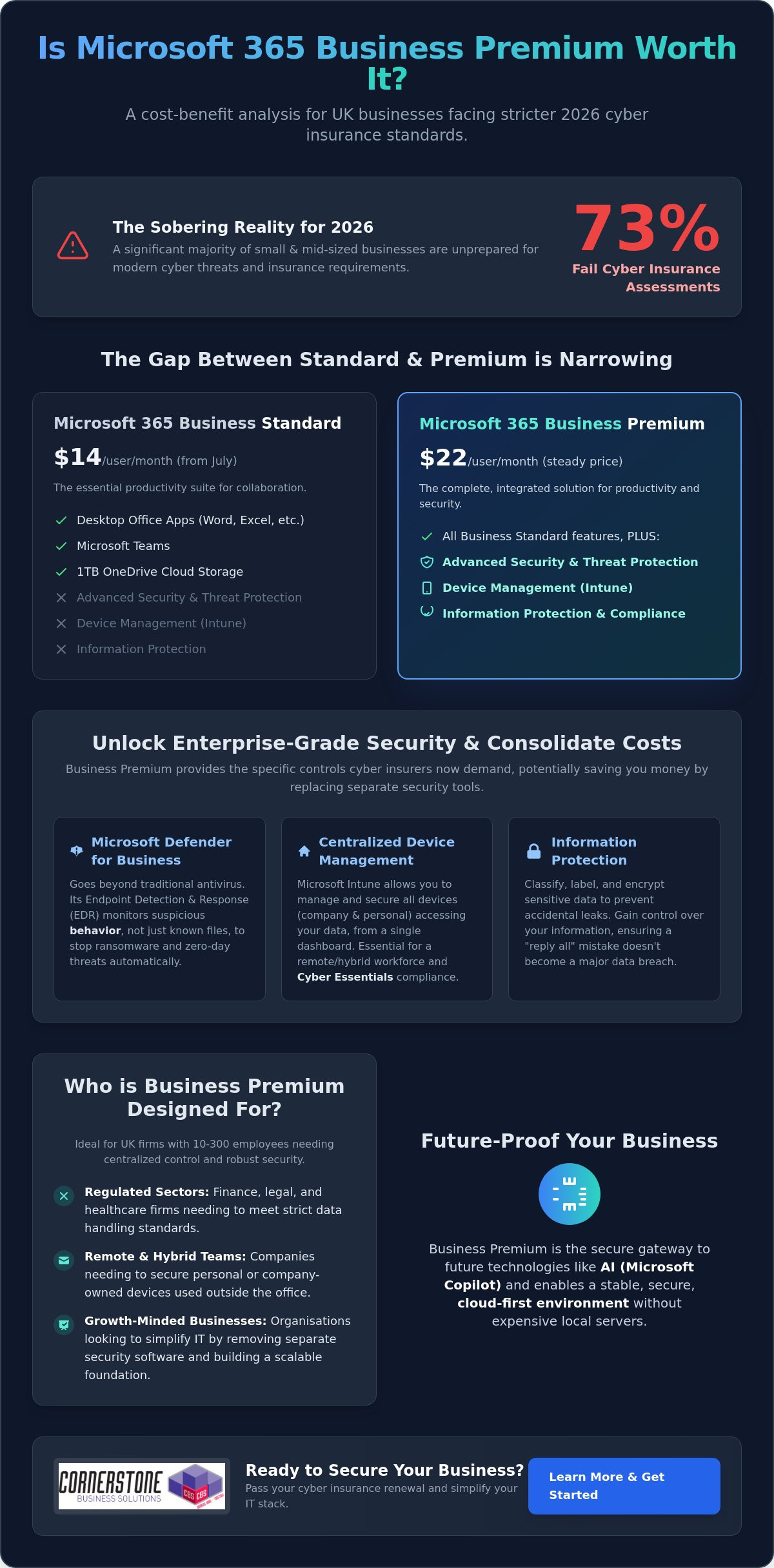
Yes, Microsoft 365 is the perfect partner for a virtual workspace. While the hosted desktop provides the secure environment and processing power, Microsoft 365 delivers the essential apps like Outlook, Teams, and Excel. Combining the two ensures that your collaboration tools and files are always available and synchronised across all devices. We help you integrate these services to create a seamless “office anywhere” experience that keeps your team connected.
How long does it take to migrate a business to a hosted desktop?
A typical migration takes between two and four weeks, depending on your data volume and the number of applications involved. We follow a structured process that includes a thorough audit and a pilot phase to iron out any kinks before the full rollout. This proactive approach ensures a smooth transition with minimal disruption. Our goal is to make the move feel stable and supportive, so your team can get back to work quickly.