Posted on: August 28th, 2026 by Cornerstone
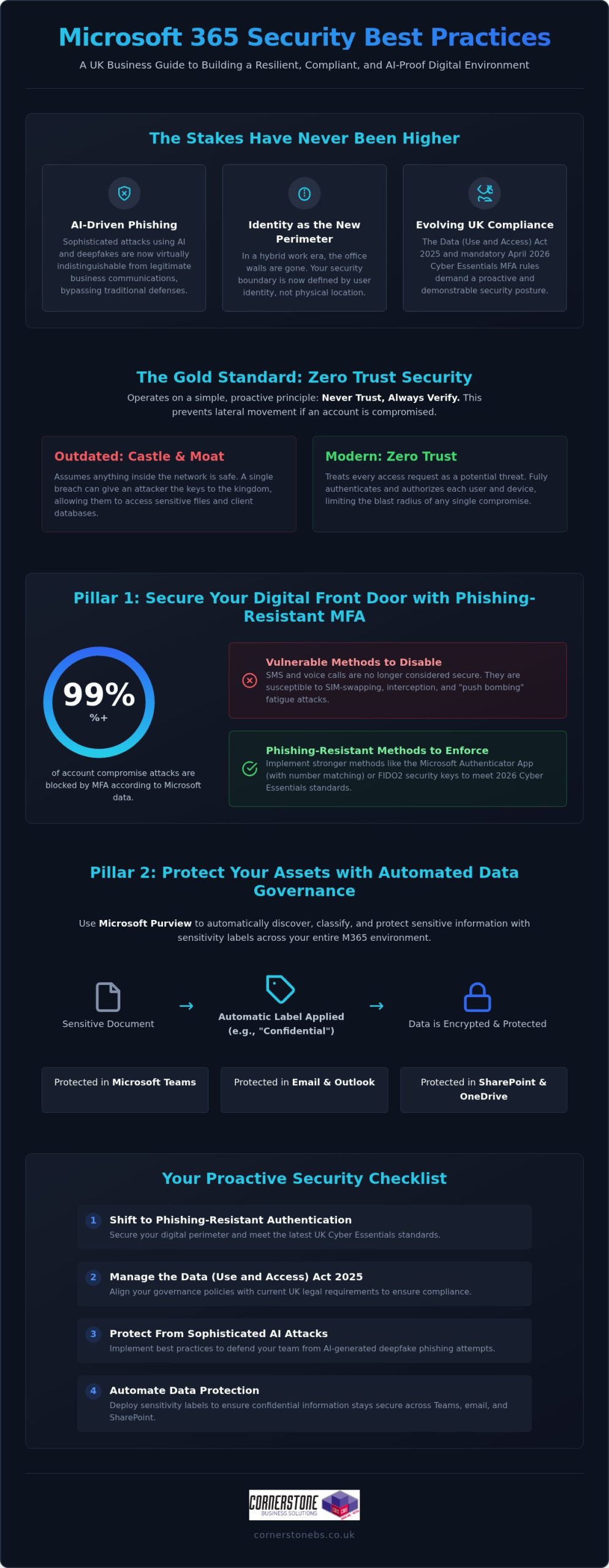
Would your business survive if a sophisticated AI-powered phishing attack bypassed your team’s defenses tomorrow morning? It’s a sobering thought that keeps many UK business owners awake at night. As the Data (Use and Access) Act 2025 introduces stricter requirements for handling data protection complaints, the stakes for your digital infrastructure have never been higher. You likely already know that Microsoft’s own data shows MFA blocks over 99% of account compromise attacks, yet managing these settings across a remote workforce feels increasingly complex. We believe that robust security is the foundation of your emotional and business stability. That’s why we’ve developed this guide to microsoft 365 security best practices, designed to help you build a resilient environment that protects your team and your reputation.
You’ll gain a clear, expert-led roadmap to navigate the complexities of modern identity protection and evolving UK cyber standards. We’ll walk you through the non-negotiable settings you need right now, including the mandatory April 2026 Cyber Essentials MFA requirements and the shift toward passwordless authentication. By the end of this guide, you’ll have a proactive strategy to secure your data and the confidence of a long-term partner standing by your side. Let’s simplify these technical challenges and turn your security into a source of strength.
Key Takeaways
- Secure your digital perimeter by shifting to phishing-resistant authentication that meets the latest UK Cyber Essentials standards.
- Manage the Data (Use and Access) Act 2025 with confidence by aligning your governance policies with current UK legal requirements.
- Implement microsoft 365 security best practices to protect your team from sophisticated, AI-generated deepfake phishing attacks.
- Automate your data protection with sensitivity labels to ensure your confidential information stays secure across Teams, email, and SharePoint.
- Partner with a multi-award-winning team to transform your IT from a simple helpdesk into a proactive security foundation that provides true peace of mind.
Why Microsoft 365 Security is No Longer Optional in 2026
The traditional castle-and-moat security model is officially a relic of the past. In our hybrid work era, the office walls no longer define your security boundary. Your team works from home, local hubs, and on the move, which makes identity the new perimeter. Relying on the standard, out-of-the-box setup of the Microsoft 365 platform leaves gaps that modern attackers are incredibly quick to exploit. We’ve seen many businesses assume that a subscription alone equals safety. It doesn’t. Microsoft provides the tools, but you remain responsible for the configuration.
By 2026, the threat landscape has shifted gears. We’re now seeing a surge in AI-driven phishing that’s virtually indistinguishable from legitimate business emails. Automated credential harvesting tools can test thousands of stolen passwords in seconds, looking for any crack in your armor. If you’re still using default settings, you’re essentially leaving your front door unlocked. Implementing microsoft 365 security best practices is the only way to ensure your business stays resilient against these evolving tactics.
A breach isn’t just a technical headache. It’s a financial and reputational crisis that can halt your operations overnight. For a UK business, the fallout includes recovery costs, lost client trust, and potential fines under the Data (Use and Access) Act 2025. We believe that robust security is the foundation of your emotional and business stability. It’s about protecting the hard work you’ve put into your company and ensuring your team feels safe while they work.
The Concept of Zero Trust in Microsoft 365
Zero Trust is the gold standard for modern protection. It operates on a simple, proactive principle: never trust, always verify. Trust is a risk. Every access request, regardless of where it originates, is fully authenticated and authorized before any data is shared. This approach is vital because it prevents lateral movement within your network. If one account is compromised, the attacker can’t easily jump to your most sensitive financial files or client databases. It creates the layered defense you need for true peace of mind. You can find more detail on this in our guide on Zero Trust security.
Compliance Requirements for UK Businesses
Securing the Digital Front Door: Identity and Access Management
Identity is the master key that unlocks your entire business. In 2026, it’s no longer enough to guard your network; you must guard the person behind the screen. Microsoft Entra ID provides the centralised control you need to manage every user, device, and application from a single, secure location. This visibility is essential for maintaining microsoft 365 security best practices while ensuring your team stays productive. We understand that adding security can sometimes feel like adding friction. However, with the right setup, you can protect your data without slowing down your people. It’s about creating a environment where safety and efficiency work hand in hand.
Implementing Phishing-Resistant MFA
Standard Multi-Factor Authentication (MFA) using SMS is no longer the gold standard. Attackers have found ways to intercept codes or trick users into approving fake prompts through “push bombing.” To meet the April 2026 Cyber Essentials mandate, MFA must be active on all cloud services that support it. Following CISA’s security recommendations, we suggest moving toward phishing-resistant methods to prevent credential theft.
- Step 1: Audit current methods. Identify which users are still relying on vulnerable SMS or voice call authentication.
- Step 2: Disable legacy protocols. Turn off older authentication methods that allow attackers to bypass your MFA prompts entirely.
- Step 3: Move to Authenticator or FIDO2. Roll out the Microsoft Authenticator app or physical FIDO2 keys for a more secure, passwordless experience.
- Step 4: Educate your team. Train users to recognise “MFA fatigue” so they don’t accidentally approve a fraudulent login attempt.
Conditional Access: The Smart Way to Manage Risk
Conditional Access is the intelligent bouncer for your business data. Instead of a simple “yes or no” to a password, it evaluates every login attempt in real-time based on specific signals. You can create policies that check user location, device health, and login risk levels before granting access. For instance, you can automatically block logins from high-risk countries or prevent access from unmanaged devices that haven’t been patched. This proactive approach ensures that only the right people, on the right devices, get to your sensitive information. If you’re looking for a partner to help configure these complex settings, our experts at Cornerstone can design a bespoke framework that fits your unique workflow. Implementing these microsoft 365 security best practices creates a foundation of trust that allows your business to grow without fear.
Protecting Your Assets: Data Governance and DLP Strategies
Once you’ve secured the digital front door, you must ensure the data inside doesn’t slip out the back. Accidental data leaks through email, Teams, or SharePoint are often the result of simple human error rather than malice. To prevent this, we recommend following a prioritized security roadmap that focuses on automated protection. Sensitivity labels are a cornerstone of this approach. They allow you to classify documents based on their level of confidentiality, ensuring that a “Highly Confidential” file cannot be shared with external stakeholders without proper encryption and authorization. This creates a safety net that protects your team while they focus on their daily tasks.
Securing your data is about more than just preventing leaks; it’s about ensuring your business can bounce back if the worst happens. Our team focuses on building microsoft 365 security best practices into the very fabric of your organization. This includes integrating robust cloud solutions and backup strategies to ensure business continuity. When your data is protected and backed up, you gain the emotional security of knowing your hard work is safe from both cyber threats and accidental deletion.
Licensing for Security: Business Premium vs. Enterprise
Choosing the right license is a strategic decision for your business stability. For most UK small and medium enterprises, Microsoft 365 Business Premium is the “sweet spot” for security. It includes essential tools like Intune for device management and Defender for Business, which were previously only available in more expensive Enterprise tiers. The ROI is clear: the cost of a higher-tier license is a fraction of the potential financial fallout from a single data breach.
| Feature |
Business Standard |
Business Premium |
Enterprise (E5) |
| Conditional Access |
No |
Yes |
Yes |
| Intune Device Management |
No |
Yes |
Yes |
| Defender for Business |
No |
Yes |
Yes |
| Data Loss Prevention (DLP) |
Basic |
Full |
Advanced |
| Sensitivity Labels |
Manual |
Automated |
Advanced AI |
Data Loss Prevention (DLP) Policies That Work
DLP policies act as a silent guardian for your sensitive information. You can configure rules that automatically detect and block the sharing of National Insurance numbers or credit card data across your microsoft 365 security best practices framework. We favor using “Override” options where appropriate. This allows a user to share data if they provide a valid business reason, turning a potential security block into a teachable moment that improves awareness without halting productivity. It’s about being proactive and supportive, rather than just restrictive.
Defending Against AI-Driven Threats and Phishing
By 2026, the days of spotting a phishing attempt by its poor grammar or blurry logos are long gone. Attackers now use generative AI to create perfectly written, highly personalised spear-phishing emails that can fool even the most tech-savvy professionals. We’re also seeing a rise in “Deepfake” phishing, where AI-generated audio or video mimics a senior leader to authorise urgent wire transfers. Staying ahead of these sophisticated tactics requires more than just luck. It demands the consistent application of microsoft 365 security best practices to build a multi-layered defence that protects your team and your assets.
The integration of Microsoft Copilot brings incredible productivity gains, but it also introduces new risks. AI tools are exceptionally good at finding and summarising information, which means they can inadvertently surface sensitive data to unauthorised users if your permissions aren’t tight. This is known as the “over-sharing” problem. Before you fully embrace AI, you must audit your internal permissions to ensure users only have access to the data they truly need for their roles. Establishing clear company policies for Generative AI use is a vital step in your microsoft 365 security best practices framework, ensuring your innovation doesn’t come at the cost of your security.
Phishing Simulations and Staff Training
Technology alone isn’t enough to stop a determined attacker. We’ve found that monthly phishing simulations are far more effective than annual training sessions. These brief, realistic exercises keep security at the front of your team’s minds, helping them recognise the subtle signs of modern social engineering. We encourage a “no-blame” culture where staff feel comfortable reporting suspicious activity immediately, rather than hiding a potential mistake out of fear. This transparency is essential for a quick response and long-term resilience. The Human Firewall is the final line of defence against modern social engineering.
Building a secure environment is a journey we take together as partners. If you want to ensure your AI tools are configured safely and your team is ready for 2026 threats, contact our expert team at Cornerstone for a bespoke security review. We’re here to provide the professional authority and regional warmth you need to feel truly secure.
Implementing a Proactive Security Posture with Cornerstone
Security isn’t a one-time project; it’s a continuous commitment to your business’s future. While we’ve discussed the technical aspects of microsoft 365 security best practices, the real challenge lies in consistent, expert management. This is where Cornerstone steps in. We don’t just act as a reactive helpdesk that waits for things to break. Instead, we position ourselves as your dedicated long-term partner, providing the proactive oversight needed to keep your operations stable. Our multi-award-winning approach to managed IT services ensures that your digital infrastructure is built on a foundation of strength and reliability.
Every business has unique risks. A generic checklist won’t provide the protection you deserve. We conduct bespoke security audits to tailor Microsoft 365 to your specific operational needs. Our team provides 24/7 proactive monitoring, allowing us to identify and neutralise threats before they can impact your team. This rapid incident response is designed to give you total peace of mind, knowing that national-level experts are watching over your data around the clock. We’re proud of our Microsoft Solutions Partner status, which reflects our deep expertise and commitment to quality.
Our Microsoft 365 Management Framework
We use a structured framework to maintain your security posture. This includes regular reviews of your Microsoft Secure Score, where we identify and implement optimisations to harden your environment. If you’re currently using older systems, we provide comprehensive M365 migration support to move your team to a more secure, modern platform safely. Beyond the technical setup, we host ongoing strategy sessions. These meetings ensure your leadership team understands the evolving threat landscape and how microsoft 365 security best practices can support your long-term growth.
Next Steps: Secure Your Business Today
Ready to move beyond basic protection? Getting started is as simple as scheduling a professional security audit. We’ll look under the hood of your current configuration, identify any gaps in your “Human Firewall,” and provide a clear roadmap for improvement. The Cornerstone promise is simple: we provide reliable, award-winning expertise with a friendly, accessible face. We’re a national provider with deep roots, and we’re genuinely interested in the success of your business. We’d love to invite you to a friendly, informal conversation about your IT needs. Let’s work together to build a secure foundation that gives you the confidence to lead your team forward.
Securing Your Business Future with Confidence
Securing your business in 2026 is about more than just checking boxes. It’s about building a resilient environment where your team can thrive without the constant fear of a data breach. We’ve explored how shifting to identity-based protection and automating your data governance through microsoft 365 security best practices creates a solid foundation for growth. By staying ahead of AI-driven phishing and deepfake threats, you protect not just your files, but your reputation and your team’s hard work.
As a multi-award-winning IT provider and Microsoft Solutions Partner, we’re here to turn these complex technical challenges into a clear roadmap for success. Our proactive 24/7 monitoring ensures that your systems remain stable, giving you the emotional security to focus on what you do best. We’d love to help you take the next step toward a more secure digital future. Please Book a Microsoft 365 Security Audit with Our Award-Winning Team today. Let’s start a friendly conversation about how we can protect your business together. You’ve built something great; let’s make sure it’s built to last.
Frequently Asked Questions
Is Microsoft 365 secure enough for my business by default?
Microsoft 365 is not fully secure by default because of the shared responsibility model. While Microsoft protects the physical datacenters and underlying software, you are responsible for securing your data, devices, and user identities. Leaving settings at their factory defaults often leaves doors open for attackers. We work with you to configure microsoft 365 security best practices that close these gaps and ensure your environment is tailored to your specific business needs.
What is the single most important security setting in Microsoft 365?
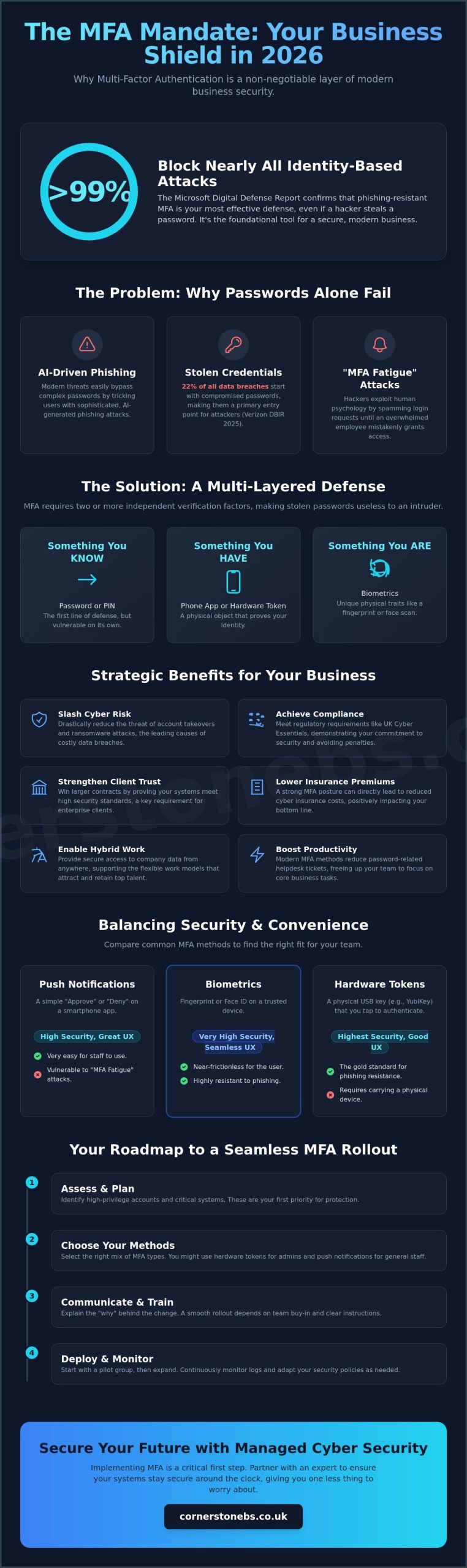
Multi-factor authentication (MFA) is the single most important security setting you can enable. It blocks over 99% of account compromise attacks by requiring a second form of verification. In 2026, we recommend moving beyond simple SMS codes to phishing-resistant methods like the Microsoft Authenticator app or physical FIDO2 keys. This simple step provides an immediate and massive boost to your overall business stability and provides true peace of mind.
How much does it cost to implement professional M365 security?
The cost of implementing professional security depends on your current licensing and the complexity of your team’s setup. Many UK businesses find that upgrading to Microsoft 365 Business Premium offers the best value, as it bundles advanced tools like Intune and Defender into a single monthly cost. Investing in a managed partnership ensures these tools are actually configured correctly, which is far more cost-effective than dealing with the fallout of a breach.
Will MFA make it harder for my staff to do their jobs?
MFA shouldn’t hinder your team’s productivity if you use Conditional Access policies correctly. These smart settings only prompt for a second factor when something changes, such as a login from a new device or an unusual location. For a standard day at the office on a trusted machine, your staff won’t be constantly interrupted. It’s about finding that perfect balance between high-level security and a smooth, efficient workflow for your busy professionals.
What is the difference between Microsoft 365 Business Standard and Premium security?
Microsoft 365 Business Premium is the baseline for security-conscious organisations. While Business Standard provides core productivity apps, Premium adds essential protection layers like Microsoft Intune for device management and Defender for Business for advanced threat protection. It also includes Conditional Access, which acts as an intelligent bouncer for your data. For most UK SMEs, the additional security features in Premium provide a much higher return on investment and greater business resilience.
Can Microsoft 365 protect my business from ransomware?
Yes, Microsoft 365 provides several layers of protection against ransomware. Microsoft Defender for Office 365 scans attachments for malicious code, while OneDrive and SharePoint include versioning features that allow you to roll back files to a point before they were encrypted. However, technology alone isn’t a silver bullet. A proactive strategy that includes regular backups and staff training is essential to ensure your business can recover quickly from any sophisticated attack.
How do I know if my Microsoft 365 environment has already been compromised?
You can identify a compromise by monitoring your Entra ID sign-in logs for unusual activity, such as “impossible travel” logins. Other red flags include:
- Unexpected mailbox forwarding rules.
- Sudden drops in your Microsoft Secure Score.
- Unfamiliar devices appearing in your management portal.
Our proactive 24/7 monitoring service tracks these signals in real-time, allowing us to neutralise unauthorised access before any significant damage is done to your business.
Do I still need a separate antivirus if I use Microsoft Defender?
You typically don’t need a separate antivirus if you’re using Microsoft Defender, as it’s consistently ranked as a leading endpoint detection and response (EDR) solution. It provides robust, built-in protection that’s deeply integrated with the rest of the microsoft 365 security best practices framework. The real value comes from having a professional partner monitor the alerts Defender generates, ensuring that potential threats are investigated and resolved with the expert authority your business requires.
Posted on: August 25th, 2026 by Cornerstone
Ransomware prevention in 2026 is no longer about building a taller wall, but about creating a resilient ecosystem where identity is the new perimeter. With the UK recently named the most attacked country in Europe, the fear of business-ending downtime is a heavy weight for any leader to carry. You’re likely tired of complex jargon and skeptical of software that promises the world but delivers little. We understand you need a reliable ransomware prevention checklist that works for your specific team without the fluff.
This expert-led guide is designed to harden your business against modern threats like AI-enabled attacks and the growth of Ransomware-as-a-Service. We’ll show you how to move from reactive fixes to a proactive stance that aligns with the latest National Cyber Security Centre guidance and the new Cyber Security and Resilience Bill. By following these prioritized steps, you can ensure compliance with UK standards like Cyber Essentials and build the total resilience your company needs to thrive. It’s time to replace uncertainty with a clear, benefit-driven plan for your digital security and long-term peace of mind.
Key Takeaways
- Move beyond basic backups by learning how to defend against triple extortion tactics that threaten to leak your private data.
- Upgrade your technical hardening from traditional antivirus to proactive Endpoint Detection and Response for faster threat mitigation.
- Stop sophisticated credential theft by implementing phishing-resistant MFA that bypasses common hacker techniques like push notification fatigue.
- Use our expert-led ransomware prevention checklist to prioritize your security tasks and ensure full compliance with UK standards like Cyber Essentials.
- Explore how Managed IT Support offers a cost-effective way to maintain 24/7 monitoring and professional expertise for your digital infrastructure.
The Evolution of Ransomware in 2026: Why Basic Protection Fails
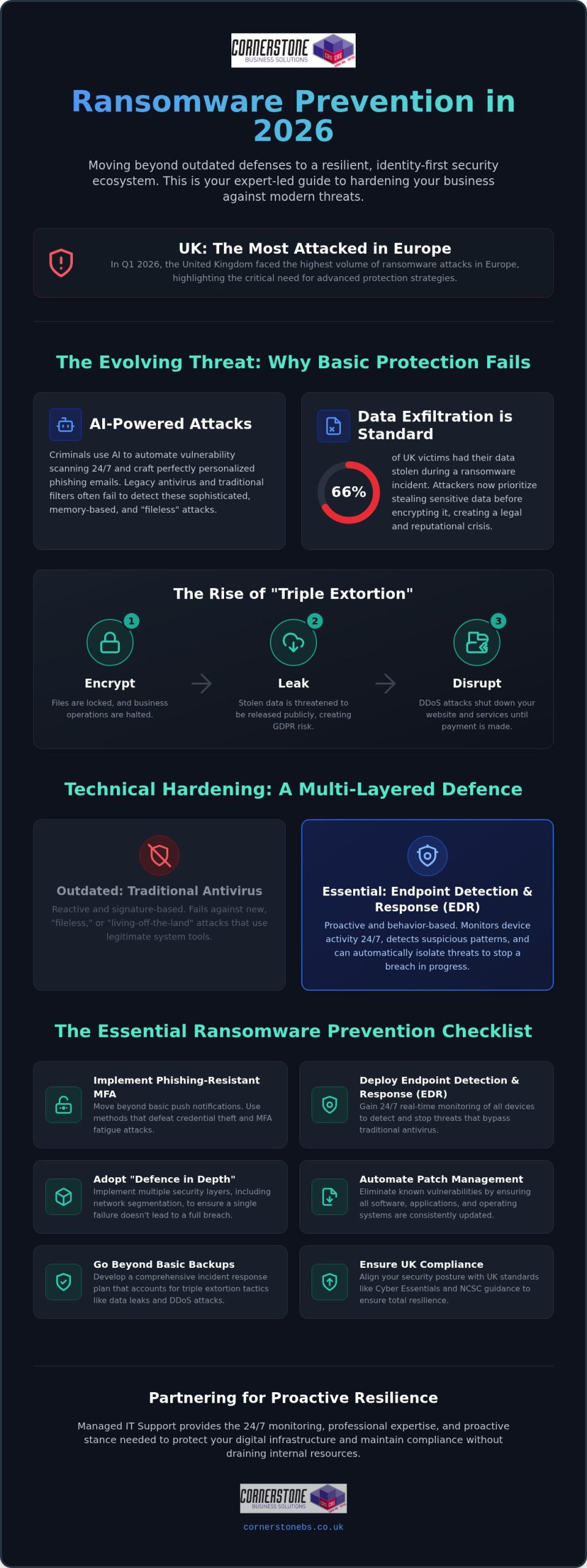
Ransomware has transformed from a simple nuisance into a sophisticated, multi-stage extortion event. In the first quarter of 2026, the United Kingdom became the most attacked country in Europe, proving that old-school defences are no longer enough. To understand why your current ransomware prevention checklist might be outdated, we need to look at how the threat has changed. Modern attacks aren’t just about locking files; they’re about total business leverage. If you’re still asking What is Ransomware?, the answer in 2026 is far more dangerous than it was even two years ago.
Hackers now use AI to automate the discovery of vulnerabilities, scanning your network for weaknesses 24/7. They don’t just wait for a lucky break; they create one. Legacy antivirus software often fails because it looks for known signatures or files. Today’s fileless malware attacks hide in your computer’s memory or use legitimate system tools to bypass detection entirely. We’re also seeing the rise of Triple Extortion. This is where criminals encrypt your data, steal it for public leak, and then launch a DDoS attack to shut your website down until you pay. It’s a relentless cycle that basic software can’t stop alone.
From Data Encryption to Data Exfiltration
Attackers have flipped the script. They now steal your sensitive data before they ever trigger the encryption process. This gives them a backup plan if your technical recovery is solid. Double Extortion is now the industry standard threat for 2026, where criminals demand payment specifically to stop the public release of your stolen information. For a UK business, this isn’t just a technical issue. It’s a legal nightmare involving massive GDPR fines and permanent damage to your brand’s reputation. According to 2026 data from Proofpoint, 66% of UK victims reported data theft during an incident, making it more likely than not that your data will be leaked if you’re hit.
AI-Driven Phishing and Social Engineering
The days of spotting a scam by its poor grammar are gone. Criminals now use Large Language Models (LLMs) to craft perfect, highly personalised phishing emails that look identical to a message from your bank or a trusted supplier. We’re also seeing a rise in Deepfake audio and video being used in business email compromise. A voice that sounds exactly like your director might call to authorize an urgent transfer. Traditional email filters struggle to catch this synthetic content because it lacks the usual red flags. This evolution makes identity security a foundational part of any modern ransomware prevention checklist.
Technical Hardening: Building a Multi-Layered Defence
Building a resilient business requires more than a single piece of software. It demands a strategy called “Defence in Depth.” This approach ensures that if one security layer fails, others are ready to catch the threat before it causes damage. A modern ransomware prevention checklist must move beyond basic firewalls to include integrated, intelligent systems that talk to each other. For a comprehensive look at these technical standards, the CISA #StopRansomware Guide provides a gold standard for configurations that every UK business leader should consider.
Automated patch management is another non-negotiable element. Hackers love unpatched software because it provides a predictable, open door into your network. In a hybrid work environment, your “perimeter” isn’t just the office walls. It’s every cloud application and remote device your team uses. Securing this cloud perimeter requires consistent updates and proactive monitoring to ensure your defences remain strong against evolving threats. Our team often finds that managed IT support is the most efficient way for businesses to maintain this level of technical hygiene without draining internal resources.
Endpoint Detection and Response (EDR)
Traditional antivirus is reactive. It waits to see a known file signature before it acts. EDR is different. It monitors the behaviour of every device on your network in real time. This is vital for stopping “Living off the Land” (LotL) attacks, where hackers use your own legitimate system tools to encrypt your data. Because most firms don’t have an in-house security team working through the night, managed EDR provides the constant oversight needed to stop a breach at 3 AM on a Sunday. It identifies suspicious patterns, like a sudden mass renaming of files, and isolates the device immediately.
Network Segmentation and Lateral Movement
Keeping your entire business on one “flat” network is a recipe for disaster. If a single laptop in your sales department gets infected, the hacker can move sideways across the network to your finance servers in minutes. Network segmentation acts like the bulkheads in a ship. By dividing your infrastructure into smaller, isolated zones, you can contain an infection to its source. This limits the “Blast Radius” of an attack, ensuring that a breach in one area doesn’t lead to total company downtime. It’s a core component of any effective ransomware prevention checklist in 2026.
Identity Security: Why MFA is No Longer a Silver Bullet
Many UK business owners believe that enabling basic Multi-Factor Authentication (MFA) makes them unhackable. It’s a common misconception. While MFA is a vital step in any ransomware prevention checklist, simple push notifications are now easily bypassed. Hackers use “MFA Fatigue” attacks, bombarding a tired employee with requests until they accidentally click “Approve.” By 2026, session hijacking and AI-powered credential theft have made traditional SMS or app-based codes insufficient.
We recommend moving toward Phishing-Resistant MFA, such as FIDO2-compliant hardware keys. These require a physical touch or biometric scan that can’t be intercepted by a remote attacker. This shift is a core recommendation in CISA’s #StopRansomware Guide, which emphasizes that identity is the new perimeter. If an attacker steals a password today, they shouldn’t automatically get the keys to your entire digital kingdom.
Implementing Zero Trust Architecture
Zero Trust isn’t a single software package you buy off the shelf. It’s a strategic mindset: “Never Trust, Always Verify.” This framework ensures that every user and device is checked every time they try to access your data, regardless of whether they are in the office or working from home. Our Cyber Security services help you build this resilience through three main pillars:
- Verify Explicitly: Always authenticate based on all available data points, including user identity, location, and device health.
- Use Least Privilege: Limit user access with “Just-In-Time” and “Just-Enough-Access” to only what they need for their specific role.
- Assume Breach: Design your systems as if an attacker is already inside the network to minimize the impact of a potential incident.
Cyber Awareness Training for the 2026 Workforce
Annual “tick-box” videos don’t stop modern attacks. Your team is your first line of defence, but they need training that reflects today’s AI-driven threats. We focus on creating a security-first culture where employees feel confident reporting a mistake rather than hiding it out of fear. Simulated phishing tests should now include deepfake audio scenarios and perfectly written AI emails. This ongoing education turns your staff into a human firewall, making your ransomware prevention checklist a living part of your daily operations.
The Essential Ransomware Prevention Checklist for 2026
Prevention is only half the battle. In 2026, true resilience means having the ability to survive and recover even if an attacker manages to breach your initial defences. This ransomware prevention checklist focuses on both stopping the entry and ensuring your business stays operational during a crisis. We believe that a proactive stance is the only way to protect your livelihood and your team’s hard work.
- Step 1: Conduct a comprehensive Cyber Security audit to find hidden gaps. This is the essential first step for any UK business to understand their current risk level.
- Step 2: Enforce Phishing-Resistant MFA across all business accounts to block sophisticated credential theft.
- Step 3: Implement the 3-2-1-1 Backup Strategy to ensure data is always recoverable.
- Step 4: Lock down Remote Desktop Protocol (RDP) and use secure VPNs for all remote access.
- Step 5: Establish a formal Incident Response Plan (IRP) and test it through monthly tabletop exercises.
If you aren’t sure where your business stands today, the best move is to book a professional security audit with our expert team to identify your most critical vulnerabilities.
The 3-2-1-1 Backup Strategy: Your Final Safety Net
In 2026, the traditional 3-2-1 rule is no longer enough because modern ransomware specifically targets and deletes backups. You need the extra “1” for immutability. Immutable backups are stored in a state that cannot be deleted, changed, or overwritten, even if a hacker gains administrative access to your network. Physically disconnected or air-gapped backups are the only true defence against encryption because they sit entirely outside the reach of the attacker’s software. You must also define your Recovery Time Objective (RTO) and Recovery Point Objective (RPO). RTO determines how quickly you need to be back online, while RPO defines how much data loss your business can actually tolerate before it becomes a disaster.
Patching and Vulnerability Management
Partnering for Resilience: Proactive Protection with Cornerstone
Trying to handle cyber security alone in 2026 is a high-risk strategy that often leaves UK firms vulnerable. Ransomware is no longer a simple virus; it’s a professional criminal operation. You need more than a static document to stay safe. You need a team that lives and breathes these threats every day. Our Managed IT Support provides the 24/7 monitoring and technical expertise required to turn your ransomware prevention checklist from a plan into a bulletproof defence.
We don’t just act as a reactive helpdesk. We position ourselves as your dedicated long-term partner, spotting the smoke before the fire starts. Proactive maintenance is always more cost-effective than emergency breach recovery. With financial losses from UK ransomware attacks increasing by 50% annually to approximately £270,000 per incident, the investment in professional oversight is a foundational element of your business stability and emotional security.
Why Outsourced Security Beats In-House Management
Managing a modern security stack requires expensive, enterprise-grade tools. Through our partnerships with industry leaders like Microsoft, Cisco, and IBM, we give you access to world-class technology without the massive upfront costs. There’s also a global talent shortage in cyber security. It’s difficult and expensive to hire a full in-house team that understands 2026-level threats. Our experts handle the complexity so you can focus on growth.
Our Cloud Solutions offer built-in resilience that traditional on-premise servers simply can’t match. We ensure your data is distributed and protected by the latest encryption standards. This allows your team to scale securely while we manage the technical infrastructure in the background. It’s a seamless way to tick off the most difficult items on your ransomware prevention checklist.
Building Your Disaster Recovery Plan
The first 60 minutes after discovering an attack are critical. Our rapid response process kicks in immediately to isolate the threat and protect your immutable backups. We focus on Business Continuity, ensuring you can keep working even if your primary systems are under pressure. We don’t just set up your systems and walk away; we test your recovery plans regularly to ensure they work when you need them most.
Following a checklist is a great start, but having a multi-award-winning team by your side provides the ultimate peace of mind. We’re proud to be a local team of experts who genuinely care about your success. We’d love to help you harden your defences and secure your future. Feel free to reach out for a no-obligation security conversation with our team today.
Building a Resilient Future for Your Business
Protecting your organization from modern threats requires more than just luck. We’ve seen how ransomware has evolved into a multi-stage extortion event where identity security and immutable backups are your strongest allies. By adopting a proactive stance and following a comprehensive ransomware prevention checklist, you replace fear with a clear strategy for growth. It’s about ensuring your team can work with confidence, knowing their data is secure.
As a multi-award-winning IT provider and official partner to Microsoft, IBM, and Cisco, we specialize in bespoke security solutions. Our UK-based proactive support desk acts as an extension of your team, providing the 24/7 oversight your business deserves. Don’t wait for a breach to discover your vulnerabilities. Book Your Comprehensive Cyber Security Audit with Cornerstone Today to harden your defences.
Taking these steps today secures your legacy for tomorrow. We’re ready to help you build a more stable, resilient business that’s prepared for whatever the digital world throws your way.
Frequently Asked Questions
What is the single most important step in ransomware prevention?
The single most important step is securing user identities through phishing-resistant Multi-Factor Authentication (MFA). Since most breaches begin with compromised credentials, hardware-based keys or biometrics create a barrier that software-only solutions can’t match. It’s the foundation of any modern ransomware prevention checklist. By ensuring that only verified users can access your network, you stop the majority of automated attacks before they can gain a foothold in your systems.
Should my business ever pay a ransomware demand in 2026?
Official guidance from the National Cyber Security Centre (NCSC) remains clear: you shouldn’t pay the ransom. Paying doesn’t guarantee your files will be returned and often funds further criminal activity. Under new UK legislation, organizations are also required to report incidents and consult with authorities within 72 hours. we focus on building resilience so that you don’t have to negotiate. A solid recovery plan is always a better investment than a ransom payment.
How often should we test our business backups?
You should perform full restoration tests at least once a quarter, though monthly testing is ideal for critical data. A backup is only as good as its last successful restore. Regular testing ensures your Recovery Time Objective (RTO) is realistic and that your team knows exactly what to do during an incident. This proactive approach identifies corruption or configuration errors early, giving you the peace of mind that your safety net is actually secure.
Does Microsoft 365 protect me from ransomware automatically?
Microsoft 365 offers strong foundational tools, but it doesn’t protect you from ransomware automatically without expert configuration. You must actively enable features like conditional access, advanced threat protection, and secure defaults to stop modern attacks. It’s a shared responsibility model where Microsoft secures the platform while you secure your data. Our team ensures your environment is hardened against the specific fileless malware and credential theft techniques that are prevalent in the UK today.
What is an immutable backup and why do I need one?
An immutable backup is a data copy that cannot be altered, encrypted, or deleted for a set period. Even if a hacker gains administrative privileges, they cannot destroy this data. In 2026, attackers specifically target backup servers to force a ransom payment. Having an immutable copy ensures you always have a “clean” version of your business data available for recovery, making the threat of permanent encryption much less significant for your operations.
How can I tell if my business has already been breached?
Look for subtle signs like unusual network latency, unexpected account lockouts, or unauthorized configuration changes. Modern attackers often stay “silent” in your network for weeks to exfiltrate data before triggering encryption. Implementing Endpoint Detection and Response (EDR) is the best way to spot these anomalies. EDR monitors behaviour in real time, alerting you to “Living off the Land” techniques that traditional antivirus software would likely miss until it’s too late.
Is Cyber Essentials certification enough to stop ransomware?
Cyber Essentials is an excellent baseline that covers approximately 80% of common cyber threats, but it isn’t a “set and forget” solution. It provides the foundational controls every UK business needs for compliance. However, to defend against the AI-driven and triple-extortion attacks of 2026, you need to layer this certification with advanced strategies like Zero Trust architecture and 24/7 proactive monitoring. It’s a vital part of your security journey, not the destination.
What is the cost of a ransomware attack for a UK SME?
Beyond the direct financial hit, the true cost of an attack in 2026 includes massive downtime and permanent reputational damage. Industry data from Sophos shows the average global recovery cost has risen to $1.7 million when you factor in lost productivity and restoration. For many UK SMEs, these hidden expenses are far more damaging than the ransom itself. Following a professional ransomware prevention checklist is the most cost-effective way to avoid these business-ending financial burdens.
Posted on: August 22nd, 2026 by Cornerstone
Did you know that the ICO now has the power to issue fines of up to £17.5 million for simple communication breaches? With the Data (Use and Access) Act 2025 now in full effect, staying ahead of the law requires more than just basic firewalls. It’s easy to feel overwhelmed by these shifting rules, especially when you’re trying to find a reliable it compliance checklist for uk businesses that actually makes sense for your daily operations. You need a strategy that protects your reputation and your bottom line without slowing down your team.
We understand that you want peace of mind, not a legal textbook. Our award-winning team has developed a guide that replaces uncertainty with absolute confidence. This framework simplifies complex technical requirements into clear, actionable steps that benefit your business. We break down the latest “Danzell” Cyber Essentials updates, explain the new 30-day data subject complaint window, and show you how proactive managed IT support acts as a continuous compliance engine. Let’s move past the jargon and ensure your business is resilient, legal, and ready for growth.
Key Takeaways
- Learn why being “secure” isn’t the same as being “compliant” and how to avoid the ICO’s increased £17.5 million fining powers.
- Get up to speed with the Data (Use and Access) Act 2025, including the strict new 30-day timeline for handling data subject complaints.
- Follow our it compliance checklist for uk businesses to perform essential operational audits on user permissions and hardware lifecycles.
- See how the latest Cyber Essentials “Danzell” update mandates Multi-Factor Authentication for all cloud users, not just admins.
- Shift from a “set and forget” mindset to a proactive model that uses managed IT services to maintain continuous operational resilience.
Understanding IT Compliance in the 2026 UK Landscape
We’ve moved beyond the original 2018 General Data Protection Regulation (GDPR) baseline. Since February 5, 2026, the Data (Use and Access) Act 2025 has introduced stricter requirements for data subject complaints and incident reporting. This shift means your it compliance checklist for uk businesses needs to account for these updated mandates. For directors, this is about more than just avoiding legal trouble. It’s about emotional security. Knowing your systems are robust and compliant allows you to focus on growth without the constant fear of a regulatory audit hanging over your head.
The Consequences of Non-Compliance
The Data Protection Pillar: GDPR and the 2025 Data Act
The Data (Use and Access) Act 2025 (DUAA) officially became the primary influence on UK data protection on February 5, 2026. It’s not a total rewrite of the rules you already know. Instead, it amends the UK GDPR and the Data Protection Act 2018 to better suit our modern economy. For any business owner, this means your it compliance checklist for uk businesses must account for these specific refinements. The Act aims to reduce “red tape” for low-risk data usage while strengthening the protections around sensitive personal information. One of the biggest shifts involves how you justify data collection. You need to re-audit your “Lawful Basis for Processing” to ensure your reasons for holding data still align with the streamlined definitions provided by the new Act.
Handling Subject Access Requests (SARs) and data complaints has also become more structured. As of June 19, 2026, you’re legally required to acknowledge any data subject complaint within 30 days. You then have to provide a full response without undue delay. This isn’t just about avoiding fines; it’s about showing your customers that you value their privacy. We always recommend following the official ICO guidance on UK GDPR to stay on the right side of these evolving expectations. Clear communication builds the foundation of a long-term partnership with your clients.
The 72-Hour Breach Reporting Rule
Speed is your best friend when a security incident occurs. Under the current 2026 guidelines, you must report any breach that risks the rights and freedoms of individuals to the ICO within 72 hours. This window is incredibly tight if you’re relying on manual checks. We use automated monitoring to detect anomalies instantly, giving you the best chance to meet this deadline. A proactive response plan ensures your team knows exactly who to call and what to do the moment a red flag appears. If you’re worried about your current detection speed, our Cyber Security audits can identify gaps before they turn into reportable incidents.
Data Governance and Documentation
Cyber Essentials is no longer just a “nice to have” recommendation. It’s the bedrock of any it compliance checklist for uk businesses. Since the Danzell update took effect in April 2026, the requirements have sharpened significantly to meet modern threats. We view this certification as a quality signature. It proves to your partners and customers that you take their digital safety seriously. While the standard version involves a verified self-assessment, we often recommend Cyber Essentials Plus for businesses handling sensitive data. This higher tier includes a hands-on technical audit, providing the absolute certainty that your defences are as strong as you claim.
Even if your business is strictly UK-based, you’re likely part of a broader supply chain affected by international shifts. Regulations like NIS2 and the Digital Operational Resilience Act (DORA) are rippling through the UK market in 2026. These mandates require larger firms to prove their suppliers are secure. Meeting the Cyber Essentials scheme standards ensures you don’t get locked out of lucrative contracts due to compliance gaps. It positions your company as a reliable, long-term partner in a competitive landscape.
Technical Controls for Compliance
Modern compliance demands concrete technical evidence rather than vague promises. Multi-Factor Authentication (MFA) is now a mandatory check under the Danzell update for all cloud services. It’s not enough to enable it for administrators; every single user must have it active to pass an audit. We also focus on robust encryption for data both at rest and in transit. This prevents unauthorized access even if data is intercepted. Patch management is another critical area with zero room for error. You must apply all high-risk and critical security updates within 14 days of release. Failing to do so results in an automatic assessment failure, leaving your business both vulnerable and non-compliant.
Zero Trust Architecture in 2026
The Step-by-Step IT Compliance Checklist for 2026
Phase 1: Discovery and Documentation
Once you have a clear map, you must harden your defences. Enforce Multi-Factor Authentication (MFA) across all cloud subscriptions, including Microsoft 365 and Azure environments, to meet the mandatory Danzell update requirements. Standardise device encryption for all business mobiles and laptops to protect data in transit. This phase also involves an operational audit of user access levels. We advocate for “Least Privilege” policies, ensuring staff only have access to the data they need for their specific roles. To maintain this standard without manual effort, consider setting up automated patch management via Managed IT Support. This ensures critical security updates are applied within the required 14-day window.
Phase 3: Training and Culture
Technology alone isn’t enough; your people are your first line of defence. Deliver quarterly cyber security awareness training to help staff recognise evolving threats like AI-driven phishing. We recommend simulating phishing attacks to test your organisational resilience in a safe environment. The goal is to create a transparent culture where reporting a mistake is encouraged over hiding a breach. Finally, ensure your disaster recovery plan is more than just a document. Test your backup restoration at least annually to guarantee you can recover quickly from any incident. If you want to ensure your infrastructure meets every requirement, request a comprehensive IT audit from our expert team today.
Maintaining Compliance with Managed IT Services
Compliance isn’t a destination; it’s a constant state of readiness. The dangerous myth of “set and forget” compliance often leads to the very breaches and ICO fines we’ve discussed. In a 2026 regulatory environment, your digital infrastructure changes every day. New patches are released, user permissions shift, and data flows evolve. To stay legal and secure, you need a system that breathes with your business. Proactive monitoring identifies non-compliance markers before they escalate into a reportable incident. This approach transforms your it compliance checklist for uk businesses from a static document into a living, breathing shield for your organization.
At Cornerstone Business Solutions, we act as your long-term compliance partner. We don’t just fix things when they break; we ensure they’re built to meet the highest standards from the ground up. We leverage our multi-award-winning expertise to simplify complex technical audits, giving you the clarity you need to make informed decisions. By positioning managed IT support as your “continuous compliance engine,” we provide the emotional security that comes from knowing your systems are always under expert watch.
The Benefits of a Managed Compliance Approach
Taking a managed approach to your regulatory obligations offers several strategic advantages that benefit your bottom line. You gain predictable monthly costs, which is a far better alternative to the high price of emergency compliance fixes after a failed audit. You also get direct access to our team of Microsoft and Cisco certified engineers who understand the nuances of the 2025 Data Act. Our service includes:
- Expert Guidance: Real-time advice on how new technologies impact your legal standing.
- Regular Reporting: Clear, jargon-free documentation for your board of directors or stakeholders.
- Automated Safeguards: Systems that enforce MFA and encryption standards without manual intervention.
Next Steps: Your Compliance Audit
Navigating the 2026 regulatory environment doesn’t have to be a source of constant anxiety for your leadership team. We’ve shown that staying ahead of the Data (Use and Access) Act 2025 and the latest “Danzell” Cyber Essentials updates is about building a culture of resilience. By following a structured it compliance checklist for uk businesses, you protect your professional reputation and your bottom line. It’s about moving away from a reactive mindset and embracing a proactive partnership that supports your long-term growth and stability. Compliance is the foundation that allows you to innovate with absolute confidence.
As a multi-award-winning IT provider and certified Microsoft and Cisco partner, we’re trusted by businesses and educational institutions nationwide to simplify these complex technical hurdles. We understand the pressure of meeting 30-day complaint windows and 72-hour breach reporting rules. Our team is here to provide the clarity and emotional security you need to focus on your core goals. Book your 2026 IT Compliance Audit with our award-winning team today. Let’s start a conversation about securing your digital future and ensuring your systems are as robust as your ambitions. You’ve built a great business; let’s work together to keep it protected and compliant.
Frequently Asked Questions
Is GDPR still relevant in the UK in 2026?
Yes, UK GDPR remains the foundational law for data protection, though it was amended by the Data (Use and Access) Act 2025. It still dictates how you collect, store, and process personal information. While the 2025 Act streamlined some administrative tasks, the core principles of transparency and security remain. You must continue to document your processing activities to stay on the right side of the ICO’s current enforcement policies.
What is the Data (Use and Access) Act 2025 and how does it affect my business?
The Data (Use and Access) Act 2025 is the latest evolution of UK data law, coming into full force on February 5, 2026. It introduces a formal process for data subject complaints and requires an acknowledgment within 30 days. It also clarifies the lawful basis for processing for common business tasks. This act aims to reduce red tape while maintaining high standards, making it a key part of any it compliance checklist for uk businesses.
Does my small business really need Cyber Essentials certification?
Yes, Cyber Essentials is a critical baseline for any organization, as the NCSC estimates it can block 80% of common cyberattacks. In 2026, many government and private sector contracts require this certification as a mandatory condition. The “Danzell” update now requires Multi-Factor Authentication for all cloud users. Beyond securing your systems, it acts as a quality signature that builds trust with your clients and professional partners.
How often should we conduct an IT compliance audit?
You should conduct a comprehensive IT compliance audit at least once a year, or whenever you make significant changes to your infrastructure. Regulatory environments move fast, and a set and forget approach is dangerous. Regular audits identify gaps in hardware lifecycles or software patches before they become liabilities. For businesses in high-risk sectors like finance or law, quarterly reviews are often the gold standard for maintaining continuous operational resilience.
Can Managed IT services help with legal compliance?
Managed IT services act as a continuous compliance engine by providing proactive monitoring and automated security updates. We handle the technical heavy lifting, such as enforcing encryption and managing patch cycles within the required 14-day window. This ensures your it compliance checklist for uk businesses is always up to date. By partnering with experts, you gain the emotional security of knowing your legal obligations are met without distracting from your core business goals.
What are the penalties for a data breach in the UK in 2026?
The ICO has enhanced powers in 2026, with maximum fines reaching £17.5 million or 4% of global turnover. These penalties now apply to breaches of the Privacy and Electronic Communications Regulations (PECR) as well as GDPR. Beyond the financial cost, you face permanent reputational damage and potential service shutdowns. Regulators are now moving from policy reviews to verifying evidence, so having a proactive response plan is essential to minimize these risks.
Is Microsoft 365 automatically compliant with UK laws?
No, Microsoft 365 provides the tools for compliance, but the responsibility for correct configuration lies with your business. You must actively enable features like Multi-Factor Authentication and data loss prevention policies to meet UK standards. Simply purchasing a subscription doesn’t satisfy the Data (Use and Access) Act 2025. We work as certified partners to harden your Microsoft 365 environment, ensuring your cloud setup is both secure and legally robust.
What should be included in an IT disaster recovery plan for compliance?
A compliant disaster recovery plan must include a clear restoration timeline, a communication strategy for stakeholders, and a full hardware inventory. You are legally required to test your backup restoration at least annually to prove your business can recover from an incident. The plan should detail how you’ll meet the 72-hour breach reporting window. Having these documented processes ensures continuity and provides the evidence regulators look for during a formal audit.
Posted on: August 9th, 2026 by Cornerstone
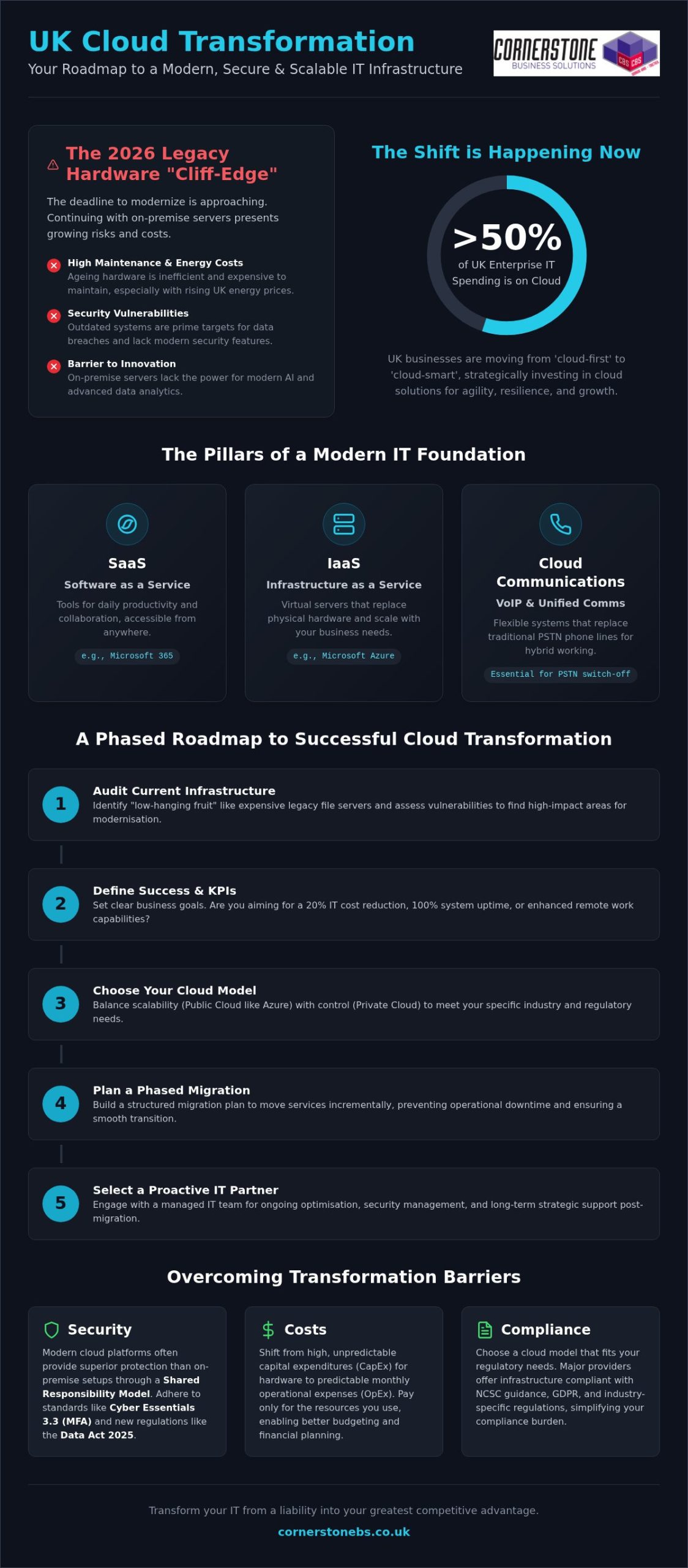
If your business is still anchored to a physical server room, you might be paying for a liability rather than an asset. With more than 50% of UK enterprise IT spending now focused on the cloud, the pressure to modernise has never been higher. We understand that the high costs of maintaining ageing on-premise hardware are frustrating. It’s even more stressful when you consider the technical complexity and the fear of a data breach during a cloud transformation uk project.
As a multi-award-winning IT provider with deep regional roots, we see this transition as a foundation for your stability, not just a technical task. This guide offers a comprehensive roadmap to modernising your infrastructure using tools like Microsoft 365 and Azure. You’ll learn how to secure your data under the Data (Use and Access) Act 2025 and meet the mandatory MFA requirements of Cyber Essentials 3.3. We will show you how to achieve predictable monthly costs, better remote working capabilities, and a scalable environment that grows with you. Let’s explore how to turn your IT from a headache into your biggest competitive advantage.
Key Takeaways
- Identify the “legacy hardware cliff-edge” and learn why 2026 is the critical year to act. We explain how to audit your current IT setup to find the most impactful areas for immediate modernisation.
- Compare Microsoft Azure and private cloud models to balance high scalability with regulatory control. Choose the infrastructure that fits your specific industry requirements while lowering your initial entry costs.
- Demystify security by understanding the Shared Responsibility Model. Learn how modern encryption and the Data (Use and Access) Act 2025 provide more protection than traditional on-premise servers.
- Master a strategic approach to cloud transformation uk that replaces high maintenance costs with predictable monthly IT spending. Use our roadmap to build a scalable environment that supports seamless remote working.
- Discover how a proactive partnership with an award-winning managed IT team ensures a smooth migration. Shift your focus from reactive technical fixes to long-term business growth and foundational system stability.
Cloud transformation uk is no longer a luxury for the tech-savvy few; it’s a fundamental shift in how your business functions. When we talk about transformation, we’re describing the movement of your entire ecosystem; your data, your applications, and your team’s culture; into a secure, digital space. It’s about building a foundation for stability and growth that physical hardware simply can’t match.
The shift is clear. You need agility. Many UK firms are moving away from ‘cloud-first’ to ‘cloud-smart’ strategies. Instead of moving everything at once, they focus on where the cloud provides the best return on investment. This approach ensures your cloud solutions actually solve business problems rather than just moving them to a different location.
Why UK Businesses are Modernising Now
2026 is a pivotal year for the British economy. We’ve reached a legacy hardware cliff-edge. On-premise servers are becoming energy-hungry liabilities, especially with UK energy costs remaining a top concern for small and medium enterprises. The final phases of the PSTN switch-off mean traditional phone lines are disappearing, making cloud-integrated communications a necessity for survival.
The Core Components of a Cloud Environment
Building a reliable environment requires understanding different cloud computing models. Most successful UK organisations use a combination of these three pillars to keep their operations running smoothly:
- Software as a Service (SaaS): Tools like Microsoft 365 handle your daily productivity. They ensure your team can collaborate on documents and emails from any location with a secure internet connection.
- Infrastructure as a Service (IaaS): This is where you host your heavy-duty business applications. By using platforms like Microsoft Azure, you replace physical servers with virtual ones that scale as you grow.
- Cloud-based Communications and VoIP: These systems replace old phone lines with flexible, national connectivity. They are essential for maintaining professional standards in a hybrid working world.
By combining these elements, you create a resilient setup. It’s about making sure your team stays connected and your data stays safe, no matter what happens in the physical world. We see ourselves as your partner in this journey, helping you simplify these complex concepts to benefit your bottom line.
A successful cloud transformation uk isn’t a one-size-fits-all project. It requires a bespoke plan that respects your budget and your team’s specific needs. We recommend starting with a thorough audit of your current setup to identify “low-hanging fruit” like legacy file servers that are expensive to maintain. Once you’ve found these, define what success looks like for your business. Are you aiming for a 20% reduction in IT overhead, or is 100% system uptime your priority?
When choosing your cloud model, security should lead the conversation. We always point our clients toward the NCSC cloud security guidance to ensure their data sensitivity matches the infrastructure they choose. Whether it’s a public cloud for scalability or a private cloud for strict compliance, your strategy must be secure by design. Build a phased migration plan to prevent operational downtime; flipping the switch overnight rarely works for complex environments. Finally, select a proactive partner. Moving to the cloud is just the beginning; you need ongoing managed IT services to keep systems optimised and secure.
Setting Realistic KPIs for Your Migration
Success goes beyond just moving files. You should track user adoption rates to ensure your team is actually using the new tools. Monitor your cost-per-user compared to traditional hardware depreciation cycles to get a clear picture of your ROI. Lower system latency and improved employee productivity are the ultimate indicators that your migration worked. If you’re unsure where to start, our experts are always happy to chat about your current setup.
The Importance of a Bespoke Technology Roadmap
Generic cloud packages often fail UK SMEs because they don’t account for specific industry challenges. Your business is unique, and your technology should be too. A tailored Microsoft 365 migration aligns your productivity tools with your specific industry workflows. We help you build a 3-5 year roadmap that ensures your cloud growth supports your long-term business goals. This proactive approach prevents the “technical debt” that often comes from rushed, uncoordinated IT decisions.
Comparing Infrastructure: Public, Private, and Hybrid Cloud Models
Choosing your infrastructure is the most critical technical step in your cloud transformation uk. It’s the engine room of your digital strategy. Public cloud platforms like Microsoft Azure, which holds a 20% global market share, are the go-to for businesses that need to scale quickly. For organisations with tighter initial budgets, the public cloud offers lower entry costs because you only pay for the resources you consume. Conversely, a private cloud remains the gold standard for sectors with rigid regulatory demands, as it provides total control over your dedicated hardware.
Many forward-thinking firms are now looking at multi-cloud strategies. By using different providers like Azure and AWS, you can avoid vendor lock-in and pick the best features from each. This approach is becoming more accessible following the March 2026 CMA investigation, where major providers committed to lowering data egress fees. This makes it easier for you to switch or move data between clouds without facing punitive costs.
Is Hybrid Cloud the Right Choice for Your Firm?
Hybrid cloud is currently the default operating model for 73% of organisations. It allows you to balance the high security of on-premise servers with the immense flexibility of the cloud. This is often the best path for businesses running complex legacy software that isn’t yet compatible with modern SaaS platforms. While maintaining a dual environment requires more management and careful cost tracking, it provides a stable bridge for your transition. It ensures your core operations remain steady while you modernise at your own pace.
Public Cloud: Scaling with Microsoft Azure
Azure is a standout choice for UK firms because of its robust national data residency options. With major data centres in London and Cardiff, your sensitive information stays on British soil, which is a key requirement for many local contracts. It integrates perfectly with your existing Microsoft 365 environment, creating a familiar workspace for your team. We frequently recommend Azure Virtual Desktop to our partners. It allows your staff to access secure business environments from any device, which is essential for maintaining productivity in a hybrid work world. It’s a proactive way to ensure your cloud transformation uk delivers real-world results for your team.
The most common hurdle for business owners is the fear of losing control. You might ask, “Is our data actually safer in the cloud than on our own server?” The short answer is yes. While your office server might be protected by a locked door, cloud providers invest billions in physical security and advanced encryption that most SMEs simply can’t match. This shift is governed by the Shared Responsibility Model. The provider secures the infrastructure, while you remain responsible for managing who has access to your data and how they use it.
Managing compliance becomes much easier with a strategic cloud transformation uk. Modern cloud environments are designed to align with UK GDPR and the Data (Use and Access) Act 2025. These platforms automate many of the reporting tasks that used to take your team hours to complete. However, you must stay vigilant against “cloud sprawl.” Without proactive oversight, unused subscriptions and unallocated resources can lead to hidden costs that eat into your ROI. We help you monitor these environments to ensure you only pay for what you actually use.
Building a Zero Trust Security Architecture
Traditional firewalls aren’t enough when your team works from home or on the road. You need a setup that doesn’t just trust someone because they’re “inside” the network. Zero Trust is a security model that assumes every access request is a potential threat. We help you implement robust cyber security services like multi-factor authentication (MFA) and identity management. Under the Cyber Essentials 3.3 standards effective since April 2026, MFA is now a mandatory requirement for all cloud services. This ensures your business remains resilient against modern credential-based attacks.
Budgeting for Long-Term Cloud Success
Ready to secure your digital future? Contact our local experts for a comprehensive cloud security audit.
Implementing the Change: The Role of Managed IT Support
A successful cloud transformation uk requires more than a simple migration. While many firms treat it as a one-time project fee, the reality is that your digital environment needs constant care to stay efficient. A proactive partnership is the difference between a system that merely works and one that drives growth. We move beyond reactive fixes by using advanced system monitoring to stop problems before they disrupt your day. This continuous support provides the emotional security every business owner deserves. Knowing your it company solutions are managed by award-winning experts allows you to focus on your clients instead of your servers.
What to Look for in a Cloud Transformation Partner
Technical expertise is essential, but it must be balanced with a deep understanding of your business goals. You need a partner who speaks your language and understands the local market. UK-based support is a massive advantage; it ensures your helpdesk team is in your time zone and understands the specific regulatory environment you face. Always evaluate a partner’s accolades and industry certifications. Our partnerships with Microsoft, IBM, and Cisco aren’t just badges. They are a recurring signature of quality that guarantees your infrastructure is built to the highest standards.
Your Next Steps: From Conversation to Implementation
Your journey begins with a comprehensive IT audit and a cloud readiness assessment. We don’t believe in guesswork. We look at your current setup, identify bottlenecks, and build a roadmap that makes sense for your 2026 strategy. The Cornerstone approach is intentionally direct and benefit-driven. We strip away the jargon to show you exactly how technology will improve your bottom line.
We invite you to an informal conversation about your business goals. There is no pressure and no complex sales pitch. We are a local team of experts who genuinely care about the success of our regional business community. Let’s talk about how we can build a stable, secure, and scalable future together. Our team is ready to help you navigate the complexities of cloud transformation uk with clarity and ease.
Secure Your Future with a Cloud-First Strategy
The landscape of 2026 demands more than just basic connectivity; it requires a resilient foundation that supports growth and protects your sensitive data. By moving away from energy-intensive on-premise servers and embracing platforms like Microsoft Azure, you gain the agility needed to lead in your industry. We’ve explored how a phased approach reduces downtime and how Zero Trust security keeps you compliant with the latest UK data regulations. A successful cloud transformation uk is a collaborative journey that transforms your IT from a high-maintenance liability into a scalable asset.
As a multi-award-winning IT services provider and partner to Microsoft, IBM, and Cisco, we specialise in bespoke technology solutions tailored to your unique needs. We don’t just provide a service; we act as your long-term partner in business stability. Ready to modernise? Let’s have an informal conversation about your cloud transformation strategy. Your business deserves a secure, modern environment that works as hard as you do. Let’s build it together.
Frequently Asked Questions
What is cloud transformation and how does it differ from cloud migration?
Cloud transformation is a complete business redesign, while migration is simply moving data from A to B. Transformation involves modernising your workflows and culture to leverage cloud-native features. It’s about changing how you operate to drive long-term growth. Migration is just the first technical step in a much larger cloud transformation uk journey that builds lasting business resilience for the future.
How much does cloud transformation cost for a UK business?
Costs vary significantly based on your organisation’s size and the complexity of your legacy systems. Instead of a large upfront Capital Expenditure for servers, you move to a monthly Operational Expenditure model. This makes your IT spending predictable and scalable. We always recommend a full audit to understand your specific requirements. This ensures you aren’t paying for “cloud sprawl” or unused subscriptions that drain your budget.
Is my data more secure in the cloud than on an on-premise server?
Yes, your data is typically much safer in the cloud because providers like Microsoft invest billions in security infrastructure. They offer advanced encryption and physical security that most small businesses cannot afford on-site. You also benefit from the Shared Responsibility Model. This means the provider secures the platform while we help you manage access and identity protection to keep your business safe.
How long does a typical cloud transformation project take to complete?
A typical project can take anywhere from three months to a year depending on your starting point. Smaller migrations might be faster, but a full cultural and technical transformation is a marathon, not a sprint. We favour a phased approach. This ensures every department transitions smoothly without feeling overwhelmed by new technology or changed workflows during the move to a digital environment.
Will our business experience downtime during the cloud migration process?
No, your business should not experience significant downtime if the migration is planned correctly. We use parallel environments to ensure your team stays productive while we move data in the background. By testing every application before the final “cut-over,” we maintain system stability. Our goal is to make the transition feel seamless for your staff and your clients alike.
What are the biggest challenges of cloud transformation in 2026?
The biggest hurdles in 2026 are cost optimisation and staying compliant with evolving regulations like the Data (Use and Access) Act 2025. Managing cloud spending in real-time requires a disciplined “FinOps” approach. Additionally, integrating AI workloads into your existing cloud infrastructure presents new technical challenges. These require expert management to ensure they deliver a genuine return on investment for your firm.
Can we move legacy software to the cloud if it wasn’t designed for it?
Yes, you can move legacy software by using a hybrid cloud model or virtualisation. While some old apps aren’t “cloud-native,” we can host them in environments like Azure Virtual Desktop to provide secure remote access. This allows you to keep using essential software while you plan for a more modern replacement over the next three to five years without disrupting operations.
How does cloud transformation help with UK GDPR compliance?
Cloud transformation uk simplifies UK GDPR by providing automated auditing tools and centralised data management. Using UK-based data centres in London or Cardiff ensures your sensitive information stays within national borders. This makes it easier to track data access and prove compliance during regulatory reviews. It turns a complex legal necessity into a manageable, automated process that protects your brand’s reputation.
Posted on: July 23rd, 2026 by Cornerstone
Could your business survive a £17.5 million fine? With the ICO now empowered to levy penalties of that scale or 4% of your global turnover, it’s no wonder many local leaders feel overwhelmed. We know the pressure you’re under. Between the updated Data Protection Act requirements that kicked in this June and the constant hum of cyber threats, managing it compliance requirements uk can feel like chasing a moving target. You want to protect your hard-earned reputation, but the technical jargon often gets in the way.
We’re here to simplify the complex and help you breathe easier. This guide offers a clear, proactive roadmap for 2026 to ensure your systems are resilient and your data stays locked down. We’ll compare key standards like Cyber Essentials and ISO 27001, explain the latest MFA mandates, and provide a practical checklist for your next audit. By the end, you’ll have the clarity needed to turn compliance from a box-ticking exercise into a strategic edge that helps you win bigger contracts and grow with confidence.
Key Takeaways
- Master the 2026 updates to the Data Protection Act to avoid high ICO fines and ensure your data handling remains transparent and secure.
- Navigate it compliance requirements uk with confidence by selecting the right security framework to protect your supply chain and win more contracts.
- Identify how new regulations like NIS2 and DORA impact your specific sector and what you must do to stay ahead of upcoming implementation deadlines.
- Use our practical roadmap to audit your infrastructure and map data flows, giving you total visibility over where your business information lives.
- Shift from reactive fixes to proactive resilience by leveraging Managed IT Support to maintain continuous compliance and operational stability.
The Foundation of UK IT Compliance: GDPR and the Data Protection Act
In 2026, staying ahead of it compliance requirements uk isn’t just about avoiding a legal headache. It’s a strategic move that builds deep trust with your clients and local partners. We define IT compliance today as the proactive management of your digital infrastructure to meet strict legal standards while ensuring business continuity. It’s the bedrock of a resilient organization. When your systems are compliant, they’re inherently more secure, efficient, and ready for growth.
The core of this framework remains the synergy between the UK GDPR and the Data Protection Act 2018. While the GDPR provides the broad strokes for data privacy, the Act tailors these rules for the UK. A critical update arrived on June 19, 2026, which granted data subjects a specific right to complain directly to a controller. You must now acknowledge these complaints within 30 days. This shift underscores why accountability is the most vital principle for company directors. You don’t just need to be compliant; you must be able to prove it at a moment’s notice.
The Seven Core Principles of Data Protection
Success starts with mastering the seven core principles. You must process data with lawfulness, fairness, and transparency. This means being open with people about how you use their information. Purpose limitation ensures you only collect data for specified, legitimate reasons. We often see businesses falling into the trap of storage limitation; keeping data “just in case” is now a major compliance risk. Finally, integrity and confidentiality demand robust technical security to prevent unauthorized access or accidental loss.
Individual Rights and Subject Access Requests (SARs)
Your IT systems must be built to respect individual rights, such as the right to erasure and the right to be informed. Handling a Subject Access Request (SAR) shouldn’t be a manual scramble. Modern infrastructure allows you to locate, verify, and export personal data quickly. This efficiency is essential for data portability, allowing your customers to move their information between services. If your systems are cluttered or disorganized, meeting the 30-day response deadline becomes nearly impossible.
Essential Security Frameworks: Cyber Essentials vs. ISO 27001
Choosing the right framework is a pivotal decision for your 2026 business strategy. Baseline security has evolved from a “nice to have” into a non-negotiable entry requirement for most UK supply chains. If you’re looking to scale, you’ll find that meeting it compliance requirements uk often starts with proving your technical mettle. Cyber Essentials is the minimum entry point for UK government contracts. This government-backed scheme provides a solid foundation, while ISO 27001 offers an internationally recognized Information Security Management System (ISMS) for those managing more complex risks.
The Cyber Essentials scheme focuses on five key technical areas that stop the majority of common cyber attacks. It’s practical, effective, and tailored for businesses of all sizes. Since April 27, 2026, the scheme has also mandated that multi-factor authentication (MFA) must be enabled on every cloud service that supports it. This proactive step significantly reduces the risk of unauthorized access. We see this as a foundational element of your digital stability.
The Five Technical Controls of Cyber Essentials
- Firewalls: These act as your digital perimeter, screening incoming traffic to block known threats before they reach your network.
- Secure Configuration: We ensure you strip away unnecessary software and change default passwords that hackers often exploit.
- User Access Control: You should follow the principle of least privilege; staff only get access to the data they need for their specific roles.
- Malware Protection: This involves keeping active, updated defenses across all your devices to catch viruses and ransomware.
- Patch Management: Closing software vulnerabilities quickly is essential. Most breaches happen because a known “hole” wasn’t plugged in time.
Moving Toward ISO 27001 Certification
For larger organizations or those handling sensitive intellectual property, ISO 27001 is the natural progression. It moves beyond just technical “fixes” to create a complete culture of security. It’s about how you manage people, processes, and technology together. This standard requires a rigorous risk assessment methodology. You identify your specific business threats and build a custom plan to mitigate them. It’s a living document that thrives on continuous improvement, ensuring your security evolves as quickly as the threats do. Exploring our cyber security services is a great way to start your journey toward this global standard. We’ll help you bridge the gap between where you are now and where you need to be for maximum resilience.
Navigating Sector-Specific Regulations: NIS2, DORA, and NHS DSPT
If you operate in critical sectors like energy, finance, or healthcare, the goalposts have moved. While general laws set the bar, sector-specific it compliance requirements uk are becoming significantly more stringent in 2026. The UK’s new Cyber Security and Resilience Bill, which aligns closely with the EU’s NIS2 directive, is expected to receive Royal Assent this year. This isn’t just another layer of red tape. It’s a vital response to the increasing complexity of our digital supply chains. We believe that understanding these nuances now will give your business a massive competitive advantage when bidding for high-value contracts.
Critical Infrastructure and the NIS2 Directive
NIS2 distinguishes between ‘Essential’ and ‘Important’ entities. If you provide services in transport, water, or digital infrastructure, you likely fall into the ‘Essential’ category, facing the strictest oversight. A major shift in 2026 is the focus on supply chain security. You’re now responsible for the security posture of your third-party vendors. The UK Government’s Cyber Essentials Scheme is a fantastic starting point to ensure your own vendors meet a baseline standard. Perhaps most importantly, management bodies now face personal liability for non-compliance, making cybersecurity a top-tier boardroom priority.
Compliance for Financial and Health Services
For our partners in the financial sector, the Digital Operational Resilience Act (DORA) is now in full swing. Even if you’re UK-based, DORA applies if you have EU operations or provide ICT services to EU financial entities. DORA requires firms to map their entire ICT asset landscape for compliance. This mapping ensures you know exactly where your vulnerabilities lie before a crisis hits. You’ll also need to demonstrate resilience through regular stress testing and rigorous audits of your third-party ICT providers. It’s about moving from “if we get hacked” to “how we continue to operate during a disruption”.
Healthcare suppliers face their own unique hurdles. The deadline for meeting the requirements of the NHS Data Security and Protection Toolkit (DSPT) version 8 is June 30, 2026. If you handle NHS patient data, this annual self-assessment is mandatory. It ensures you’re following the latest 10 data security standards. We’ve seen a growing focus on AI governance in this year’s toolkit, requiring clear documentation on how machine learning systems handle sensitive information. Staying on top of these it compliance requirements uk ensures you remain a trusted partner in the national health ecosystem. We’re here to help you navigate these audits with ease, providing the technical evidence you need to prove your systems are rock-solid.
A Practical Roadmap to Achieving and Maintaining Compliance
Step 1: The Internal Audit and Gap Analysis
Your journey starts with a deep dive into what you already have. Legacy hardware that no longer receives security updates is a silent killer of compliance. If a device can’t be patched, it’s a wide-open door for attackers. We also recommend a thorough review of your cloud licensing and user permissions. Within Microsoft 365, it’s easy for permissions to drift over time. You must ensure that only the right people have access to sensitive data. Don’t forget the physical side; your servers and network switches need to be in secure, restricted areas to prevent unauthorized physical access.
Step 2: Technical Implementation and Disaster Recovery
Once you’ve identified the gaps, it’s time to harden your defenses. Modern cloud solutions offer built-in compliance advantages, such as automated encryption and real-time threat detection. However, technology alone isn’t enough. You need a robust disaster recovery plan that defines your Recovery Time Objective (RTO) and Recovery Point Objective (RPO). This tells you exactly how much data you can afford to lose and how quickly you need to be back online. Regular penetration testing and vulnerability scanning are also essential. These tests find the “holes” in your armor before a criminal does.
The human element is often the weakest link in any security chain. Your team needs regular training on how to spot phishing attempts and follow acceptable use policies. When your staff understands the “why” behind the rules, they become your most effective firewall. Finally, establish a regular review cycle. Regulations change, and your business evolves. A quarterly check ensures you’re always one step ahead of new it compliance requirements uk. If you’re ready to secure your future, let’s have a conversation about a comprehensive compliance audit for your business today.
The Role of Managed IT Support in Continuous Compliance
Achieving compliance is one thing; keeping it is another. In 2026, it compliance requirements uk change too fast for a set-and-forget approach. You need 24/7 monitoring to ensure your security posture doesn’t slip when you aren’t looking. We see compliance as a byproduct of high-quality Managed IT Support. By partnering with a multi-award-winning provider, you gain a dedicated long-term partner who treats your business stability as their own. Proactive maintenance is the best defense against the data breaches that lead to the heavy penalties and reputation damage we discussed earlier.
Transitioning from a reactive “break-fix” model to a strategic foundation is essential for any growing organization. Instead of waiting for a system to fail or a vulnerability to be exploited, we monitor your infrastructure in real-time. This proactive stance identifies risks before they escalate into legal liabilities. It’s about building a future-proof environment that supports your growth while keeping you on the right side of the law. When your IT is managed properly, compliance feels like a natural part of your daily operations rather than a looming deadline.
Proactive Monitoring vs. Reactive Compliance
Real-time alerts allow us to identify compliance drift immediately. If a critical security patch is missed or a user attempts to bypass security controls, we know about it instantly. Automated patching ensures your defenses are always current without disrupting your workday. We ensure our it company solutions are built on world-class partnerships with leaders like Microsoft, IBM, and Cisco. This gives you access to the same robust technology used by global enterprises, tailored specifically for your local business needs and regional identity.
Choosing a Partner for the Long Term
When selecting a partner, look at their own commitment to excellence. A provider should hold the same high standards they recommend to you. A dedicated helpdesk is also vital for rapid incident response. If a breach occurs, you have a very tight window to report it to the ICO; having an expert team ready to act provides essential emotional and financial security. Our managed IT services provide the clear, detailed documentation you need for external audits. This evidence proves you’ve taken every reasonable step to protect your data, making the audit process smooth and stress-free. We’re proud to be a local team that remains deeply connected to our roots while delivering sophisticated support. We invite you to a conversation about securing your business for 2026 and beyond.
Building a Compliant Foundation for Your Business Future
The 2026 landscape for it compliance requirements uk is undeniably complex, but it doesn’t have to be a source of anxiety. By mastering the core principles of the Data Protection Act and adopting frameworks like Cyber Essentials, you transform a technical necessity into a strategic asset. You aren’t just ticking boxes; you’re building a resilient, trustworthy brand that partners and clients can rely on for the long term. We’ve seen how proactive maintenance and real-time monitoring prevent the breaches that lead to devastating fines.
As a multi-award-winning managed IT support provider and trusted partner to Microsoft, IBM, and Cisco, we specialize in simplifying these technical hurdles. We’re proud to be a local team that brings world-class security to our regional community. Our proactive 24/7 system monitoring ensures your infrastructure stays rock-solid while you focus on growth. Ready to eliminate the guesswork? We invite you to Book a Comprehensive IT Compliance Audit with our Award-Winning Team and gain total peace of mind. Let’s work together to make your business secure, compliant, and ready for whatever 2026 brings.
Frequently Asked Questions
What are the main IT compliance regulations for UK small businesses?
The primary it compliance requirements uk focus on the UK GDPR and the Data Protection Act 2018. These laws govern how you collect, store, and protect personal information. As of June 19, 2026, you’re legally required to acknowledge any data subject complaints within 30 days. Failing to meet these standards puts your business at risk of significant fines and reputational damage in our local community.
Is Cyber Essentials a legal requirement for all UK companies?
Cyber Essentials isn’t a legal requirement for every business, but it’s mandatory for anyone bidding on central government contracts. It acts as a baseline security standard that protects you against the majority of common cyber threats. Since April 27, 2026, the scheme requires multi-factor authentication on all cloud services. We recommend it as a foundational step for any organization wanting to prove their commitment to data security.
How often should a business conduct an IT compliance audit?
You should conduct a comprehensive audit at least once a year. However, significant infrastructure changes or new regulations like the 2026 Cyber Security and Resilience Bill might require more frequent checks. For those in the healthcare sector, the NHS DSPT requires a fresh submission by June 30 every year. Regular audits ensure your defenses stay ahead of evolving threats and prevent compliance drift before it becomes a problem.
What happens if my business fails a GDPR audit by the ICO?
The ICO can issue enforcement notices, stop you from processing data, or levy heavy financial penalties. Fines can reach up to £17.5 million or 4% of your global turnover. With the average GDPR fine sitting at approximately €2.4 million, the financial impact is often devastating for small firms. We focus on proactive monitoring to ensure you never face these high-stakes enforcement actions in the first place.
Can managed IT support help with sector-specific compliance like NIS2?
Yes, a managed partner is essential for navigating complex regulations like NIS2. These rules now place a massive emphasis on supply chain security and personal liability for management bodies. We help you map your entire ICT asset landscape and implement the technical controls required by law. This partnership moves compliance from a stressful manual task to a seamless, automated part of your business strategy.
Is Microsoft 365 inherently compliant with UK data protection laws?
Microsoft 365 is built with compliance in mind, but it isn’t compliant out of the box. You’re responsible for configuring the privacy settings, access controls, and retention policies correctly. We specialize in optimizing these cloud environments to ensure they meet it compliance requirements uk. Without professional setup, you might accidentally leave data exposed or fail to meet the strict storage limitation principles of the GDPR.
What is the difference between IT security and IT compliance?
IT security refers to the technical measures you use to protect your data, like firewalls and encryption. IT compliance is the process of proving those measures meet specific legal or industry standards. Think of security as the lock on your door and compliance as the certificate proving that lock meets your insurance company’s requirements. You need both to ensure your business remains resilient and legally protected.
How much does it cost to achieve IT compliance in the UK?
The cost depends on your organization’s size, the complexity of your network, and the specific certifications you need. Standard certification fees for schemes like Cyber Essentials are tiered based on employee headcount, while ISO 27001 requires a larger investment in audits and auditor day rates. We view these costs as an investment in your business’s stability and competitive edge rather than just another operational expense.
Posted on: June 11th, 2026 by Cornerstone
Did you know that phishing-resistant security can block over 99% of identity-based attacks even if a hacker has your password? It sounds like a bold claim, but the 2025 Microsoft Digital Defense Report confirms it. As we move through 2026, understanding multi-factor authentication for business benefits is no longer just a technical luxury; it’s a foundational tool for your company’s stability. While many local business owners worry that extra login steps will frustrate their teams, the reality is that modern MFA actually simplifies your digital life while locking the door against intruders.
We understand the pressure of rising cyber insurance premiums and the constant fear of account takeovers. It’s frustrating to feel like you’re constantly chasing new regulations just to stay afloat. This guide will show you how implementing the right MFA strategy protects your bottom line and helps you achieve compliance with UK Cyber Essentials mandates without the headache. We’ll explore how to create a seamless login experience for your staff and lower your overall risk profile. Let’s dive into how these security measures act as a partner in your long-term growth.
Key Takeaways
- Learn why traditional passwords fail against AI-driven phishing and how multi-layered verification provides the security your business needs in 2026.
- Discover the strategic multi-factor authentication for business benefits, including reduced insurance premiums and strengthened client trust through verified security standards.
- Compare different authentication methods to find the perfect balance between high-level protection and a smooth, frustration-free login experience for your team.
- Get a practical roadmap for a successful rollout that focuses on change management and protecting your most sensitive high-privilege accounts first.
- See how partnering with a local expert for Managed Cyber Security ensures your systems stay secure around the clock, giving you one less thing to worry about.
Beyond the Password: Why MFA is Non-Negotiable in 2026
Passwords are no longer the sturdy locks they once were. Relying on a single string of characters to protect your company’s sensitive data is like leaving your front door wide open with a “Welcome” mat. Multi-factor authentication (MFA) is the modern solution. It requires users to provide two or more independent verification factors to gain access to a resource. This multi-layered approach ensures that even if a password is stolen, your business remains secure because the intruder can’t provide the second or third factor.
The “Password Paradox” explains why simply making passwords longer or more complex doesn’t stop modern threats. AI-driven phishing tools can now crack complex patterns or trick users into revealing their credentials with frightening accuracy. This is why multi-factor authentication for business benefits your bottom line so effectively. It moves the goalposts. The Microsoft Digital Defense Report 2025 confirms that phishing-resistant MFA can block over 99% of common identity-based attacks. For UK SMEs, this is the essential entry point for a Zero Trust architecture. In a Zero Trust model, we never assume a user is legitimate just because they have the right credentials; we verify every single request.
For our local partners, this isn’t just about high-tech jargon. It’s about ensuring that your team can work from the office, at home, or on the go without creating a gap in your defenses. By adopting this “never trust, always verify” mindset, you’re building a foundation that supports long-term growth and stability. MFA serves as the digital gatekeeper, ensuring that only the right people access the right data at the right time.
The Evolution of Cyber Threats to UK Businesses
Modern hackers have moved past simple brute-force attacks. They now use “MFA fatigue” tactics, where they bombard an employee with login notifications until the person clicks “approve” just to stop the noise. It’s a psychological game. The Verizon 2025 Data Breach Investigations Report shows that 22% of all data breaches begin with stolen credentials. It’s no longer a question of “if” your business is targeted, but “when”. Legacy two-factor authentication often falls short against these sophisticated methods, making a robust MFA strategy a necessity for business continuity.
MFA vs. 2FA: Understanding the Critical Difference
While people often use these terms interchangeably, there’s a vital distinction. All 2FA is MFA, but it’s limited to exactly two steps. True MFA can involve multiple layers like biometrics, hardware tokens, and location-based checks. This flexibility allows for adaptive, risk-based security that changes based on where or how a user logs in. Recognising the multi-factor authentication for business benefits allows you to build a more resilient infrastructure. MFA is a dynamic security layer that adapts to user context to keep your data safe.
The Strategic Benefits of Multi-Factor Authentication for Business
Implementing multi-factor authentication for business benefits your company far beyond simple data protection. It’s a strategic move that secures your bottom line and strengthens your reputation. By adding these layers, you immediately slash the risk of identity-based attacks. These attacks are the leading cause of ransomware, which cost businesses millions globally last year. When you can prove your systems are locked down, you build instant trust with larger clients who now demand proof of security standards before signing a contract.
MFA also unlocks the potential of your workforce. It provides a secure way for your team to access files from anywhere, supporting the flexible hybrid models that attract top talent. You don’t have to worry about a lost laptop becoming a total data disaster. Operationally, it’s a breath of fresh air. Modern MFA methods like biometrics or push notifications actually reduce the volume of helpdesk tickets. Employees don’t have to remember complex, rotating passwords that lead to constant lockouts and resets. This efficiency lets your team focus on their actual jobs.
Beyond the technical shield, it’s about emotional security for you as a business owner. Knowing that a single stolen password can’t bring down your entire operation provides peace of mind that’s hard to quantify. We’ve seen how this confidence allows our local partners to scale more aggressively, knowing their foundation is solid. If you’re ready to see how these tools fit your specific setup, reaching out to a local IT partner can help you get started.
Meeting UK Compliance and Cyber Essentials Standards
The UK’s Cyber Essentials scheme now mandates MFA for all cloud services as of April 2026. This isn’t just a suggestion; it’s a requirement for any service accessed with a business account. Meeting these standards shows you’ve taken the ‘Technical and Organisational Measures’ required by GDPR. For firms in financial services, following Cybersecurity & Infrastructure Security Agency (CISA) guidelines and FCA regulations is vital for maintaining your license to operate. It proves to regulators that you take data integrity seriously.
Lowering Cyber Insurance Premiums and Improving Eligibility
The cyber insurance market has shifted dramatically. Most UK insurers now refuse to cover businesses that rely solely on passwords. We’re seeing an ‘insurability crisis’ where firms are denied protection because their risk profile is too high. By proving you have company-wide MFA, you don’t just become eligible for coverage; you often qualify for lower annual premiums. It’s a clear financial win. Understanding these multi-factor authentication for business benefits helps you turn a security necessity into a cost-saving measure for your insurance renewals.
Balancing Security and Productivity: Comparing MFA Methods
One of the biggest hurdles for local business owners is the fear that security will slow down their team. It’s a valid concern. If your staff spends twenty minutes every morning wrestling with login codes, productivity drops and frustration rises. However, the right multi-factor authentication for business benefits your workflow by matching the level of security to the risk involved. We don’t want to build a wall that your own team can’t climb; we want a smart gate that recognises them instantly.
Not all authentication methods are created equal. Security experts now consider SMS-based codes a “weak” factor because hackers can intercept them through SIM swapping or social engineering. While it’s better than no protection at all, we’ve moved towards more robust options in 2026. The goal for many forward-thinking firms is passwordless authentication. By using passkeys or biometrics, your employees don’t have to remember complex strings of characters. The Forbes Technology Council highlights that mastering these basics is the most effective way to secure a modern enterprise. When you combine this with Single Sign-On (SSO), your staff logs in once and gains secure access to all their apps, actually speeding up their workday.
Authentication Factors: Knowledge, Possession, and Inherence
Adaptive and Conditional Access: The ‘Smart’ Way to Secure
This is where multi-factor authentication for business benefits the daily user experience most. With “Conditional Access,” your security system becomes context-aware. If an employee is working from your trusted office network, the MFA can remain “silent,” allowing them to work without interruptions. The system only triggers extra verification if it detects a high-risk login, such as a connection from a new country or an unrecognised device. This “smart” approach solves the problem of MFA being annoying for staff while keeping your perimeter tight.
A Roadmap to Seamless MFA Implementation
Getting your security right is about more than just installing software. It’s a human process. We often tell our local partners that multi-factor authentication for business benefits is 20% technology and 80% change management. If you flip a switch without preparing your team, you’ll likely face frustration and support tickets. A successful rollout requires a clear roadmap that respects your employees’ time and your company’s operational rhythm. By following a structured path, you ensure that security becomes a foundational part of your culture rather than a hurdle.
We recommend a phased rollout rather than a “big bang” approach. Start with your high-privilege accounts first. This includes your Finance, HR, and IT teams. These departments handle your most sensitive data and are the most attractive targets for hackers. Once these core groups are comfortable with the new process, you can expand to the rest of the organisation. This strategy allows you to identify any specific workflow issues in a smaller, more controlled group before they affect everyone.
Clear internal communication is your most powerful tool. Tell your staff what’s changing and why it matters before you implement the new requirements. You should also establish a clear “lost device” policy. If an employee loses their phone or a hardware key, they need to know exactly who to call to get back into their accounts quickly. This prevents costly downtime and keeps your business moving. If you need a partner to help manage these transitions, you can book a conversation with our local team.
Step 1: Auditing Your Current Identity Landscape
You can’t protect what you haven’t identified. Start by auditing every application that stores sensitive business data. If you’ve recently undergone a Microsoft 365 migration for business UK, check your current licensing to see which advanced MFA and Conditional Access features are already at your disposal. This is also the time to look for “shadow IT”—those unofficial apps your team might be using that sit outside your corporate security perimeter.
Step 2: Training and Onboarding Your Team
Training is where you secure buy-in. Explain the “why” to your employees. When they understand that MFA protects their personal digital identity as much as the company’s assets, they’re much more likely to support the change. Provide simple, visual guides that show exactly how to set up authenticator apps. We’ve found that running a small pilot program for a week helps catch unique device issues or “edge cases” that might have been missed during the planning phase.
Securing Your Future with Cornerstone’s Managed Cyber Security
Protecting your business in 2026 requires more than just a set-and-forget software installation. It demands a partner who understands that multi-factor authentication for business benefits your whole organisation only when it’s managed correctly. At Cornerstone, we take the heavy lifting off your shoulders. Our cyber security services provide 24/7 monitoring to ensure your defenses are always active. If an employee struggles with a login at 8:00 AM, our UK-based helpdesk is ready to provide immediate support. We don’t just fix technical glitches; we provide the emotional security that comes from knowing your team is never locked out of their work. We’ve built our reputation on being a proactive force, stopping threats before they ever reach your inbox.
We believe that technology should serve your business, not complicate it. By choosing a managed approach, you gain access to a team that stays ahead of the latest AI-driven threats. We monitor your systems in real-time, identifying unusual login patterns that might suggest a credential theft attempt. This level of vigilance is what separates a resilient business from a vulnerable one. Our goal is to make your digital infrastructure so robust that you can focus entirely on your own clients and growth.
Why Managed IT Support Makes MFA Effortless
Managing the user lifecycle is a constant task for growing firms. When you hire new talent or say goodbye to departing staff, your MFA settings must update instantly to prevent security gaps. This is where our Managed IT Support shines. We handle the complexity of adding and removing factors, ensuring your it company solutions are always a step ahead of hackers. As a multi-award-winning team with deep regional roots, we take pride in being more than just a service provider. We’re a local partner invested in your success. Our accolades aren’t just for show. They’re a recurring signature of the quality and reliability you can expect every day. We simplify the technical so you can focus on the commercial.
Get Started: Secure Your Business Today
Moving from a vulnerable state to a resilient one doesn’t have to be overwhelming. You’ve seen how multi-factor authentication for business benefits your insurance, your compliance, and your daily productivity. Now it’s time to put those protections in place. We invite you to join us for a no-obligation security audit to identify your specific vulnerabilities. This isn’t a generic scan. It’s a deep dive into your current infrastructure by experts who care about your local community. From there, we’ll design a bespoke technology consultation tailored to your unique goals. Let’s start a conversation about how we can secure your future together. Security isn’t a cost; it’s the foundation of your growth.
Secure Your Competitive Advantage in 2026
Realising the full multi-factor authentication for business benefits means moving beyond the basics. It’s about integrating smart, context-aware security that works for your team rather than against them. You’ve learned how the right MFA strategy protects your bottom line, satisfies UK compliance mandates, and lowers your insurance premiums. This shift from vulnerable passwords to resilient, multi-layered defense is the most effective step you can take for your company’s long-term stability.
As a multi-award-winning IT provider partnered with industry leaders like Microsoft, IBM, and Cisco, we’re here to guide you through every step. We provide 24/7 proactive system monitoring to ensure your operations remain secure and uninterrupted. Our local team is ready to help you simplify the complex and lock down your digital perimeter. Book Your Free Cyber Security Audit with Cornerstone Today to identify hidden vulnerabilities and strengthen your business foundation. Let’s work together to build a stable, secure future for your company.
Frequently Asked Questions
What is the primary benefit of multi-factor authentication for my business?
The primary benefit is preventing account takeovers. By requiring a second form of verification, you ensure that a stolen password isn’t enough for a hacker to access your data. Understanding multi-factor authentication for business benefits your company by creating a resilient perimeter that protects your financial records, client information, and reputation from unauthorized access. It effectively turns a single point of failure into a robust, multi-layered defense.
Does MFA really stop 99% of cyber attacks?
Yes, phishing-resistant MFA is incredibly effective. The 2025 Microsoft Digital Defense Report confirms that these measures block over 99% of identity-based attacks. While no tool offers a total guarantee, adding these layers significantly reduces your risk profile. It turns your business into a much harder target for opportunistic cybercriminals who usually look for easy, password-only entries to exploit.
Will implementing MFA frustrate my employees and slow them down?
Modern MFA actually improves the user experience when it’s implemented correctly. By using biometrics like fingerprints or facial recognition, your team can log in faster than they would by typing a complex password. Combining MFA with Single Sign-On (SSO) means staff only verify their identity once to access all their apps. This simplifies their daily workflow and removes the frustration of remembering multiple rotating passwords.
Is MFA a legal requirement for UK businesses under GDPR?
GDPR mandates that you use appropriate “technical and organisational measures” to protect personal data. While it doesn’t name MFA specifically, the UK’s Cyber Essentials scheme now requires MFA for all cloud services as of April 2026. Failing to implement it could leave you non-compliant with these essential standards and potentially liable if a breach occurs due to weak access controls.
What happens if an employee loses their MFA device or phone?
We have clear protocols in place to ensure business continuity if a device goes missing. Your IT partner can issue temporary bypass codes or reset the authentication factors once the employee’s identity is verified. This process is secure and prevents costly downtime. We always recommend having a documented “lost device” policy so your team knows exactly who to contact for an immediate and safe fix.
Can I use MFA for all my business software, not just email?
How much does it cost to implement MFA across a small business?
The cost is often lower than you might expect because many businesses already own the necessary tools. For instance, if you use Microsoft 365, robust MFA features are frequently included in your existing license. Implementation costs vary based on your specific infrastructure and the number of users. It’s a scalable investment that provides a high return by preventing the devastating costs associated with a data breach.
Is SMS-based 2FA still safe enough for business use in 2026?
Security experts now consider SMS-based codes a weak factor. Hackers can intercept these messages through SIM swapping or sophisticated social engineering. In 2026, the industry trend is moving toward phishing-resistant methods like authenticator apps or biometrics. While SMS is better than no protection at all, we recommend upgrading to more secure options to provide the level of reliability your business requires.
Posted on: June 3rd, 2026 by Cornerstone
Did you know the National Cyber Security Centre confirmed in its 2025 Annual Review that the UK now faces four nationally significant cyber attacks every week? For many local business leaders, this startling reality makes standard antivirus feel like a locked front door with the windows left wide open. It’s exactly why more organizations are shifting their focus toward managed detection and response (MDR) services UK to bridge the gap between simple detection and actual survival.
We understand the pressure you’re under. You’re likely tired of the overwhelming volume of security alerts and the constant fear that a ransomware attack might go undetected until it’s too late. You want to know your data is safe without needing to build a massive in-house team from scratch. This guide will show you how to achieve 24/7 peace of mind through proactive monitoring and expert-led response. We’ll break down the 2026 regulatory environment, including the new Cyber Security and Resilience Bill and the latest Cyber Essentials updates, so you can focus on running your business while we keep the threats at bay.
Key Takeaways
- Move beyond static defenses by pairing advanced technology with human oversight to stop sophisticated, AI-driven threats before they take hold.
- See how managed detection and response (MDR) services UK provide active containment and recovery rather than just sending overwhelming security alerts.
- Identify the critical benchmarks for choosing a UK security partner, including the necessity of local expertise and vendor-agnostic support.
- Learn why behavioral analysis is the new gold standard for spotting breaches that traditional signature-based security often misses.
- Discover how a proactive security partnership protects your growth and provides the emotional security of knowing your business is always watched.
Why Managed Detection and Response (MDR) is Essential for UK Businesses in 2026
In 2026, the digital perimeter of your business isn’t a static wall; it’s a moving target. Cyber criminals now use automated social engineering and AI-driven ransomware to find gaps in your security in seconds. This is why Managed detection and response (MDR) has become the baseline for modern protection. It isn’t just a piece of software you install and ignore. Instead, it’s a sophisticated blend of high-speed technology and 24/7 human expertise. For local firms, choosing managed detection and response (MDR) services UK means moving past simple alerts and toward active, real-time protection that actually stops an intruder in their tracks.
We know that the upcoming Cyber Security and Resilience Bill is weighing on the minds of many directors. You aren’t just worried about losing data; you’re worried about the legal fallout and the hit to your hard-earned reputation. Noticing a threat is no longer enough to stay compliant or safe. If your system flags a breach at 2 AM on a Sunday, but no one is there to kill the process, the damage is already done. True MDR bridges that gap by providing a response that is immediate and decisive.
The Shift from Passive to Proactive Defence
Traditional “set and forget” security models failed many in 2025. Statistics show that 67% of UK SMEs experienced a cyber incident that year, proving that basic firewalls are no longer a total solution. We focus heavily on Mean Time to Detect (MTTD). In the UK SME sector, reducing the time an intruder spends in your network is vital for survival. Active threat hunting is now a standard requirement for business continuity. It involves searching your network for signs of a “silent” intruder before they ever trigger a standard alarm. This proactive stance ensures that your Managed IT Support isn’t just fixing what’s broken, but actively preventing the break from happening.
The Human Element: Why Software Alone is Not Enough
Software creates noise. Your staff are likely already buried under a mountain of digital notifications. This “alert fatigue” is dangerous because it leads to critical warnings being ignored or buried. Our Security Operations Centre (SOC) analysts act as your digital night watchmen, providing the backbone for effective managed detection and response (MDR) services UK. They validate every alert so you don’t have to. While AI is great at spotting patterns, human intuition is required to catch “living off the land” attacks. These are breaches where hackers use your own legitimate admin tools against you. No algorithm can match the gut feeling of an expert who knows when a routine task looks suspicious. It’s about providing the emotional security that comes from knowing a real person is watching over your business.
The Core Components: How MDR Services Protect Your Digital Infrastructure
MDR isn’t just a dashboard; it’s a comprehensive shield for your digital assets. Think of Endpoint Detection and Response (EDR) as the “eyes” of the system. These tools constantly scan every laptop, server, and mobile device for unusual behavior. This real-time data feeds into a broader strategy where 24/7 monitoring acts as a digital night watchman. According to the UK Government Cyber Security Breaches Survey, the average cost of a disruptive breach for medium UK businesses reached £10,830 in 2024. That’s a financial and operational hit no leader wants to face.
The “Response” in managed detection and response (MDR) services UK is where the real value lies for a busy professional. It isn’t just about sounding an alarm. It’s about active containment, where we isolate infected devices to stop a threat from spreading. Then comes eradication, removing the malicious code entirely, followed by recovery to get your team back to work. This seamless flow is especially vital when protecting cloud solutions like Microsoft 365, where a single compromised account could expose your entire organization in minutes.
24/7/365 Security Operations Centre (SOC)
Cybercriminals don’t clock off at 5 PM on a Friday. Your security shouldn’t either. A SOC is a dedicated hub of security professionals who monitor your systems around the clock. Their primary job is triage. They expertly separate the “noise” of harmless system updates from genuine, malicious attacks. This ensures that when we reach out to you, it’s because there’s a real issue that needs attention, not a false alarm. It’s about providing the clarity you need to make informed decisions without the technical jargon.
Advanced Threat Hunting and Intelligence
We use global threat intelligence to protect our local partners. By analyzing data from attacks happening across the world, we can spot “indicators of compromise” before they even trigger a standard alert. This proactive hunting creates a solid foundation for growth. It ensures your operations remain stable while you focus on scaling your business. If you’re concerned about your current vulnerabilities, exploring our Cyber Security options is a great place to start a conversation about your long-term stability.
MDR vs. Traditional Security: Why Standard Antivirus is No Longer Enough
“We have a firewall and antivirus, so we’re fine.” It’s a phrase we hear often from busy business owners. While these tools were once enough, the 2026 threat landscape has moved on. A firewall is like a sturdy fence around your property. It’s great for keeping out casual intruders, but it won’t stop a professional who knows how to climb over or walk through with a stolen key. This is where managed detection and response (MDR) services UK provide the active oversight that basic software simply can’t match.
Traditional antivirus relies on signature-based detection. It’s essentially looking for a “mugshot” of a known virus. If the threat is new or has changed its appearance, the antivirus won’t recognize it. As Gartner defines MDR, the service focuses on detecting and responding to threats that have already bypassed these initial defenses. We use behavioral analysis to watch what a program *does* rather than what it looks like. If an application suddenly starts encrypting files or communicating with an unknown server in the middle of the night, we stop it immediately.
Another critical factor is the “Detection Gap.” This is the time a hacker spends inside your system before being noticed. Without proactive monitoring, an intruder can spend weeks quietly stealing data or preparing a ransomware attack. MDR shrinks this gap to minutes. By the time a traditional system might have flagged an error, an MDR team has already contained the threat and started the remediation process.
Antivirus vs. EDR vs. MDR
It’s helpful to clear up the jargon. Antivirus is a tool, and EDR (Endpoint Detection and Response) is the data that tool generates. However, data is useless if no one is looking at it. MDR is the service that provides the “brain” to act on the information EDR collects. Antivirus stops known threats, while MDR finds the unknown ones hiding in the shadows. It’s the difference between having a smoke alarm and having a fire crew already on-site when the first spark flies.
The Real Cost of a Cyber Breach in 2026
The financial impact of a breach goes far beyond a single ransom payment. You have to consider the fines from regulatory bodies, the total loss of productivity while systems are down, and the long-term reputational damage. In fact, many UK insurance providers now mandate MDR-level security before they’ll even consider offering cyber coverage. It’s no longer a luxury; it’s a requirement for staying insured and operational. For more on building a resilient business, take a look at our guide on cyber security services. Investing in prevention is always more cost-effective than paying for a cure that might come too late.
Evaluating MDR Providers: A Framework for UK Business Leaders
Selecting a partner for managed detection and response (MDR) services UK is a significant step toward securing your business’s future. It’s a choice that moves you from a transactional relationship to a long-term partnership. You need a team that doesn’t just sit behind a screen in a different time zone. Instead, look for UK-based support that understands the specific regulatory and economic pressures your organization faces. A local presence ensures that communication is clear and that your partner is truly invested in your regional success.
One of the first things to clarify is whether a provider is vendor-agnostic or vendor-specific. Vendor-specific providers often require you to use their preferred software stack. This can lead to hidden costs if you’re forced to replace systems that already work for you. Vendor-agnostic partners are more flexible. They integrate with your existing setup, providing oversight without demanding a total infrastructure overhaul. You should also ensure they offer full incident response. Some providers only “detect” and notify you of a breach, leaving the hard work of fixing it to your busy staff. A true partner contains the threat and handles the eradication themselves.
Key Questions to Ask Your Potential Partner
Don’t be afraid to dig into the details during your evaluation. Start with these three critical questions to separate the experts from the pretenders:
- “What is your guaranteed response time for a critical incident?”
- “How do you handle false positives to avoid disrupting my staff’s daily work?”
- “Can you demonstrate clear compliance with NIS2 or Cyber Essentials Plus requirements?”
Understanding Service Level Agreements (SLAs)
Not all SLAs are created equal. You must distinguish between “notification SLAs” and “remediation SLAs.” A notification SLA only guarantees that they will tell you about an attack within a certain timeframe. A remediation SLA is far more valuable; it outlines how quickly they will actually start stopping the threat. Transparency is the bedrock of this relationship. You should expect regular security posture reporting and executive briefings that translate technical data into business logic. This collaborative approach ensures you always know exactly how your investment is protecting your growth. If you’re ready to strengthen your defenses with a team that speaks your language, reach out to us to discuss our Cyber Security solutions.
Future-Proofing Your Business with Cornerstone Business Solutions’ Managed Cyber Security
At Cornerstone Business Solutions, we don’t believe in one-size-fits-all security. As a multi-award-winning provider, we’ve built our reputation on understanding the unique pulse of UK SMEs. We know that for you, managed detection and response (MDR) services UK isn’t just about code; it’s about protecting the livelihood of your team and the trust of your clients. By integrating our advanced security measures directly into your Managed IT Support, we create a unified defense that works silently in the background. This ensures your business continuity is never a matter of luck.
We focus on the emotional security of business owners just as much as the technical data. You deserve to sleep soundly knowing that a dedicated, local partner is watching over your systems. We move away from transactional relationships. Instead, we act as a long-term ally that grows alongside you. Our proactive stance means we’re constantly looking for ways to strengthen your posture before a threat even appears on the horizon. It’s about providing a foundation of stability that allows you to focus on your next big move.
A Seamless Extension of Your Team
Our approach is simple: we find the problems so you don’t have to. Cornerstone Business Solutions acts as a seamless extension of your existing staff, removing the burden of security management from your shoulders. To do this, we leverage powerful partnerships with global leaders like Microsoft, IBM, and Cisco. We take this high-level technology and make it simple, reliable, and relevant to your specific needs. You don’t need to understand the complex mechanics behind every alert because our experts are already handling it. We translate the technical jargon into clear, benefit-driven insights that help you lead with confidence.
Your Next Steps to Total Security
Getting started shouldn’t feel like a mountain to climb. Our onboarding process is designed to be efficient and transparent. It begins with a comprehensive audit of your current digital infrastructure to identify any immediate gaps. From there, we move into implementation, tailored to your specific operational flow. Once the systems are live, our 24/7 watch begins. It’s vital to remember that security is a journey, not a destination. As threats evolve, our strategies adapt to keep you ahead of the curve. We invite you to a low-pressure, informal chat about your current security roadmap and how we can help you secure your future. Book a conversation with our security experts today and let’s start building a more resilient business together.
Secure Your Business Growth with Expert Oversight
The 2026 threat landscape demands more than just a locked door; it requires a watchful eye that never blinks. We’ve explored how moving from passive tools to active threat hunting dramatically reduces the time an intruder can spend in your network. By choosing managed detection and response (MDR) services UK, you ensure that your organization isn’t just noticing problems, but actively stopping them in real-time. This level of professional protection provides the emotional security you need to lead your business with confidence while staying compliant with the latest UK regulations.
As a multi-award-winning IT provider, we combine our regional roots with global technical strength through partnerships with leaders like Microsoft, IBM, and Cisco. Our 24/7/365 proactive monitoring ensures your digital infrastructure remains a foundation for growth rather than a source of stress. We’re here to be your long-term partner in resilience, simplifying complex security into reliable results. Let’s have an informal conversation about securing your business and building a roadmap that keeps you safe. We’re ready to help you protect what you’ve worked so hard to build.
Frequently Asked Questions
What is the difference between MDR and an MSSP?
An MSSP typically manages your security infrastructure, such as firewalls, and sends alerts when something looks wrong. MDR goes a step further by focusing on active threat hunting and immediate response. While an MSSP tells you there’s a problem, an MDR service takes the lead in fixing it. This proactive approach ensures that threats are neutralized before they can cause lasting damage to your operations.
Does my small business really need MDR services?
How does MDR help with UK GDPR and NIS2 compliance?
MDR provides the continuous monitoring and rapid incident response required to meet “state of the art” security standards under UK GDPR. For organizations navigating the new NIS2 requirements or the UK’s Cyber Security and Resilience Bill, MDR offers the documented evidence of security controls you need. It demonstrates that you’re taking proactive steps to protect sensitive data and maintain essential services.
What happens if the MDR service detects a ransomware attack at 3 AM?
The system automatically isolates the affected device the moment a threat is detected to prevent ransomware from spreading through your network. Our analysts then step in to validate the alert and begin the eradication process immediately. You won’t wake up to a locked network and a ransom demand. Instead, you’ll receive a report explaining how the threat was neutralized while you slept.
Can MDR replace my existing internal IT team?
MDR doesn’t replace your internal IT staff; it empowers them to focus on what they do best. Most internal teams are busy with daily operations and strategic projects rather than 24/7 security monitoring. We handle the specialized threat hunting and the constant stream of alerts. This partnership allows your team to focus on the core activities that drive your business success.
How long does it take to implement an MDR service?
Most businesses can be fully protected within a few weeks. The process starts with a thorough audit of your digital infrastructure and the deployment of lightweight sensors across your network. Once we establish an initial baseline of your normal operations, our 24/7 monitoring begins. We work closely with you to ensure the rollout is smooth and doesn’t disrupt your daily business activities.
What is the typical cost structure for MDR services in the UK?
The cost structure for managed detection and response (MDR) services UK is typically based on a predictable monthly subscription. This is usually calculated per endpoint or per user, making it a manageable operational expense rather than a large capital investment. This model allows you to scale your security protection up or down as your business needs change over time.
Will MDR slow down my employees’ computers or network?
Modern MDR agents are designed to be extremely lightweight and have a negligible impact on system performance. They operate quietly in the background, using minimal memory and processing power. Your employees can continue their work without noticing any slowdowns in their computer speed or network connectivity. We prioritize both your security and your team’s productivity.
Posted on: June 1st, 2026 by Cornerstone
Did you know that 67% of UK SMEs experienced a cyber incident in 2025? It is a sobering figure that proves why securing your digital perimeter is no longer optional. If you are wondering how to get Cyber Essentials certified without drowning in technical jargon or losing your assessment fee, you are in the right place. We know that terms like “patch management” and the new “Danzell” question set can feel overwhelming when you are busy running a business. As your local technology partners, we believe that complex security should be made simple and accessible.
It’s frustrating to face a mountain of documentation when you’d rather be winning new government tenders. We agree that the 14 day patching deadline and mandatory multi-factor authentication requirements shouldn’t stand in the way of your success. This comprehensive 2026 guide promises to simplify the certification process, helping you master the five technical controls with confidence. We’ll walk you through the exact steps to pass the first time, from navigating the latest IASME costs to implementing real security that protects your livelihood and your reputation.
Key Takeaways
- Understand why this government-backed standard is now a vital requirement for securing public sector contracts and supply chain partnerships.
- Follow our clear, step-by-step roadmap on how to get Cyber Essentials certified, starting with a thorough gap analysis of your current systems.
- Demystify the five technical controls, from firewalls to security updates, and learn how to implement them without the headache of technical jargon.
- Learn the crucial differences between basic self-assessment and the independent technical audit required for Cyber Essentials Plus.
- Discover how proactive Managed IT Support keeps your business compliant throughout the year, preventing the risk of compliance drift between assessments.
What is Cyber Essentials and Why is it Essential in 2026?
Cyber Essentials is the UK’s primary government-backed security standard. It was created by the National Cyber Security Centre (NCSC) to help organizations protect themselves against the most common internet-based threats. While it began as a requirement for government suppliers, the 2026 business landscape has changed. Today, private sector firms are increasingly demanding this certification from their partners. They want to know that their supply chain isn’t a weak link. If you are researching Cyber Essentials, you’ll see it focuses on five core technical controls that act as a digital shield for your business.
There are two levels of certification to understand. The standard Cyber Essentials is a self-assessment option. You verify your own security posture through a detailed questionnaire. It’s an excellent first step for any small or medium-sized enterprise. The second level, Cyber Essentials Plus, takes things further. It involves an independent technical audit where an expert tests your systems to ensure the controls are working effectively. Learning how to get Cyber Essentials certified allows you to choose the level that best fits your current growth goals and client requirements.
The impact of these controls is significant. Research shows that correctly implementing the five technical controls can reduce the risk of a successful cyber attack by up to 92%. In 2026, hackers use automated tools to find easy targets. They don’t always care who you are; they just want to find a vulnerability. Cyber Essentials ensures you aren’t an easy target. It moves your security from a “best effort” approach to a proven, verifiable standard that protects your livelihood.
The Business Benefits Beyond Compliance
Certification offers massive commercial advantages that go far beyond basic IT security. It’s often a mandatory requirement for winning public sector tenders and local government contracts. By displaying the badge, you build “Digital Trust” with your stakeholders. It proves you take data protection seriously. For many UK-based SMEs, achieving the standard also unlocks access to free cyber insurance, providing an extra layer of financial and emotional security for your team.
Cyber Essentials vs. ISO 27001
Many business owners ask if they should pursue ISO 27001 instead. While ISO 27001 is a prestigious global standard, it’s also a massive undertaking that covers broad management systems. For most growing firms, it’s too complex as a starting point. Cyber Essentials is much more focused. It targets the technical vulnerabilities that cause the most damage. It’s the perfect foundation. You don’t have to choose one or the other; you can use the technical rigour of your journey to discover how to get Cyber Essentials certified as a stepping stone toward ISO 27001 later on.
The 5 Technical Controls: What You Need to Implement
Achieving certification isn’t just about ticking boxes. It’s about building a robust digital fortress for your business. The Cyber Essentials scheme focuses on five technical controls that address the most common points of failure. Understanding these requirements is the first real step in learning how to get Cyber Essentials certified for your UK business. We believe in making these concepts clear so you can take action without feeling overwhelmed.
First, firewalls act as your digital gatekeeper. They create a buffer between your internal network and the public internet, blocking unauthorized traffic. Next, secure configuration ensures your devices are only doing what they need to do. This means changing factory default passwords and removing unnecessary software that hackers love to exploit. You should also disable any “auto-run” features that could execute malicious code without your knowledge.
User access control is all about the principle of least privilege. You wouldn’t give every employee a master key to your office. The same applies to your data. Multi-factor authentication (MFA) is now mandatory for all cloud services to prevent unauthorized logins. Finally, malware protection goes beyond basic antivirus. It involves whitelisting approved applications and using sandboxing to isolate suspicious files before they can cause harm. If this sounds like a lot to manage, our Cyber Security services can help streamline the entire setup.
The Critical Importance of Patch Management
The 14 day rule is a non-negotiable part of the assessment. You must apply all critical security updates within two weeks of their release. Outdated software is the primary gateway for ransomware because it leaves known doors wide open for attackers to walk through. For a remote workforce, automating these updates is the only reliable way to maintain compliance without disrupting your team’s day. It ensures your protection is always current, not just an afterthought.
Securing Your Devices and Software
Your certification scope must include every device that touches company data. This includes Bring Your Own Device (BYOD) scenarios where staff use personal phones for work email. All cloud services must also meet the standard. Many firms find that a Microsoft 365 migration for business UK is the most efficient way to centralize control and ensure every user meets strict MFA requirements. By consolidating your tools, you simplify the path of how to get Cyber Essentials certified while improving your overall performance.
Step-by-Step: How to Get Cyber Essentials Certified
Moving from understanding the theory to actually holding the certificate requires a logical, phased approach. Many business owners feel a sense of dread when faced with the application portal, but the process is manageable when broken down into clear stages. If you are focused on how to get Cyber Essentials certified without the stress of a failed attempt, following a structured roadmap is your best strategy. It ensures you don’t miss a critical setting that could lead to a costly rejection.
The journey typically follows these five essential steps:
- Step 1: Define your scope. You must identify every piece of equipment and software that falls under the assessment.
- Step 2: Conduct a gap analysis. This is an honest look at where your current security meets the five controls and where it falls short.
- Step 3: Remediate technical issues. You’ll spend time fixing those gaps, such as updating old firmware or enforcing MFA.
- Step 4: Complete the self-assessment questionnaire (SAQ). This is your formal declaration of compliance.
- Step 5: Official submission. Your chosen certification body reviews your answers and issues your certificate.
While the administrative side is handled through a portal, the real work happens in the remediation phase. This is often the most time-consuming part of the process, especially for firms that haven’t updated their infrastructure recently. Taking the time to get these fixes right ensures your business is actually more secure, rather than just technically compliant.
Defining Your Certification Scope
Getting your scope right is vital. If you exclude devices that should be included, your certification won’t be valid. You must include all internet-connected devices, servers, and endpoints used by your team. This also covers third-party cloud applications and any hardware used in remote offices. According to the official UK government overview of the Cyber Essentials scheme, an incorrect scope is one of the most common reasons for assessment failure. We recommend being over-inclusive to ensure your digital perimeter is fully protected.
The Pre-Assessment Internal Audit
Don’t submit your application until you’ve run a mock assessment. We suggest creating a detailed checklist of every device and its current update status to catch any lingering issues. Test your firewall rules and verify that every user account has the correct permissions. Many local firms find peace of mind by using professional cyber security services to perform this internal audit. It’s a proactive way to discover how to get Cyber Essentials certified with total confidence, knowing your systems are ready for the official review.
Cyber Essentials Plus: Taking Security to the Next Level
While the basic certification is a fantastic start, Cyber Essentials Plus is the gold standard for UK businesses. It moves beyond simple self-declaration. Instead of just telling the certification body you’re secure, an independent assessor actually proves it. This involves a series of technical audits and vulnerability scans to verify that your controls are working as intended. It’s the ultimate way to demonstrate that your business takes data protection seriously.
If you’re learning how to get Cyber Essentials certified at the Plus level, timing is everything. You must complete the Plus audit within three months of achieving your basic certification. If you miss this window, you’ll likely have to start the process again. This timeline keeps the momentum going and ensures your security posture doesn’t slip. Higher-tier government contracts and many large private sector supply chains now mandate the “Plus” version. It provides a higher level of assurance that your defense is active and verified by an expert.
Is Cyber Essentials Plus Worth the Investment?
Many small business owners worry that the “Plus” tier is too difficult or expensive. In reality, it’s a powerful marketing tool. It tells your B2B clients that you’ve undergone rigorous external testing. This builds immense trust. For a local firm, it’s often the difference between being a “vendor” and a “trusted partner.” It isn’t too difficult if your foundations are solid. It just requires a more meticulous approach to your documentation and technical fixes. The investment pays for itself through increased contract wins and reduced risk.
Preparing for the Vulnerability Scan
The vulnerability scan is the heart of the Plus assessment. Assessors look for “low-hanging fruit” like default passwords or unpatched legacy systems that haven’t been updated in months. These are the easiest ways for a breach to occur. Preparing for this scan doesn’t have to be a solo mission. Utilizing it company solutions can streamline the entire audit process. We help you identify these fail points before the assessor finds them. This proactive approach is the smartest way to understand how to get Cyber Essentials certified while avoiding the stress of a failed audit. Invite us for a conversation to see how we can help you prepare.
Managed IT: The Secret to Continuous Compliance
Achieving your certificate is a milestone worth celebrating, but it’s only the beginning of the journey. Cyber Essentials is an annual commitment, not a one-off project. Many organizations fall into the trap of treating it like a driving test; they pass once and then slowly let their standards slip. This is what we call “compliance drift.” New devices are added, software updates are ignored, and suddenly, the digital fortress you built has gaps. If you’re looking at how to get Cyber Essentials certified and maintain that status, you need a strategy for the long haul.
Our proactive approach ensures your controls remain active every single day of the year. We don’t believe in “point-in-time” security. Instead, we position ourselves as your dedicated partner, monitoring your infrastructure to catch vulnerabilities before they become threats. This provides a level of emotional security that allows you to focus on your clients, knowing your back-end systems are stable and resilient. By making security a foundational part of your daily operations, you protect your reputation and your bottom line.
Automating the Five Controls
Manual security checks are a recipe for human error. We utilize Remote Monitoring and Management (RMM) tools to handle patch automation across your entire network. This ensures you always hit the mandatory 14 day deadline for critical updates without having to manually check every laptop or server. We also use centralized dashboards to track user access and MFA status in real-time. This level of automation significantly reduces the administrative burden on your internal team. It transforms a complex compliance task into a streamlined, background process that works while you do.
Working with a Trusted Cyber Advisor
The remediation phase of certification is often the most challenging part for any business owner. Having an expert advisor by your side prevents you from wasting resources on the wrong technical fixes. While we are deeply connected to our local community, providing managed IT services Teesside leaders rely on, our expertise supports the national growth of businesses across the UK. We simplify the technical jargon and provide a clear path to success.
Staying compliant shouldn’t be a source of stress. We invite you to an informal conversation about your current setup and your future goals. Contact our experts for a Cyber Essentials readiness review today. Let’s work together to ensure you know exactly how to get Cyber Essentials certified and stay protected for years to come.
Secure Your Business Future and Win More Contracts
Securing your organization’s future starts with a single, proactive decision. You’ve seen how the five technical controls act as a robust shield and why the “Plus” tier opens doors to high-value government and private sector contracts. Remember that certification is an annual commitment to excellence, not a one-time hurdle. It transforms your security from a technical necessity into a powerful commercial advantage that builds lasting digital trust with your stakeholders and clients.
Mastering how to get Cyber Essentials certified ensures your business remains resilient against the vast majority of common cyber threats. As a multi-award-winning IT provider and strategic partner with industry leaders like Microsoft, IBM, and Cisco, we bring deep expertise in national cyber security standards directly to your business. We don’t just provide a service; we act as a dedicated partner focused on your long-term stability and growth. Our team simplifies the complex so you can focus on what you do best. Ready to secure your business? Book a Cyber Essentials consultation with our award-winning team. Your path to a safer, more competitive business starts with a simple conversation. We look forward to helping you succeed.
Frequently Asked Questions
How much does Cyber Essentials certification cost in 2026?
The cost for basic certification is determined by your organization’s size. For micro-businesses with up to 9 employees, the fee is between £320 and £330 plus VAT. Small businesses pay £400 to £440; medium organizations pay £450 to £500; and large firms with over 250 employees pay between £500 and £600 plus VAT. Cyber Essentials Plus typically ranges from £1,500 to over £3,000 depending on the complexity of your IT environment.
How long does it take to get Cyber Essentials certified?
The administrative review usually takes between one and three working days once you submit your questionnaire. However, the preparation phase often takes several weeks. This time is spent conducting a gap analysis and fixing technical issues like outdated software or missing MFA. Planning ahead ensures you aren’t rushed when trying to understand how to get Cyber Essentials certified for a specific tender deadline.
What happens if my business fails the Cyber Essentials assessment?
If you fail, you generally have a two day window to rectify minor issues and resubmit without paying the full fee again. If the failures are significant or you miss this window, you must start a new application and pay the assessment fee once more. We recommend a pre-assessment audit to catch these errors early and protect your investment from unnecessary costs.
Does Cyber Essentials certification include cyber insurance?
Yes, UK-based organizations with a turnover under £20 million receive automatic cyber liability insurance of up to £25,000 upon certification. This is only applicable if you certify your entire organization rather than just a specific department. It provides a vital layer of financial and emotional security for smaller firms facing modern digital threats in the current business landscape.
Is Cyber Essentials a legal requirement for UK businesses?
No, it is not a legal requirement for all businesses, but it is often a mandatory contractual requirement. The UK government requires this certification for any supplier handling sensitive or personal information. Many private sector firms now follow this lead. This makes it a primary standard for anyone looking to join major supply chains or win public sector contracts in 2026.
How often do I need to renew my Cyber Essentials certificate?
You must renew your certification every 12 months to remain compliant. The threat landscape evolves quickly, and annual renewals ensure your technical controls are still effective against new vulnerabilities. Regular renewals also prevent compliance drift and keep your business eligible for ongoing government contracts and the associated cyber insurance benefits provided to smaller organizations.
Can I get certified if my employees work from home?
Yes, you can get certified with a remote workforce, but their home working devices are usually in scope. Any laptop, tablet, or desktop used to access organizational data must meet the five technical controls. This includes using supported operating systems and ensuring home routers have changed default administrative passwords to prevent unauthorized access to your business network.
What is the difference between Cyber Essentials and Cyber Essentials Plus?
The primary difference is how your security is verified. Basic Cyber Essentials is a self-assessment where you declare your own compliance through a questionnaire. Cyber Essentials Plus involves an independent technical audit and vulnerability scan by a qualified assessor. Achieving the Plus level is the most reliable way to demonstrate how to get Cyber Essentials certified with verified proof of your security posture.
Posted on: May 31st, 2026 by Cornerstone
Did you know that while 43% of UK businesses faced a cyber attack last year, only 3% have actually secured their Cyber Essentials badge? Most local business owners we speak with want to protect their hard-earned reputation and qualify for larger government contracts, but they often feel held back by unclear pricing. It’s frustrating to worry about the Cyber Essentials certification cost UK firms might face, especially if you’re scared of failing the assessment and paying twice. You deserve a clear, predictable budget that doesn’t include nasty surprises regarding hardware upgrades.
We believe that technical security should be a foundation for your growth, not a source of financial stress. This guide breaks down the true 2026 pricing landscape, from the mandatory IASME assessment fees to the strategic preparation needed to pass on your first attempt. We’ll look at the April 2026 updates, including mandatory Multi-Factor Authentication, and show you exactly how to calculate your total investment. By the end of this article, you’ll have a clear roadmap to secure your digital infrastructure and move forward with total confidence.
Key Takeaways
- Learn the exact 2026 tiered fees set by IASME so your budget aligns perfectly with your organization’s specific size.
- Identify the “remediation gap” to avoid unexpected expenses for IT hardware or software upgrades required to meet NCSC standards.
- Compare the standard Cyber Essentials certification cost UK against the Plus version to determine which investment level fits your business goals.
- Discover how this certification opens doors to lucrative UK Government tenders and helps lower your annual cyber insurance premiums.
- Simplify the assessment’s complex technical jargon with a proactive gap analysis that helps you pass on your first attempt.
Cyber Essentials Certification Cost UK: The Tiered Pricing Structure
Version 3.3 of the requirements arrived on April 27, 2026, bringing a sharper focus to cloud security and identity protection. These updates ensure the certification remains relevant as more firms move toward remote and hybrid working models. By linking the fee to the size of your team, the government helps smaller firms compete for high-value contracts without facing prohibitive costs. You can explore the history of these five technical controls on the Cyber Essentials Wikipedia page.
Official Assessment Fees by Organisation Size
As of May 2026, IASME sets the mandatory assessment fees across four distinct tiers. These prices cover the cost of the evaluation itself:
- Micro (0-9 employees): £320 to £330 + VAT. This is the entry point for startups and small consultancies.
- Small (10-49 employees): £400 to £440 + VAT. Supports growing businesses with expanding digital footprints.
- Medium (50-249 employees): £450 to £500 + VAT. Designed for firms with more complex, multi-site operations.
- Large (250+ employees): £500 to £600 + VAT. Reflects the complexity of auditing extensive enterprise infrastructures.
VAT and Administrative Considerations
Effective budgeting requires a look at the final bill. All official fees are subject to standard UK VAT. Once you’ve paid the assessment fee, your application remains active for six months. You must submit your self-assessment within this window or the fee is forfeited. If your application fails, you have a 48-hour grace period to rectify minor issues. Missing this short window usually means you’ll have to pay for a completely new assessment. We recommend verifying your systems are fully compliant before you hit the submit button.
Beyond the Assessment Fee: Identifying Hidden Preparation Costs
While the tiered fees we explored earlier are fixed, they rarely represent the total Cyber Essentials certification cost UK businesses actually pay. Most organizations face what we call a “remediation gap.” This is the distance between your current setup and the strict standards of the Official NCSC Cyber Essentials Scheme. Bridging this gap requires time and, occasionally, physical investment. If your team spends twenty hours trying to decipher technical questions instead of serving your clients, that’s a real cost to your bottom line. Budgeting for certification should always account for the internal resources needed to document your processes and verify your controls.
Technical Remediation and Hardware Upgrades
The most common hidden expense comes from End-of-Life (EOL) hardware and software. Under the April 2026 update (version 3.3), any device or application that no longer receives security updates from the manufacturer will cause an automatic failure. This means if you’re still running legacy Windows versions or using old office routers that haven’t seen a firmware update in years, you’ll need to invest in new IT hardware before applying. Patching is another critical area. You must now prove that all high-risk vulnerabilities are patched within 14 days of release. For many, this requires moving to more robust cloud solutions or managed update services. Additionally, Multi-Factor Authentication (MFA) is now compulsory for all cloud services. While many platforms offer this for free, some legacy systems might require a paid upgrade to enable this essential layer of protection.
The Value of Professional Cyber Consultancy
Attempting a DIY approach might seem like a way to save money, but it often leads to higher costs through multiple assessment failures. Each failed attempt risks the loss of your initial fee and requires a re-submission. A professional gap analysis acts as a “pre-audit.” It identifies exactly where you fall short before the clock starts ticking on your 48-hour grace period. We find that businesses who integrate their preparation into comprehensive cyber security services tend to pass on their first try. This proactive approach doesn’t just secure a badge. It builds genuine resilience. With 43% of UK businesses experiencing a breach last year, the cost of failing to secure your perimeter is far higher than the cost of preparation. If you’re feeling overwhelmed by the technical requirements, our local team is here to help you simplify your security journey with a friendly, expert review.
Cyber Essentials vs. Cyber Essentials Plus: Comparing Costs and Value
Choosing between the standard badge and the Plus version depends on your commercial goals and risk profile. While the standard Cyber Essentials certification cost UK businesses pay covers the self-assessment, the Plus level introduces a mandatory independent audit. This verification step is why the price increases significantly. You aren’t just paying for a certificate; you’re paying for a qualified professional to stress-test your security controls. This extra layer of scrutiny provides the highest level of assurance to your clients and partners.
Typical quotes for a Plus audit range from £1,500 to over £3,000, depending on the complexity of your IT environment and the number of devices involved. For industries like defence, healthcare, or legal services, this investment is often a non-negotiable requirement for high-value contracts. It moves your business beyond “saying” you are secure to “proving” it. You can find more details on the official verification process via the IASME Cyber Essentials Certification website.
What You Pay For in a Cyber Essentials Plus Audit
The higher fee for Plus covers a rigorous technical review conducted by a licensed assessor. This includes on-site or remote vulnerability scans of your entire infrastructure to identify weaknesses that a self-assessment might miss. The auditor will verify malware protection and patch management across a representative sample of your devices. You’ll receive a detailed report and expert feedback on any security gaps. This process ensures your technical controls actually work in a real-world scenario, providing a level of emotional security that a simple questionnaire cannot match.
Choosing the Right Level for Your Budget
For many small and medium enterprises, the basic level is sufficient to qualify for the majority of SME tenders. It establishes a baseline of protection that blocks roughly 80% of common cyber attacks. However, the Plus badge carries a reputational premium that can set you apart in a competitive market. It shows a proactive commitment to security that resonates with larger corporate clients. We often find that businesses utilizing managed IT solutions can lower the long-term cost of maintaining Plus status. When your systems are already managed to a high standard, the audit becomes a straightforward verification rather than a stressful technical hurdle.
Calculating ROI: Why Certification is a Strategic Investment
Viewing the Cyber Essentials certification cost UK businesses pay as a simple overhead is a mistake. It’s actually a strategic investment that pays dividends in growth and resilience. While the initial fees and remediation work require a budget, the “opportunity cost” of remaining uncertified is far higher. You might find your business locked out of lucrative supply chains or excluded from high-value contracts simply because you lack this verified baseline of security. By securing the badge, you transform your IT infrastructure from a potential liability into a competitive advantage.
Unlocking Public Sector and MOD Contracts
If you’re aiming to work with the public sector, certification isn’t optional. Under Procurement Policy Note (PPN) 09/14, the UK government requires suppliers to be Cyber Essentials certified for any contract involving the handling of personal information or the provision of certain ICT products and services. Without this badge, your bids for local authority frameworks or Ministry of Defence (MOD) work will likely be rejected before they’re even read. Cyber Essentials acts as the primary technical gatekeeper for any organization wishing to provide services to the UK public sector. This certification proves you meet the minimum security standards required to protect sensitive government data.
Long-term Savings on Cyber Resilience
The financial benefits extend far beyond contract wins. Implementing the five technical controls can prevent approximately 80% of common cyber attacks, significantly reducing the likelihood of a devastating data breach. Consider that the average cost of a breach for a small UK business is £4,200, according to recent government data. When you compare that to the cost of certification, the ROI becomes clear. You’ll also find that many insurers look more favourably on certified firms, often leading to lower cyber insurance premiums because your risk profile is demonstrably lower.
Beyond the numbers, displaying the badge on your website and email footers builds immediate trust with new prospects. It signals that you’re a modern, forward-thinking partner who takes data protection seriously. This marketing value shouldn’t be underestimated in a landscape where 62% of intrusions originate from third-party suppliers. If you’re ready to unlock these benefits for your business, our team can help you secure your certification today with a clear, step-by-step plan.
Streamlining Your Path to Certification with Cornerstone
Deciphering the technical requirements of the IASME questionnaire often feels like a full-time job. We see many local business owners struggle with the complex terminology, which leads to inaccurate submissions and unnecessary delays. At Cornerstone Business Solutions, we act as your dedicated security partner, translating NCSC standards into clear, actionable steps. We ensure your Cyber Essentials certification cost UK investment results in a first-time pass. We help you avoid the stress and expense of re-assessments by getting it right from the start. As a multi-award-winning IT partner, we combine professional authority with approachable, regional warmth.
Managing your digital security shouldn’t be a source of constant worry. We handle the heavy lifting of technical documentation so your team can stay focused on serving your clients. It’s about more than just checking a box; it’s about the emotional security of knowing your systems are defended by a team that genuinely cares about your success. We believe that proactive technical support is a foundational element of business stability, and we’re here to provide the clarity you need to grow with total confidence.
Our Methodology for First-Time Pass Success
We don’t just point out problems; we solve them. Our methodology starts with a comprehensive audit to identify “red flags.” These are the critical gaps that would lead to an automatic failure under the 2026 standards. We provide hands-on technical support to implement mandatory Multi-Factor Authentication (MFA) and secure your configurations. This proactive approach ensures your cloud environment is fully aligned with the latest NCSC requirements. Once you’ve passed, we offer ongoing maintenance to ensure your infrastructure remains compliant, making your annual renewal a simple formality.
Ready to Secure Your Business Future?
Your security posture is a vital part of your long-term business strategy. We believe in building collaborative partnerships, which is why we invite you to a no-obligation conversation about your specific security needs. We’ll show you how to integrate these standards into your wider operations, moving beyond a simple badge to create genuine resilience. Our locally based team is ready to help you navigate this process with clarity and confidence. Get a transparent quote for your Cyber Essentials journey today and let’s start a conversation about protecting your business future together.
Secure Your Competitive Advantage Today
Navigating the Cyber Essentials certification cost UK businesses face requires a clear view of both the mandatory fees and the strategic preparation involved. By now, you understand that this badge is more than a technical hurdle. It’s a gateway to lucrative public sector contracts and a powerful shield against 80% of common cyber threats. Whether you’re a micro-business or a large enterprise, the investment in your security posture pays for itself through supply chain trust and reduced insurance risk.
As a multi-award-winning IT provider and official partner to Microsoft, IBM, and Cisco, we bring deep expertise in UK government security standards to your local business. We don’t just help you pass; we ensure your infrastructure is built for long-term stability and resilience. Let’s move beyond the complex jargon and create a predictable, effective budget for your security journey. Secure your business with a professional Cyber Essentials roadmap from Cornerstone. Our team is ready to help you turn these technical requirements into a launchpad for your future growth. You’ve built a successful business, and we’re here to help you protect it.
Frequently Asked Questions
How much does Cyber Essentials certification cost for a micro-business?
The mandatory assessment fee for a micro-business with zero to nine employees is between £320 and £330 plus VAT. This entry-level tier supports startups and local consultancies by providing an affordable way to establish a baseline of security. It’s a proactive step that proves to your clients you take their data protection seriously from day one.
Is there a difference in price between the initial certification and the annual renewal?
No, the assessment fee remains the same for both your initial certification and your annual renewal. You’ll pay the tiered rate based on your current employee headcount each time you certify. Keeping your digital infrastructure managed to a high standard throughout the year makes the renewal process much faster and more predictable for your team.
What happens to my fee if I fail the Cyber Essentials assessment?
Your assessment fee is non-refundable if your application fails. However, the scheme allows for a 48-hour grace period to fix minor technical issues identified by the assessor. If you miss this window, you’ll need to pay the full Cyber Essentials certification cost UK fee again for a new application. We always suggest a pre-audit review to avoid this frustration.
Do I need to pay for a vulnerability scan for the basic Cyber Essentials level?
No, a technical vulnerability scan isn’t required for the basic level of certification. This tier relies on a verified self-assessment questionnaire where you confirm your technical controls are in place. Vulnerability scans are a mandatory part of the Cyber Essentials Plus audit, which involves a more rigorous, independent technical review of your entire network infrastructure.
How long does the Cyber Essentials certification process typically take?
Most businesses complete the self-assessment within a few days if their systems are already prepared and compliant. Once you pay the fee, you have six months to submit your application before it expires. After submission, assessors usually provide your results within one to three working days. Preparation is the biggest factor in how quickly you can secure your badge.
Can I get Cyber Essentials for free through any UK government schemes?
There are currently no national schemes offering the certification for free to the general business community. While the government backs the program, the assessment fees are paid to IASME to cover the costs of the accreditation process. Some local business growth grants might occasionally cover security improvements, but the certification fee itself remains a standard commercial expense.
Does the cost of Cyber Essentials Plus include the basic certification fee?
The Cyber Essentials certification cost UK for the Plus level is typically quoted as a separate, comprehensive audit fee. Since you must have passed the basic assessment within the last three months to qualify for Plus, the fees are often handled as distinct stages of your security journey. The Plus audit fee covers the independent technical verification and stress-testing of your infrastructure.
Is cyber insurance included in the cost of the Cyber Essentials certification?
Yes, many UK organizations with a turnover under £20 million receive free cyber liability insurance of up to £25,000 upon successful certification. This benefit applies when you certify your entire organization and provides an extra layer of emotional security for small business owners. It’s a valuable addition to your overall business resilience strategy that comes at no extra cost.
Posted on: May 30th, 2026 by Cornerstone
Did you know that 43% of UK businesses faced a cyber attack in the last 12 months? For a small firm, a single breach can cost up to £4,200 in immediate losses, but the damage to your hard earned reputation often hurts much more. You’re likely balancing the fear of data breaches with the confusion of shifting regulations like the latest Cyber Essentials updates. It’s frustrating when you want to stay secure but don’t have the budget for a massive, in-house IT department. We know you need protection that works as hard as you do.
This cyber security for small business UK guide offers a comprehensive roadmap to secure your digital assets, meet the latest 2026 standards, and gain total peace of mind. We’ll show you how to implement vital protections, from mandatory multi-factor authentication to the 14-day patching rule, without hindering your daily productivity. We’ll also explain how meeting these standards can even unlock £25,000 in free cyber liability insurance for eligible businesses. Let’s build a plan that turns security into a solid foundation for your future growth.
Key Takeaways
- Understand why modern automated threats mean no business is “too small” to target in 2026.
- Discover a proactive five-pillar framework that shifts your focus from simple antivirus to complete business stability.
- Follow our cyber security for small business UK guide to navigate Cyber Essentials compliance and secure your digital infrastructure.
- Learn how managed cyber security and proactive monitoring offer a smarter, more cost-effective alternative to building an expensive in-house team.
- Get a clear, actionable roadmap to protect your growth and achieve total peace of mind for your team and your customers.
The 2026 Cyber Threat Landscape for UK Small Businesses
In 2026, cyber security isn’t just a technical checkbox. It’s the engine room of your business continuity. For small firms across the UK, protecting your digital assets means protecting your ability to open the doors tomorrow morning. This cyber security for small business UK guide moves past the old idea that “it won’t happen to us.” Modern threats have changed. Five years ago, a clumsy email was the standard risk. Today, attackers use automated tools to scan for weaknesses every second of every day. Security is now about safeguarding your cash flow and your hard earned reputation.
Why 2026 is a Turning Point for SME Security
Small teams are facing a new level of sophistication. Deepfake technology now allows criminals to mimic the voice or even the video of a director in a call to the finance department. These “urgent” requests for bank transfers are incredibly convincing. Your hybrid workforce has also permanently expanded your attack surface. Every home office, personal laptop, and mobile device is a potential entry point for hackers. Additionally, larger partners and government agencies now demand proof of your security before signing contracts. Many businesses look to the Cyber Essentials scheme as a baseline to prove they’re a safe pair of hands for sensitive data.
The True Cost of a Breach in the UK
A breach costs much more than just the immediate recovery fee. While the average incident for a small firm ranges between £1,600 and £4,200 according to recent government data, the hidden costs are often far higher. These include:
- Lost Productivity: Days of downtime where your team can’t access files or email.
- Reputational Damage: The long term loss of trust from clients and partners.
- Legal Fees: Costs associated with data protection compliance and potential fines.
Recovering from that reputational hit takes years, not days. Partnering with a local expert for managed IT services helps you spot these threats before they become disasters. True cyber resilience is the ability to keep your business operating even while an attack is happening. It’s about staying strong and steady when things get difficult.
The Five Essential Pillars of a Robust SME Cyber Defence
Many business owners think a simple antivirus subscription is enough to keep them safe. In reality, modern protection requires a multi-layered approach that covers every corner of your operations. We use a structured framework to ensure no gaps are left open. This cyber security for small business UK guide breaks down your defence into five logical pillars. By focusing on these areas, you move from reactive “firefighting” to a proactive stance that protects your long term growth.
This approach aligns perfectly with the NCSC’s Small Business Guide, which provides the gold standard for UK firms. The five pillars are:
- Identity and Access Management: Controlling exactly who enters your digital workspace.
- Device and Endpoint Security: Protecting every laptop, tablet, and mobile phone your team uses.
- Data Protection and Encryption: Scrambling sensitive information so it remains useless to thieves.
- Network Perimeter Defence: Building a strong, intelligent wall around your office and remote connections.
- Continuous Monitoring and Response: Knowing exactly when a threat arrives so you can stop it before it spreads.
Securing the Human Element
Your people are your first line of defence. Multi-Factor Authentication (MFA) is the single most effective deterrent against account takeovers. Under the 2026 Cyber Essentials rules, failing to enable MFA on cloud services results in an automatic fail. We also advocate for a ‘Zero Trust’ architecture. This means your system never assumes a user is safe just because they’ve logged in once; it verifies every single request. This keeps your data secure even if a password is compromised. You can build a culture of security awareness by keeping training simple, relevant, and free from technical jargon.
Technical Safeguards Every SME Needs
Your hardware must be as smart as your team. Managed firewalls and advanced email filtering act as a digital sieve, catching the vast majority of phishing attempts before they ever reach an inbox. Automated patch management is also vital. To stay compliant in 2026, you must apply all high-risk security patches within 14 days of release. Integrating cloud solutions with built-in security protocols ensures your team stays productive from anywhere without leaving the door open. If you’re curious about how these layers fit your specific setup, our local cyber security team is always happy to help you find the right balance.
Debunking the ‘Too Small to Target’ Myth
One of the most dangerous phrases we hear in our local business community is: “We’re too small for hackers to care about.” It is a common belief that cyber criminals only chase big banks or global retailers. In reality, modern cyber crime is rarely personal. Most attacks are launched by automated bots that scan the entire internet for any open door. These scripts don’t check your turnover or your head count before they strike. For a hacker, a small business with weak defences is the perfect ‘low-hanging fruit’. It is an easy win that requires almost no effort compared to breaching a major corporation.
Think of these bots as digital burglars walking down a street, rattling every door handle. They don’t care if the house is a mansion or a bungalow. They only care about finding the one door that’s been left unlocked. This cyber security for small business UK guide is here to help you make sure your door is bolted tight. Security isn’t a luxury for the big players; it’s a fundamental requirement for staying in business today.
The SME as a Gateway
Your business might be a stepping stone to a much larger prize. Attackers frequently use a technique called ‘island hopping.’ They breach a smaller, less secure supplier to steal credentials or plant malware that eventually gives them access to a larger corporate partner’s network. Being identified as the ‘weak link’ in a supply chain can destroy your professional reputation overnight. This is why robust cyber security services are now a prerequisite for many UK tenders. If you cannot prove your systems are secure, you risk being locked out of lucrative contracts and partnerships.
Ransomware: The Equal Opportunity Threat
You might think your data isn’t worth stealing, but it is always valuable to you. Ransomware doesn’t necessarily aim to sell your data on the dark web. Instead, it locks you out of your own essential files. Imagine arriving at work to find your invoices, customer records, and emails are all encrypted and inaccessible. The psychological toll of seeing your operations grind to a halt is immense. According to the UK Government’s Cyber Security Breaches Survey 2025/2026, 43% of UK businesses experienced a cybersecurity breach or attack in the past 12 months. This statistic proves that no one is invisible. To help you build a solid foundation against these threats, the NCSC’s Small Business Guide provides a trusted starting point for protecting your livelihood.
A Practical Roadmap to UK Cyber Essentials and Compliance
Achieving a high standard of protection doesn’t have to be overwhelming. This cyber security for small business UK guide provides a clear path to securing your operations while building trust with your customers. By following a structured roadmap, you can transform your security from a source of anxiety into a competitive advantage. We recommend a step by step approach to ensure your defences are both thorough and manageable.
- Step 1: Conduct a comprehensive audit. You can’t protect what you don’t know you have. Start by listing all hardware, software, and cloud services your team uses.
- Step 2: Secure your internet connection. Use a managed firewall to create a boundary between your internal network and the outside world. Ensure all routers have their default passwords changed to something complex.
- Step 3: Control access. Limit admin privileges to only those who absolutely need them. Most staff should use standard user accounts for daily tasks to prevent accidental system wide changes.
- Step 4: Protect against malware. Deploy professional grade security software across all devices. This goes beyond simple antivirus to include active threat detection and email filtering.
- Step 5: Keep systems updated. As we mentioned earlier, applying high risk security patches within 14 days is essential. This prevents hackers from exploiting known vulnerabilities in your software.
Why Cyber Essentials Matters in 2026
Your certification is a badge of honour. It tells your partners, suppliers, and customers that you take their data seriously. Holding a government backed certification often gives you a commercial edge when bidding for new contracts. Many UK insurers also look favourably on certified firms, which can lead to more competitive premiums for your business. While the basic certification is a great start, Cyber Essentials Plus involves a hands on technical audit for even greater peace of mind.
Navigating UK GDPR and NIS2
Compliance is about more than just avoiding fines; it is about respecting the privacy of your clients. For small firms, this means having clear records of where data is stored and who can see it. A documented Incident Response Plan is also vital. It ensures your team knows exactly what to do if a breach occurs, which significantly reduces the impact on your business. Implementing a Microsoft 365 migration can help automate many of these compliance tasks by using built in labels and data protection policies. If you’re ready to secure your future, speak with our local cyber security experts today to start your journey toward total compliance.
Moving Beyond DIY: The Value of Managed Cyber Security
Managing your own digital safety is a full-time job. Many directors start with a “Break-Fix” mindset, only calling for help when something stops working or a file won’t open. This cyber security for small business UK guide highlights that reactive thinking is a dangerous gamble in 2026. Proactive Managed IT Support shifts the burden from your shoulders to a dedicated team of experts. We use continuous monitoring and threat detection to spot anomalies before they turn into business ending breaches. It’s the difference between calling the fire brigade and having a state-of-the-art sprinkler system already in place.
Cornerstone’s Proactive Shield
We’ve built our reputation on an award-winning approach to bespoke security. Our team doesn’t just provide a service; we act as your dedicated long-term partner. We take pride in our regional roots and our ability to simplify complex technical infrastructure into clear business benefits. We speak your language, not just “IT-speak.” This collaborative mindset ensures that your security feels like a foundational element of your stability rather than a technical hurdle. We’re here to help you navigate the 2026 landscape with confidence and clarity.
Taking the First Step Toward Security
A comprehensive security audit is the essential starting point for any ambitious growth strategy. It allows us to see exactly where you stand and what needs to be done to achieve total compliance. We’d love to have an informal conversation about your business goals and how we can help you protect them. There’s no pressure, just expert advice from a local team that cares about your success. When you’re ready to secure your digital assets for the long term, Book a Cyber Security Audit with Cornerstone Today and let’s start the conversation.
Secure Your Business Future and Fuel Your Growth
Cyber security in 2026 is no longer just a technical necessity; it’s the bedrock of your business’s emotional and financial stability. We’ve shown that automated threats don’t discriminate based on size and that proactive compliance is your ticket to better contracts and lower insurance. This cyber security for small business UK guide has outlined the roadmap, but you don’t have to walk it alone. Managing these risks yourself takes valuable time away from your core goals.
As a multi-award-winning IT services provider and strategic partner with Microsoft, IBM, and Cisco, we bring world-class expertise to our local community. Our UK-based helpdesk and proactive system monitoring ensure your operations stay smooth while you focus on what you do best. Let’s turn your digital defences into a powerful engine for long term growth. Secure your business future with a bespoke Cyber Security Audit from Cornerstone. We’re ready to help you build a safer, more resilient business today.
Frequently Asked Questions
Is cyber security expensive for a UK small business?
Cyber security is far less expensive than the cost of a successful breach. While there is an initial investment in tools like managed firewalls or email filtering, these costs are predictable and manageable compared to the average £4,200 loss a small firm faces after an attack. Implementing basic cyber security for small business UK guide practices, such as strong password policies and multi-factor authentication, actually costs very little but prevents the vast majority of common threats.
What is the most common cyber attack on UK SMEs?
Phishing is currently the most frequent threat, affecting 85% of UK businesses that reported a breach in the last year. These attacks use deceptive emails to trick your staff into revealing sensitive passwords or making fraudulent payments. Because these threats target people rather than just software, they require a combination of smart technical filters and regular awareness training for your team to stay safe.
Does my business really need Cyber Essentials certification?
Yes, holding this certification is rapidly becoming a standard requirement for doing business in the UK. Many government contracts and large corporate supply chains now insist on it as a minimum security baseline. Beyond opening doors to new tenders, it provides a clear framework that reduces your overall risk and can even help lower your professional indemnity insurance premiums.
How can I tell if my business has already been breached?
Signs of a breach are often subtle, such as unexpected password reset emails, slow system performance, or new software icons appearing without your permission. You might also hear from a client that they’ve received a suspicious email from your account. Proactive cyber security for small business UK guide monitoring is the most reliable way to catch these anomalies early before they cause significant damage to your operations.
Is antivirus software enough to protect my business in 2026?
Antivirus alone is no longer sufficient to stop modern, sophisticated cyber criminals. Today’s attacks often use “fileless” malware or social engineering tactics that can bypass traditional scanners entirely. You need a multi-layered defence strategy that includes managed firewalls, secure cloud solutions, and identity management to ensure your business remains resilient against evolving threats.
What should I do if I suspect a phishing email has been opened?
Disconnect the affected device from your network immediately to stop any potential malware from spreading. You should then change all passwords associated with that user from a different, secure device and alert your IT provider to perform a deep system scan. Reporting the incident to Action Fraud helps the wider UK business community by tracking these criminal patterns.
How does managed IT support differ from hiring an in-house IT person?
Managed IT support gives you access to a whole team of specialists with a wide range of skills for a fraction of the cost of one full-time salary. You don’t have to worry about holiday cover, training costs, or recruitment headaches. It is a scalable solution that provides high-level expertise and proactive monitoring, ensuring your systems stay stable as your business grows.
Can cyber security help me win more business contracts?
Absolutely, robust security is a major competitive advantage in the modern marketplace. Potential partners and clients are much more likely to trust a firm that can prove its data is handled securely. By demonstrating high security standards and certifications, you position your business as a reliable, low-risk partner, which is often the deciding factor in winning lucrative new contracts.