Posted on: July 31st, 2026 by Cornerstone
What if the ‘cheap’ laptop repair you just paid for is actually costing your business thousands in hidden productivity losses? You likely already feel the strain of frequent hardware failures and the constant worry of a security breach on a remote worker’s device. It’s frustrating when inconsistent updates cause performance lag, leaving your team stuck while the clock is ticking.
As an award-winning IT partner, we understand that reliable business laptop support is about more than just fixing screens; it’s the foundation of your company’s stability. You deserve a proactive strategy that delivers predictable monthly costs and rapid response times. This 2026 guide reveals how to secure your fleet, maintain peak performance, and significantly extend the lifespan of your expensive hardware assets. We will walk you through the essential steps to move from reactive repairs to a sophisticated management model that keeps your local business moving forward.
Key Takeaways
- Understand why modern fleet management requires a shift from simple repairs to a comprehensive service model that includes proactive health checks.
- Learn how to harden your mobile workforce by enforcing strict update schedules and implementing Multi-Factor Authentication across all portable devices.
- Compare the commercial realities of hiring internal IT staff against the efficiency of a professional business laptop support partner to eliminate single points of failure.
- Discover the power of Remote Monitoring and Management for proactive threat hunting and maintaining peak hardware performance.
- See how award-winning, UK-based expertise can transform your IT from a reactive cost center into a stable foundation for business growth.
What is Business Laptop Support and Why Does it Matter?
Understanding What is Business Laptop Support involves looking beyond simple hardware repairs. It’s a proactive ecosystem that keeps your team’s hardware healthy, their software updated, and their technical questions answered immediately. Think of it as the invisible engine room of your company. When your business laptop support is handled correctly, your staff don’t even notice the complexity involved; they simply open their lids and get to work.
The commercial landscape in the UK has shifted. We’ve moved from rows of static office desktops to agile, mobile fleets. This flexibility is brilliant for growth, but it makes IT management more complex. The old ‘break-fix’ model, where you only call a technician when something stops working, is failing modern firms. In a fast-paced environment, even a few hours of downtime can ripple through your client commitments and damage your reputation. You can’t afford to wait for a failure to happen before you take action.
Professional support also plays a massive role in employee retention. When a team member struggles with a lagging machine or a flickering screen, their productivity drops and their frustration rises. Providing reliable, high-performance tech shows your staff that you value their time and their contribution. It creates an atmosphere of professional respect and efficiency that helps you keep your best talent.
The Difference Between Residential and Business Support
Residential support is often transactional. You take a device to a shop, and they fix it when they can. Business support is entirely different because it focuses on continuity. We use enterprise-grade security protocols and full-disk encryption to protect your sensitive data. Most importantly, professional business laptop support is bound by Service Level Agreements (SLAs). This means you have a guaranteed response time, ensuring your business stays operational no matter what happens.
Why 2026 Demands a Mobile-First IT Strategy
Hybrid work is now the standard, but it introduces new risks. Home networks are rarely as secure as office environments, making remote laptops a primary target for cyber threats. A robust strategy ensures a seamless Microsoft 365 migration so your team can access cloud files securely from anywhere. We also manage hardware performance to ensure resource-intensive applications run smoothly, preventing the performance lag that often plagues older or unmanaged mobile devices.
Core Components of a Professional Laptop Support Service
A professional support service is built on four pillars: monitoring, security, automation, and asset management. These components ensure that your business laptop support is truly proactive rather than a series of frantic fire fighting exercises. When these systems work together, your team stays productive and your data remains secure without you needing to manage the technical minutiae yourself.
Remote Monitoring and Management (RMM)
RMM acts as the silent guardian of business hardware. It continuously monitors internal temperatures, disk health, and memory usage across your entire fleet. If a component starts to drift outside of normal parameters, our team receives an alert before the user even notices a slowdown. We can perform background maintenance, such as clearing temporary files or optimising startup processes, without interrupting your employees’ workday.
Endpoint Protection and Cyber Security
Security is no longer just a software add-on; it must be baked directly into the device. By integrating cyber security services into your laptop management, we protect every endpoint regardless of the network it uses. This includes managed firewalls, anti-malware, and proactive threat hunting. If a laptop is lost or stolen, we can trigger remote wipe capabilities to ensure your sensitive company data never falls into the wrong hands.
Hardware Lifecycle Management
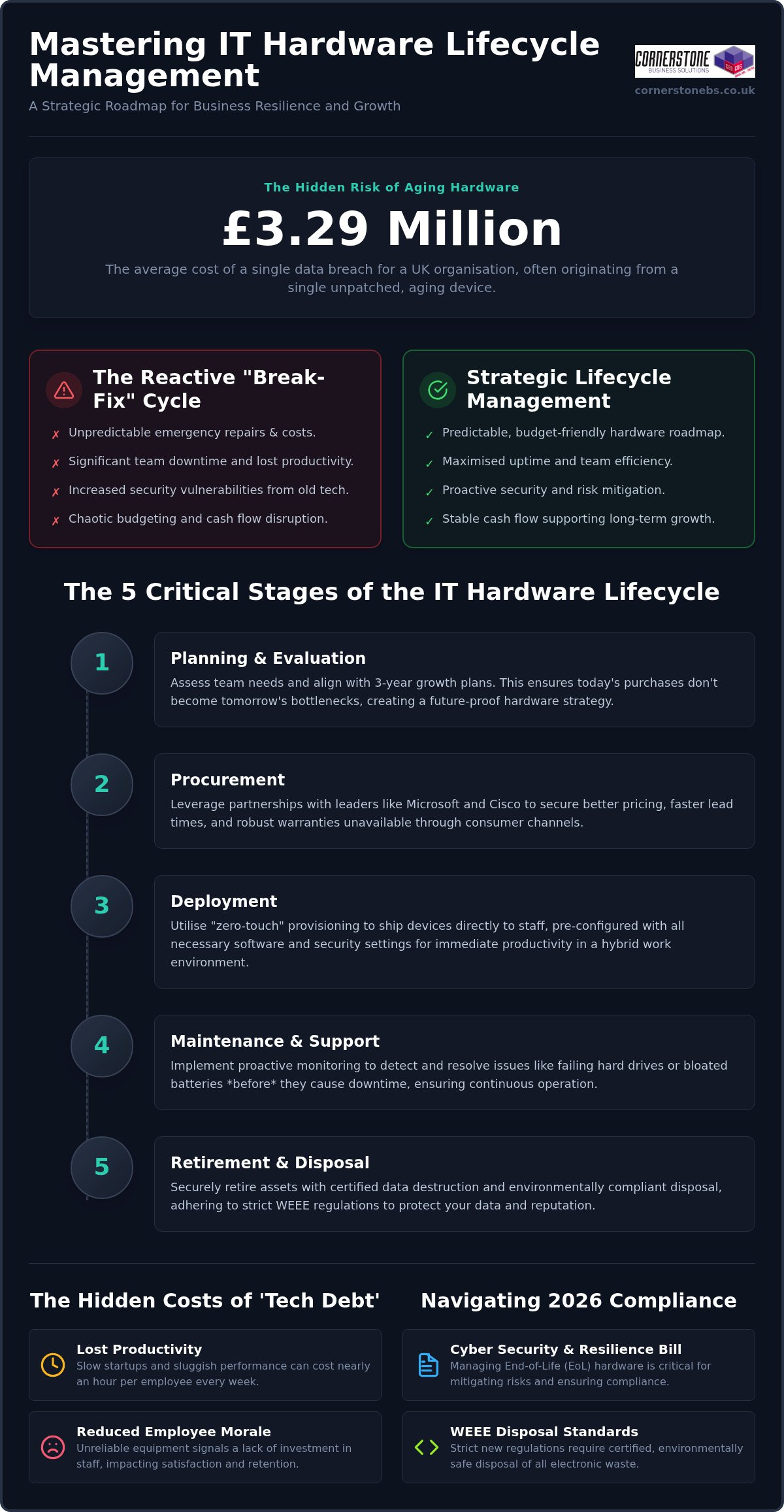
Many businesses struggle with the ‘hidden’ costs of ageing hardware. We help you standardise laptop models, which simplifies support and makes parts replacement much faster. Following Best Practices for Maintaining a Productive Laptop Fleet, we typically recommend a three to five year hardware refresh cycle. This prevents the performance dip that occurs as hardware ages. When a device reaches the end of its life, we handle secure decommissioning and certified data destruction to maintain your compliance standards.
Managing a growing fleet doesn’t have to be a source of stress. A quick chat with our managed IT support team can help you map out a lifecycle and security plan that fits your specific business goals. We focus on the tech so you can focus on your growth.
- Automated patch management for all core software.
- Real time hardware health alerts.
- Inventory tracking for every device in your organisation.
- Strategic planning for future hardware investments.
In-House vs. Managed Laptop Support: A Commercial Comparison
Choosing between an internal hire and an outsourced partner is one of the most significant commercial decisions a business leader makes. While having a technician in the next room feels convenient, the true cost of a full-time employee includes recruitment, training, benefits, and expensive diagnostic software. For many small and medium-sized enterprises, this creates a ‘single point of failure’ risk. If your only IT person is on holiday or unwell when a critical hardware failure occurs, your productivity grinds to a halt.
Effective business laptop support requires a team rather than a single individual. An outsourced model provides access to a wider pool of expertise and ensures that support is always available, regardless of staff holidays. This scalability is vital; as your headcount grows, your support capacity expands instantly without the need for additional recruitment cycles. It’s about building a resilient foundation that allows you to scale with confidence. You gain a partner invested in your long-term success, not just a person to fix a broken screen.
Cost Predictability and Scaling
One of the biggest advantages of outsourcing is the shift from unpredictable capital expenditure to stable operational costs. Our Managed IT services replace fluctuating emergency repair bills with a fixed monthly fee per user. This approach eliminates the need for you to purchase expensive internal diagnostic tools or maintain a spare parts inventory. It provides ‘enterprise-level’ support for SMEs, giving you the same high-tier tools used by global corporations but at a price point that makes sense for a local business.
Access to Multi-Vendor Expertise
Technology moves fast. It’s difficult for a single internal technician to stay expert in everything. By partnering with an MSP, you gain access to specialists who maintain deep partnerships with Microsoft, Dell, HP, and Lenovo. This collective knowledge is essential when managing complex cloud solutions that internal staff may lack the time to master. When deciding between In-House vs. Managed Laptop Support, consider the value of a shared knowledge base. If we solve a complex issue for one client, that solution is immediately available to every business we support. This leads to much faster troubleshooting and significantly less downtime for your team.
Best Practices for Maintaining a Productive Laptop Fleet
Implementing a high-performing fleet requires a shift in mindset. you shouldn’t wait for a hardware failure to take action. Instead, you need a rigorous schedule that targets the underlying health of your machines. This starts with enforcing strict BIOS and firmware update schedules. These low-level updates often fix critical stability issues and security vulnerabilities that standard Windows updates might miss. By keeping this foundational software current, you ensure your hardware communicates perfectly with your operating system, which is a core pillar of effective business laptop support.
Security must remain a top priority for any mobile workforce. Implement Multi-Factor Authentication (MFA) on every portable device without exception. It’s one of the most effective ways to prevent unauthorised access if a device is misplaced. Additionally, you should regularly audit hardware performance to identify ‘bottleneck’ machines. If a laptop is consistently hitting 100% CPU usage during normal tasks, it’s a sign that the hardware is no longer fit for purpose. Replacing these machines before they fail completely keeps your team productive and happy.
Proactive Maintenance Schedules
Consistency is the secret to longevity. We recommend monthly performance reviews and disk health checks for every device in your fleet. This includes clearing temporary files and optimising startup programmes to ensure rapid boot times. Industry professionals often find that proactive maintenance extends laptop life by 20%, saving you significant capital expenditure over the long term. This level of attention is what separates a basic repair service from professional business laptop support.
Standardising Hardware for Efficiency
Running a mix of ten different laptop brands is a support nightmare. It complicates everything from driver updates to spare parts inventory. We suggest standardising on a few specific laptop builds. This allows you to use universal docking stations and ensures all peripherals are compatible across the entire office. Standardisation also enables ‘hot-swapping.’ If a staff member’s laptop requires a physical repair, you can simply hand them an identical spare. They can sign in and be back to work in minutes, not hours.
Protecting your data is just as vital as protecting the hardware. Utilise cloud-based backups for every device to ensure that a hardware crash doesn’t lead to a total loss of work. If you want to see how a structured approach can transform your operations, take a look at our Managed IT Support options. We can help you build a fleet that is secure, standardised, and ready for growth.
- Enforce MFA on all portable business devices.
- Standardise hardware models to simplify peripheral compatibility.
- Schedule monthly health checks to catch failing components early.
- Use cloud backups to decouple your data from physical hardware risks.
Cornerstone Business Solutions’ Approach to Seamless Hardware and Software Support
At Cornerstone Business Solutions, we don’t believe in one-size-fits-all IT. Your business laptop support should reflect your unique goals and the specific way your team works. We position ourselves as a dedicated long-term partner, moving away from transactional relationships to focus on your sustained growth. Our role is to provide the technical stability you need to lead your industry with confidence. We treat your hardware with the same care as our own, ensuring every device is a tool for progress rather than a source of frustration.
We’ve spent years refining our it company solutions to ensure they integrate seamlessly into your daily operations. This isn’t just about fixing a device; it’s about ensuring your entire digital infrastructure supports your commercial objectives. Our regional roots mean we’re always reachable, offering a friendly face and a level of accountability that large national corporations often lack. We combine this local warmth with the sophisticated tools of a modern IT powerhouse, giving you the best of both worlds.
Award-Winning Support Standards
Our multi-award-winning helpdesk is staffed by experts right here in the UK. We provide unlimited access through our fixed-fee contracts, which means your team can reach out whenever they need help without you worrying about an escalating bill. This creates emotional security for your staff, knowing they have an expert friend to call when things go wrong. We pride ourselves on transparency, providing clear reporting on ticket resolution and the overall health of your systems. You’ll always know exactly how your hardware is performing through our detailed metrics and regular reviews.
Bespoke Technology Roadmaps
We help you look beyond the immediate fix. Our team works with you to create three-year technology roadmaps, ensuring your hardware investments align with your wider business strategy. This proactive planning prevents the ‘tech debt’ that occurs when businesses react to failures rather than preparing for expansion. We help you budget for the future, making IT costs predictable and manageable. It’s about building a foundation that allows you to scale your business laptop support alongside your headcount.
Take Control of Your Fleet’s Future
Managing a mobile workforce in 2026 requires more than just reactive fixes. It demands a proactive strategy built on robust endpoint security, standardised hardware, and real time monitoring. By moving away from the ‘break-fix’ cycle, you secure your company’s data and ensure your team remains productive without the frustration of constant technical lag. You’ve seen how standardisation and lifecycle planning can turn a chaotic IT environment into a stable, predictable asset.
Choosing the right partner for your business laptop support provides the stability your organization needs to scale. As a multi-award-winning service provider and strategic partner with Microsoft and Cisco, we offer the expertise of a global leader with the approachable warmth of a local team. Our UK-based helpdesk is ready to act as your long-term technology partner, helping you plan for the years ahead. It’s time to stop worrying about downtime and start focusing on your growth.
Book a free IT support consultation with our award-winning team to discover how we can simplify your fleet management. Your business deserves a foundation of reliability; let’s build it together.
Frequently Asked Questions
What is included in business laptop support?
Comprehensive business laptop support includes real time health monitoring, automated software patching, and endpoint security alongside unlimited helpdesk access. We don’t just wait for things to break; we proactively manage the health of your machines. This covers everything from ensuring your operating system is secure to troubleshooting peripheral issues with docking stations or printers.
Is managed IT support cheaper than hiring an internal technician?
Managed support is typically much more cost effective because you only pay for the service you need without the burden of a full time salary. Hiring an internal technician involves recruitment fees, training, and equipment costs that often exceed a fixed monthly contract. By partnering with us, you gain an entire team of experts for a fraction of the cost of one senior hire.
How do you support laptops for remote or hybrid workers?
We support remote and hybrid workers through cloud management tools that allow us to update and secure devices regardless of their physical location. As long as the laptop has an internet connection, our team can provide remote assistance and monitor for threats. This ensures that your staff in the field receive the same high level of protection as those in the office.
Can you provide hardware repairs as well as software support?
We offer a complete hardware and software solution, including the procurement of new devices and physical repairs for existing ones. Our partnerships with industry leaders like Microsoft and Cisco ensure you get enterprise grade hardware that is fully supported. We handle the entire lifecycle, from the initial setup to the secure decommissioning of old assets.
What happens if a business laptop is lost or stolen?
If a device is lost or stolen, we immediately initiate a remote wipe to protect your sensitive business data. This protocol ensures that even if the physical hardware is gone, your company’s information remains inaccessible to unauthorised users. We also assist with the rapid deployment of a replacement device to get your employee back to work quickly.
Do you support both Windows and Mac laptops for business?
What are the typical response times for laptop support tickets?
Our response times are governed by strict SLAs that prioritise critical issues to keep your business moving. We understand that a non functional laptop is a major barrier to productivity, so our UK based helpdesk aims for rapid resolution. You receive transparent reporting on every ticket, so you can track our performance against our guaranteed service standards.
Posted on: July 30th, 2026 by Cornerstone
Did you know that 70% of medium-sized UK businesses faced a cyberattack in the last 12 months? With 80% of breaches now involving stolen credentials, the old way of defending your network perimeter is no longer enough. You might feel overwhelmed by technical jargon or worried about meeting strict NIS2 and DORA standards. It’s a common challenge, especially when you need to justify every penny of security spend to your board. Starting with a thorough zero trust assessment is the most effective way to move from a reactive security model to a proactive, data-centric fortress.
We understand that as a business leader, you want clarity and resilience rather than more complexity. We’re here to act as your dedicated partner, simplifying these high-tech concepts into a clear roadmap for your team. This guide helps you validate your current investments and achieve total compliance readiness. We’ll explore the NCSC design principles and the CISA 2.0 maturity model to simplify the path forward. By the end, you’ll see how shifting to a “never trust, always verify” model protects your growth and provides the stability you need to lead with confidence.
Key Takeaways
- Adopt a “never trust, always verify” mindset to replace outdated perimeter defences with modern, identity-based security.
- Conduct a zero trust assessment to map out your digital environment across six essential pillars, ensuring every device and user is validated.
- Move from reactive, manual security to automated resilience by understanding your position on the Zero Trust Maturity Model.
- Simplify compliance with NIS2 and DORA by creating a clear, evidence-based roadmap that justifies your security investments.
- Work with a multi-award-winning regional partner to translate technical data into a robust, long-term strategy for business continuity.
What is Zero Trust Assessment & Why is it Vital in 2026?
The days of relying on a strong office firewall are over. In 2026, your team works from home, coffee shops, and client sites, meaning your data lives everywhere. This shift has made traditional perimeter security obsolete. Zero Trust is the modern answer. It moves away from the old “trust but verify” approach to a stricter “never trust, always verify” model. A zero trust assessment acts as a deep-dive audit of your entire digital environment. It evaluates how you handle identities, devices, and data against the latest security standards.
A zero trust assessment is a strategic roadmap that transforms your security posture into a proactive, data-centric fortress for modern cyber resilience. By examining your infrastructure through the lens of Zero Trust Architecture, we help you identify hidden vulnerabilities before they can be exploited. This isn’t just about ticking boxes; it’s about building a foundation that supports your business growth without compromising on safety.
The Core Philosophy: Never Trust, Always Verify
The heart of this model rests on three non-negotiable pillars. First, you must verify explicitly by always authenticating based on all available data points. Second, you use least privileged access to limit user permissions to only what’s necessary for their specific role. Finally, you assume breach. This means you design your systems as if an attacker is already inside. These principles significantly reduce the “blast radius” of any potential incident, ensuring one compromised password doesn’t lead to a total system failure. For a deeper look at how these layers protect you, explore our cyber security services designed for UK businesses.
Business Benefits Beyond Security
While protection is the primary goal, a zero trust assessment delivers massive operational wins. It streamlines user access, making it easier for your team to get what they need without jumping through unnecessary hoops. It’s also a powerful tool for meeting strict UK and international standards like NIS2 or DORA. Beyond compliance, it improves the daily employee experience. When security is seamless, your staff can work from anywhere with total confidence, knowing their tools are as mobile as they are. You get a more efficient workforce and a board that’s happy to see clear, validated returns on security spending.
The 6 Pillars of a Comprehensive Zero Trust Audit
A zero trust assessment isn’t just a quick scan of your firewall. It’s a holistic review of your entire digital ecosystem. To build a truly resilient business, we evaluate your infrastructure across several interconnected domains. This framework is largely built upon the NIST Special Publication 800-207, which serves as the global gold standard for modern security. By looking at these pillars individually, we ensure no stone is left unturned in your defence strategy.
- Identity: This is your new perimeter. We verify every user through phishing-resistant multi-factor authentication (MFA) to ensure they are exactly who they claim to be before granting access.
- Devices: Whether it’s a company-issued laptop or a staff member’s mobile, we monitor the health and compliance of every endpoint. If a device isn’t up to date, it doesn’t get in.
- Applications: We secure the software and APIs your business relies on. This prevents “shadow IT” and ensures that data only flows through authorised, secure channels.
- Data: Your information is your most valuable asset. We help you classify and protect it with robust encryption, whether it’s stored on a local server or moving through the cloud.
- Infrastructure: We harden your servers, containers, and virtual environments. This proactive approach prevents unauthorised lateral movement if one part of your system is compromised.
Network and AI: The 2026 Frontiers
Traditional flat networks are a significant risk. Once an intruder gets past the front door, they can often roam freely. We focus on micro-segmentation, which creates secure internal zones to contain potential threats and protect your most sensitive areas. In 2026, your zero trust assessment must also account for the AI pillar. We ensure your team isn’t accidentally leaking proprietary data into public AI models while defending you against AI-powered phishing attacks. AI-driven assessments identify anomalies faster than manual audits, catching subtle patterns that human eyes might miss.
Mapping Pillars to Your Current Infrastructure
The real value of an audit lies in identifying your weakest links. You might have excellent identity controls but find your device management is lagging. Achieving a unified security posture requires cross-pillar visibility, where every layer of your defence communicates with the others. This joined-up thinking is the foundation of our managed IT services, where we handle the technical heavy lifting so you can focus on growth. If you want to see how these pillars fit your specific business needs, we’re always happy to have a chat about your security strategy.
Moving from theory to practice requires a structured approach. You can’t secure what you haven’t mapped, so a zero trust assessment begins with a clear, logical sequence. We follow a four-step methodology designed to give you total visibility without disrupting your daily operations. This process ensures your security strategy aligns with your actual business goals, rather than just technical checklists.
Step 2: Technical Execution. We use specialized tools like the Microsoft Zero Trust Assessment PowerShell module to pull raw configuration data. This provides a snapshot of your current security settings across identity, endpoints, and apps.
Step 3: Stakeholder Interviews. Tech only tells half the story. We talk to your team to understand how data actually flows through your business. This helps us spot “shadow IT” or manual workarounds that scripts might miss.
Step 4: Gap Analysis. Finally, we compare your “as-is” setup against “to-be” best practices. We use benchmarks like CISA’s Zero Trust Maturity Model to show exactly where you stand and what needs to change.
Automated vs. Expert-Led Assessments
Open-source PowerShell scripts are excellent for a quick health check. They’re fast and provide a wealth of data. However, they often return complex errors or technical flags that don’t account for your specific business logic. An automated tool might flag a vital legacy application as a risk, but it won’t tell you how to wrap it in a secure container. That’s where an expert-led audit adds real value. We provide a second pair of eyes to interpret the data, ensuring your security doesn’t become a barrier to productivity.
Key Tools for the 2026 Audit
We leverage the full power of the Microsoft stack to keep your audit precise. Microsoft Entra ID Protection helps us analyze identity risks, while Intune compliance checks ensure every mobile device meets your safety standards. We also utilize Azure Network security baselines to verify your cloud perimeters. For businesses looking to scale their infrastructure safely, our cloud solutions provide the perfect foundation for these advanced auditing tools. By combining these technologies, we create a zero trust assessment that’s both technically rigorous and business-focused.
Interpreting Your Results: The Zero Trust Maturity Model
Once your zero trust assessment is complete, you’re left with a wealth of technical data. The real challenge is turning those findings into a strategy your board can support. We use the maturity model to help you see exactly where you stand. Don’t worry if you aren’t at the top yet. Most UK businesses are currently moving through the earlier stages, and we’re here to guide you through each step of the journey.
- Traditional Stage: Your security is largely reactive. You likely have a flat network where an intruder can move freely once they bypass the initial login. Configurations are mostly manual, and you might still rely on basic passwords for legacy systems.
- Advanced Stage: You’ve started to automate your defences. You have basic multi-factor authentication (MFA) in place and have begun micro-segmenting your network to protect sensitive data. You’re starting to see a more proactive security posture.
- Optimal Stage: This is the gold standard for resilience. Your system makes dynamic, real-time access decisions based on user behaviour and device health. All data is fully encrypted, whether it’s sitting on a server or moving through the cloud.
Adopting an “Assumption of Breach” mindset is a massive shift for most leaders. It means we stop pretending your perimeter is impenetrable. Instead, we design your systems to contain an incident the moment it happens. This approach fundamentally changes your disaster recovery planning. It ensures that if one part of your system is compromised, your entire business doesn’t grind to a halt. You gain emotional security knowing that your most vital assets are protected by layers of verification.
Prioritising Remediation: The Quick Wins
We don’t expect you to fix everything overnight. We focus on high-impact, low-effort changes that deliver immediate results. Implementing robust Conditional Access policies is often the best place to start. By addressing the “Identity” pillar through phishing-resistant MFA, you build a solid foundation for the rest of your security journey. Security is a journey, not a destination, requiring continuous re-assessment to stay ahead of evolving threats.
Long-Term Strategic Planning
A successful transition takes time and careful budgeting. We help you build a 12-24 month roadmap that aligns your security goals with your business growth. Many organisations are now moving from heavy upfront hardware costs (CAPEX) to predictable, monthly service models (OPEX). This shift makes it easier to justify security spend while ensuring you always have the latest protection. You can find more about how we integrate these strategies into our IT company solutions for local businesses. Ready to see where your business sits on the maturity scale? Book your zero trust assessment with our expert team today.
Expert Zero Trust Implementation with Cornerstone Business Solutions
We’ve explored the technical pillars and the maturity stages of modern security. Now, it’s time to focus on the execution. Interpreting the results of a zero trust assessment requires more than just technical knowledge; it needs a partner who understands your specific business goals. As a multi-award-winning IT provider, we don’t just hand you a report and walk away. We act as your long-term partner, translating complex security data into a clear, actionable strategy that protects your growth.
Our proactive approach sets us apart. Many providers simply run a diagnostic tool and highlight the red flags. We go deeper. We look at why those vulnerabilities exist and how they impact your daily operations. Whether you’re a small local firm or a larger regional enterprise, we tailor our bespoke solutions to fit your industry and scale. We ensure that your security doesn’t become a barrier to productivity, but rather a foundation for it.
Beyond the Assessment: Managed Remediation
The real work begins once the audit is complete. Cornerstone handles the technical heavy lifting of hardening your systems so your team can stay focused on what they do best. By partnering with global leaders like Microsoft and Cisco, we deliver robust security systems that stand up to the 2026 threat landscape. You aren’t just getting a set of tools; you’re getting the peace of mind that comes from a dedicated, UK-wide support team. We ensure your security posture evolves as new threats emerge, keeping your business stable and secure year-round.
Ready to Secure Your Future?
Cyber security isn’t a one-time fix. It’s a foundational element of your business stability and emotional security. Our proactive IT maintenance plans integrate Zero Trust principles into your daily operations, ensuring you stay ahead of strict compliance requirements like NIS2 and DORA. We invite you to have a friendly, no-pressure conversation with our experts to see how we can strengthen your defences. We speak with the clarity of experts who want to simplify complex concepts for your benefit.
Don’t leave your business resilience to chance. Start your journey toward a data-centric fortress today. Contact Cornerstone for a Zero Trust Consultation and let’s build a secure, reliable future together. We’re proud of our regional roots and even prouder of the success we help our clients achieve.
Take the Next Step Toward Verified Resilience
Securing your business in 2026 requires more than just better tools. It demands a fundamental shift in how you view every identity and device on your network. By focusing on the six pillars of security and moving away from the illusion of a safe perimeter, you’ve already started the vital work to protect your team’s future. A professional zero trust assessment provides the data-driven roadmap you need to justify security spend and meet strict compliance standards with total confidence.
As a multi-award-winning IT provider and proud partner of industry leaders like Microsoft, IBM, and Cisco, we’re here to help you navigate this transition. We offer UK-wide professional support that combines world-class expertise with the approachable face of a local team. Let’s work together to turn your security into a proactive fortress that supports your long-term growth and emotional security.
Book Your Zero Trust Security Consultation Today and let’s start a conversation about your business stability. We’re looking forward to helping you lead with confidence.
Frequently Asked Questions
How long does a Zero Trust assessment typically take?
A standard zero trust assessment typically takes between one and two weeks to complete. The exact timeframe depends on the size of your digital environment and the number of users or devices we need to map. We focus on delivering a thorough report without disrupting your daily operations; ensuring you get a clear roadmap for improvement quickly and efficiently.
Do I need to be using Microsoft 365 to run a Zero Trust assessment?
You don’t need to be on Microsoft 365; although it offers excellent native tools for implementation. We work with a variety of platforms and can assess your security regardless of your current software stack. Our team has deep expertise in Cisco and IBM environments, so we can tailor the audit to your specific infrastructure and business needs.
Is Zero Trust only for large enterprises or does it apply to SMEs?
Zero Trust is essential for businesses of all sizes, especially as 70% of medium-sized UK firms faced attacks in the last year. Smaller organizations are often seen as easier targets by cybercriminals. We scale our approach to fit your business, providing the same high-level protection used by global enterprises but customized for a local SME’s budget and operational style.
What is the difference between a standard cyber audit and a Zero Trust assessment?
A standard audit often focuses on whether your firewall is active or if you’ve ticked specific compliance boxes. A zero trust assessment goes much deeper by assuming your perimeter has already been breached. It evaluates how you verify every single access request, ensuring that your security is data-centric rather than just network-based.
Can a Zero Trust assessment help with NIS2 or GDPR compliance?
Yes, it’s a powerful tool for meeting strict NIS2, DORA, and GDPR requirements. These regulations demand that you have robust, verifiable controls over who accesses your data. Our assessment provides the documented evidence you need to prove compliance to regulators and your board, showing that you’ve taken proactive steps to protect sensitive information.
How often should my business perform a Zero Trust assessment?
We recommend performing a full zero trust assessment at least once a year. You should also trigger a review if you make significant changes to your infrastructure, such as migrating to a new cloud platform or adopting a permanent hybrid work model. Regular checks ensure your defences evolve alongside new threats and that your configurations haven’t drifted from best practices.
What are the most common “red flags” found during an assessment?
The most common issues we find are a lack of phishing-resistant MFA and accounts with excessive permissions. We also frequently spot legacy systems that haven’t been properly isolated from the rest of the network. Identifying these “red flags” early allows us to implement quick wins that immediately lower your risk profile and strengthen your overall resilience.
Will implementing Zero Trust make it harder for my employees to work?
Implementing these principles actually makes work easier for your team. Modern Zero Trust tools use single sign-on (SSO) and seamless authentication, reducing the number of passwords your staff need to remember. By verifying device health in the background, we allow your employees to work securely from any location without facing frustrating technical barriers.
Posted on: July 29th, 2026 by Cornerstone
Did you know that over 99% of the 600 million daily identity attacks tracked by Microsoft Entra are simple, password-based attempts? While it’s tempting to think a basic login is enough, implementing microsoft 365 security best practices is now the only way to ensure your business remains resilient in 2026. We know the pressure you’re under. Between the fear of a ransomware attack and the confusion over which license level actually provides the protection you need, it often feels like security is just another hurdle for your staff to clear.
We’re here to simplify the complex and act as your proactive partner. This guide provides a clear, prioritized checklist to help you master the essential configurations that protect your data, identity, and reputation. You’ll gain the confidence that your company is shielded against sophisticated phishing while meeting the latest state-level privacy laws. We’ll walk you through a “Layered Resilience” approach that keeps your team productive and your peace of mind intact.
Key Takeaways
- Implement Multi-Factor Authentication (MFA) to secure your identity perimeter and stop automated account takeovers in their tracks.
- Set up Microsoft Defender to proactively block phishing attempts, which remain the primary entry point for ransomware.
- Apply microsoft 365 security best practices using Data Loss Prevention (DLP) to ensure your business data stays protected regardless of where your team works.
- Secure your brand’s digital reputation by correctly configuring email authentication protocols like SPF, DKIM, and DMARC.
- Move beyond a “one and done” setup with proactive monitoring to combat configuration drift and maintain long-term stability.
Securing Identity: Why MFA is Your Most Critical Defence
Your office walls no longer define your security boundary. With your team working from home, the local coffee shop, or on the move, identity has become the new perimeter. Protecting who is logging into your systems is the first and most vital step in microsoft 365 security best practices. When you secure the identity, you secure the gateway to your entire business infrastructure.
The numbers tell a clear story. Microsoft tracks over 600 million identity attacks every single day. However, implementing Multi-Factor Authentication (MFA) remains incredibly effective. It blocks the vast majority of automated account compromises, providing a massive return on a very small time investment. As a multi-award-winning Microsoft partner, we’ve seen how this one configuration acts as a foundational element of business stability and emotional security for business owners. It’s about knowing that your front door is locked tight.
By 2026, the standard for MFA has evolved. We now recommend moving beyond SMS codes, which can be intercepted through SIM swapping. Instead, we help our partners implement authenticator apps or physical hardware keys. These methods provide a higher level of cloud computing security while keeping the login process quick and punchy for your staff. We believe security should support your team, not hinder them. That’s why we offer unlimited helpdesk access to ensure every employee feels confident using these new tools.
Implementing Conditional Access Policies
Think of Conditional Access as an intelligent gatekeeper that asks the right questions before letting someone in. Rather than a blunt “on or off” switch, it uses “if/then” logic to verify every sign-in. For example, if a staff member logs in from a known office IP address, the system might not require MFA. If they try to access sensitive data from an unrecognized device or a foreign country, the system can challenge the login or block it entirely. While “Security Defaults” are a good starting point, they often lack the customization that growing businesses need to stay productive.
The End of Legacy Authentication
Hackers love “back doors,” and legacy authentication protocols like POP3 or IMAP are exactly that. These older methods don’t support MFA, making them an easy target for credential stuffing and password spraying. Part of our proactive monitoring approach involves auditing your environment to find these outdated login methods. We then work with you to disable them safely. This ensures your modern business tools continue to run smoothly while closing the gaps that attackers exploit to gain a foothold in your network. It’s a simple step that yields significant results for your overall microsoft 365 security best practices posture.
Defending the Inbox: Anti-Phishing and Threat Protection
Phishing remains the single biggest threat to your business continuity. It’s the primary way ransomware finds a path into your network. Relying on basic filters isn’t enough in 2026. You need a proactive shield that anticipates threats before they land in a staff member’s inbox. When we help our partners implement microsoft 365 security best practices, we start by turning the inbox from a vulnerability into a fortress.
Your first move is enabling Microsoft Defender for Office 365. This isn’t just a simple spam filter; it’s a sophisticated suite that uses real-time intelligence to block malicious content. One of the most effective tools within this suite is Safe Links. This feature scans every URL in an email the moment a user clicks it. If the destination is a known malicious site, the system blocks the page instantly. It’s a vital component of Microsoft 365 security best practices because it protects your team even if a dangerous link slips through initial checks.
We also deploy Safe Attachments to add another layer of resilience. This tool opens suspicious files in a secure, isolated “sandbox” environment. It watches how the file behaves before allowing it to reach your user’s device. For high-profile staff like your Finance Director or CEO, we refine anti-impersonation settings. These rules flag emails that look like they’re from internal leadership but are actually “spoofing” attempts designed to trick staff into making urgent payments or sharing data.
Standard vs. Strict Security Presets
Microsoft provides two main policy levels: Standard and Strict. Standard is a great fit for most teams as it offers robust protection without causing unnecessary friction. However, for high-risk departments like Finance or HR, we often recommend the “Strict” preset. The goal is to maximize security without creating “false positives” that disrupt your daily workflow. If you’re unsure which level fits your local team, we’re always here for a quick chat to review your setup.
Automating Phishing Simulations
Security is a team sport. Using Defender to run automated phishing simulations helps educate your staff in a safe, controlled environment. Instead of a “police” action, this is a collaborative effort to build resilience. By analyzing the results, you can see which departments might need a little extra support or training. It turns a potential weakness into a shared strength, ensuring everyone knows how to spot a fake before it causes a problem.
Securing the Data: Governance and Device Management
Data is the pulse of your organization. Protecting it requires more than just locking the front door; you need to ensure security stays with the information wherever it travels. Following microsoft 365 security best practices means moving beyond user-level protection to true data governance. This ensures that even if a file is moved to a personal USB or sent to the wrong recipient, your business remains shielded. We view this level of control as a foundational element of business stability, giving you the freedom to collaborate without the constant worry of a leak.
Data Loss Prevention (DLP) acts as your invisible safety net. It automatically detects sensitive information, such as financial records or customer identifiers, and applies rules to block or encrypt the transmission. It prevents the kind of simple, human mistakes that often lead to significant reputational damage. By setting these parameters early, you create a resilient environment where data is managed by design, not by chance.
Managing the hardware that accesses this data is the next logical step. Whether your team uses company-issued laptops or personal mobile phones, a “Bring Your Own Device” (BYOD) strategy needs a secure framework. Microsoft Intune allows us to manage these endpoints effectively. It ensures that company data stays within a protected container on the device, separate from personal photos and apps. This keeps your business information secure while respecting the privacy of your staff.
Sensitivity Labels and Encryption
Classifying your data is the first step toward total control. We help you set up sensitivity labels like Public, Internal, and Confidential. By automating encryption, we ensure that a file marked Confidential can only be opened by authorized staff, even if it leaves your network. This proactive approach keeps you in line with UK data protection regulations. It provides the peace of mind that your intellectual property is safe from prying eyes.
Endpoint Security with Microsoft Intune
Intune acts as your remote command center for device health. We use it to enforce strong passcodes and full-disk encryption across all company hardware. If a laptop is left on a train or a phone is stolen, the Remote Wipe feature allows us to erase business data instantly. This level of control, combined with standardized software updates, closes security vulnerabilities before they can be exploited. It is a key part of our proactive monitoring approach that keeps your local business resilient.
The Technical Essentials: SPF, DKIM, and DMARC
Email is the primary way you communicate with clients, partners, and your local community. If your domain is hijacked by a scammer, your hard-earned reputation can vanish overnight. This is why technical authentication is a core part of microsoft 365 security best practices. It ensures that when an email arrives from your company, the recipient knows it is genuine. Protecting your brand’s voice is just as important as protecting your data.
Sender Policy Framework (SPF) acts as your authorized guest list. It tells the world which servers are allowed to send mail on behalf of your domain. Without it, anyone could pretend to be you. DomainKeys Identified Mail (DKIM) adds a digital “wax seal” to your messages. This cryptographic signature proves the content hasn’t been altered in transit. Together, these tools form a foundational layer of trust for every message you send.
DMARC is the final instruction set. It tells receiving mail servers exactly what to do if an email fails the SPF or DKIM checks. In 2026, major providers like Google and Microsoft are strictly enforcing these policies. Following the updated DMARCbis specification published in May 2026, non-compliant messages are now being rejected more frequently than ever. If you haven’t configured these records correctly, your legitimate business mail might never reach its destination. As an official Microsoft Partner, we specialize in hardening these settings to protect your brand stability.
Preventing Domain Spoofing
Hackers often use “domain masking” to make an email look like it came from your CEO or Finance Manager. They rely on the fact that many businesses have weak or missing DMARC records. We guide our partners through a phased approach. We start with a “none” policy to monitor traffic, then move to “quarantine,” and finally to “reject.” This “reject” setting is the only way to effectively stop domain impersonation, ensuring fraudulent emails are blocked before they ever reach a user.
Improving Email Deliverability
There is a direct link between your security posture and your email reaching the inbox. If your records are misconfigured, recipient servers see your mail as a risk and send it straight to the spam folder. By aligning your SPF, DKIM, and DMARC, you prove to the world that you are a trusted sender. DMARC is the gold standard for email trust in 2026. If you want to ensure your communications remain reliable, book a conversation with our team to audit your domain records today.
Managed Resilience: Why Proactive Support is the Final Layer
Implementing microsoft 365 security best practices isn’t a “one and done” project. The cloud moves fast. New features roll out constantly, and user habits change. This often leads to “Configuration Drift.” It’s a silent risk where your hardened environment slowly becomes vulnerable. In 2024 alone, Microsoft recorded 176,000 instances of configuration tampering in a single month. By 2026, 65% of organizations report attackers probing their tenants at least weekly. We act as your dedicated long-term partner to ensure your defenses stay as strong as the day they were built.
24/7 Monitoring and Threat Detection
Automated tools are powerful, but they can’t always interpret the nuance of a sign-in risk or a strange data pattern. Our team knows your business inside out. We monitor your environment around the clock to reduce the “Time to Detect” a potential breach. A 2026 report found that 87% of organizations still have MFA disabled for some or all of their administrator accounts. We ensure your most privileged accounts are never left exposed. Instead of a threat sitting unnoticed for months, we aim to spot and stop it in minutes. It’s about providing emotional security alongside technical excellence.
Regular Security Audits and Compliance
Threats evolve every day, so your defense must evolve too. We stay ahead through quarterly security reviews that keep your microsoft 365 security best practices current and effective. This process aligns your environment with our comprehensive Cyber Security Services. It ensures you meet modern compliance standards without the stress of managing the complexity yourself. We’re proud to be a multi-award-winning team that keeps your systems stable and your data resilient. Ready to secure your future? Let’s have a conversation about your IT security.
Build a Resilient Foundation for Your Future
Securing your business in 2026 requires more than a reactive approach. By integrating microsoft 365 security best practices into your daily operations, you transform your digital environment from a vulnerability into a pillar of stability. You’ve seen how to lock down identities with MFA, shield your inbox from phishing, and govern your data with Intune. These steps ensure your reputation and your team’s productivity remain intact.
As a multi-award-winning IT provider and Official Microsoft Partner, we’re here to be more than just a service. Our Microsoft Certified Experts offer proactive 24/7 system monitoring to catch threats before they disrupt your day. We believe in building long-term partnerships rooted in our local community; providing the peace of mind you need to focus on growth. Let’s move beyond transactional support and start a conversation about your long-term resilience.
Secure Your Business with a Proactive IT Partner
Your journey toward a more secure organization starts with a single step. We’re ready to help you navigate the complexities of the cloud with clarity and confidence.
Frequently Asked Questions
Is Microsoft 365 secure enough for my business by default?
No, the default settings in Microsoft 365 typically favor ease of collaboration over maximum security. Microsoft follows a Shared Responsibility Model; they secure the underlying infrastructure, but you are responsible for configuring the settings that protect your specific data and identities. Hardening your tenant is a necessary step to move beyond basic protection and ensure your business remains resilient against modern threats.
How much does it cost to implement these security best practices?
The investment depends largely on your current license level and the complexity of your team’s workflow. Many essential microsoft 365 security best practices can be implemented using the tools already included in your subscription. For advanced protection, moving to a Business Premium license is often the most cost-effective route. This avoids the need for expensive third-party add-ons while providing a comprehensive suite of enterprise-grade security tools.
Will these security measures slow down my employees?
Not if they are configured with your team’s productivity in mind. We use Conditional Access to ensure security checks only trigger when something unusual happens, such as a login from a new device or a different country. Modern tools like the Microsoft Authenticator app or Windows Hello actually make signing in faster than typing a long password. Our goal is to create a seamless, supportive experience for every staff member.
What is the difference between Business Standard and Business Premium security?
Business Standard provides essential productivity tools but lacks the advanced security features found in Business Premium. Premium includes Microsoft Intune for device management and Defender for Office 365 for advanced anti-phishing. It’s designed for businesses that need to meet strict compliance standards and protect sensitive data. This higher tier is the foundation for implementing microsoft 365 security best practices in a modern, cloud-first environment.
Can I manage Microsoft 365 security myself or do I need an expert?
While you can manage basic settings yourself, the ecosystem is incredibly complex and changes almost weekly. An expert partner helps you avoid “Configuration Drift,” where settings slowly become outdated or less effective. We provide the proactive monitoring and strategic analysis that a DIY approach often lacks. This partnership ensures your security remains a foundational element of your business stability without taking up your valuable time.
What happens if we lose a device that is logged into Microsoft 365?
We use Microsoft Intune to perform a “Remote Wipe” of all company data on that specific device. This process is surgical; it removes business emails, files, and applications while leaving the user’s personal photos and data untouched. It provides immediate peace of mind if a laptop is left on a train or a phone is stolen. Your business data stays protected regardless of where the physical hardware ends up.
How does MFA protect us from phishing attacks?
MFA acts as a vital second lock on your digital front door. Even if a staff member accidentally clicks a phishing link and gives away their password, the hacker still can’t access the account. They would still need the secondary approval from a physical phone or a hardware key. It is the most effective way to stop automated account takeover attempts and is a non-negotiable part of modern security.
What are the first three steps I should take to secure my tenant today?
First, enforce Multi-Factor Authentication for every user without exception. Second, disable legacy authentication protocols to close the “back doors” that hackers frequently exploit. Third, set up basic anti-phishing and Safe Links policies within Microsoft Defender. These three actions provide an immediate boost to your security posture. They create a strong baseline while you work through the more advanced configurations in our guide.
Posted on: July 28th, 2026 by Cornerstone
Did you know that unplanned downtime can cost a local business anywhere from $8,000 to $25,000 every single hour? It’s a staggering figure, but it reflects the reality of how much we depend on our digital infrastructure. We understand the anxiety that comes with wondering if your backups are truly reliable or if a slow system is quietly draining your team’s productivity. You want your technology to be a silent partner in your growth, not a source of constant stress. This is exactly why a structured business server maintenance checklist is no longer just a technical chore; it’s a vital insurance policy for your company’s future.
At Cornerstone, we believe in being proactive rather than reactive. With Windows Server 2022 mainstream support ending in October 2026 and the new “Danzell” Cyber Essentials framework requiring stricter patching, staying ahead of the curve is essential. We’ve distilled our years of award-winning expertise into a clear, repeatable framework designed to protect your business from security breaches and maximize your hardware’s lifespan. We’ll walk you through a professional schedule that simplifies complex IT tasks, ensures you meet cyber insurance requirements, and keeps your systems performing at their peak.
Key Takeaways
- Understand the true financial impact of server neglect and how proactive care extends the lifespan of your hardware investment.
- Master our professional business server maintenance checklist to verify backup reliability beyond a simple “green tick” and maintain critical resource buffers.
- Align your infrastructure with the 2026 Cyber Essentials “Danzell” framework by implementing disciplined patch management and strict user account hygiene.
- Evaluate the hidden costs of DIY IT and learn how a managed partnership provides the scalable stability needed for business growth.
Why Server Maintenance is Non-Negotiable for Business Continuity
Your server is the engine room of your entire operation. When it stops, everything from customer service to payroll grinds to a halt. In 2026, the financial stakes are higher than ever. Research indicates that unplanned downtime can cost a small business anywhere from $8,000 to $25,000 per hour. Beyond the immediate lost revenue, the reputational damage and the stress placed on your team can be even harder to recover from. Relying on a “set and forget” mentality is a dangerous gamble that few local businesses can afford to take.
Proactive care is the only way to protect your hardware investment. While the recommended replacement cycle for physical servers is typically 5 to 7 years, reaching that milestone without performance degradation requires consistent attention. A dedicated system administrator or a managed partner looks for the subtle signs of wear that an untrained eye might miss. By following a rigorous business server maintenance checklist, you ensure that your hardware lives its longest, most productive life, delaying expensive capital outlays until they are truly necessary.
Preventing the ‘Blue Screen’ Crisis
Hardware fatigue rarely happens overnight. It starts with small warning signs like increased fan noise or slight drops in processing speed. Often, the culprit is as simple as dust accumulation or poor thermal management. Servers generate significant heat, and if airflow is restricted, internal components cook themselves from the inside out. Regular physical inspections and performance monitoring provide the psychological peace of mind that comes with knowing your infrastructure is stable and cool.
Meeting UK Compliance and Cyber Standards
The regulatory landscape in the UK has become significantly stricter. The April 2026 update to the Cyber Essentials scheme, known as the “Danzell” framework, mandates a 14-day window for applying critical security patches. Failure to meet this window can lead to an automatic assessment failure. Beyond compliance, detailed documentation of your maintenance is vital. Should a security incident occur, your server logs become the primary tool for forensic audits, helping you understand exactly what happened and ensuring you meet your GDPR reporting obligations with clarity and confidence.
The Essential Daily and Weekly Server Health Checklist
Consistency is the cornerstone of reliability. A high-performing business server maintenance checklist begins with the tasks you perform when you first sit at your desk. These daily and weekly habits act as an early warning system. They catch minor glitches before they snowball into critical failures. By staying proactive, you ensure your team stays productive without the frustration of sluggish applications or sudden disconnects.
High-Frequency Backup Verification
We’ve seen it happen too often: a backup system reports a “successful” status, but the data itself is corrupted. Relying on a green tick alone is a risk your business shouldn’t take. We recommend performing random file restoration tests at least once a week to ensure your data is actually recoverable. This practice aligns perfectly with the Cyber Essentials scheme, which emphasizes demonstrable security controls. You should also check the sync status of your cloud solutions to confirm off-site copies are current. Always verify that backup windows don’t overlap with your busiest business hours. Overlapping tasks can throttle system performance when your staff needs it most.
Performance and Resource Monitoring
Servers need breathing room to function efficiently. Monitor your CPU and RAM usage to identify memory leaks or “resource hogs” that drain speed in real-time. A golden rule we follow is the 20% disk space rule. Never let your primary drives fill beyond 80% capacity. Running too close to the limit causes system instability and can even prevent critical security updates from installing. If you find these manual checks are consuming too much of your morning, our Managed IT Support team can automate these alerts for you. This ensures you only spend time on the issues that truly matter.
Don’t ignore the “silent” messages your server sends. Reviewing system logs weekly can reveal failed login attempts. These are often the first sign of a brute-force attack. Finally, remember the physical environment. Check your server room’s temperature and humidity levels. A failing air conditioning unit or a UPS with a depleted battery can take your business offline just as effectively as a cyber threat. Keeping these physical factors in check is a simple but vital part of your business server maintenance checklist.
Monthly and Quarterly Maintenance: Deep Infrastructure Audits
Daily checks keep the lights on, but monthly and quarterly audits ensure the building stays standing. This phase of your business server maintenance checklist focuses on deep infrastructure health. It’s the time to look beyond the dashboard and get hands-on with both your physical hardware and your underlying software architecture. In 2026, the complexity of hybrid environments means these deep dives are the only way to catch mounting issues before they trigger a catastrophic failure.
Patch Management and OS Updates
Patching is an art, not a chore. The “Danzell” update to Cyber Essentials mandates critical patches within 14 days, but blind updates can break custom applications. We recommend a staged rollout. First, apply patches in a sandbox environment to see how they interact with your specific setup. Don’t click “update” on a production server on a Friday afternoon. You don’t want to spend your weekend in the server room. Managing firmware for RAID controllers and network interfaces is equally vital during these monthly windows to maintain peak data throughput.
Hardware Health and Redundancy Testing
Physical neglect is a silent killer. Every quarter, your team should execute the “Deep Clean” protocol. This involves a visual inspection of cables, connectors, and airflow paths to prevent thermal throttling. Dust accumulation inside a server chassis acts as an insulator, cooking sensitive components. Beyond cleaning, test your Uninterruptible Power Supplies (UPS) and battery health. A UPS that hasn’t been load-tested is just a heavy paperweight. Check your RAID array consistency too. Identifying a failing drive now is much easier than recovering a failed array later.
Warranties and the 2026 Support Cliff
Quarterly audits must include a review of your hardware warranties and software support status. A major milestone for 2026 is the end of mainstream support for Windows Server 2022 on October 13. If your infrastructure relies on this version, your quarterly plan should already include a migration strategy. Deciding whether to handle these complex transitions internally or through Managed IT services is a strategic choice for any business owner. Proactive planning ensures you aren’t forced into a rushed, expensive upgrade when support finally vanishes. Finally, run a simulated disaster recovery drill. Proving your team can restore from a total failure in under four hours is the ultimate validation of your maintenance efforts.
Security-First Maintenance: Aligning with Cyber Essentials
Maintenance is often viewed through the lens of performance, but in 2026, it’s your primary line of defense. With the introduction of the “Danzell” assessment framework in April 2026, the UK’s Cyber Essentials scheme now demands demonstrable evidence of security controls. This means your business server maintenance checklist must prioritize identity and access management. Security isn’t a one-time setup; it’s a continuous cycle of hardening your environment against evolving threats. By treating security as a maintenance task, you turn your server from a potential liability into a secure fortress.
One of the most overlooked risks in modern infrastructure is “ghost accounts.” These are active credentials belonging to ex-employees or former contractors that haven’t been purged. We recommend a monthly audit of all active users to ensure only current staff have access. Alongside this, you should enforce the Principle of Least Privilege. This ensures that users only have access to the specific folders and databases required for their roles. Regularly updating your cyber security services definitions and firewall rules ensures that your automated defenses are prepared for the latest zero-day vulnerabilities.
User Audit and Access Control
Offboarding should be an immediate maintenance action. When a staff member leaves, their access must be revoked across all systems instantly. As part of your weekly checks, verify that Multi-Factor Authentication (MFA) is active and enforced for all administrative roles, as this is now a mandatory requirement under the latest standards. We also suggest reviewing remote access logs for your VPN or RDP connections. Look for suspicious geographic patterns or login attempts at odd hours, as these are often the first signs of a compromised credential.
Hardening the Server Environment
A secure server has a small attack surface. This involves disabling any unused ports or services that aren’t essential for your daily operations. During your quarterly deep dive, check the expiry dates of your SSL certificates. An expired certificate doesn’t just look unprofessional; it can cause total service interruptions for your clients and staff. Finally, ensure your anti-malware and Endpoint Detection and Response (EDR) tools are active and reporting correctly. If you want to ensure your infrastructure meets these rigorous standards without the internal headache, we invite you to explore our Managed IT Support for a proactive partnership.
Shadow IT is another growing concern. Staff often install unauthorised software to solve a quick problem, unaware that these applications can bypass your security protocols. Scanning for these installations should be a standard part of your business server maintenance checklist. When you maintain a clean, authorised software environment, you reduce the risk of conflicting applications and hidden backdoors, keeping your business stability and emotional security intact.
Implementing Your Maintenance Plan: In-House vs. Managed IT
The transition from a reactive “break-fix” model to a proactive one is where the real value lies. Waiting for something to fail before fixing it is a gamble that leads back to those high downtime costs we discussed earlier. Proactive monitoring means identifying a memory leak or a failing drive at 2:00 AM before your staff even logs in. This level of oversight transforms your IT from a stressful cost centre into a silent, reliable engine for growth.
Building a Sustainable Internal Schedule
If you choose to keep maintenance in-house, you must build a sustainable calendar. Consistency is your best defense. Don’t schedule deep audits or staged patch rollouts during your peak sales periods or end-of-month financial reporting. You should also assign clear accountability for every item on your checklist. When responsibility is vague, critical tasks like backup restoration tests often slip through the cracks. Standardising your documentation is equally vital. It ensures that if your primary technical person is away, the rest of the team isn’t left in the dark during a crisis.
The Cornerstone Approach to Proactive Care
At Cornerstone, we believe your technology should provide emotional security, not just technical utility. Our multi-award-winning team takes the heavy lifting off your shoulders by managing the entire business server maintenance checklist on your behalf. We leverage our elite partnerships with Microsoft, Cisco, and IBM to ensure your systems are always optimised and compliant with the latest 2026 standards. This collaborative approach allows you to focus on your business while we ensure your foundation remains rock-solid.
Choosing managed IT services Teesside means partnering with a local team that truly cares about your regional success. We don’t just provide a service; we act as your long-term technology partner. We invite you to have a friendly, no-obligation conversation with our experts. We can conduct a thorough audit of your current server infrastructure to identify any hidden risks and help you build a more resilient future. Let’s work together to ensure your business stays protected, compliant, and ready for whatever comes next.
Securing Your Infrastructure for a Resilient 2026
A high-performing server environment is the foundation of your business stability. By following a structured business server maintenance checklist, you protect your company from the staggering costs of unplanned downtime and ensure your hardware lives its longest, most productive life. You also stay ahead of strict UK compliance requirements like the Danzell framework, keeping your data secure and your insurance valid. Moving from a reactive mindset to proactive, expert-led care is the smartest investment you’ll make for your team’s productivity.
At Cornerstone, we pride ourselves on being more than just a service provider. As a multi-award-winning UK support team and proud partners with Microsoft, IBM, and Cisco, we have the expertise to manage your digital infrastructure with absolute precision. Our managed services include 24/7 proactive monitoring to catch issues before they disrupt your day. We’d love to help you simplify your IT and focus on what you do best. Book a free IT infrastructure audit with our award-winning team today to see how we can strengthen your business foundation. Your peace of mind is just a conversation away.
Frequently Asked Questions
How often should a business server be maintained?
Maintenance frequency follows a tiered approach to ensure maximum reliability. You should perform daily and weekly tasks for health monitoring and backup verification, while monthly and quarterly intervals are reserved for deep infrastructure audits and physical cleaning. A consistent business server maintenance checklist ensures you catch minor glitches before they escalate into costly downtime. This regular rhythm provides the proactive stability your business needs to grow without technical interruptions.
Can I perform server maintenance while staff are working?
We recommend performing major maintenance tasks outside of core business hours. Tasks such as OS updates or hardware reboots require system downtime, which can immediately halt staff productivity. By scheduling these interventions during evenings or weekends, you ensure your team isn’t disrupted. For minor checks, our proactive monitoring tools work silently in the background, keeping your operations smooth and your data secure while you work.
What happens if I skip a critical security patch?
Skipping a critical security patch leaves your business exposed to known vulnerabilities. Under the April 2026 Cyber Essentials “Danzell” update, you have a mandatory 14-day window to apply high-risk patches. Failure to meet this deadline can result in an automatic assessment failure. Beyond compliance, unpatched servers are the primary target for ransomware, making timely updates a foundational element of your emotional and financial security.
How much disk space should I leave free on a business server?
You should aim to leave at least 20% of your disk space free at all times. When a server drive exceeds 80% capacity, performance begins to degrade and system errors become more frequent. Adequate headroom is also necessary for installing critical software updates and managing temporary system files. Monitoring this buffer is a vital part of any business server maintenance checklist to prevent sudden system instability.
Do virtual servers and cloud environments need maintenance?
What is the difference between a backup and a disaster recovery plan?
A backup is simply a copy of your data, while a disaster recovery plan is the comprehensive strategy for resuming operations after a failure. Backups are the ingredients, but disaster recovery is the recipe. A true plan outlines how quickly you can be back online and the specific steps required to restore your systems. This distinction is critical for business continuity and meeting the expectations of modern cyber insurance providers.
How do I know if my server hardware is reaching its end of life?
Hardware typically reaches its end of life between five and seven years of service. You’ll notice signs like increased fan noise, frequent errors in logs, or a general drop in processing speed. Software support dates are also a major indicator. For example, mainstream support for Windows Server 2022 ends on October 13, 2026. Tracking these dates helps you plan upgrades before your infrastructure becomes a liability to your daily operations.
Is server maintenance a requirement for cyber insurance?
Most modern cyber insurance policies strictly require regular server maintenance as a condition of coverage. Providers often demand proof that security patches are applied within specific timeframes and that backups are verified regularly. If a breach occurs and your maintenance logs are incomplete or non-existent, your insurer may refuse to settle the claim. Proactive care isn’t just a technical necessity; it’s a critical requirement for maintaining your financial protection.
Posted on: July 26th, 2026 by Cornerstone
Did you know that 73% of organizations reported at least one ransomware attack in 2024, and by June 2026, the number of active threat groups reached 146? It’s a staggering figure that makes the fear of total data loss feel very real for any business owner. As a multi-award-winning national IT provider, we understand that you’re likely juggling the complexities of hybrid cloud systems while worrying about the $1.7 million average cost of recovery. You need a ransomware recovery plan that works as hard as you do, providing a clear path back to full operations without the uncertainty of legal ransom debates.
We’re here to help you turn that anxiety into a proactive strategy. You’ll discover how to build a roadmap that protects your data, slashes your recovery time objectives, and ensures every file is verified for integrity after an incident. This guide provides a step by step look at modern business continuity, from implementing immutable backups to meeting the latest 72 hour CIRCIA reporting mandates. It’s about giving your team the confidence to stay focused on growth, knowing your digital foundations are rock solid and your operations are resilient.
Key Takeaways
- Understand why standard daily backups aren’t enough to stop modern triple-extortion tactics.
- Discover how to build a robust ransomware recovery plan that ensures operational continuity and eliminates the need to pay a ransom.
- Learn how immutable backups and Zero Trust architecture keep your data safe and unchangeable during an attack.
- Master the specific steps to isolate infected systems and identify the entry point to minimize downtime.
- See how proactive monitoring and specialized cyber security audits create a foundation for long-term business stability.
Why Your Business Needs a Ransomware Recovery Plan in 2026
The threat landscape has shifted dramatically over the last few years. To understand the foundational basics, you can explore What is Ransomware?, but for a business operating in 2026, the stakes are significantly higher than simple file encryption. Modern attackers now employ triple extortion tactics. They don’t just lock your systems; they steal sensitive data and threaten to leak it publicly or contact your clients directly to demand payment. This evolution means a traditional ransomware recovery plan must do more than just restore files. It has to manage a full scale business crisis while protecting your hard-earned reputation.
Daily backups were once the gold standard for safety. However, 2026 ransomware groups are more patient and calculated. They often spend weeks performing reconnaissance inside your network before launching an attack. Their first target is almost always your backup repository. If your data isn’t immutable or kept entirely separate from your main network, it’s a sitting duck. If your current strategy relies on a single daily sync, you’re essentially handing the keys to the burglars. Resilience requires a more sophisticated approach to data integrity.
The financial reality is sobering. Research shows the average cost to recover from a ransomware attack is now $1.7 million, and that doesn’t even include the ransom itself. When you factor in the median ransom demand of $1.32 million, the potential for total financial ruin is clear. Investing in a robust ransomware recovery plan isn’t just a technical expense. It’s a strategic move to protect your balance sheet. A documented plan minimizes the variables and gives your business the muscle memory to react instantly, which is the only way to keep downtime costs from spiralling out of control.
The Shift from Prevention to Resilience
Modern cyber security assumes a breach will happen. We call this the “when, not if” mentality. While stopping an attack is the goal, surviving one is what keeps you in business. A recovery plan acts as your digital insurance policy. It ensures that when a breach occurs, your team knows exactly how to keep the lights on. It’s the difference between a minor operational hiccup and a permanent closure. We focus on building the strength and customization needed to ensure your business remains standing, no matter what the digital world throws at it.
Regulatory Pressure and UK Compliance
The legal landscape is tightening for every UK business owner. The ICO maintains a strict stance on data protection, and failing to have a documented recovery process can lead to significant fines and legal scrutiny. Furthermore, many cyber insurance providers now demand a verified ransomware recovery plan before they’ll even consider issuing a policy. Following NCSC standards isn’t just about checking a box. It’s a foundational requirement for stability. We partner with you to ensure your systems meet these rigorous standards, providing emotional security alongside technical excellence.
The Anatomy of a Modern Ransomware Recovery Strategy
A modern ransomware recovery plan is much more than a technical backup script. It’s a coordinated playbook that aligns your technical response with your core business objectives. Think of it as an operational “muscle memory” exercise. When an attack occurs, your team shouldn’t be debating what to do; they should be executing a rehearsed series of steps. This strategy ensures that your business remains resilient, even when your primary systems are compromised.
To build this resilience, you must define two critical metrics: your Recovery Time Objective (RTO) and your Recovery Point Objective (RPO). RTO is the maximum amount of time your business can survive without its systems. RPO is the volume of data you can afford to lose, measured in time. For most modern enterprises, these numbers are now measured in minutes, not days. The “Golden Rule” of any strategy is simple: never rely on the attacker for decryption. Even if a ransom is paid, there is no guarantee of data recovery, and 69% of organizations now refuse to pay entirely. If you’re looking for a structured starting point, CISA’s Ransomware Guide provides excellent foundational checklists for these definitions.
Incident Response: The First 24 Hours
The first 24 hours are about containment and evidence. You must stop the malware from spreading laterally across your network. Don’t simply “wipe and reinstall” everything immediately. You need to preserve evidence to satisfy legal reporting requirements, such as the 72 hour CIRCIA mandate for critical infrastructure. Your Incident Response team should include IT experts, legal advisors, and senior leadership to ensure every decision is documented and compliant. If you need a partner to help manage these complexities, our Cyber Security services can provide the expert oversight required.
Disaster Recovery: The Restoration Phase
Restoration is a methodical process of bringing critical business functions back online. You don’t restore everything at once. Instead, you prioritise systems that are essential for revenue and operations. We advocate for the “Clean Room” concept. This involves restoring your data into a secure, isolated environment where it can be scanned and verified. This step is vital to ensure your “clean” backup doesn’t actually contain a dormant version of the original malware, preventing a secondary infection immediately after recovery.
Strategic Pillars: Immutable Backups and Zero Trust Architecture
A successful ransomware recovery plan relies on two non-negotiable pillars: data that cannot be deleted and an environment where no user is automatically trusted. In the past, having a copy of your data was enough. In 2026, that copy must be immutable. This means once the data is written, it cannot be changed, encrypted, or deleted for a set period. It creates a “gold copy” that remains untouched even if an attacker gains full administrative access to your network. Without immutability, your backups are just another target for the encryption process.
Identity resilience is the second half of this foundation. Attackers prioritize admin credentials because they provide the keys to the entire kingdom. We focus on protecting these identities through a Zero Trust model. This approach assumes that every user, device, and connection is a potential threat until proven otherwise. When you are recovering from a ransomware attack, a Zero Trust architecture ensures that the malware cannot piggyback on legitimate credentials to re-infect your systems during the restoration phase. It keeps your recovery environment isolated and clean.
Securing the Backup Infrastructure
Modern attackers hunt for backups before they ever trigger the encryption on your main servers. To counter this, we implement the 3-2-1-1 rule. This involves keeping three copies of your data on two different media types, with one copy offsite and one copy entirely immutable or air-gapped. Air-gapped storage remains physically or logically disconnected from the network, making it invisible to hackers. We also utilize Write-Once-Read-Many (WORM) storage, which provides a hardware-level guarantee that your records remain permanent and unalterable during a crisis.
Implementing Zero Trust in Recovery
Restoring data into a compromised network is like pouring clean water into a dirty bucket. Micro-segmentation allows us to divide your network into small, isolated zones. This prevents lateral movement, ensuring that if one segment is compromised, the rest of the business remains safe. Multi-Factor Authentication (MFA) is a non-negotiable requirement for every recovery tool and administrative login. Finally, we use continuous monitoring to detect any signs of re-infection while the data dump is in progress. This proactive oversight ensures that your ransomware recovery plan results in a stable, permanent restoration rather than a secondary breach.
Step-by-Step: Executing Your Ransomware Response and Restoration
When the red alert sounds, your ransomware recovery plan transitions from a strategic document into a vital lifeline. The first action is immediate containment. You must isolate the affected network segments to prevent the infection from reaching your clean backups or uncompromised servers. Once the spread is halted, your Incident Response team begins the forensic work of identifying the specific ransomware strain and the “patient zero” entry point. This knowledge is vital. It tells you if the attackers are still present and how to close the door behind them so they can’t return during the restoration.
Restoration follows a strict hierarchy. You don’t just flip a switch and hope for the best. Instead, you follow a methodical sequence to ensure stability:
- Assess backup integrity: Select the most recent clean recovery point that predates the infection.
- Restore foundational infrastructure: Prioritise Active Directory, DNS, and Email. Without these, nothing else works.
- Business-line applications: Gradually bring these back online in order of their importance to revenue and operations.
This staged approach ensures that your core systems are stable before you attempt to resume full business activities, reducing the risk of a secondary crash.
Communication and Legal Obligations
Managing the human element is just as critical as the technical restoration. You need a clear internal communication strategy to keep staff informed without triggering a panic. Externally, you must decide when and how to notify stakeholders and clients. Transparency builds trust, but it must be handled with professional care. Remember, the ICO requires you to report significant data breaches within 72 hours. Failing to meet this deadline can lead to severe penalties and lasting damage to your reputation. Our team can help you manage these Disaster Recovery requirements with the precision your business deserves.
Testing the Plan: The Tabletop Exercise
A plan that only exists on paper is a liability. You must test your strategy under pressure through regular “Tabletop Exercises”. These simulations involve senior leadership and IT staff walking through a hypothetical attack scenario. It helps you identify bottlenecks, such as slow data transfer speeds or unclear decision-making chains. Refining your ransomware recovery plan based on these test failures ensures that when a real attack happens, your team acts with the confidence of a well-drilled unit. It turns a potential disaster into a managed operational challenge.
Building Cyber Resilience with Cornerstone Business Solutions
While the technical pillars of a ransomware recovery plan are essential, the success of your restoration depends on the team managing the process. We understand that every business has unique vulnerabilities and operational requirements. That’s why we move beyond generic security scripts to build a bespoke resilience strategy that aligns with your specific goals. Our proactive approach ensures that you aren’t just prepared for an attack; you’re equipped to thrive despite one. We act as your dedicated long-term partner, providing the expert oversight needed to turn a complex technical challenge into a manageable business process.
National businesses trust us because we provide more than just software. We deliver peace of mind through a unified recovery strategy that integrates your Cloud Solutions and Microsoft 365 environments into one resilient ecosystem. This holistic view is vital for modern hybrid-cloud setups where data is often spread across multiple platforms. By centralising your defence and restoration protocols, we eliminate the confusion that often follows a breach. Our goal is to ensure that your data remains integral and your operations continue without the need to ever consider a ransom payment.
Bespoke Technology Solutions
Take the First Step Toward Resilience
Future Proof Your Business Continuity
Building a ransomware recovery plan is about more than just data; it’s about protecting the future of your company and the people who depend on it. We’ve explored how shifting from simple prevention to true resilience, backed by immutable storage and Zero Trust principles, can eliminate the fear of total data loss. By treating recovery as a practiced muscle memory exercise rather than a technical afterthought, you ensure your operations stay stable even during a crisis.
As a multi-award-winning IT services provider and expert partner to Microsoft, IBM, and Cisco, we’re here to help you navigate these complexities. Our proactive 24/7 system monitoring ensures your infrastructure is always under a watchful eye, grounded in our commitment to the success of our local business community. We pride ourselves on being more than a vendor; we’re a dedicated partner in your long-term stability.
Ensure your business is resilient with a professional Cyber Security Audit. You don’t have to face the evolving threats of 2026 alone. Let’s start a conversation today and build a foundation that keeps your business moving forward with confidence.
Frequently Asked Questions
Should we ever pay the ransom to recover our data?
You shouldn’t pay the ransom because there’s no guarantee that attackers will actually provide the decryption key. Paying also marks your business as a profitable target for future extortion. A robust ransomware recovery plan ensures you can restore your own systems without ever opening your wallet to criminals. Refusing to pay is now the standard for 69% of organizations, according to 2026 industry data.
How long does a typical ransomware recovery take?
Recovery timelines depend entirely on your defined Recovery Time Objective (RTO) and the scale of the infection. While some critical systems can be back online within hours, a full restoration of non-essential data often takes several days. The speed of your response is determined by the “muscle memory” of your team and the efficiency of your isolated recovery environment. Proper planning ensures you aren’t starting from scratch during a crisis.
Is a cloud backup enough to protect us from ransomware?
A standard cloud backup isn’t enough because modern malware can often sync to and encrypt your cloud repositories. You need immutable cloud storage that prevents data from being altered or deleted once it’s written. We recommend the 3-2-1-1 rule, which includes keeping one copy entirely offline or air-gapped. This ensures a “gold copy” of your data remains safe regardless of what happens to your live network.
What is the first thing we should do if we suspect an attack?
You must isolate the suspected device from the network immediately by disconnecting the ethernet cable or disabling the Wi-Fi. This simple action prevents the malware from spreading laterally to other servers or your backup infrastructure. Once the threat is contained, you should activate your incident response team to begin forensic analysis. Don’t restart the machine or wipe it yet, as you need to preserve evidence for legal reporting.
Can ransomware infect our backup files?
Ransomware can absolutely infect your backups if they are connected to your primary network during the attack. In fact, 2026 threat groups specifically hunt for backup credentials as their first priority. This is why having a ransomware recovery plan that includes immutable storage and air-gapped backups is non-negotiable. Without these protections, your safety net can be destroyed before you even realize a breach has occurred.
How often should we test our ransomware recovery plan?
We recommend testing your plan at least quarterly through tabletop exercises and full restoration drills. Your IT environment changes constantly with new hardware and software updates, so a plan from six months ago might already be outdated. Regular testing identifies bottlenecks in your restoration speed and ensures your team stays sharp. It’s about building the confidence to act decisively when every minute of downtime costs your business money.
Does cyber insurance cover the cost of a ransomware recovery plan?
Cyber insurance typically covers the costs of recovery after an attack, but most carriers now require a documented recovery plan as a condition of your policy. They want to see that you have proactive controls like MFA and immutable backups in place before they offer coverage. While the insurance offsets financial loss, it’s your internal strategy that determines how quickly you can actually get back to serving your clients.
What are the reporting requirements for a ransomware attack in the UK?
You must report a significant data breach to the Information Commissioner’s Office (ICO) within 72 hours of becoming aware of it. If your business falls under critical infrastructure, you’re also subject to CIRCIA mandates, requiring a report within the same timeframe. Failing to meet these deadlines can result in heavy fines and legal scrutiny. Having a clear reporting protocol within your business continuity guide ensures you stay compliant under pressure.
Posted on: July 25th, 2026 by Cornerstone
In 2026, your technology should be a silent engine for growth, not a source of unexpected repair bills and revenue-draining downtime. You likely agree that the weight of evolving cyber threats and the complexity of the UK Cyber Security and Resilience Bill feels like a heavy burden to carry alone. It’s stressful to lead a team when you’re constantly looking over your shoulder for the next system crash or hidden invoice.
This strategic guide reveals how proactive managed IT services can shield your business from these disruptions while providing a rock-solid foundation for growth. As an award-winning partner, Cornerstone Business Solutions is here to simplify the complex and offer the clear, expert advice you need to stay ahead. We’ll look at the latest in AI-integrated security and show you how a dedicated partnership delivers the predictable costs and total peace of mind your organization deserves.
Key Takeaways
- Learn why moving beyond the “break-fix” model is essential for protecting your revenue and ensuring continuous business operations in 2026.
- Discover how fixed monthly costs for managed IT services Sunderland provide budget certainty while removing the financial sting of emergency tech repairs.
- Understand how to navigate new UK cyber legislation and safely adopt AI tools to keep your business secure and competitive.
- Explore the impact of proactive support on staff morale, helping you retain talent by providing a frustration-free digital workspace.
- Find out how a multi-award-winning local partner ensures a seamless transition to a modern infrastructure with zero disruption to your daily workflow.
Beyond the Helpdesk: Why Sunderland Businesses are Outgrowing Reactive IT Support
For many years, businesses across the North East treated technology like a utility; you only called for help when the lights went out. This “break-fix” model was the standard, but in 2026, it’s a recipe for operational disaster. Relying on a reactive helpdesk means you’re already losing money by the time you pick up the phone. Modern managed IT services Sunderland provide a far more sophisticated alternative. It’s about shifting from a defensive posture to a proactive one. When you stop worrying about when the next server will fail, you gain the mental space to focus on your actual business goals. This emotional shift from tech-anxiety to digital confidence is the hallmark of a truly strategic partnership.
What Are Managed IT Services in 2026?
In 2026, managed IT is your outsourced technology department that designs and manages your entire digital roadmap. It’s no longer just a “cost centre” where you spend money to fix problems. Instead, it’s a primary efficiency driver. By leveraging What are managed services? as a strategic framework, we use proactive 24/7 system monitoring to catch glitches before they turn into outages. This proactive stance ensures your systems are always optimized, rather than just “not broken.” It moves technology from a background necessity to a foundational element of your business stability.
The Hidden Costs of Reactive IT
The price tag on an emergency repair is only the tip of the iceberg. The real damage happens while your staff are sitting idle, unable to access files or communicate with clients. These “hidden” costs drain your resources and stall your momentum. Consider the impact on your bottom line:
- Lost productivity: Every minute of downtime is a minute of paid wages with zero output.
- Emergency call-out fees: Reactive providers often charge a premium for urgent help, making your monthly IT spend volatile and unpredictable.
- Security vulnerabilities: Systems that aren’t proactively managed often miss critical security patches, leaving the door open for modern cyber threats and compliance failures.
Being local matters. While we support clients nationally, having a multi-award-winning team that understands the Sunderland and Teesside business landscape provides a layer of reliability that remote-only firms can’t match. If a hardware failure requires hands-on attention, our regional presence means we’re through your door quickly. We don’t just fix laptops; we build the foundation for your next five years of growth. You aren’t just a ticket number in a queue; you’re a neighbor we’re invested in helping succeed.
The Anatomy of Modern Managed IT: What Does a Strategic Partnership Include?
Infrastructure and Hybrid Connectivity
Modern work isn’t tied to a single office. Robust it company solutions are now designed to maintain network stability for hybrid teams across the North East. This involves managing business VoIP and mobile communications so your clients never notice if a team member is in Sunderland or working from home. We also implement strict lifecycle management for hardware. By tracking the age and health of every device, we replace aging components before they fail. This follows recognized cybersecurity best practices to keep your physical infrastructure secure and efficient. If you want to see how these systems can work for you, it’s worth looking at our Managed IT Support options to find a fit for your team size.
Cloud Integration and Microsoft 365
The cloud is the backbone of the modern Sunderland business. Optimising your Microsoft 365 migration for business UK is about more than just moving email; it’s about building a collaborative ecosystem. We manage Azure environments and virtual desktops to provide secure, high-speed access to your data from anywhere. Crucially, we protect your SaaS data with cloud-to-cloud backup solutions. Many business owners don’t realize that standard cloud providers aren’t always responsible for backing up your specific files. We bridge that gap to ensure your data is always recoverable and your business stays resilient. This comprehensive approach to managed IT services Sunderland ensures that your digital assets are protected by an award-winning team of experts who care about your local success.
Proactive Maintenance vs. Break-Fix: Calculating the True ROI of Continuity
Running a business in the North East shouldn’t feel like a gamble with your technology. While many firms still view IT support as an emergency expense, the most successful regional leaders treat it as a strategic investment in continuity. Choosing managed IT services Sunderland replaces the volatile “feast or famine” cycle of break-fix repairs with a predictable, fixed monthly fee. This stability allows you to forecast your budget with confidence, knowing that a sudden server glitch won’t derail your quarterly financial goals or lead to a surprise invoice for thousands of pounds.
The ROI of this approach extends far beyond your balance sheet. Consider your team’s morale. When staff constantly battle slow systems or frozen screens, frustration grows and productivity plummets. Providing frustration-free technology is a powerful tool for staff retention. It shows your employees you value their time and want them to succeed. It also simplifies your relationship with insurers. In 2026, cyber insurance providers demand proof of proactive management. By maintaining a secure, monitored posture, you don’t just protect your data; you actively reduce your annual premiums by proving you’re a low-risk client.
The Real Cost of IT Downtime in 2026
Downtime is expensive. For a typical UK SME, the cost of a system outage can be staggering when you factor in lost sales, missed opportunities, and idle wages. Beyond the immediate financial hit, there’s the “ripple effect” on your brand reputation. If a client can’t reach you because your VoIP system is down or your portal is offline, their trust erodes. We use award-winning it services to build redundancy into your network. This ensures that if one path fails, another is ready to take the load, keeping your business visible and accessible at all times.
Long-term Savings Through Strategy
Future-Proofing Your Infrastructure: Navigating AI, Cloud, and NIS2 Compliance
The regulatory pressure on Sunderland businesses has reached a new peak in 2026. While GDPR was once the primary concern, the landscape now includes the UK’s Cyber Security and Resilience Bill and the EU’s NIS2 Directive for those in international supply chains. These aren’t just boxes to tick; they’re essential frameworks for business survival. Partnering for managed IT services Sunderland ensures your infrastructure isn’t just functional but fully compliant with these evolving standards. We help you move beyond basic firewalls to a Zero Trust model. This approach ensures every access request is verified, securing your team whether they’re in the office or working remotely across the North East.
AI is another frontier where strategy must lead technology. Every business wants to leverage AI for efficiency, but doing so without a secure data boundary is a massive risk. We focus on safe AI integration, ensuring your proprietary data stays private while you use modern automation tools. This level of foresight extends to disaster recovery too. In 2026, the standard for resilience is a 15-minute recovery time objective (RTO). We build the systems that make this possible. Even a significant event becomes a minor footnote rather than a business-ending crisis.
Advanced Cyber Security Services
Modern protection is about more than just antivirus. Our cyber security services prioritize supply chain protection and robust endpoint detection. We implement Multi-Factor Authentication (MFA) as a non-negotiable standard to block unauthorized access. Cyber Essentials certification is now a baseline requirement for most business tenders. If you’re looking to win new contracts, having an award-winning partner to manage your security posture is a significant competitive advantage. If you want to ensure your business meets these new standards, speak with our local experts today.
Scalable Cloud Solutions
Growth requires agility, which is why we provide bespoke cloud solutions that scale with you. A hybrid cloud strategy often provides the best balance. It gives you the control of on-premise hardware with the flexibility of the cloud. As you adopt 2026 AI tools, your network bandwidth must keep pace. We audit your infrastructure to ensure your connectivity can handle these high data demands without slowing down your daily operations. This holistic approach ensures your Sunderland business remains fast, secure, and ready for whatever the digital economy throws at it next.
Partnering for Growth: Why a Multi-Award-Winning Provider is the Logical Choice
Our philosophy moves away from transactional support. We don’t want to be a name on a ticket; we want to be a collaborative anchor for your organization. This partnership model means we’re invested in your uptime and your growth. When your systems run smoothly, we’ve done our job. This alignment of interests is what separates a dedicated partner from a standard service provider. We take the time to understand your specific workflow, ensuring our bespoke technology solutions feel like a natural fit for your Sunderland or Teesside office.
The Signature of Quality
Our multi-award-winning status serves as a recurring signature of quality. These regional accolades aren’t just trophies; they’re a guarantee that we maintain the highest service standards in the North East. We balance this local pride with global authority. By maintaining strategic partnerships with Microsoft, IBM, and Cisco, we bring enterprise-level tools to small and medium-sized enterprises. This investment in national-level certifications ensures your business benefits from the latest innovations and the most robust security frameworks available in 2026. You get the best of both worlds: sophisticated global tech delivered with regional heart.
Your Technology Roadmap for 2026
Technology moves too fast for a set-and-forget mindset. We provide a clear quarterly review process to ensure your technology roadmap stays perfectly aligned with your business goals. This steady communication rhythm allows us to anticipate your needs before they become urgent requirements. By offering unlimited helpdesk support, we foster a culture of innovation within your team. Your staff shouldn’t feel hesitant to ask for technical advice or explore new tools. When the friction of “paying by the hour” is removed, your people are free to work more efficiently. Secure your competitive edge with a Sunderland expert who is ready to help you scale. We invite you to an informal conversation to see how a proactive partnership can transform your digital stability.
Secure Your Competitive Edge for the Years Ahead
Your business deserves a digital foundation that is as ambitious as your growth plans. We’ve explored how moving away from the “break-fix” model protects your bottom line and how navigating the 2026 regulatory landscape ensures your organization remains resilient. By choosing managed IT services Sunderland, you aren’t just buying technical support; you’re gaining a dedicated local partner invested in your long-term success. We take the stress out of technology so you can lead with confidence and clarity.
As a multi-award-winning North East provider and strategic partner with Microsoft, IBM, and Cisco, we provide the proactive 24/7 monitoring and unlimited helpdesk support your team needs to thrive. We’re here to simplify the complex and keep your data secure while you focus on your core mission. It’s time to turn your technology into your greatest strategic asset. We invite you to take the first step toward a more stable, secure future for your team and your clients.
Book your free 2026 IT strategy consultation with our award-winning Sunderland team today. We look forward to having a conversation about your goals and showing you the difference a proactive partnership makes. Together, we can build a foundation that supports your success for years to come.
Frequently Asked Questions
What are managed IT services and how do they differ from basic support?
How much do managed IT services cost for a business in Sunderland?
The cost of managed IT services Sunderland depends on the complexity of your infrastructure and the number of users you need to support. Most providers in the UK operate on a per-user or per-device monthly fee, which allows for predictable budgeting and removes the risk of emergency repair bills. While we don’t provide a flat rate without a consultation, we focus on delivering a transparent model that aligns with your specific business goals and operational needs.
Will our business experience downtime when we switch IT providers?
No, a professional onboarding process is designed to ensure a seamless transition with zero disruption to your daily operations. We manage the migration of your systems and data in the background, carefully coordinating with your existing setup to avoid service gaps. Our goal is to make the switch feel invisible to your staff while we implement the proactive monitoring and security layers that will protect your Sunderland business moving forward.
Can managed IT services help us with NIS2 and GDPR compliance in 2026?
Yes, we provide the technical controls and documentation necessary to meet the requirements of the UK’s Cyber Security and Resilience Bill and the EU’s NIS2 Directive. Our team ensures your data encryption, access management, and incident response plans are fully aligned with these 2026 standards. We simplify the complex regulatory landscape, giving you the peace of mind that your infrastructure is both secure and legally compliant in a global market.
Do you support remote and hybrid workers as part of your plans?
We provide full support for hybrid teams, ensuring your employees have secure and reliable access to your systems from any location. This includes managing virtual desktops, secure VPNs, and cloud collaboration tools like Microsoft 365. Whether your team is based in a Sunderland office or working from home across the North East, we maintain the same high standards of security and performance to keep your business moving.
What happens if we already have an internal IT manager?
We often work alongside internal IT managers through a co-managed model, acting as an extension of your existing team. This allows your in-house expert to focus on high-level strategy while we handle the repetitive tasks like 24/7 monitoring, patching, and helpdesk support. It’s a collaborative approach that provides your business with deeper specialized knowledge and ensures you have coverage during holidays or busy periods without hiring extra full-time staff.
What is the typical response time for a critical IT issue?
Critical issues receive immediate attention, with our team typically responding within minutes to begin resolution. We prioritize tickets based on their impact on your business, ensuring that any problem threatening your core operations is moved to the front of the queue. Because our 24/7 monitoring often identifies glitches before you even notice them, many critical problems are resolved before they can cause any actual downtime for your staff.
Why choose a local Sunderland/North East partner over a national call centre?
Choosing a local partner means you get faster on-site support and a team that truly understands the regional business landscape. Unlike national call centres where you’re just a ticket number, we provide a personal touch and a face to the name. Being based in the North East allows us to build a genuine, long-term partnership with you. We’re neighbors who are personally invested in the success and stability of your business.
Posted on: July 24th, 2026 by Cornerstone
Did you know the average cost of a data breach for UK organisations has reached £3.29 million? This staggering figure often begins with something as simple as an unpatched, aging laptop left on a desk for one season too many. We know how frustrating it is when your team’s productivity stalls due to sluggish devices, or when an unexpected invoice for emergency repairs disrupts your monthly cash flow. It often feels like you’re playing a constant game of catch-up with your own technology. By mastering it hardware lifecycle management, you can stop reacting to these IT headaches and start building a resilient, secure foundation for your business.
Building on our recognition as a multi-award-winning service provider, we’ve helped local firms move from chaotic tech debt to streamlined efficiency. This 2026 guide reveals how to align your hardware roadmap with business growth while navigating strict new WEEE disposal standards and the latest requirements of the UK’s Cyber Security and Resilience Bill. You’ll learn how to create a predictable budget that eliminates downtime and protects your professional reputation. We’ll walk you through everything from procurement to certified data destruction, simplifying the technical details so you can lead your team with total confidence.
Key Takeaways
- Master the five critical stages of it hardware lifecycle management to turn unpredictable tech expenses into a strategic, budget-friendly roadmap.
- Identify the hidden triggers of ‘tech debt’ that lead to increased helpdesk calls and lost productivity for your team.
- Navigate the complexities of the 2026 WEEE regulations and the Cyber Security and Resilience Bill to keep your business compliant and secure.
- Learn how to transition from reactive ‘break-fix’ repairs to a predictable financial model that supports long-term business growth.
- Discover the security benefits of professional data destruction and why manufacturer ‘End-of-Life’ dates are a critical milestone for your risk management.
Why IT Hardware Lifecycle Management is the Backbone of Business Continuity
Many business owners view their servers and laptops as simple tools, much like office furniture. In reality, your hardware is the engine room of your entire operation. it hardware lifecycle management is the strategic process of overseeing an IT asset from the moment a need is identified until its final, secure disposal. It’s about moving away from a chaotic “break-fix” approach that leaves your team stranded when a critical device fails. Reactive models are silent budget killers; they force you to pay for emergency shipping and premium repair rates while your billable hours vanish. By the time you’ve identified a failure, the damage to your productivity is already done.
Effective IT asset management ensures that every piece of kit is accounted for, maintained, and replaced before it becomes a liability. We define hardware “Tech Debt” as the accumulated financial and operational cost of maintaining obsolete equipment that prevents your business from adopting more efficient, modern workflows. In the 2026 hybrid work era, the link between your hardware and your business resilience is unbreakable. If your infrastructure isn’t reliable, your business continuity plan is little more than a wish list.
Moving from Transactional Buying to Strategic Assets
Shifting from an “expense” mindset to an “investment” mindset changes how you grow. Instead of seeing a laptop as a one-off cost, we view it as a four-year productivity tool. A structured lifecycle prevents the “replacement shock” that happens when fifty laptops, all purchased during a previous expansion, fail within the same month. The right it company solutions provide a clear roadmap, ensuring your upgrades are staggered and your cash flow remains predictable. This proactive stance turns your IT from a source of stress into a foundation for stability.
The 2026 Productivity Gap: Why Old Tech Costs You Talent
The 5 Critical Stages of the IT Hardware Lifecycle
Managing your technology shouldn’t feel like a series of emergencies. When you implement a formal it hardware lifecycle management strategy, you’re essentially creating a predictable rhythm for your business. This process isn’t just about buying and binning kit; it’s a circular journey that ensures every device in your office is performing at its peak. By breaking this down into five distinct stages, we can help you move away from guesswork and toward a stable, high-performing environment.
- Stage 1: Planning & Evaluation. We start by assessing what your team actually needs. A graphic designer requires a different set of specifications than a remote sales agent. We look at your growth plans for the next three years to ensure today’s purchase doesn’t become tomorrow’s bottleneck.
- Stage 2: Procurement. This is where we leverage our deep partnerships with global leaders like Microsoft, IBM, and Cisco. We don’t just find the best price; we secure better lead times and robust warranties that consumer-grade shops simply can’t offer.
- Stage 3: Deployment. Gone are the days of manually setting up every laptop. We use “zero-touch” provisioning to ship devices directly to your staff, pre-configured with your security tags and software. It’s efficient, professional, and perfect for the hybrid era.
- Stage 4: Maintenance & Support. We don’t wait for things to break. Our proactive monitoring catches a failing hard drive or a bloated battery before it causes a single minute of downtime for your staff.
- Stage 5: Retirement & Disposal. When a device reaches the end of its life, we handle the secure data wiping and WEEE-compliant recycling. This ensures your company data stays private and your environmental obligations are met.
Procurement: Why Your Choice of Vendor Matters
It’s tempting to grab a laptop from a high-street retailer when you’re in a rush. However, consumer-grade hardware isn’t built for the 40-plus hours of weekly use a professional environment demands. By standardising your fleet through a trusted partner, you simplify everything from spare parts management to software updates. If you’re looking to refresh your office kit, our team can help you select high-performance IT Hardware that’s built to last.
Proactive Maintenance: The Secret to Extending Asset Life
Stability is born from attention to detail. We use remote monitoring tools to track the health of your assets in real-time, looking at everything from storage capacity to firmware versions. Regular updates are non-negotiable; they keep your hardware stable and ensure your devices are compatible with our latest cyber security services. Catching a minor driver issue today prevents a total system crash next month, keeping your team focused on their work rather than their workstations.
Identifying the Hidden Costs of Tech Debt and Aging Assets
The true cost of an aging laptop isn’t just the price of a replacement. It’s the “iceberg” of hidden expenses lurking beneath the surface. We see it across the region every day: a business tries to save money by stretching a three-year-old fleet into its fifth year, only to find their support costs skyrocketing. Industry data indicates that devices older than three years generate three times as many helpdesk calls as newer models. These aren’t just quick fixes; they are often complex hardware failures or driver conflicts that pull your IT team away from high-value projects. This is where it hardware lifecycle management proves its worth by identifying these drains before they impact your bottom line.
Modern processors from Intel and AMD in 2026 are significantly more power-efficient than those from just a few years ago. For a company running dozens or hundreds of workstations, the extra electricity required to power “legacy” kit adds up. This isn’t just a financial issue; it directly affects your ESG (Environmental, Social, and Governance) goals. Furthermore, the risk of a cyber breach is higher than ever. With 43% of UK businesses identifying a breach in the last twelve months, cyber insurers have become incredibly strict. Many providers now refuse to renew coverage if you’re running “End-of-Life” hardware that no longer receives security patches at the BIOS or CPU level.
Calculating the Total Cost of Ownership (TCO)
Looking only at the sticker price of a new PC is a mistake. To understand the real impact on your budget, you must look at the Total Cost of Ownership. This includes the time spent on initial setup, ongoing support, software licensing, and even the cost of electricity. Year four is typically the “sweet spot” where the cost of maintaining a device exceeds the cost of replacing it. The Total Cost of Ownership for a standard business laptop is the sum of its initial procurement price plus the cumulative expenses of deployment, technical support, energy consumption, and secure disposal over its useful life.
The Environmental Cost: Green IT and WEEE Compliance
The UK generates 24.5 kg of e-waste per person, one of the highest rates globally. Because of this, the government has introduced stricter WEEE (Waste Electrical and Electronic Equipment) regulations for 2026. From October 2026, digital waste tracking becomes mandatory for all business hardware movements. Failing to comply can result in fines of up to £5,000 per offence. A professional approach to it hardware lifecycle management ensures you remain compliant while potentially recovering value. We often help clients gain credit for their old, functional hardware, which can then be put toward the purchase of new, energy-efficient equipment.
Security and Compliance: Managing the Risks of End-of-Life Hardware
The “End-of-Life” (EOL) trap is a silent threat to UK businesses in 2026. When a manufacturer stops providing security patches for a specific model, that device becomes a permanent open door for attackers. It’s not just about software anymore. Modern threats often target the BIOS and the Trusted Platform Module (TPM) at the hardware level. If your equipment is too old to receive these critical firmware updates, no amount of antivirus software can fully protect you. A proactive it hardware lifecycle management policy ensures that no device stays on your network past its safety expiration date.
Physical security is the other half of the battle. In a world of hybrid work, laptops and mobile devices are constantly moving between homes, offices, and coffee shops. You must be able to track every asset and ensure that company data doesn’t simply walk out the door. If a device is lost or stolen, having modern hardware with built-in encryption and remote-wipe capabilities is your last line of defence. This level of control provides the emotional security of knowing your reputation is protected, even when the worst happens.
Vulnerabilities You Can’t Patch
Older chips are often susceptible to hardware-level exploits that cannot be fixed with a simple download. These legacy systems struggle to run the latest, most secure cloud solutions, which often require modern hardware-based multi-factor authentication (MFA) to function correctly. The UK’s new Cyber Security and Resilience Bill, expected to receive Royal Assent in 2026, introduces a two-tier penalty system for breaches. Running unpatchable hardware is increasingly seen as negligence, potentially exposing your business to fines of up to 4% of global turnover.
Disposal as a Security Strategy
Simply deleting files or formatting a hard drive is not enough to meet the standards of the Data Use and Access Act 2025. To remain compliant with UK GDPR, you need certified data destruction that follows best practices like the NIST SP 800-88 Rev. 2 guidelines. We recommend a strict decommissioning checklist for every retired asset:
- Remove the device from all active network inventory and “ghost” accounts.
- Perform a NIST-compliant data wipe or physical shredding of the drive.
- Obtain a formal certificate of destruction for your compliance audit trail.
- Ensure the asset is recycled according to the latest 2026 WEEE standards.
Security is the foundation of business stability. If you’re concerned about the age of your current fleet, we invite you to talk to our local team about a secure hardware refresh.
How a Managed Partner Streamlines Your Hardware Strategy
Managing a fleet of devices is a full-time job that often falls on the shoulders of someone already stretched too thin. By choosing a dedicated partner for your it hardware lifecycle management, you effectively outsource the technical and administrative headaches. We track every warranty, monitor every refresh date, and handle the complex logistics of procurement so you don’t have to. This shift allows your business to move away from unpredictable capital expenditure (CapEx) and toward a stable, predictable operating expense (OpEx) model. You gain the clarity of knowing exactly what your IT spend will be months or even years in advance.
As a multi-award-winning provider, we use our deep-rooted partnerships with global leaders like Cisco, IBM, and Microsoft to give you access to enterprise-grade kit and support. We don’t just sell boxes; we build a bespoke roadmap that aligns your technology with your three-year business plan. This roadmap isn’t just a list of dates. It’s a strategic document that considers your cash flow, your hiring plans, and your specific industry requirements. We help you avoid the tech debt mentioned earlier by ensuring you’re always one step ahead of obsolescence, allowing you to focus on leading your team rather than managing your machines.
Proactive Monitoring vs. Reactive Repair
Our proactive system monitoring is designed to catch hardware failures before your users even notice a glitch. We maintain an automated inventory that tells us exactly what you own, where it is, and how it’s performing in real-time. If a workstation shows signs of a failing component, we can arrange a rapid replacement to keep your downtime to an absolute minimum. It’s about providing the emotional security that comes from knowing your systems are being watched by experts who care about your continuity. This level of oversight ensures that no “ghost” devices linger on your network to create security gaps.
Your Invitation to a Better Hardware Strategy
With the 2026 regulatory changes and the increasing demands of AI-driven tools, there has never been a better time to audit your current fleet for readiness. We are proud of our regional roots and our reputation for simplifying complex tech for our clients. We want to see your business succeed, and that starts with a stable, secure foundation. Let’s have a chat about your hardware lifecycle and how we can build a more resilient future together. Our team is ready to help you turn your IT from a source of stress into a powerful engine for growth.
Take Control of Your Business Resilience Today
Securing your business for the future isn’t just about software; it’s about the physical foundation of your office kit. By adopting a proactive approach to it hardware lifecycle management, you eliminate the surprise costs of failing devices and ensure your team has the power they need to stay productive. You’ll also stay ahead of the curve with 2026 WEEE regulations and the latest cyber security standards, protecting both your data and your professional reputation.
As a multi-award-winning IT service provider, we pride ourselves on being more than just a vendor. We’re a dedicated long-term partner. Our strategic partnerships with global brands like Microsoft, IBM, and Cisco allow us to bring enterprise-level technology to your local business. Combined with our expert proactive monitoring and support, we give you the peace of mind to focus on what you do best. It’s time to move away from reactive repairs and toward a stable, strategic roadmap. Ready to future-proof your business? Let’s talk about your IT strategy today.
Frequently Asked Questions
What is the typical lifespan of business IT hardware in 2026?
In 2026, the typical lifespan for business laptops and workstations is three to four years. For power users who rely on intensive AI-driven tools, a refresh cycle of two to three years is often necessary to maintain peak performance. Servers and networking equipment generally remain viable for five to six years with proper maintenance and proactive monitoring.
Is it cheaper to repair or replace a 4-year-old business laptop?
It’s almost always more cost-effective to replace a four-year-old laptop than to repair it. By the fourth year, the cumulative cost of maintenance, energy inefficiency, and lost productivity typically exceeds the price of a modern replacement. This is the stage where “tech debt” begins to drain your budget and frustrate your employees with sluggish performance.
What are the security risks of using ‘End-of-Life’ hardware?
Using “End-of-Life” hardware exposes your business to vulnerabilities at the BIOS and CPU level that software updates cannot fix. Many modern cyber insurance providers now refuse coverage for organisations running hardware that no longer receives manufacturer security patches. These legacy systems create an unpatchable entry point for attackers, significantly increasing your risk of a data breach.
How does hardware lifecycle management help with GDPR compliance?
Effective it hardware lifecycle management supports GDPR compliance by ensuring every device is tracked and every hard drive is professionally wiped. Under the Data Use and Access Act 2025, you must have a statutory data-protection process in place. This includes obtaining certificates of destruction for all retired assets to prove that personal data is irrecoverable and managed responsibly.
Can I lease IT hardware instead of buying it outright?
Yes, leasing is an excellent way to move your hardware costs from a large capital expenditure (CapEx) to a predictable operating expense (OpEx). This model ensures your team always has access to the latest technology without the “replacement shock” of buying a whole new fleet at once. It also simplifies the disposal process, as the leasing partner typically handles the retirement phase.
What is WEEE compliance and why does my business need it?
WEEE stands for Waste Electrical and Electronic Equipment, and it’s a legal requirement for UK businesses to dispose of tech responsibly. From October 2026, mandatory digital waste tracking comes into force, with fines of up to £5,000 for non-compliance. Following these standards protects the environment, supports your sustainability goals, and shields your business from significant legal and financial liability.
How do I start a hardware audit for my company?
You can start a hardware audit by creating a comprehensive inventory of every device on your network, including its age, specification, and current user. We recommend using remote monitoring tools to gather real-time data on battery health and storage capacity. This baseline allows you to identify which machines are nearing their “End-of-Life” and prioritize your refresh roadmap for the coming year.
What should be included in a hardware retirement policy?
A robust hardware retirement policy should include a strict decommissioning checklist that covers NIST-compliant data wiping and WEEE-certified recycling. It must also detail the removal of the device from your network inventory and all active security accounts. Finally, ensure you receive and file a formal certificate of destruction for every retired drive to maintain a clear audit trail for compliance purposes.
Posted on: July 23rd, 2026 by Cornerstone
Could your business survive a £17.5 million fine? With the ICO now empowered to levy penalties of that scale or 4% of your global turnover, it’s no wonder many local leaders feel overwhelmed. We know the pressure you’re under. Between the updated Data Protection Act requirements that kicked in this June and the constant hum of cyber threats, managing it compliance requirements uk can feel like chasing a moving target. You want to protect your hard-earned reputation, but the technical jargon often gets in the way.
We’re here to simplify the complex and help you breathe easier. This guide offers a clear, proactive roadmap for 2026 to ensure your systems are resilient and your data stays locked down. We’ll compare key standards like Cyber Essentials and ISO 27001, explain the latest MFA mandates, and provide a practical checklist for your next audit. By the end, you’ll have the clarity needed to turn compliance from a box-ticking exercise into a strategic edge that helps you win bigger contracts and grow with confidence.
Key Takeaways
- Master the 2026 updates to the Data Protection Act to avoid high ICO fines and ensure your data handling remains transparent and secure.
- Navigate it compliance requirements uk with confidence by selecting the right security framework to protect your supply chain and win more contracts.
- Identify how new regulations like NIS2 and DORA impact your specific sector and what you must do to stay ahead of upcoming implementation deadlines.
- Use our practical roadmap to audit your infrastructure and map data flows, giving you total visibility over where your business information lives.
- Shift from reactive fixes to proactive resilience by leveraging Managed IT Support to maintain continuous compliance and operational stability.
The Foundation of UK IT Compliance: GDPR and the Data Protection Act
In 2026, staying ahead of it compliance requirements uk isn’t just about avoiding a legal headache. It’s a strategic move that builds deep trust with your clients and local partners. We define IT compliance today as the proactive management of your digital infrastructure to meet strict legal standards while ensuring business continuity. It’s the bedrock of a resilient organization. When your systems are compliant, they’re inherently more secure, efficient, and ready for growth.
The core of this framework remains the synergy between the UK GDPR and the Data Protection Act 2018. While the GDPR provides the broad strokes for data privacy, the Act tailors these rules for the UK. A critical update arrived on June 19, 2026, which granted data subjects a specific right to complain directly to a controller. You must now acknowledge these complaints within 30 days. This shift underscores why accountability is the most vital principle for company directors. You don’t just need to be compliant; you must be able to prove it at a moment’s notice.
The Seven Core Principles of Data Protection
Success starts with mastering the seven core principles. You must process data with lawfulness, fairness, and transparency. This means being open with people about how you use their information. Purpose limitation ensures you only collect data for specified, legitimate reasons. We often see businesses falling into the trap of storage limitation; keeping data “just in case” is now a major compliance risk. Finally, integrity and confidentiality demand robust technical security to prevent unauthorized access or accidental loss.
Individual Rights and Subject Access Requests (SARs)
Your IT systems must be built to respect individual rights, such as the right to erasure and the right to be informed. Handling a Subject Access Request (SAR) shouldn’t be a manual scramble. Modern infrastructure allows you to locate, verify, and export personal data quickly. This efficiency is essential for data portability, allowing your customers to move their information between services. If your systems are cluttered or disorganized, meeting the 30-day response deadline becomes nearly impossible.
Essential Security Frameworks: Cyber Essentials vs. ISO 27001
Choosing the right framework is a pivotal decision for your 2026 business strategy. Baseline security has evolved from a “nice to have” into a non-negotiable entry requirement for most UK supply chains. If you’re looking to scale, you’ll find that meeting it compliance requirements uk often starts with proving your technical mettle. Cyber Essentials is the minimum entry point for UK government contracts. This government-backed scheme provides a solid foundation, while ISO 27001 offers an internationally recognized Information Security Management System (ISMS) for those managing more complex risks.
The Cyber Essentials scheme focuses on five key technical areas that stop the majority of common cyber attacks. It’s practical, effective, and tailored for businesses of all sizes. Since April 27, 2026, the scheme has also mandated that multi-factor authentication (MFA) must be enabled on every cloud service that supports it. This proactive step significantly reduces the risk of unauthorized access. We see this as a foundational element of your digital stability.
The Five Technical Controls of Cyber Essentials
- Firewalls: These act as your digital perimeter, screening incoming traffic to block known threats before they reach your network.
- Secure Configuration: We ensure you strip away unnecessary software and change default passwords that hackers often exploit.
- User Access Control: You should follow the principle of least privilege; staff only get access to the data they need for their specific roles.
- Malware Protection: This involves keeping active, updated defenses across all your devices to catch viruses and ransomware.
- Patch Management: Closing software vulnerabilities quickly is essential. Most breaches happen because a known “hole” wasn’t plugged in time.
Moving Toward ISO 27001 Certification
For larger organizations or those handling sensitive intellectual property, ISO 27001 is the natural progression. It moves beyond just technical “fixes” to create a complete culture of security. It’s about how you manage people, processes, and technology together. This standard requires a rigorous risk assessment methodology. You identify your specific business threats and build a custom plan to mitigate them. It’s a living document that thrives on continuous improvement, ensuring your security evolves as quickly as the threats do. Exploring our cyber security services is a great way to start your journey toward this global standard. We’ll help you bridge the gap between where you are now and where you need to be for maximum resilience.
Navigating Sector-Specific Regulations: NIS2, DORA, and NHS DSPT
If you operate in critical sectors like energy, finance, or healthcare, the goalposts have moved. While general laws set the bar, sector-specific it compliance requirements uk are becoming significantly more stringent in 2026. The UK’s new Cyber Security and Resilience Bill, which aligns closely with the EU’s NIS2 directive, is expected to receive Royal Assent this year. This isn’t just another layer of red tape. It’s a vital response to the increasing complexity of our digital supply chains. We believe that understanding these nuances now will give your business a massive competitive advantage when bidding for high-value contracts.
Critical Infrastructure and the NIS2 Directive
NIS2 distinguishes between ‘Essential’ and ‘Important’ entities. If you provide services in transport, water, or digital infrastructure, you likely fall into the ‘Essential’ category, facing the strictest oversight. A major shift in 2026 is the focus on supply chain security. You’re now responsible for the security posture of your third-party vendors. The UK Government’s Cyber Essentials Scheme is a fantastic starting point to ensure your own vendors meet a baseline standard. Perhaps most importantly, management bodies now face personal liability for non-compliance, making cybersecurity a top-tier boardroom priority.
Compliance for Financial and Health Services
For our partners in the financial sector, the Digital Operational Resilience Act (DORA) is now in full swing. Even if you’re UK-based, DORA applies if you have EU operations or provide ICT services to EU financial entities. DORA requires firms to map their entire ICT asset landscape for compliance. This mapping ensures you know exactly where your vulnerabilities lie before a crisis hits. You’ll also need to demonstrate resilience through regular stress testing and rigorous audits of your third-party ICT providers. It’s about moving from “if we get hacked” to “how we continue to operate during a disruption”.
Healthcare suppliers face their own unique hurdles. The deadline for meeting the requirements of the NHS Data Security and Protection Toolkit (DSPT) version 8 is June 30, 2026. If you handle NHS patient data, this annual self-assessment is mandatory. It ensures you’re following the latest 10 data security standards. We’ve seen a growing focus on AI governance in this year’s toolkit, requiring clear documentation on how machine learning systems handle sensitive information. Staying on top of these it compliance requirements uk ensures you remain a trusted partner in the national health ecosystem. We’re here to help you navigate these audits with ease, providing the technical evidence you need to prove your systems are rock-solid.
A Practical Roadmap to Achieving and Maintaining Compliance
Step 1: The Internal Audit and Gap Analysis
Your journey starts with a deep dive into what you already have. Legacy hardware that no longer receives security updates is a silent killer of compliance. If a device can’t be patched, it’s a wide-open door for attackers. We also recommend a thorough review of your cloud licensing and user permissions. Within Microsoft 365, it’s easy for permissions to drift over time. You must ensure that only the right people have access to sensitive data. Don’t forget the physical side; your servers and network switches need to be in secure, restricted areas to prevent unauthorized physical access.
Step 2: Technical Implementation and Disaster Recovery
Once you’ve identified the gaps, it’s time to harden your defenses. Modern cloud solutions offer built-in compliance advantages, such as automated encryption and real-time threat detection. However, technology alone isn’t enough. You need a robust disaster recovery plan that defines your Recovery Time Objective (RTO) and Recovery Point Objective (RPO). This tells you exactly how much data you can afford to lose and how quickly you need to be back online. Regular penetration testing and vulnerability scanning are also essential. These tests find the “holes” in your armor before a criminal does.
The human element is often the weakest link in any security chain. Your team needs regular training on how to spot phishing attempts and follow acceptable use policies. When your staff understands the “why” behind the rules, they become your most effective firewall. Finally, establish a regular review cycle. Regulations change, and your business evolves. A quarterly check ensures you’re always one step ahead of new it compliance requirements uk. If you’re ready to secure your future, let’s have a conversation about a comprehensive compliance audit for your business today.
The Role of Managed IT Support in Continuous Compliance
Achieving compliance is one thing; keeping it is another. In 2026, it compliance requirements uk change too fast for a set-and-forget approach. You need 24/7 monitoring to ensure your security posture doesn’t slip when you aren’t looking. We see compliance as a byproduct of high-quality Managed IT Support. By partnering with a multi-award-winning provider, you gain a dedicated long-term partner who treats your business stability as their own. Proactive maintenance is the best defense against the data breaches that lead to the heavy penalties and reputation damage we discussed earlier.
Transitioning from a reactive “break-fix” model to a strategic foundation is essential for any growing organization. Instead of waiting for a system to fail or a vulnerability to be exploited, we monitor your infrastructure in real-time. This proactive stance identifies risks before they escalate into legal liabilities. It’s about building a future-proof environment that supports your growth while keeping you on the right side of the law. When your IT is managed properly, compliance feels like a natural part of your daily operations rather than a looming deadline.
Proactive Monitoring vs. Reactive Compliance
Real-time alerts allow us to identify compliance drift immediately. If a critical security patch is missed or a user attempts to bypass security controls, we know about it instantly. Automated patching ensures your defenses are always current without disrupting your workday. We ensure our it company solutions are built on world-class partnerships with leaders like Microsoft, IBM, and Cisco. This gives you access to the same robust technology used by global enterprises, tailored specifically for your local business needs and regional identity.
Choosing a Partner for the Long Term
When selecting a partner, look at their own commitment to excellence. A provider should hold the same high standards they recommend to you. A dedicated helpdesk is also vital for rapid incident response. If a breach occurs, you have a very tight window to report it to the ICO; having an expert team ready to act provides essential emotional and financial security. Our managed IT services provide the clear, detailed documentation you need for external audits. This evidence proves you’ve taken every reasonable step to protect your data, making the audit process smooth and stress-free. We’re proud to be a local team that remains deeply connected to our roots while delivering sophisticated support. We invite you to a conversation about securing your business for 2026 and beyond.
Building a Compliant Foundation for Your Business Future
The 2026 landscape for it compliance requirements uk is undeniably complex, but it doesn’t have to be a source of anxiety. By mastering the core principles of the Data Protection Act and adopting frameworks like Cyber Essentials, you transform a technical necessity into a strategic asset. You aren’t just ticking boxes; you’re building a resilient, trustworthy brand that partners and clients can rely on for the long term. We’ve seen how proactive maintenance and real-time monitoring prevent the breaches that lead to devastating fines.
As a multi-award-winning managed IT support provider and trusted partner to Microsoft, IBM, and Cisco, we specialize in simplifying these technical hurdles. We’re proud to be a local team that brings world-class security to our regional community. Our proactive 24/7 system monitoring ensures your infrastructure stays rock-solid while you focus on growth. Ready to eliminate the guesswork? We invite you to Book a Comprehensive IT Compliance Audit with our Award-Winning Team and gain total peace of mind. Let’s work together to make your business secure, compliant, and ready for whatever 2026 brings.
Frequently Asked Questions
What are the main IT compliance regulations for UK small businesses?
The primary it compliance requirements uk focus on the UK GDPR and the Data Protection Act 2018. These laws govern how you collect, store, and protect personal information. As of June 19, 2026, you’re legally required to acknowledge any data subject complaints within 30 days. Failing to meet these standards puts your business at risk of significant fines and reputational damage in our local community.
Is Cyber Essentials a legal requirement for all UK companies?
Cyber Essentials isn’t a legal requirement for every business, but it’s mandatory for anyone bidding on central government contracts. It acts as a baseline security standard that protects you against the majority of common cyber threats. Since April 27, 2026, the scheme requires multi-factor authentication on all cloud services. We recommend it as a foundational step for any organization wanting to prove their commitment to data security.
How often should a business conduct an IT compliance audit?
You should conduct a comprehensive audit at least once a year. However, significant infrastructure changes or new regulations like the 2026 Cyber Security and Resilience Bill might require more frequent checks. For those in the healthcare sector, the NHS DSPT requires a fresh submission by June 30 every year. Regular audits ensure your defenses stay ahead of evolving threats and prevent compliance drift before it becomes a problem.
What happens if my business fails a GDPR audit by the ICO?
The ICO can issue enforcement notices, stop you from processing data, or levy heavy financial penalties. Fines can reach up to £17.5 million or 4% of your global turnover. With the average GDPR fine sitting at approximately €2.4 million, the financial impact is often devastating for small firms. We focus on proactive monitoring to ensure you never face these high-stakes enforcement actions in the first place.
Can managed IT support help with sector-specific compliance like NIS2?
Yes, a managed partner is essential for navigating complex regulations like NIS2. These rules now place a massive emphasis on supply chain security and personal liability for management bodies. We help you map your entire ICT asset landscape and implement the technical controls required by law. This partnership moves compliance from a stressful manual task to a seamless, automated part of your business strategy.
Is Microsoft 365 inherently compliant with UK data protection laws?
Microsoft 365 is built with compliance in mind, but it isn’t compliant out of the box. You’re responsible for configuring the privacy settings, access controls, and retention policies correctly. We specialize in optimizing these cloud environments to ensure they meet it compliance requirements uk. Without professional setup, you might accidentally leave data exposed or fail to meet the strict storage limitation principles of the GDPR.
What is the difference between IT security and IT compliance?
IT security refers to the technical measures you use to protect your data, like firewalls and encryption. IT compliance is the process of proving those measures meet specific legal or industry standards. Think of security as the lock on your door and compliance as the certificate proving that lock meets your insurance company’s requirements. You need both to ensure your business remains resilient and legally protected.
How much does it cost to achieve IT compliance in the UK?
The cost depends on your organization’s size, the complexity of your network, and the specific certifications you need. Standard certification fees for schemes like Cyber Essentials are tiered based on employee headcount, while ISO 27001 requires a larger investment in audits and auditor day rates. We view these costs as an investment in your business’s stability and competitive edge rather than just another operational expense.
Posted on: July 17th, 2026 by Cornerstone
Did you know that a single hour of system downtime in 2026 can cost an organization over $300,000? For a growing company, that isn’t just a technical glitch; it’s a direct hit to your reputation and your bottom line. Most business owners we talk to are tired of the “break-fix” cycle where “quick fixes” fail to last and monthly bills remain a total mystery. If you’ve ever felt the weight of a potential data breach hanging over your office, you’re certainly not alone. Finding reliable outsourced IT support for small business shouldn’t feel like a gamble. It should feel like a partnership with a team that knows your community and your goals.
We agree that your technology should work as hard as you do without the constant fear of a security catastrophe. In this guide, we’ll show you how to eliminate technical friction, secure your vital data, and scale your operations with a proactive strategy. You’ll learn how to move from reactive repairs to a model that offers zero downtime and predictable monthly billing. We’re going to explore the modern standards for managed IT and how a dedicated technology partner can finally give you the freedom to grow.
Key Takeaways
- Move from a reactive “break-fix” mindset to a proactive partnership that stops technical issues before they disrupt your day.
- Evaluate the total cost of ownership and avoid the “single point of failure” risk associated with relying on a lone in-house IT hire.
- See how strategic outsourced IT support for small business turns unpredictable repair bills into a fixed monthly investment for better cash flow.
- Identify the essential markers of a quality partner, from robust Service Level Agreements to verified industry accolades and awards.
- Learn how proactive monitoring and unlimited helpdesk support provide the stability you need to scale your business with confidence.
What is Outsourced IT Support for Small Business?
At its core, outsourced IT support for small business is far more than just a number to call when your printer stops working. It’s a strategic partnership with a Managed Service Provider (MSP) that acts as a reliable extension of your own team. Instead of managing complex servers and software yourself, you lean on a group of experts who take full responsibility for your digital health. We define it simply: outsourced IT is the external management of digital infrastructure to ensure 24/7 business continuity.
In the past, many companies relied on a “break-fix” model. You only called for help when something was already broken, which often led to expensive downtime and unpredictable invoices. Modern Managed IT Services have flipped this script entirely. Today, the focus is on proactive management. We monitor your systems around the clock to stop faults before they turn into office-wide outages. This comprehensive approach covers everything from your daily helpdesk needs to complex cloud management and high-level strategic advice that helps you plan for the future.
The Evolution of IT Support in 2026
The landscape has shifted dramatically over the last few years. Hybrid work is no longer a perk; it’s a standard requirement that adds layers of complexity to your network and data access. At the same time, AI-driven threats have made cyber attacks more sophisticated and frequent than ever before. Because of this, basic technical help isn’t enough for modern SMEs. You now require a “Security-First” IT support model. This means security isn’t a secondary add-on; it’s built into every update, every login, and every piece of hardware your team uses to get the job done.
Core Services Every Small Business Needs
To stay competitive, your business needs a foundation that doesn’t crumble under pressure. This starts with unlimited helpdesk access. Your staff should feel confident that expert help is just a phone call away for any day-to-day issue, no matter how small. Reliability is built through proactive system monitoring. By catching a failing drive or a software conflict early, we prevent the productivity bleed that happens when systems lag or crash. Most importantly, you need robust cyber security services that include real-time threat detection and response. In 2026, protecting your data is exactly the same as protecting your hard-earned reputation.
Managed IT Services vs. In-House IT: Which is Better?
Deciding between a full-time hire and a managed partner is a major milestone for any growing company. It’s easy to assume that having a person in the office provides more control, but this often leads to a “single point of failure.” If your lone IT manager is on holiday, ill, or decides to move on, your business is suddenly vulnerable. High-quality outsourced IT support for small business removes this risk by providing a full team of experts who are always available, ensuring you never depend on one person’s schedule.
The Real Cost of an Internal IT Hire
The total cost of ownership for an internal hire goes far beyond the base salary. According to current research, the average salary for a single in-house IT professional is between $70,000 and $110,000 per year before benefits. On top of that, you must account for National Insurance, pension contributions, and recruitment fees. There’s also the cost of the tools themselves. A professional partner provides enterprise-grade Remote Monitoring and Management (RMM) software as part of the service. An internal hire would require you to purchase these licenses separately, adding thousands to your annual budget. By choosing a partner, you ensure your systems follow cybersecurity best practices without having to fund the expensive training and tools required to stay current.
When Outsourcing Becomes the Logical Choice
Most businesses hit a tipping point around the 10-employee mark. At this stage, your technical needs outpace what a single generalist can handle. You need deep expertise in hardware, security, and cloud solutions simultaneously. It’s rare to find one person who is a master of all three. An outsourced model allows you to tap into a collective brain trust of specialists who manage these complex environments every day.
Scaling becomes seamless when you aren’t tethered to a hiring cycle. As you add more staff, your IT support scales with you instantly. This 24/7/365 coverage means your systems are being watched while you sleep, preventing the midnight crashes that derail the next day’s productivity. Investing in outsourced IT support for small business ensures your systems are always ready for the next challenge. If you’re ready to move away from the stress of managing a department yourself, we can help you explore a more reliable path for your company’s technology.
Key Benefits of Outsourcing Your IT Support
Beyond the balance sheet, there is the invaluable factor of emotional security. Our proactive maintenance model means we’re constantly scanning your network for vulnerabilities or hardware fatigue. It’s the digital equivalent of a security team watching your office while you sleep. You no longer have to worry about a Monday morning meltdown because a server failed over the weekend. We’ve likely already spotted the issue and fixed it before your team even logged on.
Enhanced Security and Compliance
The regulatory environment for UK businesses is stricter than ever. Achieving Cyber Essentials certification has become a standard requirement for many contracts, and we help you reach that mark with ease. We implement robust disaster recovery protocols to ensure your data stays safe even in the worst-case scenarios. Staying ahead of evolving data protection laws is a full-time job. We take that burden off your shoulders so you can remain compliant without the constant worry of a breach.
Access to World-Class Expertise and Tools
How to Choose the Right IT Support Partner
Avoid “one-size-fits-all” packages. Your business has unique workflows, and your IT should reflect that. A truly bespoke approach ensures you aren’t paying for tools you don’t need while leaving critical gaps in your security. Communication is equally vital. You need a partner who speaks the language of business, not just the language of servers. If they can’t explain a complex concept simply, they aren’t the right fit for a growing SME. We believe in being a dedicated long-term partner, not just a voice on the end of a phone.
The 4-Stage Onboarding Process
A smooth transition is the foundation of a long-term partnership. We follow a clear, four-step path to ensure your outsourced IT support for small business delivers value from day one.
- Audit and Assessment: We begin with a deep dive into your current infrastructure. This isn’t just about checking boxes; it’s about identifying hidden vulnerabilities and “quick wins” that improve your immediate security and speed.
- Stabilisation: Once we know where the gaps are, our team works to fix lingering issues. We standardise your environment to ensure every device and user has a consistent, high-performance experience.
- Optimisation: This is where we implement a seamless Microsoft 365 migration and unlock cloud efficiencies that help your team work smarter.
- Ongoing Strategy: We provide monthly reviews and a long-term roadmap. This keeps your technology aligned with your commercial goals and ensures you’re always ready for what’s next.
Red Flags to Avoid in a Provider
Not every provider has your best interests at heart. Watch out for these common warning signs during your search:
- Long-term contracts that lock you in for years without clear performance clauses or exit strategies. You should stay with a provider because of their quality, not because of a legal loophole.
- Providers who hide behind “tech-jargon” to avoid answering direct business questions about costs or security.
- Surprise invoices for onsite visits or basic security patches that should be included as standard in a managed service.
If you want a partner who values transparency and local expertise, book a discovery call with our award-winning team.
Future-Proofing Your SME with Cornerstone Business Solutions
Your business deserves more than a reactive helpdesk that only shows up when things go wrong. At Cornerstone Business Solutions, we’ve built our reputation on being a dedicated long-term partner for UK small businesses. We don’t just fix computers; we provide the strategic engine that drives your resilience and competitive advantage. By choosing our outsourced IT support for small business, you’re securing a foundation that’s built to last, regardless of what the tech landscape throws at you next.
Our approach is built on two non-negotiable pillars: Unlimited Helpdesk access and Proactive Monitoring. These aren’t premium add-ons; they’re the standard for every client we serve. Our monitoring systems act as a silent guardian, catching faults before they impact your productivity. When your team does need help, they get through to a real person who understands your setup and your goals. This combination ensures that technology remains an asset rather than a source of friction.
Why Award-Winning Service Matters
We’re proud to be a multi-award-winning IT provider, but those accolades aren’t just for our trophy cabinet. They act as a recurring signature of quality and a promise of consistent, high-level performance. When you see our industry recognition, you’re seeing proof of a culture that blends professional authority with approachable, regional warmth. We take pride in our geographical roots and bring that community-focused energy to every project. We simplify complex technical concepts so you can focus on leading your company with total confidence.
Take the First Step Toward Stress-Free IT
Switching your IT provider shouldn’t feel like a leap into the unknown. We’ve refined our managed onboarding process to make the transition as smooth as possible. It starts with an informal conversation about your specific business challenges and growth ambitions. We listen first, then we build a bespoke technology solution that fits your unique requirements. There’s no jargon, no hidden fees, and no “one-size-fits-all” mentality.
If you’re tired of unpredictable costs and productivity loss from temporary fixes, it’s time for a different approach. We invite you to join us for a friendly chat about your current systems. Let’s explore how a proactive partnership can provide the emotional security and technical stability you need to scale. Secure your future today by booking a comprehensive technology audit with our expert team.
Secure Your Competitive Edge for the Years Ahead
Technology shouldn’t be an anchor that holds your company back; it should be the fuel that drives your growth. By moving away from the reactive break-fix model and embracing a proactive partnership, you’ve already taken the first step toward a more resilient future. You now understand that the right outsourced IT support for small business provides more than just technical fixes. It offers the strategic clarity and emotional security you need to lead with total confidence.
Book your free bespoke technology audit with our award-winning team today. We look forward to starting a conversation about your future.
Frequently Asked Questions
How much does outsourced IT support typically cost for a small business?
The cost is typically structured as a predictable monthly fee based on your number of users or devices. This model helps you avoid the high, unpredictable costs of “break-fix” repairs and allows for much better cash flow management. Your specific investment will depend on the complexity of your network, your security requirements, and the level of proactive monitoring needed to ensure zero downtime. We focus on providing a fixed-term contract that offers unlimited helpdesk access so you always know exactly what your budget looks like.
Will an outsourced IT company understand my niche industry requirements?
Yes, a quality provider builds a bespoke system tailored to your specific commercial goals and regulatory needs. We act as a dedicated long-term partner, taking the time to understand your unique workflows before implementing any changes. This ensures your technology supports your niche operations rather than forcing you into a generic, one-size-fits-all framework. Our experience across various sectors allows us to bring best practices from multiple industries to your specific business.
What happens if we have a major IT emergency outside of normal business hours?
Reliable outsourced IT support for small business relies on proactive monitoring to catch most emergencies before they disrupt your day. If an issue does arise, your Service Level Agreement (SLA) outlines exactly how quickly we respond to critical faults. This 24/7/365 oversight provides the emotional security of knowing experts are watching your network while you sleep. We aim to resolve faults before your team even logs on for the day.
Can an outsourced provider manage our existing Microsoft 365 and cloud subscriptions?
We can take full control of your existing Microsoft 365 and cloud environments to ensure they are configured for maximum security and efficiency. Many businesses have unoptimised settings or “zombie” accounts that waste money and create security gaps. We audit these subscriptions during the onboarding phase to streamline your costs and improve your overall system performance. It’s about making sure you get the most value out of the tools you already pay for.
How long does it take to switch from an old IT provider to a new one?
A standard transition typically takes between two and four weeks to ensure a seamless handover without disrupting your daily operations. This period includes a full audit, the stabilisation of your current systems, and the implementation of our proactive monitoring tools. We manage the entire process and communicate with your outgoing provider on your behalf. This removes the stress of switching and prevents any technical friction during the move.
Is outsourced IT support secure enough for businesses handling sensitive data?
Modern outsourced IT support for small business is specifically designed to handle sensitive data with higher security standards than most internal teams can maintain. We provide access to enterprise-grade threat detection and constant monitoring that stops attacks before they breach your network. By following strict compliance frameworks and achieving certifications like Cyber Essentials, we ensure your data remains protected and your business stays compliant with UK regulations.
Do I still need an internal “IT person” if I outsource to a managed service provider?
Most small businesses find they no longer need a dedicated internal hire once they have a full team of experts managing their infrastructure. While we can work alongside an existing IT manager to provide extra capacity, our service is designed to handle everything from helpdesk calls to high-level strategy. This removes the risk of a “single point of failure” that happens if your lone internal expert is ill, on holiday, or leaves the company.
What is the difference between remote support and onsite IT support?
Remote support allows us to fix software issues and user errors instantly by connecting to your device over the internet. It is the fastest way to solve the vast majority of daily technical problems without waiting for a technician to travel. Onsite support is reserved for physical hardware failures, network cabling, or complex infrastructure projects that require a hands-on presence at your office. We provide a blend of both to ensure your systems remain stable and your team stays productive.
Posted on: July 13th, 2026 by Cornerstone
Your local server room isn’t just a piece of hardware anymore; in 2026, it’s a growing financial liability and a potential security bottleneck. We understand the pressure you’re under. Between volatile energy prices and the constant threat of sophisticated cyber-attacks, managing physical infrastructure feels like a full-time job you didn’t sign up for. Many local business owners tell us they feel stuck between high capital costs and the need to support a hybrid workforce. As a multi-award-winning provider, we’ve seen how the azure cloud benefits for uk business can turn these challenges into advantages. It’s a strategic necessity for staying competitive and secure.
In this guide, we’ll show you how to swap unpredictable energy bills for a streamlined, pay-as-you-go model that scales as fast as your team does. We will explore how Microsoft Azure protects your data against modern threats while ensuring you stay compliant with the latest UK Data Act regulations. You’ll learn how to reduce capital expenditure and gain the peace of mind that comes with enterprise-grade security. We’re here to help you transform your IT from a cost center into a growth engine that supports your long-term success.
Key Takeaways
- Swap unpredictable capital outlays for a flexible monthly model that slashes energy costs and simplifies your budget.
- Discover how the azure cloud benefits for uk business provide a robust shield against 2026 cyber threats through Microsoft’s massive global security investment.
- Learn the secrets to scaling your infrastructure instantly, ensuring your hybrid team stays productive without waiting for new hardware.
- Explore our bespoke migration framework designed to move your operations to the cloud smoothly while meeting strict UK compliance standards.
- Understand the value of a proactive local partnership that monitors your systems 24/7, turning your IT into a reliable foundation for growth.
Why UK Businesses are Prioritising Microsoft Azure in 2026
The azure cloud benefits for uk business start with a simple reality: your office hardware is aging faster than ever. Microsoft Azure isn’t just a place to store files. It’s a vast ecosystem of over 200 services designed to replace or enhance your existing on-premises hardware. The Microsoft Azure platform provides everything from virtual desktops to advanced data analytics, allowing you to run your entire operation without a single server humming in the corner. In 2026, the shift away from physical infrastructure is accelerating as local firms realise that “on-prem” setups are becoming a strategic liability. They’re expensive to power, difficult to secure, and nearly impossible to scale quickly.
The End of the Physical Server Era
Maintaining a local server room comes with a list of hidden costs that quickly drain your budget. You aren’t just paying for the box itself; you’re paying for high-performance cooling, dedicated floor space, and increased insurance premiums. You’re also stuck in the “hardware refresh” trap. Every few years, you’re forced to spend thousands on new equipment just to keep up with software demands. Our cloud solutions eliminate this cycle entirely. With Azure, you never have to worry about hardware becoming obsolete. You simply adjust your subscription to match your current needs, ensuring you only pay for the processing power you actually use.
Azure as a Catalyst for Business Continuity
Resilience is the foundation of any successful company. If a pipe bursts or a power cut hits your office, a physical server can bring your entire business to a standstill. Azure provides a different level of security. It ensures your staff remain productive regardless of local infrastructure failures. For national UK service providers, “always-on” availability isn’t a luxury; it’s a requirement for maintaining client trust. Azure’s built-in redundancy means your data is mirrored across multiple locations, so if one site has an issue, another takes over instantly. This proactive approach to stability gives you the emotional security to focus on growth rather than worrying about your next IT headache.
Core Benefits: Security, Scalability, and UK Compliance
Security is no longer just an IT concern; it’s a fundamental pillar of your business’s reputation. When you look at the azure cloud benefits for uk business, the sheer scale of protection is often the most striking factor. Microsoft invests over $1 billion annually in cyber defence, providing a level of security that’s impossible for most local firms to replicate on their own. This means your data sits behind the same enterprise-grade shields used by global financial institutions. Whether you’re a growing SME or a national provider, you benefit from a proactive defence system that’s constantly learning from global threats.
Scalability is the second pillar. In a traditional setup, handling a sudden spike in demand meant buying and installing new hardware, a process that could take weeks. Azure changes the game by allowing you to increase your resources instantly. If you have a busy seasonal period or a new project launch, you can scale up your processing power with a few clicks. Once the rush is over, you scale back down. You only pay for what you use, ensuring your IT budget remains lean and efficient. It’s about having an agile infrastructure that supports your growth rather than holding it back.
Data residency is equally critical for UK organisations. Azure allows you to specify exactly where your data lives, with major data centres located in the UK South and UK West regions. This ensures your sensitive information never leaves the country, which is a vital requirement for many sectors. By following the UK government’s G-Cloud framework, Azure provides a transparent and compliant environment for public and private sector work alike. If you’re looking for a partner to help manage these complexities, our team can provide a bespoke cloud solutions strategy tailored to your specific needs.
Proactive Cyber Security in the Cloud
Azure doesn’t just wait for an attack to happen; it uses advanced AI and machine learning to spot suspicious patterns before they become breaches. This proactive approach is built on a “Zero Trust” architecture. In this model, the system never assumes a user is safe just because they’re on your network. Every access request is fully authenticated and authorised. This creates a much tighter security perimeter for your hybrid team. To ensure your defences are always sharp, it’s wise to pair this technology with professional cyber security services for continuous monitoring and expert oversight.
Meeting UK Regulatory Standards
The regulatory landscape in 2026 is complex, with strict requirements under UK GDPR and the NIS2 directive. Azure simplifies compliance by offering automated auditing and reporting tools. These features track your data handling and provide ready-to-use reports for regulators, saving your team hours of manual work. For industries like finance, legal, and education, this automation provides immense peace of mind. You can prove your compliance at any moment, knowing that your infrastructure is built on a platform that meets the highest national standards for data protection and resilience.
Financial Efficiency: Moving from CapEx to OpEx
The Power of Pay-As-You-Go
The beauty of Azure lies in its granular control. Unlike on-premises servers that draw power and cost money even when your office is empty, Azure allows you to “spin down” or even pause resources during weekends and bank holidays. If your team only works 9-to-5, why pay for 24/7 processing power? This pay-as-you-go flexibility ensures your billing matches your actual activity levels. Total Cost of Ownership (TCO) in this context is the combined sum of all expenses related to your hardware, including the initial purchase, energy for cooling, physical space, and the staff time required for maintenance.
Azure and the Green Business Agenda
Energy volatility is a significant pain point for any UK business owner right now. Local server rooms are notoriously inefficient, often requiring expensive, high-consumption cooling systems to prevent hardware failure. By offloading these workloads to Microsoft’s highly efficient data centres, you instantly mitigate these rising local electricity bills. It also helps you meet your carbon reduction goals. Microsoft is committed to running carbon-neutral data centres by 2030, meaning your move to the cloud isn’t just a win for your balance sheet; it’s a proactive step toward a more sustainable, environmentally responsible business model.
Navigating the Migration: A Framework for Success
Moving your operations to the cloud isn’t a leap of faith; it’s a calculated transition. To truly capture the azure cloud benefits for uk business, you need a structured approach that respects your current workflows while preparing for future growth. We don’t believe in one-size-fits-all transitions. Instead, we follow a rigorous four-phase framework designed to keep your business stable and your data secure throughout the process.
The journey begins with a comprehensive audit of your existing infrastructure. We look at every application and database to determine its cloud readiness. Once we understand your starting point, we design a bespoke Azure roadmap. This isn’t just a technical document; it’s a strategic plan that aligns your IT capabilities with your specific commercial goals for 2026 and beyond. From there, we execute a secure data transfer using zero-downtime strategies, followed by post-migration optimisation to ensure your new environment remains as cost-effective as possible.
If you’re ready to start this journey with a partner who understands the local landscape, we invite you to speak with our Azure experts today.
Assessing Legacy Applications
Many UK firms rely on older, “legacy” software for accounting or inventory management. These tools often require a specific approach during migration. You’ll likely hear the terms “Lift and Shift” versus “Refactor.” Lift and Shift involves moving an application to the cloud exactly as it is. It’s fast but doesn’t always take full advantage of cloud efficiencies. Refactoring means updating the app’s code to run more effectively in a cloud-native environment. We help you weigh these options based on your budget and long-term needs. This assessment is often part of a broader Microsoft 365 migration for business UK, ensuring all your productivity tools work in harmony.
Ensuring Minimal Business Disruption
The fear of downtime keeps many business owners awake at night. We mitigate this risk by using a phased migration approach. Rather than moving everything at once, we transition your systems in manageable stages. This allows us to test and verify each component before moving to the next. Our team handles the “heavy lifting” outside of your core business hours, ensuring your staff arrive at work to a system that simply works. We also prioritise staff training. A new cloud environment is only effective if your team knows how to use it, so we provide the guidance they need to master new, agile workflows from day one.
Why Partner with Cornerstone for Your Azure Journey?
We believe your cloud setup should be as unique as your business. That’s why we specialise in bespoke solutions rather than one-size-fits-all templates. Whether you’re based in the North East or operating across the country, our national support network ensures expert assistance is always within reach. We combine the sophisticated capabilities of a major IT provider with the friendly, approachable face of a local team that truly cares about your success. It’s about providing the technical strength you need with the personal reliability you deserve.
A Dedicated Long-Term Partner
We aim to be more than just a service provider; we want to be your strategic technology partner. This means moving beyond transactional fixes to focus on long-term planning that supports your commercial goals. By integrating your cloud environment with our wider managed IT services, we create a seamless technology stack that’s both resilient and efficient. It’s about building a foundation that gives you emotional security and technical stability. You get the strength of a national provider with the personal touch of a team that knows your business inside out.
Your Next Steps to the Cloud
The transition to a cloud-first economy doesn’t have to be overwhelming. We invite you to an informal conversation about your goals and the specific challenges your business faces. A professional cloud readiness audit is the best place to start. It provides a clear picture of your current setup and identifies the most effective path forward. When you look at our broader it company solutions, you’ll see a framework designed to help UK businesses thrive in 2026. Let’s talk about how the azure cloud benefits for uk business can work for your specific team.
Ready to Secure Your Digital Future?
The shift toward cloud-native operations is no longer a choice for businesses that want to thrive in 2026. By moving away from costly, depreciating hardware, you unlock a level of financial flexibility and cyber resilience that on-premises systems simply can’t match. We’ve seen how the azure cloud benefits for uk business transform IT from a source of stress into a foundation for stable, predictable growth. It’s about protecting your data while ensuring your team can work securely from anywhere in the country.
You don’t have to navigate this transition alone. Our team brings multi-award-winning expertise and deep Microsoft Partner knowledge to every project, offering national UK support with a friendly, regional heart. We’re ready to help you audit your current setup and design a bespoke roadmap that fits your specific commercial goals. Take the first proactive step toward a more efficient future today. Book a Cloud Readiness Audit with Our Award-Winning Team. We look forward to helping your business reach its full potential in the cloud.
Frequently Asked Questions
Is Microsoft Azure secure for small UK businesses?
Yes, it is exceptionally secure. Small businesses benefit from the same enterprise-grade protection as global banks because Microsoft invests at least $1 billion annually in security. By choosing this platform, you’re moving your data behind a proactive shield that uses AI to block threats before they reach your network. It’s a significant step up from the limited security of a typical on-premises server room.
How much does it cost to migrate to Azure in the UK?
Migration costs vary depending on the size of your team and the complexity of your current setup. Instead of a large upfront bill, the azure cloud benefits for uk business include a shift to a predictable monthly subscription. This pay-as-you-go model ensures you only pay for the resources you use. We recommend starting with a professional cloud readiness audit to get an accurate picture of your specific requirements.
Where is my data actually stored when using Azure?
Your data is stored in highly secure, UK-based data centres, specifically in the UK South and UK West regions. This is a critical feature for businesses that must comply with strict data residency laws. It ensures your sensitive information stays within our borders, providing both legal compliance and faster access speeds for your local staff. You have full control over where your data lives, which is vital for maintaining client trust.
Do I still need an IT support team if I move to the cloud?
Yes, you still need professional management. While Microsoft maintains the physical hardware, you are responsible for managing your data, user access, and security settings. This is known as the shared responsibility model. A managed IT support partner ensures your Azure environment is always optimised, secure, and aligned with your business goals. We monitor the system so you don’t have to worry about the technical details.
Can Azure help with GDPR compliance?
Yes, Azure provides sophisticated tools designed to simplify compliance with UK GDPR and the Data (Use and Access) Act 2025. It offers automated auditing and reporting features that make it much easier to prove you’re handling data correctly. This automation saves your team hours of manual work and provides peace of mind during regulatory checks. It’s a proactive way to manage your legal obligations without constant manual oversight.
How long does a typical cloud migration take?
A typical migration can take anywhere from a few weeks to several months. The timeline depends on how many applications you’re moving and whether they need to be updated for the cloud. We use a phased approach to ensure there’s minimal disruption to your daily operations, often handling the transition outside of your core business hours. This steady pace ensures your data remains secure and your team stays productive.
Can I use Azure alongside my existing Microsoft 365 subscription?
Yes, they are designed to work together perfectly. Using them together allows for a single identity system, meaning your staff use the same login for their email and their cloud applications. This integration is one of the key azure cloud benefits for uk business, as it creates a unified and secure digital workspace for your hybrid team. It simplifies management while improving the overall user experience for your staff.
What happens if the internet goes down and my data is in Azure?
You need an internet connection to access live cloud data, but modern workflows are designed for resilience. Tools like OneDrive and Teams allow for offline file syncing, so you can keep working on documents even without a connection. We also recommend implementing a Business Mobile or 4G/5G failover solution to ensure your office stays online if your primary line fails. This proactive planning ensures your business remains operational regardless of local connection issues.