Posted on: June 30th, 2026 by Cornerstone
What if your most sensitive client records walked out the front door the moment an employee handed in their notice? It’s a scenario that keeps many local business owners awake at night, and for good reason. Managing employee leavers in Microsoft 365 isn’t just a bit of admin work; it’s a critical security protocol that protects your reputation and your bank balance. We understand the frustration of paying for licenses that nobody is using or the sheer panic when you realize a former staff member still has access to the company SharePoint.
You deserve a process that’s as reliable as your best team member. This guide shows you exactly how to revoke access, secure your data, and optimize your licensing costs before the July 1, 2026 price increases take effect. We’ll also cover the vital new 93-day OneDrive retention policy to ensure you never lose important client history. By the end of this article, you’ll have a clear, repeatable offboarding plan that brings total peace of mind to your digital workspace.
Key Takeaways
- Understand why a standard password reset fails to secure your data and how to properly revoke access across every connected device.
- Follow our professional 5-step workflow for managing employee leavers in Microsoft 365 to preserve critical client history and maintain compliance.
- Reduce your monthly overheads by using the “Shared Mailbox” method to keep important emails accessible without paying for an active license.
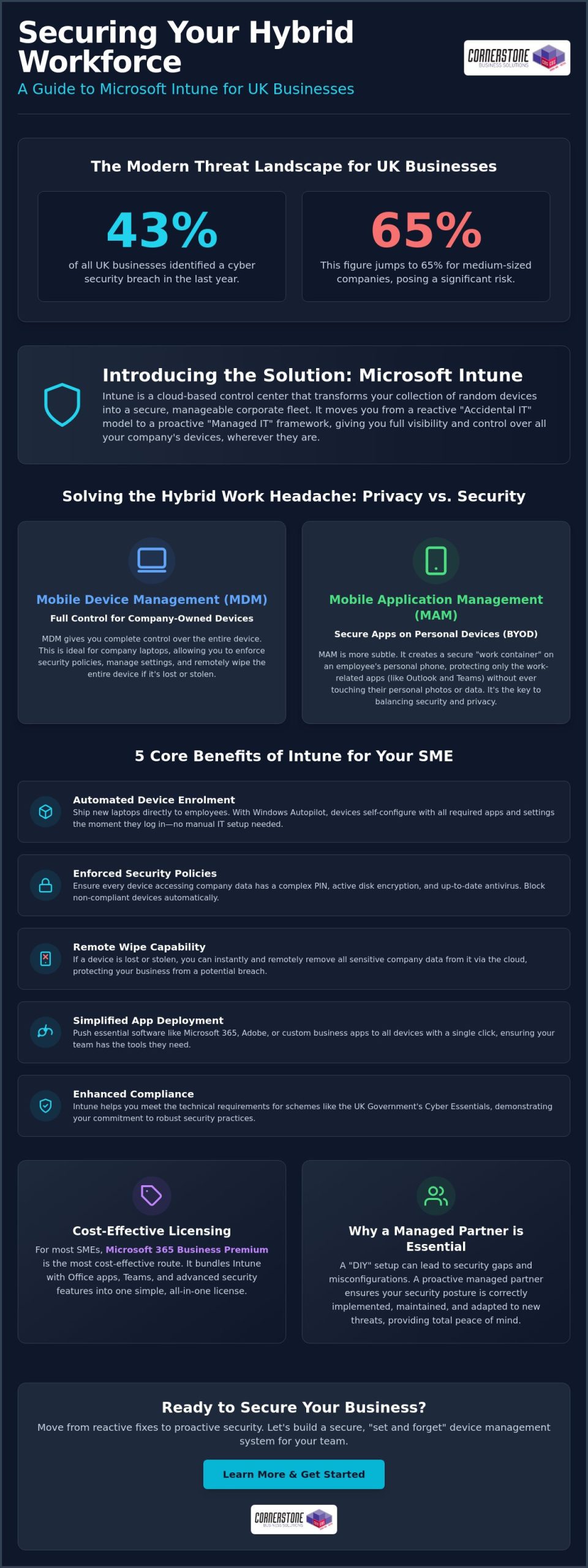
- Learn how to remotely wipe corporate data from personal mobile devices and close security gaps in third-party “Shadow IT” applications.
- Discover how partnering with Managed IT Support can automate your offboarding, removing the risk of human error and ensuring a secure, repeatable process.
The Hidden Risks of Poor Employee Offboarding in Microsoft 365
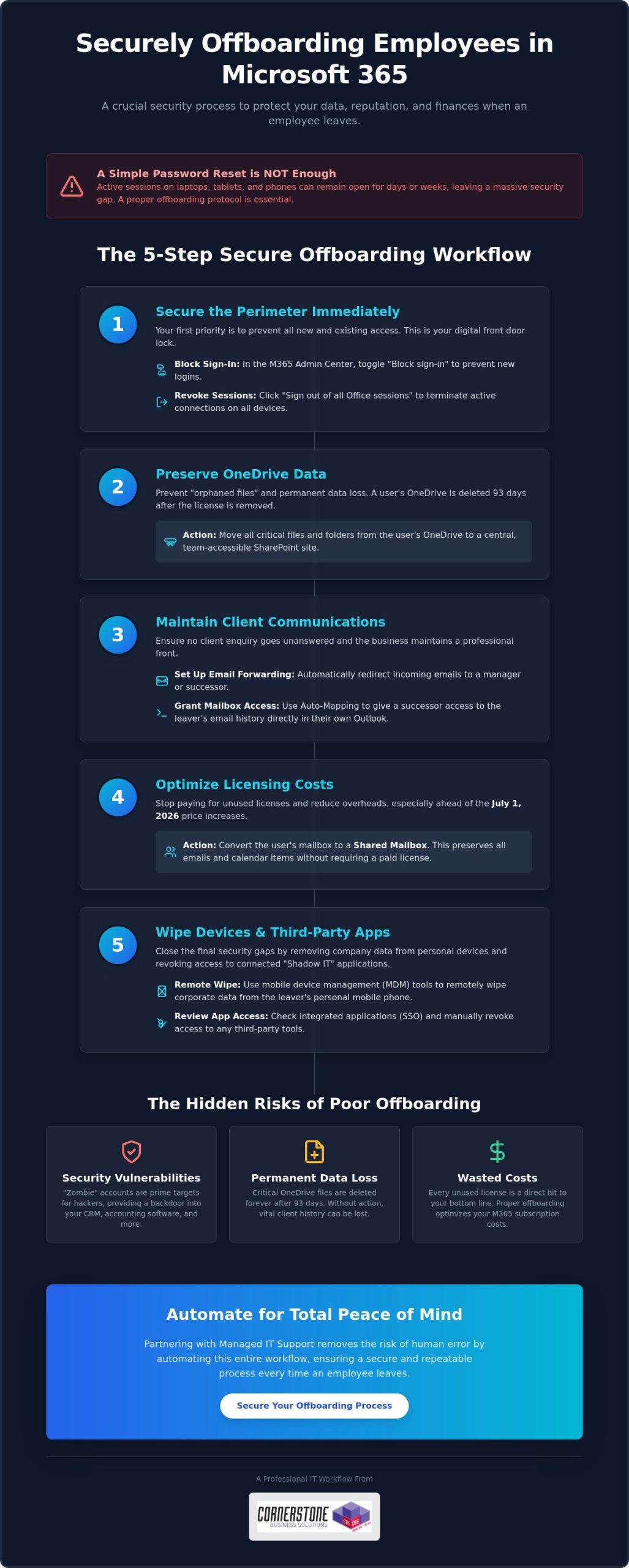
When a staff member moves on, it’s tempting to think a quick password reset solves everything. It doesn’t. In fact, relying solely on a password change is one of the most common mistakes we see when businesses are managing employee leavers in Microsoft 365. Modern cloud environments are complex. Active sessions on laptops, tablets, and phones can remain open for days or even weeks without requiring a new login. This creates a massive security gap where sensitive company data remains accessible to someone who no longer has a right to see it. It’s a risk your reputation simply can’t afford.
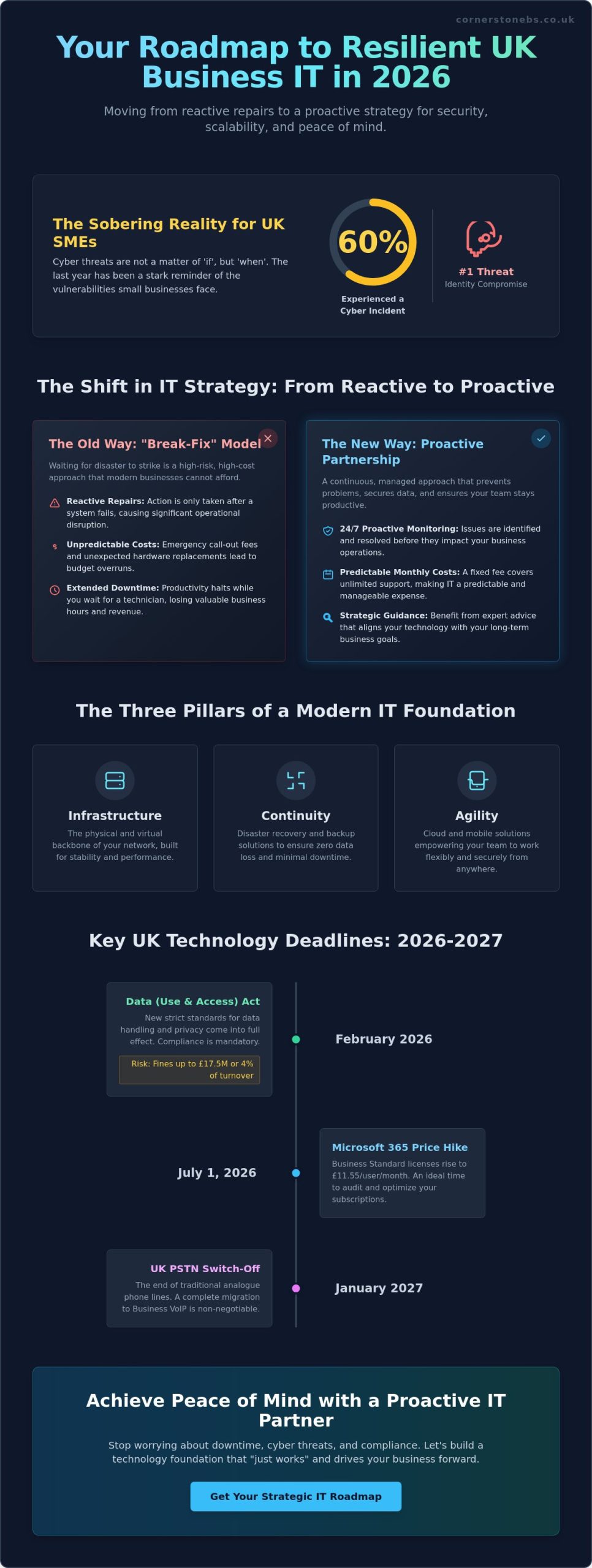
Beyond security, there’s a significant commercial impact to consider. With Microsoft 365 price increases taking effect on July 1, 2026, every unused license is a direct hit to your bottom line. A team of 50 on Business Standard will see costs rise by $900 per year. Paying that for an empty desk is simply bad business. From a compliance perspective, The Employee Offboarding Process must align with UK GDPR. You’re legally required to ensure personal data is handled correctly, which means you can’t just leave “zombie” accounts sitting in your tenant indefinitely.
Security Vulnerabilities and “Zombie” Accounts
Zombie accounts are identities that stay active long after the human user has left. These are prime targets for hackers because nobody is monitoring them. If you use Microsoft 365 for Single Sign-On (SSO), an ex-employee might still have access to:
- Your cloud-based accounting software
- Customer CRM databases
- Industry-specific project tools
- Internal communication channels
You must revoke active tokens and kill all sessions immediately. This forces every device to disconnect, ensuring your digital perimeter stays tight. It’s about proactive protection rather than reacting to a breach after it happens. We want to see your business stay secure and resilient through every transition.
Data Sovereignty and Client Relationships
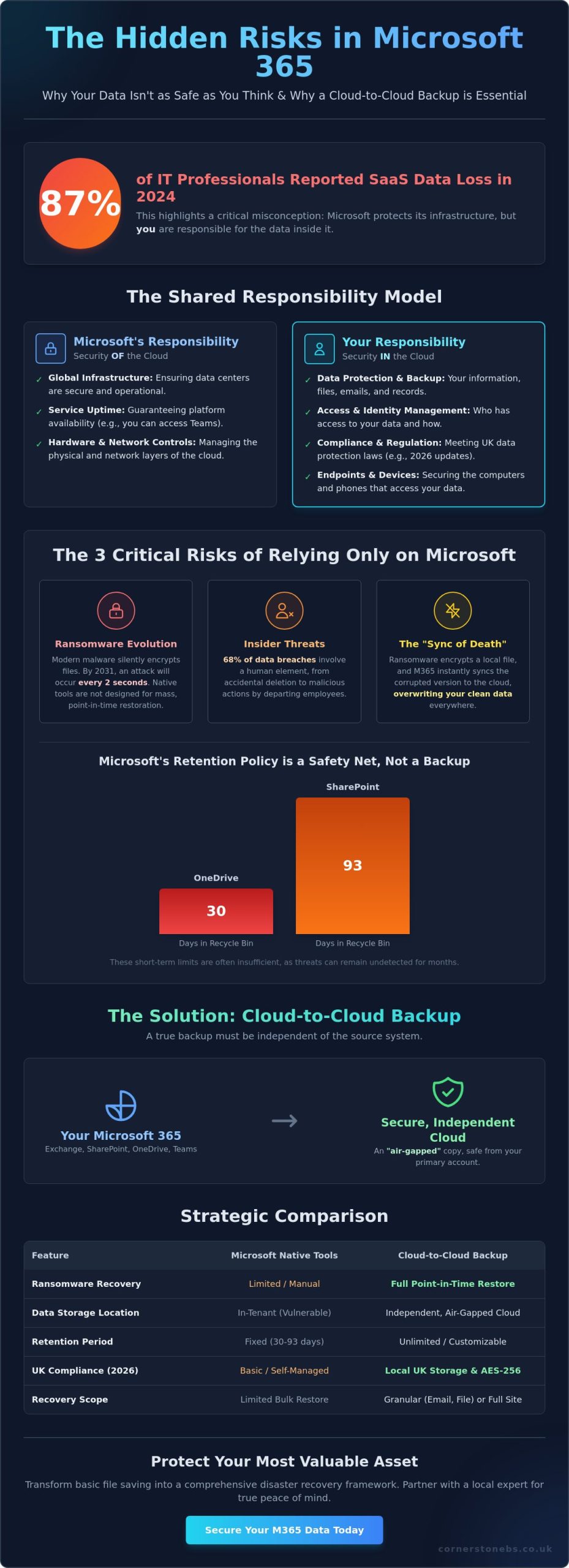
Your data is your most valuable asset. When someone leaves, their email history in Exchange Online and their files in SharePoint must remain under your control. There’s a real danger of “orphaned” files; documents stored in a personal OneDrive that nobody else can access once the account is deleted. Under the new policy effective January 2025, OneDrive data is only kept for 93 days after a license is removed. If you don’t act fast, that intellectual property is gone forever. We help you move that data to a secure, central location so your team stays productive and your client history remains protected.
The 5-Step Workflow for Managing Leavers in Microsoft 365
Creating a secure, repeatable process is the only way to ensure nothing slips through the cracks. This five-step workflow is the gold standard we recommend for managing employee leavers in Microsoft 365. It moves beyond simple admin tasks to provide a robust security framework that protects your business from the moment a resignation is handed in. By following these steps, you maintain control over your intellectual property while keeping your overheads lean.
Step 1: Securing the Perimeter
Your first priority is stopping unauthorized entry. Within the Microsoft 365 Admin Center, the “Block sign-in” toggle is your most effective tool for immediate defense. This prevents any new logins to the account across all services. To terminate every active session on laptops or mobile phones, simply click the “Sign out of all Office sessions” button within the user’s profile pane. For businesses with more complex setups, using Microsoft Entra ID ensures that access is revoked not just for email, but for every integrated corporate application in one go. It’s a clean, decisive way to secure your digital borders.
Step 2 & 3: Preserving Business Intelligence
Data shouldn’t stay locked in a departing user’s silo. We recommend moving vital OneDrive files to a central SharePoint site where the rest of the team can continue working without interruption. This prevents the “orphaned data” problem we discussed earlier. To keep your client relationships strong, set up email forwarding to a manager or successor so that no enquiry goes unanswered. Using a feature called Auto-Mapping is a brilliant way to grant access; it allows the successor to see the leaver’s email archive directly in their own Outlook sidebar without needing a separate login. Referencing a professional Secure Offboarding Checklist can help you stay organized during these transitions.
Step 4 & 5: Efficiency and Cost Savings
Once the data is secured, it’s time to stop the clock on your spending. Convert the leaver’s account into a Shared Mailbox. This allows you to keep all their historical emails searchable and accessible for free, provided the mailbox is under 50GB. After the conversion is complete, you can safely unassign the paid license. This reclaimed seat is then ready for your next hire, or you can remove it entirely to lower your monthly bill. If you’re looking to streamline these tasks, our Managed IT Support team can help you build an automated system that handles these steps perfectly every time. This proactive approach ensures your business remains agile, secure, and financially efficient.
Delete vs. Deactivate vs. Convert: Choosing the Right Path
Choosing the right path when a team member moves on is a balance between saving money and protecting your business intelligence. Simply hitting the delete button is often the first instinct, but it’s usually the riskiest. If you delete a user account without a plan, their mailbox is purged after 30 days. That’s a very short window to realize you’ve lost a vital client contract or a string of important project emails. For short-term or low-impact roles, deletion might be fine, but for most positions, you need a more considered approach to managing employee leavers in Microsoft 365.
We want to help you make the most cost-effective choice without leaving your data vulnerable. Whether you are dealing with a standard departure or a high-level exit, the strategy you choose today determines how easily you can recover information six months down the line. To see the technical steps for each option, you can consult Microsoft’s guide to removing a former employee, which outlines the official procedures for each path.
The Shared Mailbox Strategy
Shared mailboxes are the “gold standard” for a reason. They allow you to retain every single email from a departing staff member without paying for a monthly license. The process is straightforward: you convert the existing user mailbox into a shared one first, and only then do you remove the paid license. This keeps the data searchable and accessible for your team indefinitely.
There are a few technical rules to keep in mind. Shared mailboxes are free only if they remain under 50GB in size. If the leaver was a “power user” with a massive archive, you might need to trim the data or keep a license active. It’s also important to remember that nobody can log into a shared mailbox directly. You must grant another licensed user “Full Access” permissions to view the contents. This is a brilliant way to maintain continuity while slashing your IT spend.
Litigation Hold and eDiscovery
For directors, senior staff, or roles involving sensitive financial data, a standard conversion might not be enough. In these cases, we recommend using a Litigation Hold. This feature ensures that every item in the mailbox is preserved, even if someone tries to delete individual emails before they walk out the door. It’s an essential tool for legal compliance and internal audits.
Using these advanced features ensures your data remains searchable through the eDiscovery portal long after the user has gone. This level of data sovereignty is a core part of our Cyber Security Services, helping local businesses build resilience and achieve true peace of mind. By choosing the right path for each leaver, you protect your company’s history and its future.
A Checklist for Secure Mobile and Third-Party Offboarding
Managing Mobile Device Management (MDM)
When staff use their own phones for work, often called Bring Your Own Device or BYOD, you need a way to reclaim company data without deleting their personal photos. This is where the distinction between a “Full Wipe” and a “Selective Wipe” becomes vital. Using Microsoft Intune, you can perform a selective wipe that targets only corporate emails and files, leaving the user’s private data untouched. It’s a respectful yet secure way to handle departures. You must also revoke all Multi-Factor Authentication (MFA) app registrations. Removing these registrations ensures that a former employee cannot use their personal device to bypass security prompts if they somehow obtain a colleague’s credentials.
Beyond the Microsoft Ecosystem
Many employees sign up for third-party SaaS tools using their corporate email address. This creates “Shadow IT” that often goes unnoticed until a breach occurs. You need to audit logins for industry portals, research tools, and even shared social media accounts. Changing shared passwords immediately is a non-negotiable step for protecting your brand’s online presence. Integrating these checks into your wider Microsoft 365 Migration strategy ensures that your entire infrastructure remains clean and organized from day one.
Don’t forget the small administrative details that can lead to big headaches. To keep your communication channels clear, make sure to complete the following:
- Update internal directories to reflect the current team structure.
- Remove the leaver from “All Staff” and “Management” distribution groups.
- Deactivate access to physical security systems or key fobs if linked to IT profiles.
- Clear any delegated permissions they had over other staff mailboxes.
Taking these steps prevents sensitive internal announcements from landing in the inbox of someone who no longer works for you. It also maintains a professional, up-to-date directory for your current staff. If you’re feeling overwhelmed by these moving parts, contact our team today to discuss how we can secure your business through expert managed IT support.
How Managed IT Support Automates the Leaver Process
Manual offboarding is a high-wire act for any busy manager. Even with the best intentions, a single missed step can leave a gap in your defenses. When you’re managing employee leavers in Microsoft 365, the stakes are simply too high for “best efforts.” We’ve seen businesses accidentally leave global admin access active for months simply because it wasn’t on the primary checklist. This is where professional Managed IT Support turns a stressful manual task into a seamless, background operation that protects your business every time.
By using automated scripts, we ensure that every single action happens in the correct order. From blocking Entra ID sign-ins to converting mailboxes and wiping mobile devices, automation removes the risk of human error. This isn’t just about speed; it’s about building a fortress around your business data. You can rest easy knowing that as soon as an employee leaves, their digital presence is secured and their access is completely severed.
Peace of Mind Through Standardization
We help you create a formal “Leaver Protocol” that triggers automatically as soon as notice is given. This proactive approach prevents “access creep,” a common issue where long-term employees accumulate permissions for various folders and apps that are never fully revoked. Our expert helpdesk is always on hand to manage data requests, ensuring that managers get the files they need without compromising security. It’s about giving you the freedom to focus on your team while we handle the technical heavy lifting.
Optimising Your Cloud Investment
The commercial side of Microsoft 365 is just as important as the technical one. With the price increases effective July 1, 2026, paying for licenses that aren’t being used is a drain on your resources that no business should tolerate. We perform monthly license audits to keep your costs lean and predictable. If an employee leaves and isn’t replaced immediately, we don’t just leave the seat active. We unassign and remove it to save you money from day one.
Our team provides strategic advice on when to upgrade to tiers like Business Premium for better security or when to downgrade to save costs on low-impact roles. We position ourselves not just as a service provider, but as a long-term partner invested in your growth and stability. If you want to move away from transactional IT and toward a more secure future, we invite you to have an informal conversation about our Managed IT Services. Let’s work together to make your offboarding process a foundation of emotional and digital security.
Take Control of Your Digital Offboarding
Securing your business shouldn’t feel like a constant battle against technical complexity. By mastering the art of managing employee leavers in Microsoft 365, you protect your intellectual property while significantly reducing unnecessary licensing costs. We have explored how converting accounts to shared mailboxes and automating your revocation protocols are the most effective ways to maintain continuity without draining your budget. Closing the gaps in mobile access and third-party apps ensures your data stays exactly where it belongs: under your control.
As a multi-award-winning IT services provider and Microsoft Certified Partner, Cornerstone Business Solutions brings the clarity and expertise you need to stay ahead of regulatory and pricing changes. Our team provides 24/7 proactive system monitoring to give you total peace of mind. You don’t have to navigate these transitions alone. We are here to act as your dedicated long-term partner, ensuring every departure is handled with precision and care. Book a Microsoft 365 Security Audit with Cornerstone Business Solutions Today and let’s build a more resilient future for your business together. Your team and your data deserve nothing less than professional, local support you can trust.
Frequently Asked Questions
How long should I keep a former employee’s Microsoft 365 data?
You should generally retain data for at least 90 days to ensure a smooth transition, though your specific industry compliance rules might require longer. Under the policy effective January 2025, Microsoft only keeps OneDrive data for 93 days after a license is removed. We recommend moving vital files to SharePoint immediately to avoid losing intellectual property. This proactive step ensures your business stays compliant with UK GDPR while keeping your historical records accessible.
Can I still access a leaver’s OneDrive after I delete their account?
No, deleting the account starts a countdown that eventually purges the data forever. You cannot easily access OneDrive files once an account is fully deleted and the 30-day grace period expires. It is much safer to delegate access to a manager or move the files to a central SharePoint site before you hit delete. Managing employee leavers in Microsoft 365 effectively means securing the data first so you don’t risk losing orphaned files.
Do I need to pay for a license to keep a former employee’s email active?
You don’t need to keep paying for a license if you convert the user’s mailbox into a Shared Mailbox. This is a brilliant way to keep all historical emails searchable without the monthly overhead. As long as the mailbox stays under 50GB, Microsoft won’t charge you for the storage. It’s a simple, cost-effective strategy that helps you manage your IT budget while preserving important business intelligence for your team’s future use.
What happens to a user’s Microsoft Teams messages when they leave?
Teams messages sent within public or private channels remain visible to the rest of the team even after the user is gone. However, their one-on-one private chats are tied to their specific account and can be harder to retrieve without using advanced eDiscovery tools. We recommend setting up clear communication policies so that vital project decisions are always recorded in shared channels rather than private messages. This ensures your business continuity remains unbroken.
How do I stop a leaver from accessing the company’s mobile apps?
The most effective method is performing a selective wipe through Microsoft Intune, which targets only your business data. This removes corporate emails and files while leaving the employee’s personal photos and apps untouched. You must also revoke their Multi-Factor Authentication (MFA) tokens to prevent them from logging back in. This clean break is essential for maintaining your digital perimeter and protecting sensitive client information on the move, regardless of where the device goes.
Can I convert a former employee’s account to a Shared Mailbox after deleting them?
You must convert the account while it is still active or within the 30-day “soft delete” window. Once that period passes, the mailbox is purged and cannot be converted. Managing employee leavers in Microsoft 365 requires a specific sequence of events to be successful. We always advise our clients to convert to a Shared Mailbox as one of the very first steps in their offboarding checklist to ensure no vital data is lost.
What is the fastest way to block a disgruntled employee’s access?
The fastest route is to block their sign-in status and reset their password immediately within the Admin Center. You should also click the “Sign out of all Office sessions” button to kill any active connections on their laptops or phones. This decisive action prevents them from accessing SharePoint or sending emails within minutes. It provides the immediate security you need during sensitive departures, giving you total control over your digital environment when it matters most.
Is it possible to automate the leaver process in Microsoft 365?
Automation is the best way to ensure consistency and remove the risk of human error during offboarding. We use custom scripts that handle everything from license reclamation to data migration the moment a leaver is reported. This standardized approach means no “zombie” accounts are left active and no licenses are wasted. It’s a proactive way to manage your infrastructure, providing both emotional security for you and technical stability for your growing business.
Posted on: June 29th, 2026 by Cornerstone
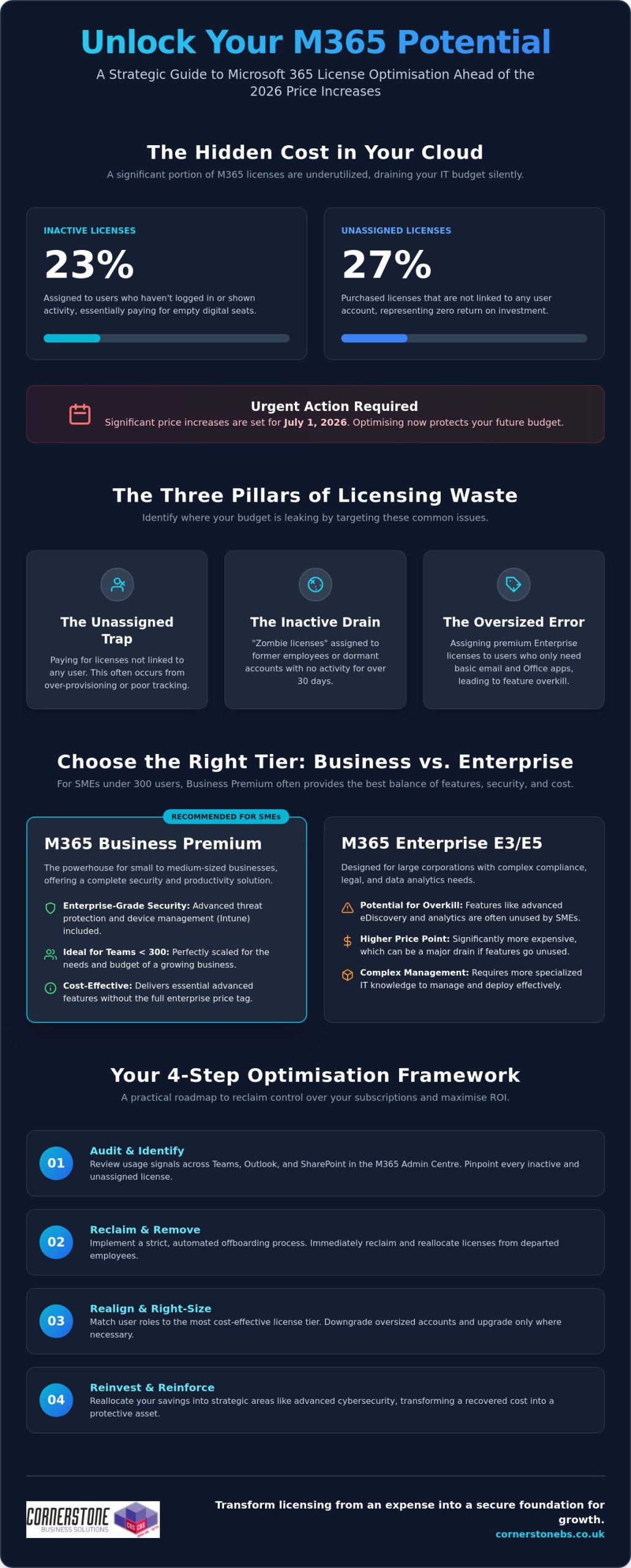
Did you know that 23% of Microsoft 365 licenses are currently inactive, while another 27% sit unassigned? For a UK business, that is essentially like paying for a row of empty desks in your office every single month. With significant price increases set to hit most plans on July 1, 2026, Microsoft 365 license optimisation isn’t just a technical task; it’s a vital strategy for protecting your bottom line. We understand how frustrating it is to navigate complex tiers only to find you’re paying for premium features that your staff never actually open.
You deserve to know that every pound spent on your digital infrastructure delivers real value. This guide will show you exactly how to eliminate licensing waste, align your costs with actual usage, and maximise your ROI without compromising on security. We’ll explore the latest 2026 pricing shifts, including why Business Premium remains a powerhouse for teams under 300 users, and provide a clear roadmap to a leaner, more efficient IT budget.
Key Takeaways
- Understand why 2026 is a critical turning point for your IT budget and how Microsoft 365 license optimisation helps you stay ahead of shifting cloud costs.
- Pinpoint the specific areas where your budget is leaking by identifying unassigned seats and inactive accounts that no longer serve your business.
- Discover why Business Premium is the standout choice for UK SMEs, providing enterprise-grade security without the enterprise-level price tag.
- Follow our practical audit framework to reclaim control over your subscriptions using real-time data from the Microsoft 365 Admin Centre.
- Explore how a proactive partnership with an award-winning IT team transforms your licensing from a monthly expense into a secure foundation for growth.
What is Microsoft 365 License Optimisation and Why Does it Matter in 2026?
Microsoft 365 license optimisation is the continuous practice of auditing your cloud environment to ensure every user has exactly the tools they need, and nothing more. It is the process of matching user roles to the most cost-effective license tier available. In 2026, this has become a non-negotiable part of a robust managed IT support strategy. As Microsoft introduces significant price adjustments on July 1, 2026, businesses that ignore their license counts will see their margins tighten unnecessarily. We view this as a vital health check for your business stability.
We often encounter “zombie licenses” during our initial audits. These are paid seats assigned to staff who left the company months ago or accounts that haven’t been touched in weeks. They drain your budget silently. By refining your Microsoft 365 environment, you stop these leaks before they impact your yearly projections. It’s about taking a proactive stance to ensure your technology supports your growth rather than weighing it down with hidden costs.
The Financial Impact of Licensing Waste
Industry data from research firms like CoreView suggests that nearly 20% of M365 expenditure is wasted on inactive or unassigned licenses. This is a classic sunk cost that adds no value to your operations. However, when we reclaim that budget through Microsoft 365 license optimisation, it becomes a strategic investment. You can reallocate those saved funds into advanced cyber security services. This allows you to fortify your business against modern threats without actually increasing your total IT spend. It is a win for both your security posture and your finance director.
Moving Beyond Simple Cost-Cutting
Optimisation is about more than just the monthly bill. It’s about productivity and precision. Giving a warehouse manager an Enterprise E5 license when they only need basic email is overkill. Conversely, a remote finance director needs the advanced data protection found in Business Premium to work safely from anywhere. Proper alignment ensures everyone has the right tools for their specific role.
This approach also keeps you on the right side of data governance and compliance. When you know exactly who has access to which apps, managing your data becomes much simpler. We treat optimisation as a proactive business habit. It keeps your Teesside business lean, secure, and ready for the technical challenges of the coming year. It’s the difference between being reactive and being truly in control of your digital infrastructure.
Identifying the Three Pillars of Licensing Waste
Licensing waste isn’t always obvious. It often hides in the corners of your admin portal, quietly draining your monthly budget. While many UK businesses believe their subscriptions are lean, the reality is often different. Effective Microsoft 365 license optimisation starts by shining a light on the three primary areas where money leaks out: empty seats, incorrect tiers, and duplicate services. We’ve helped many local firms reclaim these funds, and the process always begins with identifying these hidden drains.
The first pillar is the “Unassigned Trap.” This happens when you pay for seats that aren’t linked to any active user account. Research shows that up to 27% of licenses sit unassigned in typical corporate environments. Closely related is the “Inactive Drain,” where licenses remain assigned to former employees or accounts that haven’t shown a login signal in over 30 days. Finally, the “Oversized Error” occurs when staff are given high-level Enterprise features they never use. You might be paying for advanced analytics for a user who only needs basic email and Word. This is often backed by Gartner research on optimizing M365 costs, which emphasises the importance of user profiling to prevent over-licensing.
Tackling Inactive and Unassigned Seats
To stop the bleed, you need to look for specific “usage signals.” Check your admin centre for activity across Teams, Outlook, and SharePoint. If an account shows zero activity for a month, it’s a prime candidate for removal. A strict offboarding process is your best defence here. When a team member leaves, their license should be reclaimed immediately as part of your standard IT checklist. License Harvesting is the automated recovery of unused software seats to ensure your budget stays lean. If you’re unsure how to set this up, our team can help you assess your current setup to find these quick wins.
Right-Sizing Your User Tiers
Successful Microsoft 365 license optimisation requires categorising your workforce based on their actual daily tasks. Most employees fall into one of three buckets:
- Frontline (F3): Perfect for staff who only need mobile access or basic web apps.
- Standard (Business Standard): Ideal for typical office roles requiring desktop apps.
- Power Users (Business Premium): Essential for those requiring advanced security and device management.
Be careful not to “under-license” either. While cutting costs is the goal, stripping away essential security features from a remote worker creates a massive risk. We always recommend a “needs-first” approach. By understanding the specific requirements of each role, you ensure your team stays productive without overpaying for “just in case” features.
Choosing the Right Tier: Business Premium vs. Enterprise (E3/E5)
Selecting the right tier is a fundamental part of Microsoft 365 license optimisation. It’s the difference between having a secure, efficient team and overpaying for features that sit on a digital shelf. For the vast majority of our clients in the North East and across the UK, the decision hinges on understanding the 300-user limit and the specific security needs of a modern workforce. With the 2026 price updates showing a 0% increase for Business Premium, its value proposition has never been stronger for SMEs looking to stay lean and secure.
Why Business Premium is the SME Sweet Spot
For most UK businesses with fewer than 300 staff, Microsoft 365 Business Premium offers the most robust security-to-price ratio available in 2026. It includes Microsoft Defender for Business and Intune for remote device management. While Business Standard is popular, it leaves a significant security gap for remote teams. Without Intune, you can’t easily enforce security policies on home laptops or remotely wipe a lost mobile phone. Upgrading to Premium is often significantly more cost-effective than buying these security tools as separate add-ons. It’s a proactive way to build your cloud solutions on a foundation of reliability and trust.
When to Step Up to Enterprise E5
You only need to look at Enterprise tiers like E3 or E5 if you cross that 300-user threshold or have very specific technical requirements. E5 is the “everything” license. It includes Power BI Pro for advanced analytics and sophisticated voice capabilities for your business phone systems. It also brings in Security Copilot, which is an AI-powered assistant for security operations. However, we often see “E5 Bloat.” This happens when a company pays for these top-tier licenses but never actually implements the complex compliance or analytics tools included. It’s a silent drain on your budget that delivers zero actual value to your staff.
Our it company solutions focus on bridging this gap. We ensure you only step up to Enterprise when your business operations truly demand those high-level features. We’ll help you determine if you need the heavy-duty analytics of E5 or if the streamlined efficiency of Business Premium is your perfect fit. By matching the license to the actual job role, you ensure that every pound spent on your Microsoft environment is working as hard as your team does.
A Step-by-Step Framework for a Microsoft 365 License Audit
Conducting a thorough audit is the most effective way to turn your cloud environment into a lean, high-performing asset. While the technical side is important, the human element of how your staff join and leave the business is where most waste accumulates. A successful Microsoft 365 license optimisation audit follows a logical path from raw data to automated efficiency. We recommend following these five essential steps to reclaim your budget.
- Step 1: Inventory. Log into the M365 Admin Centre. Export a full list of your active and unassigned licenses to see exactly what you’re paying for right now.
- Step 2: Usage Analysis. Review the “Last Activity Date” for every user. If a seat hasn’t accessed Teams, OneDrive, or Exchange in 30 days, it’s a prime candidate for removal.
- Step 3: Role Mapping. Match your license tiers to actual job descriptions. Does a part-time staff member really need the full desktop suite, or would the web-only version suffice?
- Step 4: Consolidation. Remove unassigned seats immediately. Downgrade oversized accounts to a tier that matches their actual security and productivity requirements.
- Step 5: Automation. Build a bridge between your HR and IT teams. Implement automated onboarding and offboarding workflows to ensure licenses are assigned and reclaimed the moment a staff member’s status changes.
If you’re ready to stop the budget leak, you can book a professional audit with our team to identify these savings today.
Leveraging Usage Data for Smarter Decisions
Interpreting Microsoft 365 Usage Reports doesn’t have to be overwhelming. Focus on identifying “Silent Users.” These are employees who primarily use their mobile phones or tablets for work. They often only need a web-only license (F3) rather than a full desktop suite. We also suggest reviewing your third-party app integrations. Many businesses pay for separate file-sharing or project management tools that overlap with features already included in your M365 subscription. Eliminating these redundancies is a quick win for your bottom line.
Establishing a Quarterly Review Cycle
Strategic Licensing Management with Cornerstone Business Solutions
Managing a cloud environment shouldn’t feel like a full-time job for your internal team. At Cornerstone Business Solutions, we’ve built our reputation as an award-winning partner by simplifying the complex world of Microsoft licensing for businesses across the region. We don’t just sell you a seat and walk away. We take a proactive approach to ensure your environment stays lean, secure, and perfectly aligned with your goals. Our status as a trusted partner with global brands like Microsoft means you always receive the most up-to-date advice and best-in-class support.
Microsoft 365 license optimisation is a foundational element of our managed service. We believe in building long-term relationships rather than transactional exchanges. This means we’re constantly looking for ways to save you money while strengthening your security posture. We invite you to have a no-obligation conversation with us about your current cloud spend. It’s an informal chance to see how a few strategic changes can transform your IT budget from a drain into a driver for growth.
Our Proactive Monitoring Advantage
Tracking your license usage is a standard part of our maintenance plans. We monitor activity levels and seat counts so you don’t have to. This gives you total peace of mind knowing that your Microsoft 365 migration and daily management are in expert hands. Our commitment to exceptional customer service means we provide bespoke technology solutions tailored to your specific needs. We treat your business continuity as our top priority, ensuring your systems are always stable and reliable.
Ready to Optimise Your IT Budget?
The benefits of a structured review are immediate. You’ll see lower monthly costs, tighter security through better tier alignment, and clear visibility into your software assets. We’re here to act as your dedicated technology partner, providing the clarity you need to make confident business decisions. You don’t have to navigate the 2026 price changes alone. Our team is ready to help you build a more efficient digital future. We take pride in our local roots and our ability to deliver world-class technical support with a friendly, accessible face.
Book your Microsoft 365 License Review with Cornerstone today and start seeing the value in every pound you spend.
Take Control of Your Digital Budget Today
Success in 2026 requires a lean, agile approach to your technology. We’ve explored how identifying unassigned seats and matching user roles to the right tiers can stop the silent drain on your finances. By embracing a regular audit cycle, you ensure that your IT spend remains a strategic investment rather than a mounting overhead. Effective Microsoft 365 license optimisation is about more than just cutting costs; it’s about building a secure, high-performing foundation that empowers your team to do their best work.
As a multi-award-winning IT services provider and Microsoft Certified Partner, we specialise in delivering bespoke technology solutions that align perfectly with your business goals. We’re proud of our regional roots and dedicated to helping local firms thrive in an ever-changing landscape. Our experts are ready to simplify the technical jargon and provide the clarity you need to move forward with confidence.
Let’s work together to make your infrastructure more efficient. Optimise your Microsoft 365 licensing with Cornerstone and discover the peace of mind that comes from a truly proactive partnership. We’re here to help your business reach its full potential.
Frequently Asked Questions
What is an inactive Microsoft 365 license?
An inactive license is a paid subscription assigned to a user who hasn’t logged in or interacted with any Microsoft services for a specific period, typically 30 days. These accounts represent a direct monthly cost with zero return on investment. Identifying these accounts is a priority for any business looking to reduce waste and keep their IT budget lean.
Can I mix different Microsoft 365 license tiers within the same company?
Yes, you can mix and match different license tiers to suit the specific roles within your organisation. This is a core part of Microsoft 365 license optimisation. It allows you to provide Business Premium for remote staff needing high security while keeping warehouse or part-time staff on more basic, cost-effective plans that fit their daily tasks.
How often should my business perform a license optimisation audit?
We recommend performing a formal license audit at least once every quarter. This frequency helps you catch “zombie licenses” from former employees and adjust your seat counts before they accumulate into significant annual waste. Aligning these reviews with your financial planning keeps your technology spend predictable and stable throughout the year.
Will downgrading a license cause a user to lose their data?
Downgrading a license won’t typically cause data loss, but it may restrict access to certain features or storage capacities. For example, moving from a plan with 100GB of mailbox storage to one with 50GB could cause issues if the user’s mailbox is already near that lower limit. We always verify storage levels and feature dependencies before making any tier changes to ensure business continuity.
Is Microsoft 365 Business Premium better than Business Standard for SMEs?
Business Premium is generally the superior choice for modern SMEs because it includes advanced security and device management tools that Business Standard lacks. While Standard covers the basics, Premium provides the essential protection needed for remote work and mobile device security. It’s a proactive way to secure your business without the high cost of separate security add-ons.
What happens to a license when an employee leaves the company?
When an employee leaves, their license remains active and continues to incur costs until it is manually unassigned in the Admin Centre. It’s vital to have a strict offboarding process that includes reclaiming the license immediately. Once unassigned, the seat stays in your pool until you either reassign it to a new hire or remove it from your subscription to save money.
How can I see which Microsoft 365 features my staff are actually using?
You can track feature usage through the “Usage” reports section in the Microsoft 365 Admin Centre. These reports provide granular data on how often your team uses Teams, SharePoint, and Exchange. This visibility is essential for identifying staff members who may be over-licensed for their actual daily requirements, allowing you to make smarter, data-driven decisions.
Does Microsoft 365 license optimisation affect my cyber security compliance?
Yes, Microsoft 365 license optimisation directly impacts your security posture by ensuring every user has the correct level of protection for their risk profile. By aligning roles with the right tiers, you close security gaps that often occur when users are under-licensed. This proactive approach helps you maintain compliance with industry standards and protects your business from modern threats.
Posted on: June 28th, 2026 by Cornerstone
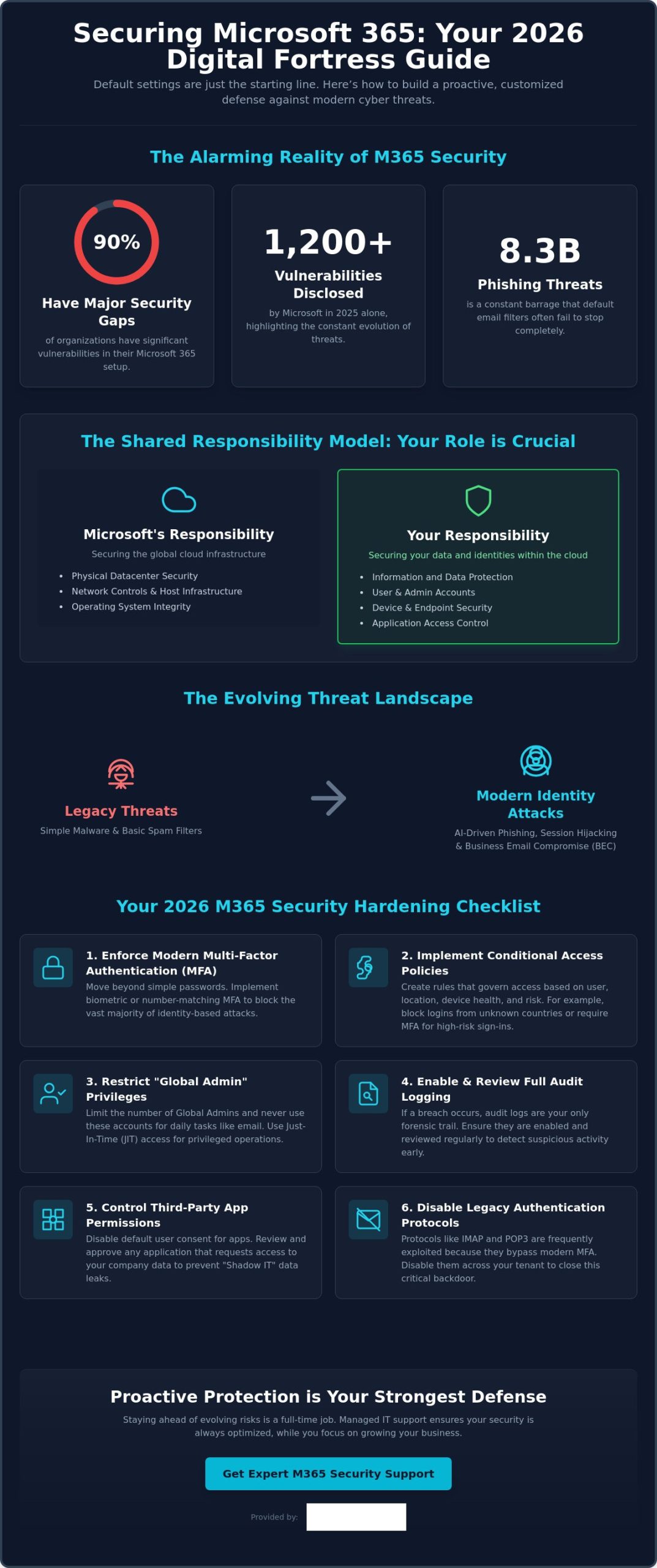
Did you know that 90% of organizations currently have major gaps in their essential Microsoft 365 security protections? It is a startling figure from recent research, especially since Microsoft disclosed over 1,200 vulnerabilities in 2025 alone. If you are wondering how to secure Microsoft 365 from cyber threats in this fast-moving environment, you aren’t alone. Many local business owners feel overwhelmed by the maze of settings in the Admin Center or worry that a single mistake could lead to a data breach and costly downtime.
We believe you should be able to focus on your team and your growth without worrying about 8.3 billion phishing threats or complex licensing tiers. You deserve the confidence that your sensitive data is protected by more than just a default password. This 2026 guide delivers the essential strategies and technical configurations you need to transform your environment into a digital fortress. We will walk you through the latest identity-based protections and show you exactly how to achieve a secure, compliant tenant that supports your long-term success.
Key Takeaways
- Understand why default settings aren’t enough and how the shared responsibility model puts you in control of your business data.
- Use your Microsoft Secure Score as a clear, prioritized roadmap to strengthen your environment without getting lost in technical menus.
- Master the latest strategies for how to secure Microsoft 365 from cyber threats, including modern defenses against Business Email Compromise and malicious collaboration.
- Implement a high-impact hardening checklist that covers essential configurations like biometric MFA and Conditional Access policies to stop hackers.
- Discover the peace of mind that comes with proactive managed support, ensuring your security stays ahead of evolving risks while you focus on your growth.
Why Microsoft 365 Default Settings May Leave Your Business Vulnerable
When you first sign up for the Microsoft 365 suite, the primary goal is usually getting your team up and running as fast as possible. This “Convenience First” approach is excellent for productivity, but it often creates a wide open door for modern hackers. Default settings are designed to be permissive so that services work without friction, which unfortunately means security often takes a back seat to ease of use. Relying on these out of the box configurations is one of the most common mistakes we see in our local business community.
The Myth of “Secure by Default”
Many business owners assume that because they are using a world class platform, Microsoft handles every aspect of their protection. In reality, security is a partnership. The Shared Responsibility Model is the foundational principle of cloud security that dictates Microsoft is responsible for the global infrastructure while you are responsible for securing the data and identities within it. Between 2021 and 2026, threats have evolved from simple malware to sophisticated identity based attacks. Old protections that relied on basic filters simply fail against modern tactics like session hijacking or AI driven phishing. Learning how to secure Microsoft 365 from cyber threats starts with realizing that the standard configuration is just the starting line, not the finish.
Common Blind Spots in Standard Configurations
One of the most dangerous oversights in a standard setup is disabled or limited audit logging. If an intruder enters your system and logging isn’t active, you have no forensic trail to follow. This makes recovery incredibly difficult because you won’t know exactly what was accessed, stolen, or changed. We also see significant risks with “User consent to apps” settings. By default, employees might be able to grant third party applications access to your corporate data without any IT oversight. This creates a shadow IT environment where sensitive information can leak through unvetted integrations.
Perhaps the most critical vulnerability involves “Global Admin” accounts. We often find these high level permissions assigned to accounts that people use for daily tasks like checking email or browsing the web. If that one account is compromised, the attacker has the keys to your entire corporate kingdom. A single misconfigured mailbox can serve as a launchpad for a full network compromise. Truly understanding how to secure Microsoft 365 from cyber threats requires closing these legacy gaps, such as old IMAP or POP3 protocols that often remain active and allow attackers to bypass modern multi-factor authentication. Securing your business means moving beyond convenience to build a proactive, customized defense.
Improving Your Microsoft Secure Score: The Foundation of Office 365 Security
Your Microsoft Secure Score is not just a vanity metric. In 2026, it serves as your security North Star, providing a real time numerical representation of your current protection levels. It is a dynamic roadmap that helps you understand where your vulnerabilities lie and which specific actions will offer the most protection for your effort. Understanding your Secure Score is a vital part of learning how to secure Microsoft 365 from cyber threats because it turns complex technical settings into a clear, prioritized to-do list.
Many of the recommendations within the Secure Score align directly with the Cyber Essentials certification, which is a key benchmark for businesses across our region. While seeing that number rise is satisfying, we always remind our partners that a 100% score is not always the goal. Security must exist in harmony with productivity. If a setting is so restrictive that your team cannot perform their daily tasks, it will lead to frustration and “shadow IT” workarounds. The goal is a resilient environment that protects your sensitive data while keeping your business moving forward.
Navigating the Security Center Dashboard
We recommend business owners or IT managers review the Security Center dashboard at least once a month. Focus on the “Improvement Actions” tab, where Microsoft ranks tasks by their impact on your score. This allows you to tackle high priority items, like enabling number matching for MFA, before moving on to lower impact settings. Maintaining these scores can be time consuming for a busy professional, which is why many local firms look for it company solutions that include regular security auditing and score optimization. If you are unsure where to start, our team is always here to help you find the right security balance for your specific needs.
Implementing Zero Trust Architecture
In 2026, the old idea of a “digital perimeter” or firewall is no longer enough. We now operate in a world where identity is the new perimeter. Implementing a Zero Trust architecture means moving away from the assumption that anyone inside your network is safe. This framework relies on three pillars: verify explicitly, use least privileged access, and assume breach. By utilizing digital forensics analysis to understand how attackers attempt to bypass logins, you can better configure your environment to stay one step ahead. Zero Trust prevents lateral movement during a breach by ensuring that a single compromised account cannot automatically access other sensitive areas of your network. Implementing these steps is the most effective way to master how to secure Microsoft 365 from cyber threats in 2026.
Defending Against Modern Threats: Phishing, BEC, and Malicious Collaboration
Cybercriminals don’t just hack in; they log in. Business Email Compromise (BEC) has become incredibly sophisticated in 2026, often bypassing traditional spam filters because the messages don’t contain malicious files. Instead, attackers use social engineering to mimic executive voices, relying on urgency and trust to redirect payments or steal credentials. Learning how to secure Microsoft 365 from cyber threats means looking beyond the inbox and understanding that your collaboration tools are now primary targets.
A major emerging risk we are seeing this year is “Quishing,” or QR code phishing. These attacks increased by 146% in the first quarter of 2026 alone. Because traditional scanners often miss a malicious URL hidden within an image, employees frequently scan them on personal mobile devices that lack corporate security controls. To counter this, we use Microsoft Purview to help you label and protect sensitive data at the source. This ensures that even if a file is accidentally shared, only authorized eyes can view the contents, keeping your business stable and your mind at ease.
Securing the “Big Three”: Teams, SharePoint, and OneDrive
Teams, SharePoint, and OneDrive are the lifeblood of modern work, but they are also the new frontiers for data exfiltration. Anonymous guest sharing is often left active by default, which can allow anyone with a link to access your internal files. We recommend implementing strict Data Loss Prevention (DLP) policies that automatically detect and block the sharing of sensitive information like credit card numbers or protected project details. For businesses looking to expand, our cloud solutions provide a robust framework for scaling these protections across your entire organization without slowing your team down.
Advanced Threat Protection with Microsoft Defender
Microsoft Defender for Office 365 is your frontline defense against the 8.3 billion email based phishing threats detected early this year. Many local business owners ask about the difference between Plan 1 and Plan 2. Plan 1 provides essential real time protection like “Safe Links” and “Safe Attachments,” which sandbox every link and file before they ever reach your user. Following CISA security recommendations ensures your configuration meets the highest standards for audit logging and legacy protocol management. Plan 2 takes this further with AI driven sentiment analysis, which can detect the subtle linguistic shifts that indicate a fraudulent executive request. This proactive approach is the most reliable way to master how to secure Microsoft 365 from cyber threats while maintaining a focus on your daily operations.
Your 2026 Microsoft 365 Security Hardening Checklist
Securing your digital environment is a proactive journey, not a destination. We have built this checklist to help you move beyond the basics and establish a truly resilient setup. By following these steps, you can significantly reduce your attack surface and protect your business from the most common entry points used by modern hackers. Implementing these configurations is the most practical way to master how to secure Microsoft 365 from cyber threats while keeping your team productive.
- Enforce modern MFA: Move away from basic passwords toward number matching and biometrics.
- Apply Conditional Access: Create policies that automatically block login attempts from high risk locations or unrecognized IP ranges.
- Automate offboarding: Ensure that when an employee leaves, their access is revoked instantly across all integrated apps to prevent “orphan account” vulnerabilities.
- Audit third party apps: Regularly review which external applications have permissions to read your data or send emails on your behalf.
- Conduct quarterly reviews: Schedule a deep dive into your security logs every three months and run simulated phishing tests to keep your team sharp.
Step-by-Step Identity Hardening
By 2026, SMS based MFA is no longer considered secure. Attackers frequently use SIM swapping or interception techniques to bypass these codes. We recommend using the Microsoft Authenticator app with number matching or FIDO2 security keys for your most sensitive accounts. While you are hardening these identities, don’t forget to set up “break glass” accounts. These are highly secure, emergency only accounts that ensure you never get locked out of your own tenant if your primary admin loses access. A microsoft 365 migration for business uk provides the perfect opportunity to audit these settings and start with a clean, secure slate.
Device and Application Management
Your data is only as secure as the device accessing it. We use Microsoft Intune to ensure that only compliant, patched, and encrypted devices can connect to your corporate network. For staff using personal phones, we implement Mobile Application Management (MAM). This allows you to secure corporate data within specific apps, like Outlook or Teams, without needing to manage the employee’s entire personal device. This balance protects your intellectual property while respecting staff privacy. Combined with endpoint detection and response (EDR), this creates a layered defense that stops threats before they can spread. If you want a professional eye on your configuration, book a security review with our local team today.
Learning how to secure Microsoft 365 from cyber threats involves constant vigilance. These technical steps provide the foundation, but they work best when paired with a culture of security awareness across your entire organization.
Proactive Protection: Why Managed IT Support is Your Strongest Defense
The technical configurations we have discussed provide a powerful foundation, but tools are only as effective as the hands that manage them. A common mistake is treating security as a one-time project. In reality, a “set and forget” approach is a gift to hackers. Real resilience comes from 24/7 proactive monitoring that identifies a suspicious login at 3 AM and neutralizes it before your team even starts their morning coffee. Moving away from a reactive “break-fix” model to a proactive partnership ensures that your business stays ahead of attackers who never stop evolving.
The Value of Continuous Compliance and Auditing
Security is a journey, not a destination. Microsoft releases updates and new features almost weekly, and each change can inadvertently create a new opening if not managed correctly. We ensure your tenant remains compliant and resilient by conducting ongoing audits and adjusting your settings to counter emerging 2026 threats. This level of constant vigilance is what provides true peace of mind. For a deeper look at building a resilient organization, explore our comprehensive cyber security services designed for modern business needs.
Building a Culture of Cyber Awareness
Even the most advanced technical fortress can be bypassed by a single well meaning employee clicking the wrong link. That is why user training is a foundational element of our multi-layered security strategy. We help simplify the complex world of cloud security for your staff, turning them from your biggest risk into your strongest first line of defense. A dedicated IT partner removes the technical burden from your shoulders, allowing you to focus on growth while we handle the digital infrastructure.
If you are ready to move beyond the defaults and build a more secure future, we invite you to a professional conversation. We can conduct a bespoke security audit of your current environment and show you exactly how to secure Microsoft 365 from cyber threats in a way that supports your team. Let’s work together to ensure your business remains a fortress in 2026 and beyond.
Building a Resilient Future for Your Business
The digital landscape of 2026 moves fast, but your business can stay ahead of the curve with the right strategy. We have explored why standard configurations are often a starting point rather than a complete defense. By prioritizing your Microsoft Secure Score and embracing a Zero Trust mindset, you turn your environment into a fortress. Truly understanding how to secure Microsoft 365 from cyber threats is about more than just checking boxes; it’s about creating a culture of continuous protection and awareness.
As a multi-award-winning IT services provider and Official Microsoft Partner, we specialize in transforming complex security challenges into clear, manageable solutions. You don’t have to manage these technical hurdles alone. Our team provides proactive 24/7 monitoring and support to ensure your data remains safe while you focus on what you do best. We are proud of our local roots and dedicated to the success of businesses throughout our community.
Ready to strengthen your defenses? Book your bespoke Microsoft 365 security audit with Cornerstone Business Solutions today. Let’s work together to build a stable, secure foundation for your future growth.
Frequently Asked Questions
Is Microsoft 365 secure enough for small businesses by default?
No, the default settings are designed for maximum accessibility and convenience rather than high level security. While Microsoft protects the physical data centers and underlying infrastructure, you are responsible for securing the identities, data, and devices that access your tenant. This shared responsibility means that out of the box configurations often leave doors open for attackers.
What is the most common cyber threat facing Microsoft 365 users in 2026?
Identity based attacks, specifically sophisticated phishing and Business Email Compromise, remain the top threats. Understanding how to secure Microsoft 365 from cyber threats requires focusing on identity, as attackers now use AI to create highly convincing messages that bypass traditional spam filters. These tactics aim to steal your login credentials to gain a foothold in your corporate network.
Does MFA stop all cyber attacks on Microsoft 365 accounts?
Multi-factor authentication is a vital layer of defense, but it is not a silver bullet. Modern attackers use advanced techniques like session token theft or MFA fatigue to bypass basic prompts. To stay secure, we recommend moving toward more resilient methods like biometric authentication or number matching, which require a much higher level of user verification.
How often should I audit my Microsoft 365 security settings?
We suggest performing a high level review of your security dashboard at least once a month. This helps you identify new vulnerabilities or misconfigured accounts before they can be exploited. A more comprehensive, deep dive audit should happen every quarter to ensure your overall security strategy remains aligned with the latest 2026 threat landscape.
What is Microsoft Secure Score and what is a “good” number?
Microsoft Secure Score is a numerical summary of your security posture based on your current configurations. While a 100% score sounds like the ultimate goal, it often creates too much friction for daily business operations. For most small and medium sized enterprises, a score between 70% and 80% represents a high performing balance of security and productivity.
Can Managed IT Support help with Microsoft 365 security compliance?
Yes, managed support provides the expert oversight needed to maintain complex compliance standards like Cyber Essentials. Our team simplifies the task of how to secure Microsoft 365 from cyber threats by providing continuous monitoring and regular auditing. We act as your long term partner to ensure your tenant stays compliant with evolving industry regulations.
What happens if our Microsoft 365 tenant is breached?
If a breach occurs, the priority is immediate containment to stop the spread of the attack. We isolate affected accounts, perform a forensic analysis to determine what was accessed, and then restore your systems from secure backups. Having a clear disaster recovery plan in place ensures that your business can return to normal operations as quickly as possible.
How much does it cost to secure Microsoft 365 properly?
The cost depends on your specific licensing needs and the level of proactive support your business requires. While there is an investment involved in proper configuration and monitoring, it is always more cost effective than the alternative. Preventing a breach is significantly cheaper than dealing with the financial and reputational fallout of stolen corporate data.
Posted on: June 27th, 2026 by Cornerstone
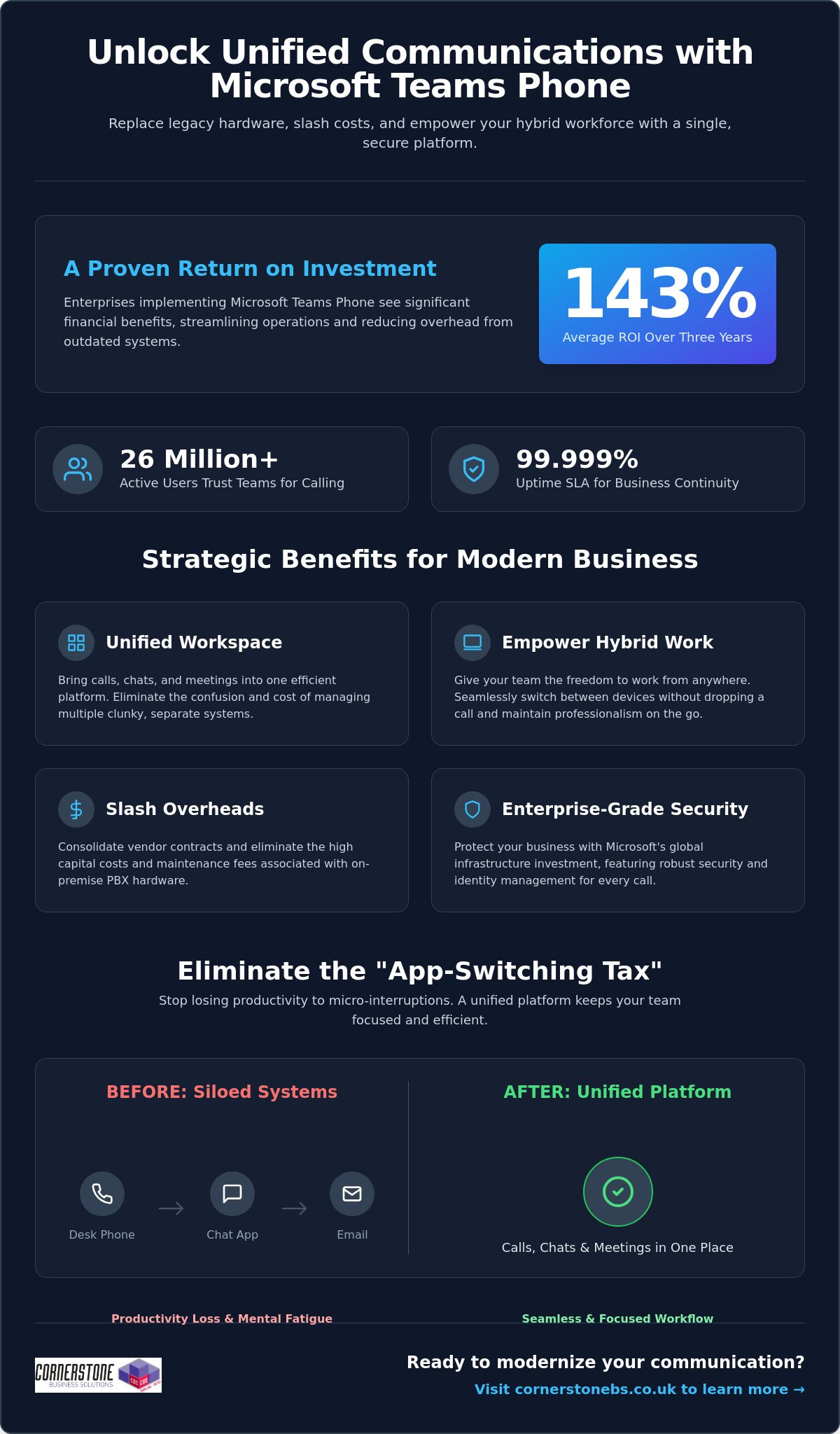
Did you know that enterprises implementing Microsoft Teams Phone achieve an average return on investment of 143% over three years? For many business owners we talk to, the biggest hurdle isn’t the technology itself, but the sheer exhaustion of managing legacy hardware and separate telecom bills. You want to focus on growth, not on why a desk phone in an empty office is still costing you money. The benefits of using Microsoft Teams for calling go far beyond just making a phone call; it’s about reclaiming your time and your budget.
We understand that maintaining multiple communication platforms feels like a constant uphill battle, especially when supporting a hybrid team. You need a system that just works, whether your staff is at their desk or working from a local coffee shop. This article will show you how Microsoft Teams Phone transforms your business communication by unifying calls, chats, and meetings into a single, secure platform. We’ll preview the cost savings, explore the productivity gains reported by over 26 million users, and explain how this shift provides the stability your organization deserves in 2026.
- Replace clunky legacy phone systems with a unified cloud solution that brings your calls, chats, and meetings into one efficient workspace.
- Explore the benefits of using Microsoft Teams for calling to give your hybrid team the freedom to switch between devices without dropping a single word.
- Slash your monthly overheads by consolidating vendor contracts and eliminating the high capital costs of maintaining on-site PBX hardware.
- Protect your business with enterprise-grade security and identity management backed by Microsoft’s massive global infrastructure investment.
- Follow a proven implementation roadmap, from network readiness assessments to selecting the right licensing model for your specific business needs.
Microsoft Teams Phone is the modern answer to the clunky, hardware-heavy office setups of the past. We’ve seen many local businesses struggle with siloed legacy PBX systems that simply don’t talk to each other. Teams Phone is a cloud-based integrated calling solution that solves this by replacing your old hardware with a unified platform. This transition to Unified Communications as a Service (UCaaS) represents the most significant shift in business infrastructure we’ve seen in years. It’s why the platform now supports approximately 26 million users as of early 2026.
What is a Cloud-Based Phone System?
VoIP technology has officially retired traditional copper-wire telephone lines. By 2026, the old Public Switched Telephone Network (PSTN) is largely obsolete, replaced by flexible, software-based systems. A cloud-based phone system uses your internet connection to transmit data, which means you aren’t tethered to a physical desk. This software-first approach allows for rapid scaling and easy updates. It provides a 99.999% uptime SLA, offering a level of business continuity and reliability that traditional hardware-dependent systems simply can’t match.
The End of the “App-Switching Tax”
Every time your employees jump between a separate phone app, a chat window, and an email client, they pay an “app-switching tax.” These micro-interruptions lead to productivity loss and mental fatigue across your entire workforce. By integrating your business calling directly into Teams, you eliminate this friction entirely. Calling becomes a natural extension of your existing Microsoft 365 workflows. You can start a chat, turn it into a video call, or dial an external number all from the same interface. This level of integration is one of the primary benefits of using Microsoft Teams for calling, as it keeps your team focused and reduces the daily stress of managing multiple tools.
Management becomes significantly easier for your IT lead or office manager. Instead of juggling separate portals for your phone system and your email, everything lives within the Microsoft 365 Admin Centre. You can assign numbers, manage call queues, and review usage reports all from one familiar place. It’s about giving you back control without the technical headache. If you’re looking to streamline your setup, our team can help you explore business VoIP solutions that fit your specific local needs.
Empowering the Modern Hybrid Workforce
The Teams mobile app is a vital tool for privacy and professionalism. Your employees can make and receive business calls on their personal smartphones without ever revealing their private numbers. The caller ID shows your business line, keeping personal lives separate and secure. Presence indicators also play a crucial role in daily operations. You’ll know at a glance if a colleague is “In a meeting,” “Busy,” or “Available.” This visibility prevents unnecessary interruptions and helps manage expectations across a distributed team, making collaboration feel as natural as if you were all in the same room.
Smart Features That Drive Productivity
AI features in 2026 have moved beyond simple voice-to-text. Teams now provides real-time captioning and intelligent call summaries that automatically identify action points. You don’t have to worry about missing a detail while taking notes; the system does the heavy lifting for you. Integrating these calling insights with your CRM system provides a complete view of customer interactions. Whether it’s using shared lines for executive support or setting up delegate access for a personal assistant, these tools ensure that no important call ever goes unanswered. These benefits of using Microsoft Teams for calling allow your staff to focus on the conversation rather than the technology behind it.
Managing a stack of different telecom invoices is a drain on your resources. It’s common for local businesses to juggle separate contracts for their phone lines, mobile plans, and internet. One of the core benefits of using Microsoft Teams for calling is the ability to consolidate these vendors into a single, manageable Microsoft subscription. This move doesn’t just simplify your paperwork; it gives you a predictable monthly cost that scales exactly as your team grows. You’ll no longer pay for capacity you don’t use or get hit with surprise fees from multiple providers.
You’ll also say goodbye to the high capital expenditure of on-site PBX hardware. Maintaining those physical boxes in your office is expensive and unnecessary in 2026. By shifting to a cloud-based model, you eliminate maintenance fees and the need for periodic hardware refreshes. Research by Forrester found that enterprises can achieve a 143% ROI over three years by making this switch. For smaller organizations, that ROI is even higher at 146%, with most businesses seeing the system pay for itself in less than six months. It’s a clear financial win that stabilizes your IT budget.
Hidden Savings: Beyond the Monthly Bill
The real value often lies in the time you reclaim. Your IT team will no longer spend hours configuring individual phone extensions or troubleshooting hardware failures. Because your staff already use Teams for chat and meetings, the learning curve is flat. This reduces the training costs that usually plague new software rollouts. To get the most out of this transition, it helps to view it as part of a wider digital strategy. We’ve detailed how to handle this shift in our guide to Microsoft 365 migration for business UK.
Preparing for the UK PSTN Switch-Off
The national deadline for the PSTN switch-off is a major driver for change. Traditional copper-wire lines are being retired; businesses that wait until the last minute risk service disruptions or inflated migration costs. Moving to Teams Calling now ensures you’re already on a modern, IP-based system long before the old network goes dark. It’s a proactive step that protects your business continuity for the next decade. By securing your communication infrastructure today, you avoid the rush and ensure your team stays connected to your customers without a hitch. These strategic benefits of using Microsoft Teams for calling provide the stability every local business owner needs.
Security shouldn’t be an afterthought for your business communications. When you move your telephony to the cloud, you’re leveraging Microsoft’s multi-billion dollar annual investment in global cyber security. This isn’t just about protecting files; it’s about securing every voice conversation your team has. One of the standout benefits of using Microsoft Teams for calling is the integration with Entra ID. This unified identity management ensures that only authorized staff can access your phone system, significantly reducing the risk of unauthorized usage or toll fraud.
Multi-factor authentication (MFA) adds another vital layer of protection. By requiring a second form of verification, you stop the vast majority of identity-based attacks before they even start. Your voice traffic is also protected by industry-standard encryption protocols. This means your conversations remain private and secure, whether your team is in the office or working from a home network. We help local firms implement these robust cyber security measures to ensure their communication stays resilient against modern threats.
Built on a Foundation of Trust
Teams Calling doesn’t exist in a vacuum. It benefits directly from the cyber security services already protecting your Microsoft 365 environment. Reliability is equally impressive, with Microsoft offering a 99.999% uptime Service Level Agreement (SLA). This level of stability is essential for maintaining customer trust. High Availability in cloud telephony means your phone system remains operational through redundant data centres, ensuring you never miss a call due to a single point of hardware failure.
Compliance and Data Governance
Meeting regulatory requirements like GDPR is much simpler when your communications are unified. Teams allows you to manage data residency, ensuring your call logs and recordings stay within the UK. This is a major advantage for businesses in regulated sectors like finance or legal. You also benefit from a single audit log for all interactions. Having your calls, chats, and meetings tracked in one place makes reporting and governance straightforward. These benefits of using Microsoft Teams for calling provide the emotional security you need to focus on your clients, knowing your data is handled with care.
Transitioning your business to a cloud-based phone system is a significant step toward future-proofing your operations. It isn’t just about software; it’s about a strategic roadmap that ensures your team stays connected without a hitch. The process begins with a thorough network readiness assessment. We look at your current internet bandwidth and network configuration to ensure your infrastructure can handle high-quality voice traffic. This prevents the common pitfalls of “jitter” or dropped calls that often plague poorly planned DIY setups. One of the greatest benefits of using Microsoft Teams for calling is that, when configured correctly, it offers a level of clarity that traditional lines simply can’t match.
Choosing the right licensing model is your next vital decision. Microsoft offers different paths, typically categorized into Business Voice for smaller firms or Enterprise models for larger organisations. We help you navigate these choices to ensure you aren’t paying for features you don’t need. Once the licensing is set, we manage the porting of your existing phone numbers. We coordinate the switch to ensure zero downtime. Your clients won’t even notice a change in service, but your staff will certainly notice the improved flexibility. This seamless transition is one of the many benefits of using Microsoft Teams for calling that we prioritise for our local partners.
The Importance of a Managed IT Partner
While the interface looks simple, the underlying architecture of a global telephony system is complex. Opting for bespoke it company solutions is far superior to a “DIY” approach. We provide the proactive monitoring and ongoing support needed to maintain peak performance. If a connectivity issue arises, our team is often working on a fix before you’ve even picked up the phone. This level of care provides the emotional security and business stability that allows you to focus on your growth rather than your dial tone.
Your Migration Checklist
Success depends on preparation. Follow these three steps to ensure a smooth rollout for your team:
- Step 1: Audit your environment. Review your existing hardware and identify which users need physical handsets versus those who prefer a mobile-only approach.
- Step 2: Verify your connection. Ensure your office Wi-Fi and wired networks are optimised for voice-over-IP traffic to maintain professional standards.
- Step 3: Empower your “Teams Champions.” Identify tech-savvy staff members to lead the change. Their peer-to-peer training will drive faster adoption and reduce frustration.
Ready to unify your communications and reclaim your productivity? Book a conversation with our experts today and let’s discuss how we can support your business journey.
Choosing a modern phone system is about more than just making calls; it’s about building a resilient foundation for your company’s growth. By eliminating legacy hardware and embracing a cloud-first approach, you’re not just saving on overheads. You’re giving your team the tools they need to collaborate without friction, no matter where they’re working. The benefits of using Microsoft Teams for calling are clear: higher ROI, simplified management, and enterprise-grade security that protects every conversation.
As a multi-award-winning managed IT provider and Microsoft Gold Partner, we specialize in delivering bespoke technology solutions that align with your specific goals. We don’t just set up the software; we act as your long-term partner to ensure your infrastructure remains stable and secure. Upgrade your business communication with Microsoft Teams Phone; contact Cornerstone today to start your transition. We’re here to help you navigate the 2026 landscape with confidence and approachable, local expertise.
Can I keep my existing business phone numbers when moving to Microsoft Teams?
Yes, you can keep your existing business phone numbers through a process called porting. We manage the entire transition with your current provider to ensure there’s zero downtime for your team. You won’t need to change your business cards or update your website. Once the numbers move to Microsoft, you’ll manage them directly from your admin dashboard, giving you total control over your communication identity.
Do I need special hardware or desk phones to use Microsoft Teams for calling?
No special hardware is required to start making calls. One of the main benefits of using Microsoft Teams for calling is that it works on devices you already own, like laptops, tablets, and smartphones. While you can invest in Teams-certified desk phones for a traditional office feel, most local businesses find that a high-quality headset provides more flexibility and better audio clarity for their hybrid teams.
Is Microsoft Teams calling reliable enough for a professional business environment?
Microsoft Teams Phone is exceptionally reliable, backed by a 99.999% uptime Service Level Agreement (SLA). This level of stability is possible because the system runs on Microsoft’s global cloud infrastructure. If one data center experiences an issue, your calls automatically route through another. This built-in redundancy ensures your business stays reachable, providing a professional experience that matches or exceeds traditional landline systems used by regional firms.
How does Microsoft Teams calling handle emergency services (999) calls?
The system fully supports emergency calling to 999 and 112 services. Microsoft uses dynamic location features to share your precise position with emergency dispatchers when you place a call. This is particularly important for hybrid workers who might be at home or in a satellite office. We help you configure these emergency addresses correctly during setup to ensure your staff stays safe and your business remains compliant with UK regulations.
What is the difference between Microsoft Teams calling and a standard VoIP system?
The biggest difference is deep integration. While a standard VoIP system offers voice over the internet, Teams brings your calls, chats, and files into one place. You don’t have to switch apps to check a calendar or share a document during a call. This unification reduces the “app-switching tax,” making your daily workflows much more efficient than using a standalone phone system that sits outside your workspace.
Can I use Microsoft Teams for calling on my mobile phone when out of the office?
Absolutely, you can use the Teams app on your mobile phone to stay connected anywhere. When you make a call, the recipient sees your professional business number rather than your private mobile ID. This keeps your personal details secure while ensuring you never miss an important client inquiry. It’s a perfect solution for staff who split their time between the office and visiting clients across the region.
What happens to my phone system if the internet goes down?
If your office internet goes down, your phone system stays active in the cloud. Calls can be answered immediately on mobile devices using 4G or 5G data. You can also set up automatic failover rules to redirect calls to a different office or an external mobile number. This flexibility means your business never truly goes “offline,” even if your physical premises lose their primary connection during a local outage.
How much does it cost to add calling capabilities to my existing Microsoft 365 plan?
The cost depends on your current subscription. If you’re on a Microsoft 365 E5 plan, calling capabilities are often already included. For Business Standard or E3 users, you’ll simply add a specific phone license. While we don’t quote prices here, the benefits of using Microsoft Teams for calling include consolidating your bills into one predictable monthly payment, which often reduces your total telecom spend compared to multiple vendors.
Posted on: June 25th, 2026 by Cornerstone
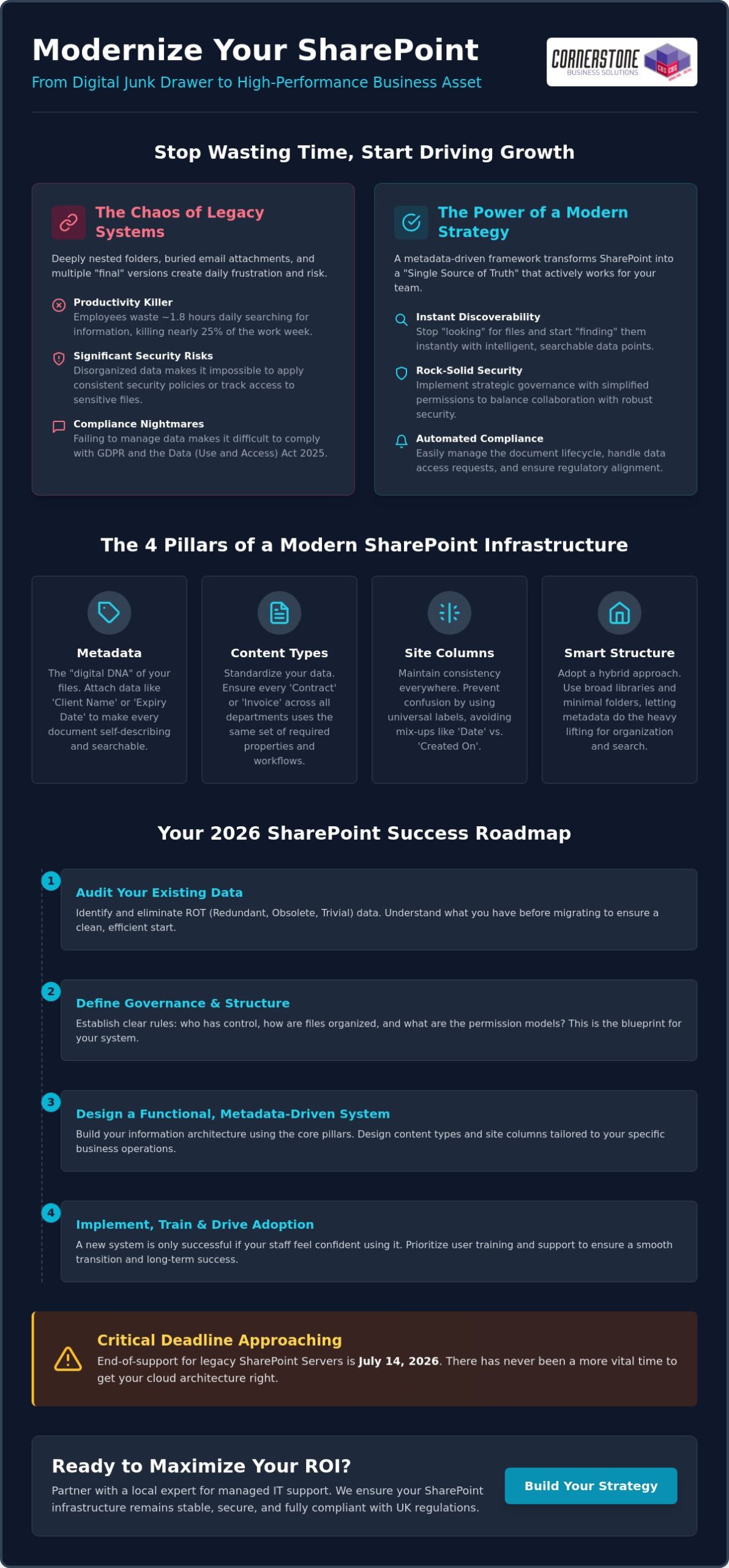
Have you ever watched a critical deadline slip away because your team spent forty minutes hunting for a “final” contract that was actually buried in an old email attachment? It’s a common headache for many UK firms, but implementing a modern SharePoint document management strategy can turn that chaos into a genuine competitive advantage. We understand the frustration of seeing employees revert to local drives because your central system feels like a digital junk drawer. With the July 14, 2026, end-of-support deadline for legacy SharePoint Servers fast approaching, there’s never been a more vital time to get your cloud architecture right.
We agree that your technology should work for you, not the other way around. This article promises to help you transform your SharePoint from a cluttered storage space into a high-performance business asset using a strategic, metadata-driven framework. We’ll walk you through how to break down information silos, fix broken permissions, and ensure compliance with the Data (Use and Access) Act 2025. By the end, you’ll have a clear roadmap to a “Single Source of Truth” that automates your document lifecycle and keeps your team focused on growth.
Key Takeaways
- Discover how to shift your mindset from basic cloud storage to a robust information architecture that supports long-term business growth.
- Learn to build a high-performance SharePoint document management strategy by turning static files into intelligent, searchable data points using metadata.
- Master the art of strategic governance to balance seamless external collaboration with rock-solid security and simplified permission controls.
- Follow our 2026 roadmap to audit your existing data and design a functional system tailored specifically to your business operations.
- Understand why partnering with a local expert for managed IT support ensures your infrastructure remains stable, secure, and fully compliant with UK regulations.
What is a SharePoint Document Management Strategy?
A SharePoint document management strategy is more than just a place to put your files; it’s a comprehensive framework that dictates how your business captures, stores, secures, and retrieves every piece of digital information. If you’re currently asking What is SharePoint?, it’s essentially a platform designed to foster collaboration. However, without a clear strategy, it quickly becomes a digital landfill. We believe that true efficiency comes from moving away from simple cloud storage and embracing a dedicated information architecture. This shift ensures your data isn’t just sitting in the cloud, but is actively working for your team.
Why Traditional Folder Structures Fail in 2026
Deeply nested folders are a productivity killer. When you have hierarchies buried ten levels deep, search functions struggle and sync errors become a daily occurrence for your team. This “Nested Folder” trap also allows Redundant, Obsolete, and Trivial (ROT) data to accumulate unnoticed, taking up valuable space and making it harder to find what’s relevant. Beyond the clutter, poor structure is a significant risk factor for your cyber security services. If your data is scattered and unorganised, applying consistent security policies or tracking who has accessed sensitive information becomes nearly impossible.
The Business Benefits of a Strategic Approach
The Core Pillars of a Modern SharePoint Infrastructure
Building a resilient SharePoint environment requires more than just uploading files. It’s about creating a structure where every document is self-describing and easy to locate. To achieve this, your SharePoint document management strategy must move beyond the limitations of traditional file shares. We focus on four technical pillars that turn a simple storage space into a high-performance engine: metadata, content types, site columns, and the smart use of libraries versus lists. When these elements work in harmony, your team stops “looking” for files and starts “finding” them instantly.
Metadata is the digital DNA of your files. Instead of relying on a file name to tell the whole story, you attach specific data points like “Project Code,” “Client Name,” or “Expiry Date.” Content types take this further by standardising these properties across your entire organisation. For instance, every “Contract” across every department can share the same set of requirements and workflows. By using site columns, you ensure these labels remain consistent, preventing the confusion that occurs when one team uses “Date” and another uses “Created On.” If you’re looking to refine these technical foundations, our team of Microsoft 365 experts can help you map out a structure that fits your specific business rhythm.
Metadata vs. Folders: Finding the Middle Ground
The debate between using folders or metadata doesn’t have to be binary. While deep, nested folders often break search functionality and lead to sync issues, a completely “flat” structure can sometimes feel alien to staff. We recommend a hybrid approach. Use a few broad folders to provide a familiar starting point, but rely on metadata for the heavy lifting. This “secret sauce” makes your data searchable from any angle. To keep things tidy, we implement Managed Metadata, which provides a pre-defined list of terms. This prevents “tagging chaos” where different employees invent their own labels for the same thing.
Automating the Document Lifecycle
In 2026, managing data manually is no longer sustainable. A modern strategy incorporates Strategic SharePoint Governance to automate the lifecycle of every file. Retention policies ensure that old documents are automatically archived or deleted after their legal shelf life, which is vital for keeping your storage costs low and your compliance high. We also use sensitivity labels to protect confidential data at the file level, ensuring that even if a document is shared externally, it remains encrypted. By layering in workflow automation, you can move documents through approval stages without a single manual email, keeping your business moving at pace.
Strategic Governance: Balancing Accessibility with Security
Effective governance is the glue that holds your SharePoint document management strategy together. It’s about ensuring your team can access what they need without leaving the digital front door wide open. We often see businesses struggle when they over-complicate their security settings. The goal is to create an environment where collaboration feels seamless, but sensitive data remains locked down. This balance is a core part of any modern cloud solutions framework, where security is treated as a foundational element rather than an afterthought.
A common pitfall we encounter is the frequent “breaking” of permission inheritance. While it might seem like a quick fix to secure a specific folder, it quickly turns into a management nightmare. When every folder has unique rules, auditing your environment becomes nearly impossible. Instead, we lean on the principles of SharePoint Information Architecture to group content by its sensitivity and purpose. This allows you to manage access at the site or library level, making your system much easier to maintain as your business grows.
In 2026, a “Zero Trust” approach is the gold standard for UK businesses. This means we never assume a request is safe just because it comes from inside the network. Every access attempt is verified through Microsoft Entra ID. This is particularly vital for external sharing. You don’t have to choose between security and collaboration. By using guest access controls and expiring sharing links, you can work with partners safely without losing control of your intellectual property.
Standardising Permissions and Groups
We strongly advise against assigning permissions to individual users. It’s a manual process that leads to “permission creep” and security gaps when staff change roles. Instead, use Microsoft 365 Groups to manage access. When you add a new team member to a group, they automatically get the right level of access to the right files. We also recommend regular reviews of your audit logs. These logs provide a clear trail of who accessed, edited, or deleted files, giving you total visibility over your digital assets.
Information Protection and DLP
Data Loss Prevention (DLP) is a critical component of SharePoint security that identifies, monitors, and automatically protects sensitive information across your digital environment. It acts as an automated safety net, preventing employees from accidentally sharing PII or financial data with the wrong people. We also implement sensitivity labels that stay with the document regardless of where it goes. If a confidential file is downloaded or emailed, it remains encrypted and only accessible to authorised users, ensuring your business stays compliant with the latest UK data regulations.
Step-by-Step: Building Your 2026 SharePoint Roadmap
Successful execution of a SharePoint document management strategy requires a shift from technical setup to business alignment. You can’t just build a site and hope for the best; you need a structured roadmap that mirrors how your team actually works. We’ve seen many projects stall because they skipped the planning phase. Our approach focuses on deep preparation, ensuring that when you finally flip the switch, your system is ready to perform from day one. It’s about building a foundation that lasts.
The first step is moving beyond the “click and upload” mentality. We recommend a phased approach that starts with a clear audit and ends with a comprehensive launch. By following these steps, you ensure your new environment is clean, efficient, and tailored to your specific needs:
- Audit your data: Identify what needs to move and, more importantly, what should be deleted.
- Design for function: Build your architecture around business processes, not just departmental charts.
- Pilot your vision: Test your metadata and workflows with a small, focused team before the full rollout.
- Professional migration: Use industry-standard tools to move data while preserving critical metadata and timestamps.
- Launch with purpose: Roll out a dedicated adoption programme to ensure every staff member feels confident.
If you’re feeling overwhelmed by the technical requirements, our managed IT support team can handle the heavy lifting for you, ensuring your migration is seamless and secure.
The Audit and Inventory Phase
User Training and Adoption Strategies
Training is about showing someone which buttons to press, but adoption is about changing how they work. To make your SharePoint document management strategy a success, you need both. We suggest identifying “SharePoint Champions” within different departments. these are staff members who understand the new system and can offer peer-to-peer support. Finally, don’t treat your launch as the finish line. Review your architecture after 90 days of live use to see where you can make improvements based on real-world feedback.
Maximising ROI: How Managed IT Support Simplifies SharePoint
A successful SharePoint document management strategy isn’t a “set and forget” project. While the architecture we’ve discussed provides the blueprint, maintaining that high-performance business asset requires ongoing attention. This is where bespoke managed IT services become invaluable. We don’t just set up your sites; we act as your long-term partner to ensure your system evolves alongside your business. By providing proactive monitoring and regular governance reviews, we help you avoid the digital clutter that often creeps back into unmanaged environments. This ensures your initial investment continues to pay dividends as your team grows.
As a dedicated Microsoft 365 partner, Cornerstone Business Solutions bridges the gap between technical potential and your daily business reality. We understand that you’re busy running a company, not managing metadata tags. Our role is to handle the complex technical infrastructure so you can focus on growth. We provide the emotional security of knowing your data is safe, organised, and fully compliant with UK regulations. This proactive approach ensures your infrastructure remains a source of stability rather than a technical burden.
The Value of Expert Implementation
Expert implementation is about more than just moving files. It’s about avoiding common migration pitfalls that can lead to data corruption or lost version histories. We customise your SharePoint environment to meet industry-specific compliance needs, whether you’re in legal, finance, or construction. Beyond that, we ensure your document management system integrates perfectly with other it company solutions, such as your cyber security protocols and business VoIP systems. This creates a unified digital ecosystem that works for your team, not against them.
Next Steps: Starting Your Transformation
The journey to a better SharePoint experience starts with an honest evaluation of your current Microsoft 365 maturity level. Are you currently using it as a simple file dump, or is it starting to look like a structured asset? We recommend setting clear KPIs for your project, such as reducing time spent searching for documents or eliminating duplicate files. Once you have a goal, the path forward becomes much clearer. We’re proud of our regional roots and our reputation for simplifying complex tech for local business owners. If you’re ready to move away from messy folders and toward a high-performance SharePoint document management strategy, we invite you to have a no-obligation strategy conversation with our UK-based experts today. Let’s build something that actually works for your business.
Transforming your digital workspace isn’t just about moving files to the cloud; it’s about creating a system that actually grows with you. We’ve explored how a metadata-driven approach and robust governance can eliminate the daily frustration of lost documents and security gaps. By moving away from deep, confusing folder structures and embracing a modern SharePoint document management strategy, you’re investing in your team’s long-term productivity and peace of mind. Your data should be a high-performance asset, not a source of stress.
As a multi-award-winning Microsoft Partner, we specialise in delivering bespoke technology solutions that bridge the gap between complex technical concepts and your business goals. Our proactive UK-based helpdesk support is always on hand to ensure your systems remain stable, secure, and ready for whatever 2026 brings. We take pride in our regional roots and our ability to help local firms thrive through better technology. Book a SharePoint Strategy Consultation with our multi-award-winning team to start your digital transformation today. We’re ready to help you build a reliable foundation for your future success.
Frequently Asked Questions
Is SharePoint better than a traditional file server for document management?
SharePoint is significantly better because it enables real-time co-authoring and remote access without the need for a clunky VPN. Unlike a traditional server, it provides a full audit trail and version history for every file, making it a far more dynamic tool for modern teams. It transforms your data from a static list of files into a collaborative business asset.
Should I use folders or metadata in SharePoint in 2026?
We recommend a hybrid approach where you use a few broad folders for familiarity but rely on metadata for the heavy lifting. Metadata is the engine behind a successful SharePoint document management strategy because it allows your team to filter and find files by project, client, or date instantly. It prevents the “nested folder” trap that often breaks search functionality.
How much does it cost to implement a SharePoint document management strategy?
The cost of implementation depends on your data volume, the complexity of your current filing system, and how much cleanup is required before migration. While Microsoft sets the monthly licensing fees, the investment in a professional strategy covers the vital audit, architecture design, and staff training. We focus on delivering a system that provides long-term value and stability for your business.
Can SharePoint handle large volumes of documents (100,000+ files)?
SharePoint is built to handle millions of items across its libraries. However, you must structure your sites correctly to manage the 5,000-item view limit effectively. By using proper indexing and metadata, your system remains fast and responsive even as your library grows into hundreds of thousands of documents.
How do I secure sensitive documents in SharePoint from external users?
You secure sensitive data using sensitivity labels and guest access controls managed through Microsoft Entra ID. This allows you to collaborate with partners on specific files while ensuring they don’t have access to your wider internal environment. You can also set sharing links to expire automatically, keeping you in total control of your intellectual property.
What is the difference between OneDrive and SharePoint for business storage?
OneDrive is your personal digital briefcase for drafts and individual tasks, while SharePoint is the company’s central, shared filing cabinet. If a document needs to be accessed by a team or stored as a permanent business record, it belongs in SharePoint. This distinction helps keep your collaborative spaces organised and your personal work private.
How long does a SharePoint migration typically take for a UK SME?
A typical migration for a UK SME usually takes between four and twelve weeks. This timeframe allows us to complete a thorough audit of your current data, design a bespoke architecture, and run a pilot test with a small group. We ensure the process is steady and efficient so there’s minimal disruption to your daily operations.
What happens if an employee accidentally deletes a document in SharePoint?
Deleted documents are moved to a two-stage recycle bin where they stay for 93 days before being permanently removed. This gives you a generous window to restore any files that were binned by mistake. For total emotional security, we always recommend pairing SharePoint with a dedicated disaster recovery solution to protect your data against any scenario.
Posted on: June 23rd, 2026 by Cornerstone
Did you know that 43% of UK businesses identified a cyber security breach in the last year? For medium-sized companies, that figure jumps to a staggering 65%. It’s a stressful reality for local business owners who want to focus on growth rather than the constant worry of a lost laptop or a data leak on an employee’s personal phone. You likely feel that setting up new starters manually is a massive drain on your time, and the permanent shift to hybrid work has only made tracking your hardware more difficult.
Key Takeaways
- Master the art of managing your organisation’s endpoints, from laptops to tablets, through one simple cloud-based service.
- Simplify your onboarding process with Microsoft Intune for small business, enabling new starters to receive self-configuring devices delivered straight to their door.
- Balance security and privacy by creating secure work containers on personal devices, keeping company data safe while leaving personal photos and apps untouched.
- Identify the most cost-effective licensing route for your SME, focusing on the all-in-one value provided by Microsoft 365 Business Premium.
- Learn why a proactive managed partner is essential for maintaining your security posture and avoiding the common pitfalls of a “DIY” setup.
What is Microsoft Intune for Small Business?
In technical circles, these devices are often called “endpoints.” This term simply refers to any hardware that connects to your network and handles data. Whether it’s a Windows laptop, an Apple iPad, or an Android smartphone, they are all endpoints that need a consistent layer of protection. For a deeper dive into the history and technical architecture of the platform, you can read more about What is Microsoft Intune? and how it has evolved into a global leader for device security.
The Shift from Office-Based to Hybrid Work
MDM vs. MAM: A Simple Distinction
Understanding the difference between Mobile Device Management (MDM) and Mobile Application Management (MAM) is the key to a smart strategy. MDM gives you control over the entire piece of hardware. This is perfect for company-owned laptops where you might need to wipe the whole drive if the device is lost. MAM is more subtle. It allows you to control only the work-related apps, such as Outlook or Teams, on a device. This is the ideal solution for personal phones. It protects your business data without ever touching an employee’s personal photos or private messages. This distinction helps build trust with your team while maintaining a robust security posture.
5 Core Benefits of Implementing Intune in Your SME
- Automated Device Enrolment: You can ship a brand-new laptop directly to a staff member’s home and have it self-configure the moment they log in.
- Enforced Security Policies: You gain the power to ensure every device has a complex PIN, active encryption, and up-to-date antivirus before it can touch your data.
- Remote Wipe Capability: If a phone is left on a train or a laptop is stolen, you can instantly remove all company data from the device via the cloud.
- Simplified App Deployment: Instead of manual installs, you can push essential software like Teams, Adobe, or custom business apps to all staff with one click.
- Enhanced Compliance: Intune helps you meet the technical requirements for the UK Government’s Cyber Essentials scheme, proving your commitment to security.
Zero-Touch Provisioning with Windows Autopilot
Manual IT setup is a thing of the past. Windows Autopilot is a tool that allows IT to pre-configure devices without ever touching the hardware. This means your IT partner can register your new machines in the cloud so they are ready for use the moment they leave the box. It creates a fantastic first impression for new starters. Instead of waiting days for a “configured” machine, they receive a professional, ready-to-work device on day one. This streamlined approach saves your business significant time and removes the logistical headache of passing hardware back and forth through a central office.
Strengthening Your Cyber Security Resilience
Security is no longer a “set and forget” task. Intune acts as your first line of defence against modern threats like ransomware by ensuring that only “healthy” devices can access your network. By integrating these controls with our wider cyber security services, you create a multi-layered shield around your business.
One of the most powerful features is Conditional Access. This allows you to set strict rules; for example, a user can only access SharePoint if their device is encrypted and located in the UK. This level of control is vital for managing personal devices, and it aligns perfectly with the latest NCSC guidance on BYOD. If you want to see how these tools can fit your specific team, our experts are always ready to provide managed IT support tailored to your local roots.
Solving the BYOD Headache: Privacy vs. Security
“I don’t want my boss looking at my holiday photos.” It’s the number one objection we hear from teams across the UK. With 60% of companies now supporting Bring Your Own Device (BYOD) models, this friction between personal privacy and corporate security is a daily reality for many business owners. Employees are naturally protective of their private messages and personal apps. They don’t want to feel monitored.
Thankfully, Microsoft Intune for small business provides a sophisticated solution through Mobile Application Management (MAM). Instead of taking over the entire phone, Intune creates a secure container around your corporate applications. This means your business data stays inside professional tools like Outlook, Teams, and OneDrive, while the rest of the device remains completely private. You can’t see their personal apps, and they can’t accidentally leak your data.
App Protection Policies Explained
The magic of this system happens through selective wipes. If an employee leaves your company, you can instantly remove all corporate data from their device without touching a single family photo or personal contact. You can also enforce strict access rules; for example, requiring a fingerprint or FaceID to open work apps. This doesn’t just protect the data; it builds trust. Your team knows that their personal life is off-limits, and you know your business is secure and professional.
Maintaining GDPR Compliance on Mobile
Personal phones are often the biggest blind spot in a GDPR audit. If you don’t have visibility over where your data is stored, you’re at risk. UK regulators, including the ICO, look for proactive technical controls that prove you are taking data protection seriously. Intune provides the detailed audit logs you need to prove that business data is encrypted and managed. Since serious breaches can result in fines of up to £17.5 million or 4% of global worldwide turnover, having this level of oversight is a foundational element of your business stability and emotional security.
Microsoft Intune Pricing and Licensing for UK SMEs
Understanding the cost of Microsoft Intune for small business is often where the most significant savings are found. Many local business owners assume they need to purchase a standalone license for every security tool they use. In reality, savvy SMEs rarely buy Intune as a separate product. It is a cloud-based superpower that is most effective when integrated into your wider productivity suite. While Microsoft offers Intune Plan 1 for core management and Plan 2 for complex, specialty device needs, these are often less cost-effective for a growing team than a bundled approach.
The “sweet spot” for most UK companies is Microsoft 365 Business Premium. At £18.10 per user, per month as of June 2026, this plan includes the full version of Intune alongside your standard Office apps. If you compare this to Business Standard, which costs £11.55 but lacks any device management or advanced security, the value becomes clear. For a few extra pounds per month, you transform your IT from a collection of unmanaged laptops into a secure, professional fleet. It’s a proactive investment that simplifies your billing and strengthens your defences.
Is Microsoft 365 Business Premium the Best Choice?
This bundle is specifically designed for companies with up to 300 users. It provides a comprehensive security shield that goes far beyond simple device management. Alongside Intune, you receive Defender for Business for enterprise-grade antivirus and Microsoft Entra ID (formerly Azure AD) Premium for secure identity management. It’s a complete toolkit for the modern hybrid workplace. If you are currently on a different plan, our Microsoft 365 migration guide provides a clear strategy for making the switch without disrupting your daily operations.
Calculating the ROI of Managed Endpoints
The return on investment for Intune is found in the risks you avoid and the time you save. The median cost of a serious cyber breach for a UK SME is now £4,000, rising to £10,000 for medium-sized firms. Comparing these figures to a monthly license fee shows that Microsoft Intune for small business pays for itself by preventing just one lost laptop from becoming a data disaster. There are hidden savings too. By 2026, automated endpoint management can reduce IT device provisioning costs by up to 70% for small organisations. You spend less on helpdesk tickets and manual setups, allowing your team to focus on what they do best. To ensure your licenses are configured for maximum value, we invite you to explore our managed IT support options today.
Implementing Microsoft Intune: Why a Managed Partner Matters
We believe that technology should be a silent partner in your success, not a source of constant stress. By moving away from transactional, one-off fixes and into a long-term managed IT support relationship, you gain a dedicated team that understands your vision. We are a national UK partner with deep geographical roots in the SME community. This local connection allows us to provide a level of care and accountability that larger, more detached providers simply cannot match. We don’t just fix problems; we prevent them from happening in the first place.
A Bespoke Technology Roadmap
The Cornerstone Difference: Award-Winning Service
As a multi-award-winning IT provider, our reputation is built on a foundation of trust, clarity, and technical excellence. We take the complexity of modern cyber security and simplify it into clear, benefit-driven outcomes for the business owner. You shouldn’t have to be a technical expert to have a secure business. Our team acts as an extension of yours, providing the professional authority and approachable warmth you need to feel confident in your digital infrastructure. We invite you to start a conversation with our expert team today. Let’s work together to build a secure, efficient, and resilient future for your business.
Secure Your Fleet and Focus on Growth
As a multi-award-winning IT provider and Microsoft Gold Partner, Cornerstone Business Solutions is here to help you navigate these changes. We combine our technical expertise with proactive national UK support to ensure your systems are always one step ahead. We don’t just provide a service; we act as your long-term partner in growth. Ready to see where you stand? You can book a Microsoft 365 Security Audit with Cornerstone today to secure your fleet for the future.
Frequently Asked Questions
Is Microsoft Intune included in Microsoft 365 Business Standard?
No, Microsoft Intune is not included in the Microsoft 365 Business Standard plan. To access these management tools, you’ll need to upgrade to Microsoft 365 Business Premium or purchase a standalone license. Most of our local clients find Business Premium offers the best value as it bundles security and productivity together. It’s a proactive way to ensure your team has the right tools without managing multiple separate bills.
Can I use Microsoft Intune to manage Macs as well as Windows PCs?
Yes, you can manage macOS devices just as effectively as Windows PCs using Intune. It provides a unified console where you can push software updates, enforce encryption, and manage security settings for both platforms. This is ideal for hybrid teams who prefer using a mix of hardware. You get a single, clear view of every device in your business, ensuring that your security standards remain high across the entire fleet.
Does Microsoft Intune track my employees location?
No, Intune is not designed to be a tracking tool for your staff. While it can locate a lost or stolen company-owned device that has been fully enrolled, it does not track the real-time location of personal devices used for work. This distinction is vital for maintaining trust within your team. Your employees can use their personal phones for work with total confidence that their privacy is respected.
What happens to the data if an employee leaves the company?
When an employee leaves, you can perform a selective wipe via the Intune portal. This instantly removes all corporate emails, documents, and business apps from their device. Crucially, it leaves their personal photos, messages, and private data completely untouched. This process is clean, efficient, and protects your intellectual property without causing unnecessary stress or conflict. It’s a professional way to manage the offboarding process for hybrid teams.
How long does it take to set up Microsoft Intune for a small business?
A standard initial configuration for Microsoft Intune for small business typically takes a few days to get right. This includes setting up your security baselines and application policies. The full rollout then depends on your team size, but we aim for a smooth transition that doesn’t disrupt your daily operations. Our team works closely with you to ensure every endpoint is secured without causing technical friction for your staff.
Is Microsoft Intune better than a traditional VPN?
Can Intune help with Cyber Essentials certification?
Yes, Intune is a powerful ally for achieving Cyber Essentials certification. It allows you to enforce the specific technical controls required by the scheme, such as ensuring all devices are patched, encrypted, and protected by a PIN. It provides the documented proof that UK assessors look for during the certification process. Using Microsoft Intune for small business ensures your compliance is a foundational element of your security, not a last-minute scramble.
Do I need a server to run Microsoft Intune?
No, you don’t need any physical servers to run Intune. It is a 100% cloud-native service, which is a major benefit for SMEs looking to reduce their on-site hardware costs. You manage everything through a web browser, making it the perfect fit for modern, flexible businesses with remote or hybrid teams. This shift to the cloud provides the reliability and strength your business needs to grow without being held back by legacy infrastructure.
Posted on: June 21st, 2026 by Cornerstone
Did you know that 73% of small and mid-sized businesses are failing their cyber insurance assessments in 2026? It’s a sobering figure that highlights a growing gap between basic software and the robust security controls insurers now demand. As costs for separate security tools climb, you’re likely asking: is Microsoft 365 Business Premium worth it for your UK business? With the price of Business Standard rising to $14 this July while Premium holds steady at $22, that monthly difference has never looked smaller or more significant.
We understand the frustration of juggling multiple subscriptions just to keep your remote laptops secure and your team productive. You want a streamlined IT environment that meets standards like Cyber Essentials without the headache of a complex software stack. This guide explores how Business Premium’s integrated security, advanced device management, and AI-ready features can actually save you money by consolidating your tools. We’ll break down the 2026 cost-benefit reality to help you decide if making the switch is the smartest move for your company’s stability and long-term growth.
Key Takeaways
- Learn why modern cyber insurance providers now demand the advanced security controls found in Business Premium to approve your renewal.
- Discover how to calculate the savings from replacing separate security tools to help you decide once and for all: is Microsoft 365 Business Premium worth it for your team?
- See how Microsoft Intune simplifies managing a hybrid UK workforce, allowing you to secure company data on any device from a single dashboard.
- Get the facts on the 2026 pricing shifts and see why the narrowing gap between Standard and Premium makes the upgrade a more compelling choice.
- Find out how to start a low-risk transition with a pilot group to ensure your staff gets the most out of every feature without disrupting your daily operations.
The Gap Between Standard and Premium: What Changes in 2026?
Microsoft 365 Business Premium represents the high-water mark for small and medium-sized enterprises. It’s the most comprehensive license available for organizations with up to 300 users. While many business owners start with the Standard tier, the question of whether is Microsoft 365 Business Premium worth it usually arises when a company grows or faces stricter compliance audits. You keep everything you’re used to in the Microsoft 365 suite, like the desktop Office apps, Teams, and 1TB of cloud storage. However, the shift in 2026 isn’t just about productivity; it’s about building a fortress around your data.
Who is Business Premium Designed For?
We often recommend this tier to firms with between 10 and 300 employees who need centralized control. If your team is scattered across the UK, working from home or in a hybrid model, you need a way to manage those devices without seeing them in person. It’s particularly vital for:
- Regulated sectors: Finance, legal, and healthcare firms that must meet strict data handling standards.
The 2026 Microsoft Ecosystem: Where Premium Fits
Advanced Security Features: Why Your Insurance Provider Might Require Them
Insurers have become significantly more strict. In 2024, the global average cost of a data breach rose to $4.88 million. This financial pressure means UK insurance providers are no longer satisfied with a simple “yes” on a questionnaire. They want evidence of robust technical controls. When you look at the mounting requirements for Multi-Factor Authentication (MFA) and threat detection, you have to ask: is Microsoft 365 Business Premium worth it compared to buying separate tools? For most local businesses, the answer lies in how easily it helps you achieve Cyber Essentials certification.
Microsoft Defender for Business: Enterprise-Grade Protection
Traditional antivirus is like a list of known criminals. If a virus isn’t on the list, it gets through. Microsoft Defender for Business uses Endpoint Detection and Response (EDR) to change the game. Think of it as a smart CCTV system. It doesn’t just look for known “bad files.” It monitors behavior. If a program starts encrypting your documents at 2 AM, Defender recognizes the suspicious activity and shuts it down instantly. This automatic remediation means the system can isolate a threat before you even finish your morning coffee. It’s a foundational piece of security that protects against modern ransomware.
Conditional Access: The “Bouncer” for Your Data
Passwords alone are no longer enough to protect your company. Conditional Access acts as a digital bouncer for your data. It allows us to set intelligent rules about who can log in and under what circumstances. For example, you can block any login attempts from outside the UK or prevent access from unmanaged devices that don’t meet your security standards. By using Microsoft Intune to verify device health, Conditional Access can stop over 99% of identity-based attacks. This drastically reduces the risk of password-spraying and credential theft. When clients ask us is Microsoft 365 Business Premium worth it, we often point to the peace of mind that comes from knowing only trusted devices can touch your data.
If you’re feeling overwhelmed by these technical requirements, our team can help you implement Cyber Security measures that actually fit your business goals.
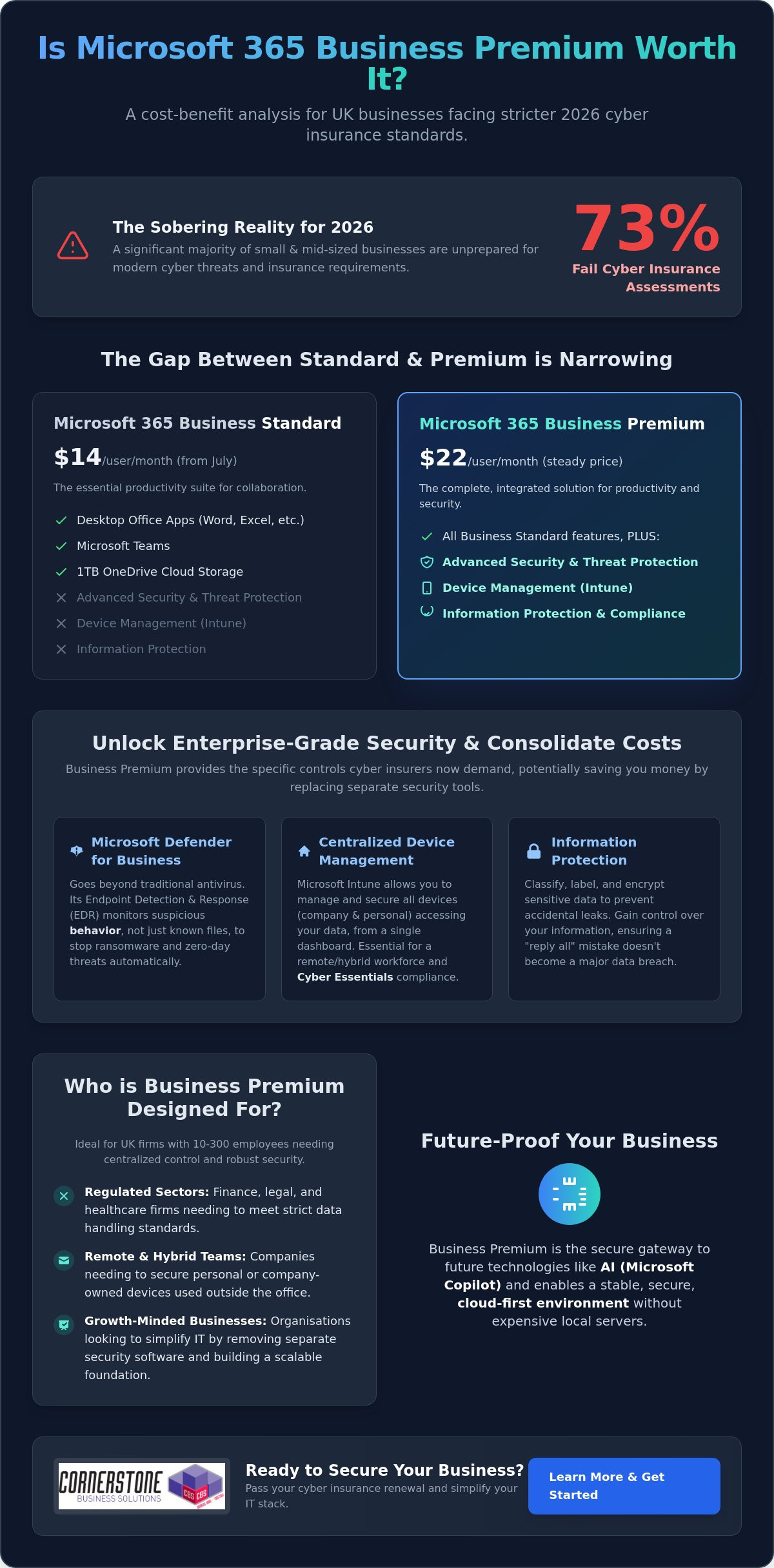
The Cost Comparison: Consolidating Your Security Stack
Many UK business owners look at the license price in isolation. This perspective often hides what we call the “Hidden Tax” of IT management. When you pay for Business Standard but then add standalone antivirus, a separate mobile device manager, and an encryption service, you aren’t saving money. You’re actually paying more for a fragmented system. To truly understand if is Microsoft 365 Business Premium worth it, you have to look at the total cost of your current software stack. Managing five different vendors with five different support lines is a drain on your time and your budget.
Consolidating your tools into one ecosystem doesn’t just lower your monthly outgoings. It also removes the friction of jumping between different dashboards. This streamlined approach is a key reason why PCMag’s review of Microsoft 365 Business highlights the suite’s efficiency for smaller teams. By bringing everything under one roof, you gain a single admin console for all IT functions. This visibility is vital for maintaining a secure and manageable environment. It allows you to see exactly what’s happening across your business without the headache of conflicting software reports.
Replacing Third-Party Subscriptions
Business Premium is designed to replace several high-cost standalone tools. For example, Microsoft Intune handles what products like Jamf or AirWatch do for device management. Meanwhile, Microsoft Defender for Business provides the enterprise-grade protection you might currently be getting from Sophos or Bitdefender. You also get integrated email encryption, which often removes the need for extra third-party plugins. This consolidation means you have one trusted partner to call if an issue arises. It simplifies your billing and your technical support in one stroke, providing the stability your business needs to flourish.
The ROI of Reduced Complexity
Hardware Management and Remote Work: The Intune Advantage
Zero-Touch Deployment with Windows Autopilot
Onboarding a new starter shouldn’t be a logistical nightmare. With Windows Autopilot, we can ship a laptop directly from the supplier to your new employee’s home. As soon as they log in to their Wi-Fi, the machine configures itself automatically with your company’s specific settings. This “zero-touch” approach eliminates the need for staff to travel into the office just for a technical setup. It saves hours for your HR and IT teams, allowing new hires to get straight to work with all the tools they need from day one.
Mobile Device Management (MDM) for Smartphones
Your team likely uses their personal phones for work emails. This creates a significant GDPR risk if those devices aren’t managed. Intune allows you to separate personal photos and messages from business data. You can enforce a rule that company emails are only accessible if the phone has a secure PIN or biometric lock. This protects your business without invading your employees’ privacy. It’s a proactive way to maintain compliance while supporting a flexible, modern work culture. With over 200 million devices already managed by Intune globally, it’s a proven solution for businesses that value stability.
If you’re ready to simplify your hardware setup and secure your remote team, our experts can provide the Managed IT Support you need to get everything running smoothly.
Making the Switch: How to Maximise Your Microsoft 365 Investment
Switching to a higher license tier shouldn’t be a shot in the dark. Before you commit your budget, we recommend performing a thorough license audit. Many organizations find they’re paying for features in other standalone subscriptions that Business Premium already includes. Once you’ve identified these overlaps, the question of whether is Microsoft 365 Business Premium worth it becomes a simple matter of strategic consolidation. We often suggest a “Pilot” approach for our partners. By testing Premium features with a small group of power users first, you can refine your security policies and workflows before rolling them out to the entire company.
A successful Microsoft 365 migration for business UK requires a clear, strategic roadmap. It’s not just about moving data; it’s about aligning your new technical capabilities with your specific business goals. Cornerstone acts as your trusted local partner to unlock these complex features. We ensure your configuration is robust, manageable, and tailored to your team’s needs. We’re here to turn a technical upgrade into a foundational element of your business stability.
Common Implementation Pitfalls to Avoid
Partnering for Success
Our managed IT services ensure your Premium license is configured correctly from the start. We take the guesswork out of complex setups like Intune and Defender for Business. This proactive approach provides the peace of mind that comes from 24/7 security monitoring and expert support. We’re proud to be a regional expert dedicated to the success of our clients. We don’t just manage systems; we build long-term partnerships that help your business grow with confidence. If you’re ready to see the real value of your software, you can book a Microsoft 365 licence review with the Cornerstone team today.
Securing Your Business Stability for 2026 and Beyond
As a multi-award-winning Microsoft Partner, we pride ourselves on delivering expert-led migration and configuration tailored to your specific regional needs. We provide proactive cyber security monitoring to ensure your data remains safe while your team stays productive. Let’s work together to simplify your software stack and protect the reputation you’ve worked so hard to build. Take the first step toward a more resilient future and get a free Microsoft 365 security audit for your business today. We’re ready to help you unlock the full potential of your technology.
Frequently Asked Questions
Is Microsoft 365 Business Premium worth it for a very small business (under 10 users)?
Yes, it’s absolutely worth it because your risk doesn’t shrink just because your team is small. Cyber criminals often target smaller UK businesses because they expect weaker defenses. Having enterprise-grade security like Defender for Business from day one ensures your company is built on a stable foundation. It’s a proactive way to protect your reputation and meet insurance requirements as you grow.
What is the main difference between Business Standard and Business Premium?
The primary difference is the addition of advanced security and device management tools. While Business Standard provides the Office apps and Teams you need for daily work, Premium adds Microsoft Intune and Defender for Business. These tools allow you to manage your hardware remotely and stop sophisticated threats. It moves your business from basic productivity into a comprehensive, secure ecosystem.
Can I mix and match Business Standard and Premium licences in the same organisation?
Yes, you can assign different licenses to different users within the same Microsoft 365 tenant. This can be useful if only a specific group needs advanced device management or higher security levels. However, we often find that a uniform environment is easier to manage and more secure. Having everyone on the same tier eliminates gaps where data could be exposed on unmanaged devices.
Does Business Premium include a Windows 11 Pro upgrade?
Yes, Business Premium includes upgrade rights for devices with a qualifying Windows 10 or 11 Home license to Pro. This is a significant benefit for businesses that purchase off the shelf hardware. It ensures every laptop in your fleet can be fully managed through Intune. This capability helps you maintain a professional, standardized IT environment across your entire team without extra hardware costs.
How does Microsoft Intune help with GDPR compliance?
Intune helps you meet GDPR requirements by providing technical controls over how company data is accessed and stored. You can enforce encryption on all devices and remotely wipe business data if a phone or laptop is lost. It also allows you to separate personal and professional data on employee-owned devices. These features provide the documented evidence of security that regulators and insurers look for.
Is Defender for Business included in Business Premium better than free antivirus?
Yes, it’s a significant step up because it uses Endpoint Detection and Response (EDR). Free antivirus tools usually only look for known signatures of old viruses. Defender for Business monitors behavior to stop brand-new ransomware and sophisticated attacks in real-time. It’s a proactive shield that fixes threats automatically, providing a level of stability that free tools simply can’t match.
Can I cancel my third-party antivirus if I upgrade to Business Premium?
How much does Microsoft 365 Business Premium cost per month in the UK?
Microsoft sets the global pricing for these licenses. Following the price adjustments in July 2026, the gap between Standard and Premium has narrowed, making the upgrade more cost-effective than ever. The best way to understand the total investment is to compare it against the separate security tools you currently pay for. We can help you audit your licenses to ensure you’re getting the best value for your specific needs.
Posted on: June 20th, 2026 by Cornerstone
Is paying more always better? When comparing Microsoft 365 Business Premium vs E3, many business owners assume the higher price tag of the Enterprise tier guarantees superior security. However, with the July 1, 2026, price increase pushing Microsoft 365 E3 to $39 per user, you might be surprised to learn that the $22 Business Premium plan often provides a more robust security suite for teams under 300 people. It’s a common misconception that can lead to significant overspending without the added protection you expect.
We understand the frustration of trying to manage a hybrid workforce while keeping IT costs under control. It’s stressful to worry about hitting the 300-user cap or wondering if your current setup leaves a backdoor open for cyber threats. You want a solution that works as hard as you do, backed by a partner who understands your needs. This article promises to clarify the critical differences in security, storage, and seat limits so you can make an informed, confident decision for your organization.
We’ll provide a clear decision framework to help you optimize your IT spend and strengthen your cyber security posture. From the “Security Paradox” to the latest 2026 pricing shifts, you’ll get the expert analysis needed to choose the right license for your long-term stability and growth.
Key Takeaways
- Identify why the “Security Paradox” often makes Business Premium a more comprehensive choice for cyber security than the standard E3 license.
- Master the 300-user threshold to avoid logistical headaches when choosing between Microsoft 365 Business Premium vs E3 as your organization scales.
- Compare storage and compliance features, such as E3’s 100GB mailboxes and unlimited archiving, to support your legal or financial data requirements.
- Learn how to implement a hybrid licensing strategy to maximize your ROI and keep your IT budget lean without sacrificing performance.
- Use our 2026 decision framework to select a license that protects your business continuity and supports your hybrid workforce efficiently.
Navigating the Microsoft 365 Licensing Maze in 2026
Choosing the right license for your team often feels like a full-time job. The Microsoft 365 suite has evolved significantly over the last few years, leading to a fundamental shift in how plans are categorized and sold. Many UK business owners see the “Enterprise” label on certain tiers and assume it’s the gold standard for every growing firm. That isn’t always the case. In 2026, the strategic debate usually centers on Microsoft 365 Business Premium vs E3, where the best choice depends more on your specific security needs and user count than just your company’s ambition.
The “Premium” tag in the Business tier is frequently overlooked by organizations on a growth trajectory. Some firms think they’ll outgrow it quickly, so they jump straight to Enterprise plans. However, for any organization with fewer than 300 employees, Business Premium is a powerhouse. It offers a level of protection that used to be reserved for the largest corporations. Many growing firms ignore this label, assuming it’s a mid-tier compromise. In reality, it’s a high-performance engine for businesses that value both security and efficiency. The decision between Microsoft 365 Business Premium vs E3 isn’t just a matter of price; it’s a strategic move for your digital infrastructure.
As a locally based partner, we focus on how these licenses fit into your daily operations and long-term goals. A proactive managed IT strategy isn’t just about fixing hardware when it fails. It’s about setting up a digital environment that grows with you. Both of these plans offer the core tools needed for UK business continuity, but they serve different logistical purposes. Choosing correctly now means you won’t face a sudden, expensive migration when your team expands or your security requirements change. We want to simplify these complex technical concepts so you can focus on running your business with total confidence.
What is Microsoft 365 Business Premium?
Think of this as the definitive “all-in-one” toolkit for the modern SME. It’s designed specifically for organizations with up to 300 users. You get the standard productivity apps you know, like Word and Excel, but the real value lies in advanced security and device management through Microsoft Intune. For local businesses looking for enterprise-grade protection without the enterprise-grade complexity, this is the absolute sweet spot for value and performance.
What is Microsoft 365 E3?
This is the entry-point for the Enterprise tier. It’s the mandatory choice once you hire your 301st employee because it has no seat limits. While it offers larger 100GB mailboxes and more advanced compliance tools, it doesn’t automatically include every security feature found in Business Premium. It requires a careful evaluation to ensure you aren’t paying more for less protection in specific areas. It’s a robust plan, but it works best when you truly need the scale of an enterprise environment.
The 300-User Threshold: Why Size Dictates Your Strategy
Size matters in the Microsoft ecosystem. If you’re currently weighing up Microsoft 365 Business Premium vs E3, your headcount is the first filter you must apply. Microsoft enforces a strict ceiling on its “Business” family of products, which includes Basic, Standard, and Premium tiers. Once you hit that 300th user, the door shuts on those specific licenses. It’s not a suggestion; it’s a technical hard stop that can catch growing firms off guard if they aren’t prepared for the logistical shift.
Planning for this transition is a hallmark of a proactive business leader. You don’t want to be in the middle of a major recruitment drive only to find your IT infrastructure has hit a wall. Moving from the Business tier to Enterprise isn’t just about changing a line item on an invoice; it’s about ensuring your team has uninterrupted access to the tools they need to stay productive. We often see local businesses struggle with the sudden jump in complexity, which is why we advocate for a clear roadmap well before you reach the limit.
The Hard Cap: 300 Users and Not One More
Microsoft counts seats across your entire tenant. If you have 150 users on Business Standard and 150 on Business Premium, you’ve reached the limit. You cannot add a 301st user on any Business plan. The 300-user limit is the primary differentiator between these two licenses. If you exceed this during a growth phase, you’ll need to move that additional staff member to an Enterprise license immediately to maintain service continuity.
Scaling Beyond 300: The Enterprise Leap
Moving to E3 becomes the mandatory baseline for larger UK workforces once they cross that 300-user mark. It’s a significant shift in your IT budget. Transitioning from Business Premium at $22 to E3 at $39, following the July 1, 2026 price increases, represents a 77% increase in per-user costs. This is where strategic oversight becomes vital. Utilizing Managed IT Support simplifies this transition, ensuring your licensing keeps pace with your recruitment without service drops. If you’re approaching this milestone, we’re always happy to have a chat about your growth plans to ensure your budget stays optimized.
Enterprise licenses like E3 offer total flexibility because they have no seat minimums or maximums. This makes them the ideal choice for firms that have moved past the SME stage and require the scale of a corporate environment. While the cost is higher, the removal of the seat cap provides the peace of mind that your growth will never be throttled by a licensing restriction.
The Security Paradox: Is Business Premium More Secure than E3?
Price doesn’t always equal protection. When comparing Microsoft 365 Business Premium vs E3, many leaders are shocked to find a “Security Gap” in the more expensive Enterprise plan. While Microsoft 365 E3 costs significantly more following the July 2026 price adjustments, it actually lacks some of the sophisticated security tools that come standard with Business Premium. This paradox exists because Microsoft designed Business Premium as a comprehensive “shield” for SMEs who might not have a dedicated, 24/7 security operations center.
The core of this difference lies in the version of Microsoft Defender included. Business Premium provides Defender for Business, a powerful tool that includes full Endpoint Detection and Response (EDR). In contrast, the standard E3 license only includes Defender for Endpoint Plan 1. To get the same level of protection in an Enterprise environment, you often need to purchase “Step-up” licenses or move all the way to E5. For a local firm looking to harden its cyber security posture, Business Premium often offers the most proactive defense for every pound spent.
Both plans utilize Microsoft Intune for device management, allowing you to wipe lost laptops or enforce security policies remotely. They also both support Conditional Access and Multi-Factor Authentication (MFA). These features are the bedrock of business resilience, ensuring that only the right people on the right devices can access your sensitive data. However, the way these tools are bundled makes Business Premium the clear winner for teams that want “out of the box” safety without managing complex add-ons.
Defender for Business: The SME Superpower
Business Premium’s inclusion of Defender for Business is a massive value win. It brings enterprise-grade EDR capabilities to smaller teams, allowing the system to identify and stop “zero-day” threats before they cause damage. Perhaps most importantly for lean IT teams, it features automated investigation and remediation. If a threat is detected, the system can automatically isolate the device and start the cleanup process, saving your team hours of manual work and reducing the risk of human error.
Information Protection and Compliance
Beyond Security: Mailboxes, Archiving, and Virtualization
While security is often the loudest part of the Microsoft 365 Business Premium vs E3 conversation, the practicalities of daily storage and infrastructure often decide the winner. For many local businesses, the choice comes down to how your team actually works. Do you have “digital hoarders” with decades of email? Are you running a remote desktop environment for a hybrid team? These operational needs are just as critical for business continuity as your firewall settings. We often see firms focus so much on the price per user that they forget to account for the logistical bottlenecks that stall productivity.
One of the most effective ways to manage your budget in 2026 is through a hybrid licensing strategy. You don’t have to assign the same license to every person in the building. By mixing and matching, you can provide E3 licenses to your power users while keeping standard office staff on Business Premium. This tailored approach ensures your IT spend remains lean without sacrificing performance. It’s a proactive way to manage growth while keeping your digital infrastructure agile and responsive to your specific needs.
Storage and Archiving for Long-term Compliance
Mailbox size is a frequent sticking point for growing organizations. Business Premium offers a 50GB mailbox, which is more than enough for most employees. However, power users in sectors like law or finance often find this limit restrictive as their history grows. E3 doubles this capacity to 100GB, providing significant breathing room for heavy communicators. Beyond the primary mailbox, E3 offers “In-Place Hold” and “Litigation Hold” features. These are essential for meeting strict UK regulatory standards during audits. While Business Premium is capped at 1.5TB of archive storage, E3 provides unlimited auto-expanding archiving to ensure you never lose a critical record.
Virtualization and Windows Enterprise Rights
If your firm uses Remote Desktop Services (RDS) or Citrix, virtualization rights become a non-negotiable factor. E3 includes “Shared Computer Activation,” which allows multiple users to access Office apps on a single virtual machine without licensing conflicts. It also grants rights to Windows 11 Enterprise, offering more granular control over desktop environments and updates than the Business version. This heavily impacts your Cloud Solutions architecture, especially when scaling a secure hybrid workforce. If you’re struggling to map out these technical requirements, our team is ready to help you design a custom licensing roadmap that fits your business perfectly.
Decision Framework: Which License Wins for Your Business?
Making the final choice between Microsoft 365 Business Premium vs E3 shouldn’t feel like a gamble. For the vast majority of UK SMEs with fewer than 300 employees, Business Premium is the undisputed value champion in 2026. It packs a punch with superior security features like Defender for Business while keeping your monthly overheads predictable. If your team is comfortably under the seat limit and you don’t require specialized virtualization or massive 100GB mailboxes, this plan offers everything you need to stay secure and productive.
However, growth often brings complexity. As you scale, you might find that “license bloat” starts to creep into your monthly invoice. This happens when businesses pay for high-tier enterprise features for every staff member, even those who only need basic email and document access. Auditing your current Microsoft 365 estate is a proactive way to trim the fat. We take pride in helping our partners identify these inefficiencies, ensuring that every pound of your IT budget is working toward your business continuity and success.
The Hybrid Licensing Strategy
You don’t have to choose just one path. Microsoft allows you to mix and match license types within a single environment. You can assign E3 licenses to your legal team for unlimited archiving and your remote engineers for virtualization rights, while keeping the rest of the staff on Business Premium. This approach maximizes your ROI by targeting high-capacity tools only where they’re actually needed. The key is maintaining a consistent Cyber Security posture across the whole firm, ensuring that no matter the license type, your data remains protected under a unified management policy.
Next Steps: Professional Licensing Audit
The July 2026 price increases mean that even small licensing errors can now cost thousands in unnecessary annual fees. A professional review of your tenant can uncover hidden savings and security gaps you might have missed. As a multi-award-winning Microsoft partner, we’ve built our reputation on simplifying these technical hurdles for our local community. We’d love to help you find the perfect balance for your team. You can book a Microsoft 365 licensing review with our experts today to ensure your organization is positioned for a stable, secure future.
Take Control of Your 2026 Licensing Strategy
Choosing between Microsoft 365 Business Premium vs E3 doesn’t have to be a headache. You now know that Business Premium often provides superior security value for teams under 300, while E3 offers the scale and storage needed for larger workforces. By adopting a hybrid licensing model, you can protect your bottom line without compromising on the tools your team needs to thrive. It’s about making your technology work for you, not the other way around.
As a multi-award-winning Microsoft Partner, we specialize in delivering bespoke technology solutions for UK businesses. Our proactive 24/7 monitoring and support ensure your systems stay stable, allowing you to focus on growth with absolute peace of mind. We’re proud of our regional roots and remain dedicated to acting as a long-term partner for your success. We want to simplify your digital infrastructure so you can lead with confidence.
Ready to stop overspending on unused features? Optimise your Microsoft 365 licensing with a free audit from Cornerstone today. Let’s have a friendly conversation about securing your organization’s future together.
Frequently Asked Questions
Can I upgrade from Business Premium to E3 without losing data?
You can upgrade from Business Premium to E3 without any data loss. Since both licenses exist within the same Microsoft 365 tenant, the transition is a simple administrative switch in your portal. Your emails, files, and settings remain exactly where they are. It’s a seamless process that ensures business continuity while your team scales beyond the 300-user limit.
Is Microsoft Defender for Endpoint included in Business Premium?
Business Premium includes Microsoft Defender for Business. This is a specialized version of Defender for Endpoint that provides enterprise-grade detection and response (EDR) for smaller firms. While it’s slightly different from the standalone Endpoint Plan 1 or 2, it offers more robust protection than the standard E3 package. It acts as a proactive shield for your company devices.
What happens to my E3 features if I have more than 300 users?
Your E3 features remain fully active regardless of how many users you have. Unlike Business plans, Enterprise tiers like E3 have no seat maximum. This makes E3 the mandatory choice once you hire your 301st employee. You keep all your advanced compliance, larger mailboxes, and virtualization rights as you continue to grow your workforce without any service interruptions.
Does Business Premium include Microsoft Teams and OneDrive?
Microsoft Teams and OneDrive are fully included in Business Premium. You get the same collaborative power for video calls and chat as larger enterprises. Each user also receives 1TB of OneDrive storage for their files. This ensures your team stays connected and productive whether they’re working from the office or a remote location. It’s a foundational part of a modern hybrid work environment.
Is E3 better for GDPR compliance than Business Premium?
E3 is often the better choice for strict GDPR compliance at scale. It includes advanced Data Loss Prevention (DLP) and eDiscovery tools that aren’t as comprehensive in the Business tier. If your firm handles sensitive financial or legal data across thousands of files, E3’s granular controls make it easier to meet UK regulatory requirements during a formal audit or data request.
Can I mix Business Premium and E3 licenses in the same organization?
You can absolutely mix Business Premium and E3 licenses within the same organization. This is a smart way to optimize your IT spend by assigning expensive Enterprise licenses only to power users who need 100GB mailboxes or virtualization. We frequently help our partners set up this “hybrid” approach to keep their digital infrastructure lean and efficient. It’s a proactive strategy for smart growth.
What is the price difference between Business Premium and E3 in 2026?
The price difference between Microsoft 365 Business Premium vs E3 is $17 per user, per month. As of July 1, 2026, E3 is priced at $39 while Business Premium remains at $22. This gap reflects the unlimited seat capacity and advanced compliance tools found in the Enterprise tier. Choosing the right plan ensures you aren’t overspending on features your team doesn’t actually use.
Does E3 include Windows 11 Enterprise?
Microsoft 365 E3 includes full rights to Windows 11 Enterprise. This version offers more advanced security and management features than the Pro or Business editions. It’s particularly useful for organizations requiring granular control over system updates and desktop environments. It provides a stable, uniform foundation for your entire corporate fleet, especially for those in high-compliance sectors needing extra control.
Posted on: May 29th, 2026 by Cornerstone
Did you know that 87% of IT professionals reported data loss within their SaaS applications in 2024? It is a startling figure that highlights a common misconception: the belief that Microsoft is solely responsible for your data. While Microsoft manages the platform infrastructure, you own the information inside it. If a ransomware attack encrypts your files or a team member accidentally deletes a critical folder, the default 93-day retention limit for SharePoint can expire before you even notice the gap. That is where a proactive cloud to cloud backup for Microsoft 365 becomes your most valuable asset.
We understand the pressure you face to stay compliant with the UK’s latest 2026 data protection updates while keeping your business resilient. It is natural to feel anxious about recovery limits, but you don’t have to face these risks alone. This guide explains exactly why third-party protection is essential for your business continuity and how to secure your Exchange and SharePoint environments. We will walk you through the Shared Responsibility Model and show you how to build a recovery plan that offers true peace of mind for your local team.
Key Takeaways
- Clarify the Shared Responsibility Model to understand exactly where Microsoft’s duties end and your data protection responsibilities begin.
- Protect your business from ransomware and internal errors by implementing a dedicated cloud to cloud backup for Microsoft 365.
- Evaluate the strategic benefits of storing backups in an independent cloud versus relying on native in-tenant retention policies.
- Stay ahead of 2026 UK compliance requirements by ensuring your sensitive data is stored locally and protected by AES-256 encryption.
- Learn how partnering with a local expert transforms basic file saving into a comprehensive disaster recovery framework for long-term stability.
The Shared Responsibility Model: Why Microsoft 365 Data Isn’t Automatically Safe
Many business owners believe that moving to the cloud solves every security headache. While it certainly simplifies your IT setup, it doesn’t remove your responsibility for the data itself. In 2026, the shared responsibility model remains the most important concept to understand. This framework clearly divides duties between you and Microsoft. They handle the “security of the cloud,” while you handle the “security in the cloud.” That is why cloud to cloud backup for Microsoft 365 is no longer optional for modern firms.
What Microsoft Guarantees (And What It Doesn’t)
Microsoft focuses heavily on uptime and service availability. They are world-class at ensuring you can log in to Outlook or Teams whenever you need to. But availability is not the same as data protection. If a file is deleted, Microsoft only holds it for a limited time. SharePoint data stays in the Recycle Bin for 93 days, while OneDrive data often disappears after just 30 days. These are short-term safety nets, not a backup strategy. If a ransomware attack strikes and stays hidden for months, those native tools won’t help you recover. They aren’t designed to combat sophisticated data encryption or malicious internal deletions.
The Definition of Cloud-to-Cloud Backup
A true backup must be independent of the source. Cloud-to-cloud backup works by taking a snapshot of your Microsoft 365 environment and mirroring it to a completely separate, secure cloud. This creates what we call an “air-gapped” copy. If your primary Microsoft account is compromised, your backup remains safe because it lives on a different platform with its own security protocols. Implementing a dedicated cloud to cloud backup for Microsoft 365 ensures your recovery points are stored independently. Cloud-to-cloud backup acts as a strategic safeguard that decouples your business data from the platform where it lives.
We see this as the foundation of business stability. By moving your recovery data to a separate environment, you gain the ability to restore individual emails or entire SharePoint sites within minutes. It’s about emotional security as much as technical necessity. Knowing your data is safe elsewhere allows you to focus on growth rather than worrying about the “sync of death” overwriting your good files with corrupted ones.
The 3 Critical Risks of Relying Solely on Native Retention
While Microsoft’s native tools offer a basic safety net, they aren’t a substitute for a true disaster recovery plan. Relying on them alone exposes your business to vulnerabilities that can lead to permanent data loss. The most dangerous scenario is the “sync of death.” This occurs when ransomware encrypts a file on a local device and Microsoft 365 instantly syncs that corrupted version to the cloud. Without a dedicated cloud to cloud backup for Microsoft 365, you risk losing your clean data forever as the encrypted files overwrite your healthy ones across the entire network.
Ransomware Evolution in 2026
Malware has become incredibly sophisticated and aggressive. By 2031, research from Invenio IT projects that a ransomware attack will occur every 2 seconds. Modern threats don’t just lock your screen; they silently encrypt your OneDrive and SharePoint libraries in the background. Native tools often struggle with mass-encryption events because they aren’t built for bulk, point-in-time restoration. You need the ability to “roll back” your entire digital environment to the exact minute before the infection took hold. This level of granularity is what separates a simple storage tool from a professional resilience strategy.
The Insider Threat: Accidental and Malicious Deletion
Human error remains a constant challenge for local businesses. According to the 2026 Verizon DBIR, 68% of data breaches involve a human element. This isn’t always a simple mistake. Sometimes, a departing employee might maliciously delete folders or purge the Recycle Bin to disrupt operations. Once those items are purged from the native bin, they are gone for good. Hunting for missing data costs your team hours of wasted productivity and unnecessary stress. A robust cloud to cloud backup for Microsoft 365 allows you to restore those assets instantly, regardless of what an individual does to the live environment.
There is also the risk of configuration errors. Many organizations forget that Entra ID (formerly Azure AD) settings and user permissions are just as vital as the files themselves. If these settings are lost or misconfigured, your entire workflow grinds to a halt. When you consider that Microsoft’s default retention for OneDrive is only 30 days, it is clear that native tools rarely meet strict UK compliance needs. Building a strong business case for data backups starts with acknowledging these functional gaps. If you are unsure where your current strategy stands, our team can help you evaluate your Managed IT Support needs to ensure your business resilience is fully up to date.
Cloud-to-Cloud Backup vs. Microsoft 365 Backup: A Strategic Comparison
Choosing between native tools and third-party solutions is a critical decision for your 2026 resilience strategy. Microsoft recently introduced its own native backup storage, which offers impressive speed for massive data sets. However, keeping your backups in the same tenant as your live data creates a single point of failure. If your entire Microsoft environment is compromised or suffers a major outage, your backups might be inaccessible right when you need them most. A dedicated cloud to cloud backup for Microsoft 365 removes this risk by storing your data in a completely independent environment.
We often talk to business owners who are surprised to learn about the “all eggs in one basket” risk. While native tools are convenient, they don’t provide the platform independence required for true disaster recovery. If the platform itself fails, you need a way to access your files from a separate location. This is where the strategic value of third-party services really shines, providing a safety net that operates entirely outside of the Microsoft ecosystem.
Native Microsoft 365 Backup: Pros and Cons
The primary advantage of Microsoft’s native solution is its integration. It lives directly within the Microsoft 365 Admin Center, making it easy for your internal IT team to manage. It is also built for speed, allowing you to recover entire site collections or large Exchange databases rapidly. But there’s a catch. Native storage is priced as a pay-as-you-go service at $0.15 per GB per month. For businesses with large archives, these costs can spiral quickly. More importantly, it doesn’t offer the air-gap protection that many compliance frameworks now require for sensitive data.
Third-Party C2C Backup: The Independent Advantage
Third-party solutions offer a different level of control. They provide much deeper granularity, allowing you to find and restore a single email or a specific version of a document without affecting the rest of the site. These services also capture vital metadata for Teams and SharePoint, ensuring that permissions and structures remain intact after a restore. Many of our clients find that cloud to cloud backup for Microsoft 365 is more cost-effective because it typically uses a flat-rate per-user model rather than charging for every gigabyte of storage.
Beyond just the files, these independent platforms often include advanced discovery tools. You can search across your entire backup history with ease, which is a massive help for legal requests or internal audits. If you are currently planning a Microsoft 365 migration for business UK, this is the perfect time to build independent backup into your new infrastructure. Decoupling your data from the platform it lives on isn’t just a technical preference; it’s a foundational element of business stability and emotional security for your team.
Choosing the Right C2C Solution for UK Compliance
Compliance is not just a box-ticking exercise; it is the backbone of your business’s legal and emotional security. For UK organisations, the regulatory landscape in 2026 has become more defined. On April 29, 2026, the ICO published updated guidance incorporating changes from the Data (Use and Access) Act 2025. These updates place a heavy emphasis on how you manage storage and access technologies. If your cloud to cloud backup for Microsoft 365 stores data in the wrong jurisdiction, you could inadvertently breach UK GDPR requirements. Choosing the right partner means ensuring your data stays within the lines of these evolving rules.
Data Sovereignty and UK Data Centres
Data sovereignty is a non-negotiable priority for local firms. You need to know exactly where your backup files live. Many global providers route data through overseas servers, which can complicate your compliance posture. Prioritising vendors with UK-based data centres ensures your information remains under the protection of UK law. This is a foundational element of our cyber security services. Beyond location, look for solutions that offer AES-256 encryption and mandatory Multi-Factor Authentication (MFA). These features act as a digital vault, keeping your sensitive business information safe from unauthorised eyes.
Evaluating Vendor Reliability and Support
A backup is only as good as its ability to restore. Automated daily backups are standard, but you should also look for on-demand snapshot capabilities for critical periods. During a data crisis, you don’t want to be stuck in a generic support queue. You need experts who understand the urgency of business continuity. We recommend performing a “Restore Drill” at least once a quarter to test your recovery speed and data integrity. This proactive approach ensures your team knows exactly what to do when the pressure is on.
Integration is the final piece of the puzzle. Your backup strategy should work in harmony with your wider managed IT services to create a seamless safety net. This ensures that if a breach occurs, your recovery is handled as a “restore-as-a-service” priority rather than a DIY technical headache. If you are ready to secure your digital assets with a partner who understands the local landscape, we invite you to contact our team for a conversation about your resilience strategy. Getting your cloud to cloud backup for Microsoft 365 right today prevents a compliance catastrophe tomorrow.
Securing Your Digital Assets with Cornerstone’s Managed Backup
Protecting your business data requires more than just a software subscription; it demands a strategy tailored to your specific operations. We don’t believe in one-size-fits-all solutions. Instead, our team builds bespoke frameworks that align with your unique risk profile and operational needs. By integrating a robust cloud to cloud backup for Microsoft 365 into your wider business continuity plan, we move you beyond simple file saving. We create a full disaster recovery framework designed to keep your business running, no matter what challenges the digital world throws your way.
Proactive care is the cornerstone of our service. While many providers wait for you to report a problem, our systems monitor your infrastructure proactively to catch potential issues. We aim to find and resolve glitches before they ever reach your desk or disrupt your team. This proactive stance ensures that your backups are always current, verified, and ready for immediate restoration. It turns a technical necessity into a foundational element of your emotional security, knowing that your digital assets are being watched over by a team that genuinely cares about your success.
Award-Winning Managed IT and Cloud Expertise
Our identity as a trusted regional expert is backed by years of industry recognition and accolades. We maintain strong partnerships with global leaders like Microsoft and Cisco, bringing world-class technology to our local community with a personal touch. Businesses across the UK trust our proactive system monitoring because we combine high-tech sophistication with a friendly, accessible face. Choosing a managed service from a dedicated partner provides the ultimate peace of mind, allowing you to focus on growth while we handle the complexities of your digital safety.
Start Your Resilience Conversation
Getting started is simpler than you might think. We begin with a tailored audit of your current Microsoft 365 environment to identify gaps in your retention policies and security settings. From there, we manage the entire migration to a professional cloud to cloud backup for Microsoft 365, ensuring zero disruption to your daily workflow. Our goal is to make your transition to a resilient infrastructure as smooth and efficient as possible. We invite you to take the first step toward total data security today. Let’s discuss your Microsoft 365 backup strategy and build a plan that protects your business for the long term.
Build Your 2026 Business Resilience Strategy
Taking ownership of your digital assets is the single most important step you can take for your organisation’s future. We have seen how the Shared Responsibility Model places the burden of data protection on your shoulders. You can’t afford to leave your data to chance. Without a dedicated cloud to cloud backup for Microsoft 365, your business remains exposed to ransomware syncs and evolving UK compliance risks. True stability comes from decoupling your data from the platform it lives on, creating a secure, air-gapped safety net for your team.
As a multi-award-winning IT provider and Microsoft Certified Partner, we pride ourselves on being a dedicated partner for local firms. Our proactive 24/7 system monitoring ensures your recovery points are always verified and ready for action. We invite you to secure your business data with a professional Microsoft 365 backup audit. It’s time to replace technical anxiety with the confidence of a professional disaster recovery framework. Let’s start a conversation today to ensure your business stays protected and resilient.
Frequently Asked Questions
Does Microsoft 365 back up my data automatically?
Microsoft does not provide a traditional point-in-time backup for your data. They focus on service availability and infrastructure resilience, ensuring the platform stays online. You are responsible for protecting the information you store within that platform. Without an external solution, data lost to user error or malicious intent can become unrecoverable once native retention windows close. This is why we recommend a proactive approach to data ownership.
How long does Microsoft keep deleted emails and files?
Retention periods depend on the specific application you are using. SharePoint and OneDrive typically keep deleted items in the Recycle Bin for 93 days before they are purged forever. Exchange Online usually holds deleted emails for 14 days by default, though this can be extended to 30 days. Once these periods expire, Microsoft cannot recover your files, making a separate recovery plan essential for long-term safety.
What is the difference between archiving and backup in Microsoft 365?
Archiving moves older data to a separate storage area within the live system, while backup creates a completely independent copy elsewhere. Archiving is great for managing mailbox quotas and keeping your workspace tidy. However, if the live environment is compromised, your archives are often at risk too. A true backup ensures your data survives even if the primary platform suffers a major failure or security breach.
Can cloud-to-cloud backup protect against ransomware?
Yes, a professional cloud to cloud backup for Microsoft 365 provides a vital layer of protection against ransomware. It stores an “air-gapped” copy of your files in a separate cloud environment that malware cannot infect. If your live data is encrypted, you can simply roll back to a clean version from a previous point in time. This allows your business to recover quickly without paying a ransom or losing weeks of work.
Does cloud-to-cloud backup include Microsoft Teams chats and files?
Yes, high-quality backup solutions protect your entire Teams environment. This includes the files shared in channels, conversation histories, and SharePoint site data associated with each team. Because Teams is a complex mix of different Microsoft services, a dedicated backup ensures all these moving parts are captured. You can restore specific chats or entire channels, keeping your collaborative projects on track even after an accidental deletion or malicious purge.
Is third-party backup a requirement for GDPR compliance?
GDPR requires organisations to have a plan for restoring access to personal data quickly after a technical incident. While the regulation doesn’t specify a brand of software, it places the responsibility for data availability on your business. Using an independent backup is the most effective way to demonstrate you have taken “appropriate technical measures” to protect sensitive information. It provides the documented recovery process that UK regulators expect to see from a responsible business.
What happens to my data if my Microsoft 365 subscription expires?
Your data is typically purged by Microsoft 90 days after a subscription is cancelled or expires. This deprovisioning process is permanent, and there is no way to retrieve files once the window closes. An independent backup allows you to keep a historical record of your business data for as long as you need. This is especially useful for meeting long-term retention requirements or managing business transitions smoothly without losing your digital legacy.
How often should cloud-to-cloud backups be performed?
We recommend performing backups at least three times every day to ensure your recovery points are as accurate as possible. Frequent snapshots reduce the amount of work your team has to redo if a restore is needed. Our cloud to cloud backup for Microsoft 365 runs automatically in the background, so you don’t have to worry about manual updates. This consistent rhythm is what builds true business resilience and emotional security for your local team.
Posted on: May 8th, 2026 by Cornerstone
Key Takeaways
- Understand how modern business it solutions have moved beyond reactive repairs to integrated, cloud-first architectures that safeguard your productivity.
- Discover why managed IT support acts as the central nervous system of your firm, providing predictable monthly costs and enterprise-grade security.
- Learn to navigate a secure implementation roadmap, starting with a discovery phase that eliminates technical debt and supports future scalability.
- Compare the hidden financial risks of the “break-fix” model against the efficiency of a proactive partnership that keeps your team moving.
- Identify how a tailored technology strategy offers the “peace of mind” your business needs to meet the UK’s strict 2026 regulatory standards.
What are Business IT Solutions? Defining the 2026 Landscape
The industry has moved away from the old break-fix model. Waiting for a server to fail before calling for help is a recipe for disaster in a fast-paced market. Today, the focus is on holistic, cloud-first managed services. This proactive approach ensures your systems are monitored 24/7, catching issues before they cause a single minute of downtime. It’s about building a scalable environment. Whether you have five employees or fifty, your technology needs to expand with your headcount without requiring a complete overhaul of your systems. Effective Information Technology Management ensures these resources align perfectly with your commercial goals.
The Three Pillars of Modern Technology
Why 2026 Demands a Proactive Approach
Core IT Solutions: Managed Support, Cloud, and Connectivity
Managed IT Support and Maintenance
Our managed IT services Teesside team sees the same challenges daily: firms struggling with unpredictable costs and slow response times. We solve this through unlimited helpdesk access. This ensures your monthly IT spend stays fixed, regardless of how many times your team needs a hand. Proactive monitoring allows us to fix a glitch before your staff even notice it. By following the NCSC Small Business Guide to Cyber Security, we embed protection into every layer of our support, giving you true peace of mind. Our award-winning expertise significantly reduces the time it takes to resolve issues, keeping your team productive.
Cloud Solutions and Digital Transformation
Microsoft 365 remains the industry standard for productivity, but it must be managed correctly to get the best value. With Microsoft 365 Business Standard prices rising to £11.55 per user per month on July 1, 2026, efficiency is more important than ever. Azure and virtual desktops allow your team to work securely from anywhere in the UK. This flexibility is no longer a luxury; it’s a requirement for modern talent. Our guide to cloud solutions explains how to move away from expensive, on-premise hardware cycles that drain your capital and limit your scalability.
Business Telecommunications and VoIP
The upcoming PSTN switch-off in January 2027 has made Hosted VoIP a priority for every business. Integrated voice and data systems ensure your client communication is seamless, whether you’re in the office or on the road. Managing a fleet of business mobile devices requires robust security protocols to prevent data leaks. Using a single provider for both your IT and communications simplifies your life. You get one point of contact, one bill, and a partner who understands your entire infrastructure. If you’re ready to simplify your setup, we’re always here for a friendly chat about your goals.
The Security Multiplier
A single data breach can be catastrophic for a small firm. With nearly 60% of small UK businesses experiencing a cyber incident in the past year, the threat is constant. Our cyber security services protect your bottom line by identifying vulnerabilities before they are exploited. Proactive threat hunting is significantly more cost-effective than the recovery fees associated with ransomware or identity compromise. Additionally, achieving Cyber Essentials certification isn’t just about safety. It’s a powerful tool for winning new business contracts, as many UK organisations now require this standard from their partners.
Operational Efficiency and Employee Retention
Frustration-free technology is a major driver of staff morale. Nobody wants to work for a company where the computers are slow and the software constantly crashes. By implementing robust it company solutions, you reduce the daily friction that leads to employee burnout and high turnover. Automation of routine tasks, like data syncing or employee onboarding, frees your team to focus on high-value work. Our award-winning approach ensures your technology roadmap supports your commercial goals, providing the peace of mind that comes from having a trusted local expert in your corner.
Implementation Roadmap: Integrating New Technology Securely
Step 1: The Comprehensive IT Audit
Step 2: Deployment and Seamless Migration
Our “weekend migration” strategy is designed to minimize impact on your daily operations. We ensure your team leaves on Friday and returns on Monday to a system that is faster and more secure. Data integrity is our priority. We verify every backup before a single file moves. Implementing Multi-Factor Authentication (MFA) is a day-one requirement to protect your perimeter. If you’re planning a move to the cloud, our guide on Microsoft 365 migration for business UK provides the strategy you need for a smooth transition.
Step 3: Ongoing Management and Evolution
Technology only delivers value if your team knows how to use it. We manage the human element through tailored training sessions that reduce resistance to change. This ensures your staff feels confident and productive from the moment the new systems go live. If you’re ready to modernize your workflow, book a discovery audit with our award-winning team today.
Choosing a Long-Term Partner: The Cornerstone Approach
Multi-Award-Winning Excellence
Your Next Steps to IT Peace of Mind
Secure Your Competitive Edge for 2026 and Beyond
As a multi-award-winning IT service provider and strategic partner with Microsoft, Cisco, and IBM, we’re here to guide you through every step. We bring national expertise to our North East roots, delivering proactive, bespoke technology that fits your specific needs. You don’t have to manage these complexities alone. Let’s work together to give your firm the peace of mind it deserves. Chat with our award-winning team about your business IT solutions. We’re ready to help your business thrive.
Frequently Asked Questions
What are the most essential IT solutions for a small business in 2026?
How much should a UK business typically spend on managed IT solutions?
Can business IT solutions help with GDPR and NIS2 compliance?
What is the difference between an IT provider and an IT partner?
How long does it take to migrate business IT solutions to the cloud?
Is it better to have one IT provider for everything or multiple specialists?
What happens to my business if our IT provider goes bust?
You remain protected as long as your provider follows industry best practices for “client ownership.” Your software licenses, cloud tenancies, and domain names should always be registered in your company’s name, not the provider’s. We ensure our clients have full administrative access and documented passwords for their own systems. This transparency means you can transition to a new partner without losing access to your vital business data.
How often should a business review its IT infrastructure and solutions?