A lost work phone doesn’t have to leave company data exposed. For UK businesses, mobile device management (MDM) solutions can enforce security policies, control approved apps, deploy settings, and remotely lock or wipe enrolled devices. They give IT teams a central way to manage devices and check whether they meet company requirements.
This matters when staff work across different locations or use a mix of phones, tablets, and laptops. MDM can make device setup more consistent, helping teams apply policies and install work apps without configuring every device by hand. This guide explains how mobile device management works, including remote activation, automated policies, app controls, and what to consider when choosing an approach for your business.
Key Takeaways
Set clear rules for work-owned and personal devices, including which data and applications the business manages.
Plan device enrolment and policy automation to make setup more consistent for staff working in different locations.
Use app controls and compliance checks to help protect company information while keeping work and personal use distinct.
Map the phones, tablets and computers your team uses before deciding how to manage them centrally.
Understand how managed IT Support can help bring device management into a wider approach to business technology and security.
Mobile device management applies central controls to enrolled phones, tablets, and computers. IT teams use it to configure settings, enforce security policies, and respond remotely if a device is lost or no longer complies with requirements.
Device Security Policies
MDM policies define the conditions a device must meet to access work systems. For example, an administrator can require a password or PIN, restrict a work device to approved applications, and apply standard security settings during deployment. Policies can also control access based on an IP address or location.
For company-owned devices, define approved apps, access rules, and the response to a missing device. Apply the same baseline consistently, then monitor compliance centrally. This makes configuration repeatable instead of relying on each employee to set protections correctly. The right policy balances secure access with the work people need to do.
BYOD Privacy and Employment Rules
BYOD means employees use their personal phones or tablets for work, sometimes connecting them to a corporate wireless network. About 82 percent of organisations allow employee-owned phones and tablets on corporate networks. According to UK legislation, GDPR requires organisations to protect personal and business data on every device, including leased hardware.
For a BYOD policy, make clear which work data and applications are managed, what security settings apply, and what happens when access ends. MDM can separate corporate and personal data, allowing IT to control work information without treating every personal app as company property. Set out these boundaries in the device policy so staff understand how work access affects their personal device.
Providers offering UK-based support, UK data hosting and reseller services should be assessed across those separate capabilities. Support location, data storage arrangements and the reseller relationship each affect how the service fits an organisation’s operational needs.
Remote Lock and Wipe
If a device is lost or stolen, MDM can remotely lock it or wipe data to reduce the risk of unauthorised access. Administrators can also remove work access from a device that no longer meets policy. These controls help protect company information when a phone is away from the office or outside direct IT oversight.
Remote wiping can also remove personal content from an employee-owned device if it targets the whole device. That risk makes clear separation of work and personal data important. Define who can authorise a wipe, which data it affects, and how staff should report a missing device. MDM can also deploy apps and settings, monitor compliance, and support two-factor authentication for users and management access.
Remote device activation and policy automation
Preparing each phone by hand slows deployment and can lead to inconsistent settings. Mobile device management can enrol devices before delivery, so required software and security policies apply when staff first switch them on. For a growing team, devices can arrive ready for their intended business role.
Remote configuration also helps IT teams update settings, deploy apps, and troubleshoot enrolled devices without handling each one in person. For example, administrators can send a revised Wi-Fi profile to a team’s devices centrally, then monitor whether the change was received and whether devices meet the organisation’s policies.
A practical automated deployment can follow this sequence:
Enrol each device before it reaches the employee, where the setup process allows.
Assign a profile for its role, such as sales, field service or office work.
Apply the relevant settings and install required business applications.
Monitor compliance and update the profile when business requirements change.
Android Enterprise Essentials supports remote device activation and automated policies to reduce manual configuration. An administrator can use a standard setup for a group of Android devices, then adjust assigned policies as roles change. Applying settings consistently can simplify deployment across a distributed team.
Automation doesn’t remove the need for oversight. IT teams still need to decide which devices belong in each group, what access each role requires, and how policy changes affect staff. A sales employee may need business email and approved sales apps, while someone in another role needs a different set. Clear profiles help prevent the wrong configuration being applied.
Remote monitoring gives administrators a view of enrolment status and policy compliance. If a device hasn’t completed setup or received an update, IT can investigate remotely and guide the user through the next step. This can help resolve configuration problems without waiting for the device to return to the office.
Automating device management with MDM can save over 25 hours of IT work per month. The practical benefit depends on reducing repeated manual tasks, such as configuring settings and deploying approved apps. It also gives IT staff a more consistent process to follow when devices are added or reassigned.
For teams that need help aligning remote setup with day-to-day IT processes, Managed IT Support can provide a route to coordinated device management.
App management and corporate data protection
MDM links app access, device settings, and business data protection through centrally managed policies. The right configuration helps staff use work tools while keeping company information under control.
App Management
Administrators can deploy approved apps, restrict downloads, and remove applications from enrolled devices. For example, a Windows policy can add or remove apps according to a device’s role. Before deployment, decide which apps staff need, who approves changes, and how access ends when a device leaves the fleet.
Platforms such as Microsoft Intune can be part of an organisation’s wider device-management approach. MDM policies can monitor whether devices meet requirements, helping teams identify a non-compliant device before it accesses work resources. Align app controls with real tasks: blocking an unapproved app should not prevent employees from completing essential work.
Corporate Data Protection and Encryption
MDM can help protect information by applying encryption and security settings to managed devices. Windows management can configure protections such as BitLocker, alongside access settings for Wi-Fi, VPN, email and applications. For Microsoft 365, consider how device compliance and access policies work together, so business accounts remain tied to devices meeting the organisation’s standards.
Separate work and personal data where employees use their own devices. That distinction helps administrators manage company information without treating personal content as business data. Organisations with robust MDM strategies can reduce potential security breaches by up to 60 per cent compared with unmanaged fleets.
Employee Monitoring and Data Rules
UK GDPR and the Data Protection Act 2018 form the data-protection framework to consider when managing devices and monitoring employees. According to UK legislation, organisations must protect personal and business data on every device, including leased hardware. In practice, define the work purpose for monitoring, the device information collected and who can access it.
Make the monitoring approach clear to employees, especially for BYOD. MDM can separate work and personal profiles, allowing IT to control work-related apps and data while employees continue using personal apps. This makes the scope of management easier to explain and apply consistently.
Plan data handling beyond daily access. MDM supports CSV and Excel data exports, which can help teams review device records and compliance information. Define who can export those records and where they should be stored. When a device is retired or reassigned, remove its work access and sanitise business data using a process suited to the device and its data. For Microsoft 365 accounts, include access removal in the same offboarding steps, rather than relying only on wiping the handset.
Android Enterprise Essentials includes screen-lock enforcement and continuous malware protection. The supplier states that data is held on infrastructure within Tier 3+ data centres.
The page says real-time compliance monitoring and audit trails support the GDPR framework. A healthcare organisation with nurses across more than 100 facilities used a secure workspace for access to a HIPAA-regulated application on personal laptops.
Centralised management of company smartphones, tablets and laptops
Centralised management gives an organisation one place to apply settings and review enrolled devices. The right approach depends on its device mix, employee roles, and security requirements.
Device Compatibility and System Requirements
Start by listing the devices employees use, including smartphones, tablets, laptops, desktops, and connected IoT devices. Modern MDM platforms support iOS, Android, Windows, and macOS, but compatibility can vary by device and operating system version. Check that platform support matches your actual fleet before planning deployment.
Identify the controls each device needs. For Windows, MDM can manage BitLocker encryption, update schedules, Wi-Fi, VPN, email settings, and application access. If your organisation handles sensitive data, check that the platform can apply the required settings across its Windows devices, not just register them centrally.
Apple, Android and Windows Coverage
MDM can manage Apple devices running iOS, Android phones and tablets, and Windows computers through central policies. Administrators can group devices by operating system or business role, then apply relevant settings and app access. This helps employees use familiar equipment while giving IT a consistent view of the fleet.
For example, a Windows laptop may need BitLocker and a defined update schedule, while a smartphone needs approved applications and secure access to work email. MDM can add or remove apps on enrolled Windows devices and apply business compliance policies. Check that policies reflect each platform’s capabilities and the organisation’s needs.
Small businesses, schools, NHS organisations, and large enterprises should choose according to their device mix, access rules, and management workload. There isn’t one best solution for every UK organisation.
Solution Comparison
Compare MobiControl and Endpoint Manager against the same practical requirements, rather than relying on product names alone. Assess support for your Apple, Android, and Windows devices, the settings administrators can control, and how clearly the platform shows device compliance.
Then consider how each option fits the organisation’s existing systems and IT processes. For Windows fleets, check requirements such as BitLocker management, update schedules, and application access. For mixed fleets, compare how administrators assign policies across operating systems and roles. A structured comparison makes strengths and gaps easier to identify without assuming either platform suits every organisation.
Choosing and Deploying an MDM Solution
Begin with an inventory of devices, operating systems, owners, and business uses. Then define the policies each group needs, such as encryption for laptops or restricted application access for company phones. Include what should happen if a device is lost or stolen, or when an employee changes role.
Deploy in stages: test policies with a small group, review how the settings affect daily work, then expand to the wider fleet. Monitor enrolled devices and compliance as deployment progresses. This approach helps identify technical issues early and gives employees a clear process for using managed devices.
What mobile device management is
Mobile device management, or MDM, administers enrolled devices through central software instead of configuring each one separately. An administrator applies settings and rules from a management console, and devices receive the configuration over a network. For example, a business can organise its phones, tablets, and laptops into groups that match employee roles.
The useful distinction is between owning a device and managing its work access. An organisation might own a Windows laptop, issue a work phone, or allow an employee to use a personal tablet for work. In each case, enrolment connects the device to management controls. Depending on the setup, those controls can apply to the whole device or focus on work information and applications.
MDM also provides a repeatable process. A typical device lifecycle includes enrolment, configuration, ongoing monitoring, changes when an employee’s role changes, and removal of work access when the device is retired. For instance, moving a staff member from sales to administration may mean changing approved applications and access settings without rebuilding the device from scratch.
The software acts as a management layer between IT administrators and the device fleet. It can deliver policies and apps, collect compliance information, and let administrators respond remotely to device issues. Modern MDM platforms can manage iOS, Android, Windows, and macOS devices, although the controls available differ. A policy designed for a Windows laptop may not apply in the same way to an Android phone.
For UK organisations, mobile device management (MDM) solutions in the UK should be judged by how well they fit daily operations, not just by their feature lists. MDM connects device configuration, work access, and operational communication in a process IT can apply consistently. A field employee’s phone may need business email and approved applications, while a laptop used for sensitive work may require encryption settings.
Before choosing mobile device management (MDM) solutions in the UK, map the fleet and decide what management needs to achieve. Identify the devices and operating systems in use, the work applications people need, and the settings required for each role. Then define how administrators will handle new devices, policy changes, and employee departures. These decisions make platform comparisons more relevant to your organisation.
Use device groups that reflect actual employee roles.
Match each platform’s settings to the device’s operating system.
Plan enrolment, changes and removal of work access as one lifecycle.
Review whether the controls support how employees use their devices.
For help bringing device management into everyday IT operations, discuss Managed IT Support as a practical next step.
Cornerstone Business Solutions: Managed IT Support
Cornerstone Business Solutions helps businesses connect device management decisions with their wider IT needs through Managed IT Support. Turn to the team when phones, laptops, user access, and security policies need to work together as part of a clear support plan.
For example, a business using Microsoft 365 can consider how device access fits its account and working arrangements. Cyber Security can also help address the wider protection of company systems and information. The right approach starts with understanding your devices, how employees use them, and the practical controls your organisation needs.
Decide who owns device policies, how changes are approved, and how those decisions fit your wider IT roadmap. A clear operational plan keeps device management aligned as teams, tools, and working practices evolve. Choosing mobile device management (MDM) solutions for UK businesses is not just a technical decision; it also means making responsibilities and day-to-day processes clear.
Cornerstone Business Solutions can support that wider picture through Managed IT Support, Microsoft 365 and Cyber Security. Bringing these areas together can help your organisation consider device access alongside its broader IT environment, rather than treating mobile management as an isolated task.
If you’re ready to discuss a practical approach for your business, contact Cornerstone Business Solutions. A thoughtful plan can give your team a clear foundation to build on.
Frequently Asked Questions
How Much Does MDM Cost?
MDM cost depends on the licensing model, fleet size and management requirements. Some services charge per device, while others structure licences around users or bundled capabilities. Additional cost factors can include supported operating systems, app controls, deployment work and ongoing administration. The price depends on the case and is given after a quote request. Compare what the licence covers, not just its headline unit, to understand the likely total.
WHY Should You Use MDM Solutions?
Use MDM when your organisation needs consistent control over work access across its devices. For example, a new starter can receive a device configured for their role, while a departing employee’s work access can be removed as part of offboarding. A defined process also helps staff understand which apps and settings are required. This is particularly useful when employees work across different locations or use several device types.
Why is MDM important?
MDM matters because a single unmanaged device can create a gap in an organisation’s security and support processes. Central management gives IT a way to apply consistent requirements and identify devices that need attention. For example, if a department changes its approved work applications, administrators can align managed devices with that decision instead of relying on employees to make changes individually.
How do leading MDM platforms compare on features, supported devices and ease of use?
Compare platforms such as Microsoft Intune, MobiControl, and Endpoint Manager against your actual tasks. Check support for your operating systems, available device controls and app policies, and how easily administrators can assign different rules to different groups. To assess ease of use, consider everyday tasks: enrolling a device, finding a compliance issue, and changing access. A short, role-based evaluation helps reveal practical differences.
What do MDM solutions cost in the UK per user or device?
UK MDM pricing may be based on each device or each user, so identify the billing unit before comparing quotes. Per-device pricing can suit fleets where staff use different numbers of devices; per-user pricing may be simpler when each employee has a consistent set. The final price depends on fleet size, required features, deployment and management needs, and is provided after a quote request.
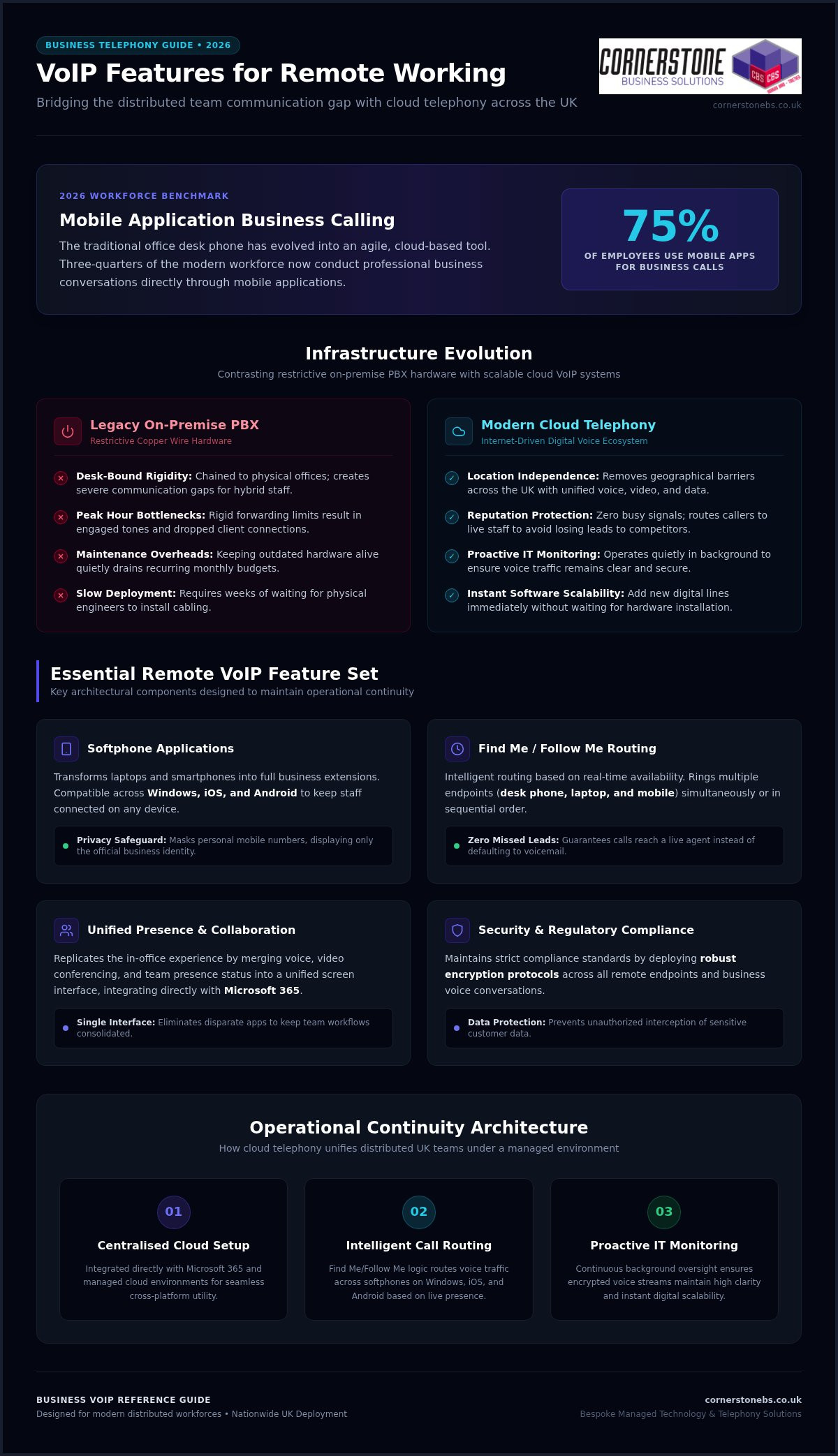
VoIP can reduce business phone spending by lowering some long-distance and international call charges, aligning plan capacity with actual use, and reducing reliance on dedicated phone hardware. The cost savings of VoIP for business depend on call patterns, team size and how much existing equipment can be reused.
Phone costs can seem fixed: traditional lines, calling plans and handsets may continue to cost money even when staff make fewer calls or work away from the office. VoIP routes calls over an internet connection instead of traditional telephone lines.
This guide explains where savings may come from, how unused calling-plan capacity can add to bills, and how cloud-based systems can reduce hardware needs. It also covers factors that affect the value of switching, including call volume and the demands VoIP places on your network. The aim is to clarify which costs could fall and what to consider before changing your phone system.
Key Takeaways
Review how many phone numbers and lines your team actually needs, then consider whether a consolidated VoIP setup could better match your business.
Compare your long-distance and international calling patterns with your current charges to see where internet-based calls may reduce costs.
Check whether an unlimited calling plan fits how staff really use their phones, including employees who work remotely or travel.
Consider a cloud-based phone system to reduce reliance on dedicated onsite hardware and make better use of staff mobiles or laptops.
Managed IT Support can help businesses assess the network and ongoing technology needs that underpin a reliable VoIP system.
1. What Businesses Benefit From VoIP Phone Systems?
VoIP may suit businesses paying for separate traditional phone lines, particularly when staff share calls across locations. It carries calls over the internet, allowing a business to bring extensions and phone numbers into one system rather than maintaining a separate landline for every handset. For example, a small team could route calls to desk phones, mobiles or laptops through one phone system. This can reduce duplicate lines and make it easier to adjust access as staffing changes.
UK business phone costs typically include line rental, call charges, mobile use, equipment and plan terms. Compare each item with VoIP costs, which can depend on users, call patterns, existing phones and any network changes. This is more useful than comparing a single headline price. Small and mid-sized businesses can count active users and numbers, then identify lines that are rarely used or duplicate another contact route.
How much can UK businesses save by switching to VoIP? Market estimates put typical savings between 30% and 75%, depending on call volume and user numbers. That range is not a quote for an individual business. Savings can come from consolidating lines, reducing long-distance charges, and avoiding equipment purchases. Businesses should compare their current bills with the full costs of the proposed system, including calls, internet capacity and hardware.
UK number portability allows businesses to request that existing numbers move with them when they change phone services. Include the transfer in the migration plan, coordinate the change and keep existing lines active until the transfer is complete. This can help prevent avoidable disruption to customer contact. Ofcom’s rules cover number portability, so factor in the transfer process and provider responsibilities when planning a switch.
What broadband speed and reliability does a business need for VoIP? The connection must handle simultaneous calls alongside other online work. Required capacity depends on call volume and network traffic. Monitor call quality and traffic, then use Quality of Service settings to prioritise voice calls. High call volumes may require additional bandwidth, while paying for unused capacity can add unnecessary expense.
VoIP also has practical risks: an internet or power outage can interrupt calls, and emergency calling arrangements need attention during setup. Consider backup connectivity, call redirection and how staff will reach emergency services if the usual connection fails. Cloud systems can reduce onsite equipment and maintenance needs, but include compatible phones, network changes and ongoing service costs in your comparison.
To estimate potential savings, gather recent bills and list each phone number, line, user, call charge and equipment cost. Compare the totals with the proposed VoIP charges and any broadband or setup changes. Then plan the migration: map numbers and extensions, arrange number portability, test call quality and move users in stages. This comparison can reveal where consolidation and fewer hardware requirements may lower spending.
2. Lower long-distance and international call charges
Regular calls to customers, suppliers or colleagues overseas can make traditional phone bills costly. VoIP carries calls over the internet, which can change how long-distance and international calls are charged. Savings depend on the plan, destination rates, call volume and whether users call one another within the same system. Compare actual call records rather than assuming which call types cost the most.
Calls between users on the same VoIP system are free, including calls between offices in different locations. For example, a business with teams in separate UK offices can use internal extensions instead of paying for calls between separate phone lines. The same principle can apply to a company with overseas branches, provided both locations use the same system. External calls remain subject to the plan’s rates and terms.
How do VoIP call rates compare for UK landline, mobile and international calls? Rates vary by plan and destination, so compare each call type with your current tariff rather than assuming every call costs less. Check whether landline, mobile and international calls are included, charged separately or subject to limits.
For international calls, routing is central to how VoIP works: the system sends voice data through an internet connection rather than a traditional telephone line. This may lower long-distance call charges, particularly for businesses that regularly contact overseas customers or suppliers. Using one system across locations can also give staff flexibility without requiring a separate office line for every conversation.
Before switching, gather itemised bills covering a representative period and group calls into UK landline, UK mobile, international and internal calls. Compare the volume in each group with the new plan’s inclusions and rates. Check destination coverage carefully: a plan suited to frequent calls to one country may not suit a business calling several regions. Include call limits and exclusions in your comparison.
Cost savings of VoIP for a business depend on call patterns, not the technology alone. A team making frequent international calls may benefit more than one whose calls are mostly local. Mobile calls or destinations outside a plan’s inclusions may still incur charges. Include those details in your monthly comparison, alongside current line rental, before deciding whether switching makes financial sense.
Finally, check how the system handles outgoing caller identity and call routing across offices. A consistent business number helps customers recognise the caller, while routing can send calls through the appropriate team or location. If your current setup makes these details difficult to manage, reviewing your business phone setup can help identify what to compare before switching.
3. Avoiding unused capacity in unlimited calling plans
An unlimited calling plan can seem convenient, but may charge for capacity employees rarely use. VoIP offers another way to match phone access to actual working patterns. Review call records for each user and identify business calls, unused lines and duplicates. Compare those patterns with the plan’s included calls, user allowances and charges. A plan suited to a high-call sales desk may not fit an employee who mainly answers incoming enquiries.
Use the average as context, not as a target: employees use 400 minutes of phone calls per month. Individual workloads can differ sharply. A receptionist may handle many short customer calls, while a project employee may make fewer calls and spend more time on email. Review usage by role and across a representative billing period. That evidence helps identify whether unlimited capacity supports real demand or leaves the business paying for little-used allowances.
Remote access can make one phone system useful in the office, at home and while travelling. Staff can access the business phone system away from the office rather than relying on a desk phone in one location. For example, a mobile worker can make and receive business calls through the system while away. This can reduce the need for separate calling arrangements for each location while keeping work calls connected to the business.
Call routing and call forwarding also help businesses use staff capacity more effectively. A company can direct an incoming call to the right team, then forward it to an available employee when the usual contact is away. This avoids paying for separate lines simply to keep one person reachable. Set routing rules around working arrangements and responsibilities, then review whether calls reach the right people. Clear rules matter: forwarding every call to one mobile can create bottlenecks.
Integration can reduce the need to switch between communication tools. When a VoIP system connects with email, customer relationship management software or project tools, staff may handle related tasks with fewer platform changes. Consider which integrations employees actually use before choosing a plan. A feature that does not fit daily work will not justify the package, even if it appears in the service description.
To manage unused capacity, compare each user’s calling pattern with plan terms, remote access needs and routing requirements. Keep unlimited calling where frequent calls make it practical, and consider a different allowance when usage is low. Revisit the comparison when teams change, employees move to remote work or responsibilities shift. Regular reviews help align phone spending with how people work, not with capacity the business once expected to need.
4. Cloud-based phone systems without on-premises hardware
A cloud-hosted VoIP system moves much of the phone system’s core equipment offsite. Calls connect through the internet to a provider-hosted network rather than relying on a traditional phone system installed in the office. This can reduce the need to buy and maintain a dedicated onsite PBX. For a business with several offices, that means less central phone hardware to manage at each location.
Cloud hosting does not remove every equipment need. Employees still need a way to make and receive calls, such as a compatible VoIP phone, computer or mobile. Where suitable, businesses can use existing laptops or mobiles instead of purchasing a desk phone for every employee. A shared reception desk may benefit from a physical handset, while remote staff can use a laptop or mobile to access the same system.
Before switching to VoIP, list the equipment already in use and identify what the new system requires. Check which phones can connect to the service, whether headsets are needed and whether the office network can carry voice traffic reliably. A network assessment can reveal bandwidth needs and potential call-quality issues. High call volumes may require additional bandwidth, while Quality of Service settings can prioritise voice traffic.
Cloud systems can also reduce pressure to replace equipment. VoIP systems may receive updates through provider patches and new codecs, potentially reducing the need to buy a replacement system just to keep pace with new technology. However, not every handset will remain compatible indefinitely. Keep an equipment record and review compatibility when changing the service or replacing devices.
Maintenance needs also change. With a hosted system, the provider manages the cloud network, leaving the business with less onsite phone-system infrastructure to maintain. Staff still need a working internet connection, network equipment and power. Faults affecting any of these can disrupt calls, so include connectivity and power resilience in your planning. Call redirection to a mobile may help maintain contact during an outage.
Conferencing can influence equipment choices too. If employees already use laptops for online meetings, those devices may support VoIP calls and reduce duplicate hardware. However, a noisy workspace may make a headset more practical, and reception teams may need dedicated phones for frequent call handling. Match devices to each user’s work instead of ordering identical equipment for everyone.
To compare total costs, separate one-off equipment and setup needs from ongoing service, network and maintenance costs. Then assess what can be reused, what needs replacing and how updates are handled. A cloud phone system can limit onsite hardware, but its value depends on existing devices, call-quality requirements and the reliability of the business connection.
5. VoIP cost savings for small businesses
For a small business, savings come from matching phone functions and capacity to everyday work. Businesses typically save between 30% and 50% after switching to VoIP, while IDC estimated a 30% reduction in telephony-related expenses. These figures offer a useful benchmark, not a forecast for every firm. Call patterns, existing equipment and plan features shape the result.
Start with a like-for-like comparison. Add up current phone lines, call charges, equipment, maintenance and separate tools used for business calls. Then compare these with the VoIP plan’s users, included features and ongoing requirements. A small firm with several underused lines has different savings opportunities from one making frequent calls across a large team. Plans differ, so compare inclusions rather than headline claims alone.
Check which features could replace costs you already incur. Some VoIP systems include call forwarding and voicemail at no extra charge. An attendant can direct callers to the right person, while voicemail-to-email sends messages to staff inboxes. If your business already pays separately for similar tools, include those charges in the comparison. Confirm which functions employees will use: unused features will not improve a plan’s value.
Device choices matter too. Cloud-based VoIP can let employees use existing mobiles or laptops, reducing reliance on physical desk phones and onsite equipment. A small team could keep a handset at reception while other employees take calls on their usual work devices. This can limit duplicate equipment, but the network and devices still need to support clear calls. Include required upgrades in the total cost calculation.
Growth can change the calculation. A hosted system with a flat monthly fee can make spending more predictable, while VoIP can be adjusted as a business grows or downsizes. Calls between users on the same system are free, including calls between offices in different locations. For a business adding staff or opening another site, compare the cost of adding access with maintaining separate traditional lines.
Remote work can affect overheads too. VoIP lets staff access the business phone system away from the office, supporting flexible working arrangements. Depending on the system, messaging and video conferencing may sit alongside calling at no additional cost. The practical test is whether those functions replace tools or expenses the business already has, rather than adding features no one needs.
For a clear decision, record current costs, list the functions and devices your team needs, then compare them with the VoIP proposal. Keep the same user count and call patterns in both calculations. Explore Business VoIP options to see how a phone system can fit your small business’s working needs.
Cornerstone Business Solutions: Managed IT Support
Cornerstone Business Solutions helps businesses assess the IT behind a reliable VoIP phone system. Its Managed IT Support can support teams reviewing network performance, devices and day-to-day technology needs before or after a switch. This can be useful when call quality varies, staff work across locations or phone systems need to meet changing business requirements.
Business VoIP can be considered alongside Cloud Solutions, while Cyber Security helps businesses address the protection of their systems and data. The right setup depends on how your team works, the calls it handles and the technology already in place. If you’re planning a change, invite Cornerstone Business Solutions into the conversation. Visit cornerstonebs.co.uk to get in touch.
Make your next phone decision with confidence
Treat a phone-system change as part of wider business planning. Decide what the system needs to support as your team and working practices evolve, then use those priorities to assess the cost savings of VoIP for business. This keeps the focus on practical value rather than features that do not serve your day-to-day work.
Cornerstone Business Solutions offers Managed IT Support to help businesses manage the technology that supports their operations. Microsoft 365 and Cyber Security can also form part of a considered approach to business productivity and protection. Bringing these needs into the same conversation can help you plan phone changes alongside the systems your team already relies on.
Ready to discuss your business phone requirements and the technology around them? Contact Cornerstone Business Solutions to start the conversation. A well-planned next step can help your business move forward with clarity and confidence.
Frequently Asked Questions
What is VoIP?
VoIP lets you make voice calls using an internet connection instead of a traditional telephone line. Depending on the system, a business can handle calls through compatible desk phones, computers or mobile devices. For example, an employee could answer a business call on a laptop while working away from the office. The system converts voice into digital data and carries it across the network.
How does VoIP Save a Business Money?
VoIP can reduce phone spending by replacing separate line-based charges with a system that uses internet connectivity. Savings may come from fewer dedicated handsets, lower charges for some calls and avoiding separate tools for functions such as voicemail or call forwarding. To assess the cost savings of VoIP for business, compare current bills with the full proposed setup, including devices, call allowances, connectivity and any migration work.
What Businesses Benefit From VoIP Phone Systems?
Businesses with several locations, remote employees or regular calls to customers and suppliers may benefit from a shared phone system. For example, a company with a sales team working across offices can use extensions to connect colleagues without treating each internal call as an external one. A business with mostly local calls and few lines may see different benefits, so assess the team’s working patterns and communication needs before switching.
Why are Traditional Phone Systems Costly?
Traditional systems can involve separate line rental, call charges, physical handsets and onsite equipment. Costs can also arise when a business changes its layout, adds users or maintains ageing hardware. For example, a growing team may need extra lines and phones even when existing equipment has spare capacity elsewhere. Reviewing invoices and equipment records helps identify the recurring charges and assets driving total costs.
How much does business VoIP cost per user per month in the UK?
There is no single monthly per-user figure that applies to every UK business. Price depends on the package, user count, calling requirements, included features and any devices or network changes needed. A provider may structure charges per user, line or service, so compare equivalent inclusions rather than the headline rate alone. The total also depends on the required setup and features.
What setup, hardware, installation and broadband costs are involved in business VoIP?
Budget for the service, migration work, compatible phones or headsets, and any network improvements needed for clear calls. A business using existing computers and mobiles may need fewer new devices than one equipping every desk with a handset. Broadband capacity depends on simultaneous calls and other network activity. A network assessment can identify whether the connection, switches or call-prioritisation settings need attention before installation.
What are typical UK business landline and mobile phone costs compared with VoIP?
Total costs also depend on call charges, mobile use, equipment and plan terms.
A cloud phone system is only an upgrade if it keeps your business reachable as work moves beyond the office. The benefits of a cloud-based phone system can include more flexible ways to handle calls and support teams working across different locations. The practical questions are what changes day to day and how call quality depends on your internet connection.
Flexibility needs to be planned alongside resilience, not treated as a guarantee. With Openreach’s confirmed 31 January 2027 deadline for retiring the UK’s Public Switched Telephone Network (PSTN), businesses also need to consider how the transition from traditional phone lines could affect their communications and connected equipment.
This guide explains the practical advantages of cloud calling, its limitations and the readiness factors to consider before making a decision. You’ll learn how it can support everyday business needs, what to assess around connectivity and continuity, and how to take a considered next step with your phone-system planning.
Key Takeaways
See how the benefits of a cloud-based phone system can support changing work patterns and everyday customer calls.
Understand how internet congestion, latency and network design can affect call quality.
Use call volumes, essential call journeys, work locations and user needs to assess your organisation’s readiness.
Explore how Business VoIP and Telephone Solutions fit within a broader approach to IT and technology support.
Learn how an infrastructure assessment can inform phone-system planning, from network cabling to internet-connected devices.
What a Cloud-Based Phone System Changes for Your Business
Your phone system needs to connect customers with the people who can help, whether your team works from one office or across several locations. A setup that suits a fixed team may become less practical as roles, work patterns or office arrangements change. Before weighing the benefits of a cloud-based phone system, it helps to distinguish the technology terms from the day-to-day changes they describe.
A cloud-based phone system is a business telephone service hosted on remote systems and accessed over an internet connection.
Cloud phone system, VoIP, and PBX: what is the difference?
VoIP, or Voice over Internet Protocol, is the method used to carry voice calls across IP networks. A PBX, or private branch exchange, routes calls within an organisation, such as connecting a caller to the right person or extension. These terms describe different parts of a phone setup, not interchangeable versions of the same thing.
A premises-based PBX relies on equipment installed and managed at the business site. A cloud phone service hosts the service and much of its call-handling infrastructure away from that location. It can use VoIP, but not every VoIP setup is cloud-hosted: a business can use internet-based calling with systems or equipment it manages itself. Cloud communications offers a broader overview of how hosted voice fits into the wider communications landscape.
What changes for employees and callers?
The main operational change is where call handling is managed. With a premises-based system, the organisation relies on local phone equipment. With a hosted service, call handling is delivered through systems hosted away from the site. Callers still dial the business and staff still need suitable devices, but the service relies on a stable internet connection and a network that can support voice traffic.
For employees, cloud calling can change how the phone service fits around their work location. A team member away from the main office may be able to use the business phone service through a suitable connected device, depending on how the service is designed. That doesn’t mean every setup works the same way or that location no longer matters. Devices, access arrangements and connection quality all affect how staff place and receive calls.
For callers, the goal remains straightforward: reach the business and have their call handled appropriately. The technology may change, but the organisation still needs a plan for routing calls and managing the service. The decision isn’t simply “old phones or new phones”. It’s about whether the setup supports the people, customer journeys and working arrangements the business needs, without assuming that every organisation must move to a cloud model.
The Business Benefits of a Cloud-Based Phone System in Daily Work
The useful question isn’t how many features a phone system has. It’s whether the system helps your team handle calls across the working patterns you actually have. The benefits of a cloud-based phone system are clearest when tied to practical needs: managing calls as staff move between locations, reducing reliance on some on-site phone equipment, and adapting call arrangements as the organisation changes.
Flexibility for teams and changing work patterns
For a team split between an office and other work locations, a hosted phone service may let staff handle business calls away from a desk phone at the main site. Access depends on the service configuration and supported devices, while call quality depends on suitable connectivity. The value isn’t simply that someone can work elsewhere. It’s that the business can plan how customer calls are handled when people aren’t in one place.
Consider an office move or a shift to hybrid working. The business can review how calls should reach employees across those locations instead of treating the old office layout as the only way to organise communications. This can help maintain a consistent approach to customer contact during workplace changes, provided the service and network support it. The UK Government Cloud First policy applies to public sector technology decisions, not as a requirement for private businesses, but it illustrates how cloud services can form part of wider organisational planning.
Simpler system management and room to adapt
With a hosted service, some phone-system infrastructure and administration sit outside the business premises. This may reduce the need to maintain certain on-site PBX equipment, but it doesn’t remove the need to manage devices, connectivity or the wider network. The practical difference depends on the equipment the organisation currently manages and how the cloud service is configured.
In practice, hosted calling can shift some system administration away from premises-based equipment, support access across work locations and let you review call arrangements as team needs change, subject to service design and connectivity. These are potential operational benefits, not automatic savings or performance guarantees. The outcome depends on the existing setup, the service chosen and how it’s used.
If you’re weighing these needs against your current setup, Business VoIP and telephone solutions can be considered alongside your wider technology requirements.
Is a Cloud-Based Phone System Reliable? Understanding the Trade-Offs
Cloud calling can be reliable, but it depends on more than the hosted service itself. Calls travel over internet connections and your organisation’s local network, so congestion, latency, equipment issues or an outage can affect call quality or availability. Weigh the benefits of a cloud-based phone system against these dependencies rather than assuming calls will always connect.
Reliability is a shared outcome. The service, internet connection, internal network, devices and system management all play a part. A problem at one office might affect that site while other locations remain connected, or an issue with the wider service could have a broader impact. The risk depends on your setup, so start planning with the call journeys your business needs to protect.
Connectivity, call quality, and continuity
Voice calls need a stable route across the network. If a connection is congested by other traffic, less capacity may be available for calls. Latency, the delay as voice data travels between endpoints, can make conversation feel less natural. Local network design matters too: weak wireless coverage, overloaded equipment or inconsistent connectivity can affect users even when the hosted service is operating.
Assess the connection where staff will use the phone service, including during busy periods and in locations with different network conditions. Then consider what happens if internet access or the hosted service is unavailable. A documented fallback should explain how staff communicate, who makes operational decisions and how essential customer calls are handled. An alternative channel may help, but it needs to be practical for your team and included in continuity planning. No design is outage-proof.
Security and control in a hosted phone service
Hosting a phone service in the cloud doesn’t automatically make it secure or define who manages its settings. Security depends on the controls applied, how access is granted and removed, and whether administration responsibilities are clear. These details matter as staff join, change roles or leave, because access should reflect what each person needs to do.
Build security into routine management. Assign clear ownership for user access and system changes, review permissions when roles change, and make sure staff know how to protect their sign-in details. Keep a record of who administers the service and how changes are handled. If your business has several sites, include them in the same review so that security and continuity arrangements don’t rely on assumptions about call management.
A useful reliability review asks more than whether a service is described as dependable. Map essential call journeys, assess connection quality at each work location, identify likely points of failure and document a workable response. This gives your organisation a grounded view of the trade-offs and helps distinguish a system that fits its operating needs from one that simply sounds flexible.
How to Decide Whether Cloud Calling Fits Your Organisation
Cloud calling is a better fit when its design matches how your organisation handles calls, supports staff and manages disruption. Use this readiness process to assess the operational case before deciding whether to change. It also helps separate essential requirements from features that sound attractive but don’t solve a real business need.
Map the organisation’s call needs
Start with the work, not the technology. Record call volumes, who makes and receives calls, where those people work and what the calls are for. Then trace essential inbound journeys, from a customer’s first call to the team responsible for responding. Mark which routes are critical to daily operations and which can accommodate a different arrangement.
Check infrastructure and plan the change
Once you understand the workflows, assess whether your network and working environment can support them. Include the locations, devices and teams that will use the service, not just the main office. A site survey can build a fuller picture of the technology environment, including network cabling, workstations, servers, switches and internet-connected devices.
Document call patterns. Note typical call volumes, busy periods, inbound routes, important outbound calls and the people responsible for handling each one.
List user and location needs. Record where staff work, what devices they use and which tasks depend on calls. Separate must-haves from desirable features without assuming a particular service includes them.
Assess connectivity and infrastructure. Consider internet connections and network equipment at each relevant location. Identify where congestion or a connection failure could affect call handling.
Plan for interruption. Decide how staff will communicate if the phone service or internet connection becomes unavailable. Document the fallback, who activates it and how customers with essential enquiries will be kept informed.
Prepare people and the transition. Set out how staff will learn any new call-handling process, who will oversee the change and how the organisation will review the setup once it’s in use. A staged transition may help teams adapt where the project allows.
There’s also a UK transition to factor into planning. Openreach’s confirmed deadline for retiring the Public Switched Telephone Network (PSTN) is 31 January 2027. Businesses still using traditional lines should identify any phone services and connected equipment that may rely on them, then include migration requirements in their wider communications plan. The UK PSTN switch-off guide can provide further transition context.
Bring the findings together before making a decision: which call journeys must work, where users need access, what the network can support and what happens during an interruption. This gives you a practical basis for judging whether the benefits of a cloud-based phone system align with your organisation’s needs. Discuss your business phone requirements as part of a wider review of your technology environment.
How Cornerstone Supports Business Phone Solutions
Choosing a phone system is also a decision about the technology around it. Call handling relies on the wider working environment, so consider phone requirements alongside network infrastructure, devices and business priorities. Cornerstone Business Solutions provides Business VoIP and Telephone Solutions as part of a broader approach that brings together IT support and technology solutions.
This joined-up perspective keeps the conversation focused on what the organisation needs to achieve. The aim is to understand how employees work, how customers reach the business and what the existing technology environment looks like, rather than treating a phone system as an isolated purchase. Cornerstone Business Solutions’ IT support and service is award-winning, with a one-call approach across technical environments that include hardware, software, networking, cloud and security.
Connect phone-system planning with the wider IT environment
A phone service depends on more than call settings. The network, connected devices and workplace setup all shape the environment in which it will be used. Cornerstone Business Solutions’ full site survey assesses network cabling, workstations, servers, switches and all internet devices. This gives you a view of those areas for planning without assuming in advance what the survey will find or what changes your business may need.
This wider context matters when you’re considering the benefits of a cloud-based phone system alongside other technology decisions. If your organisation is also reviewing cloud services, the Cloud Solutions for UK Businesses guide can help broaden the discussion beyond telephony and consider how cloud fits into your wider plans.
A practical next step for business decision-makers
Before making a change, bring together the key details: call volumes, essential call routes, staff locations, user requirements, infrastructure and the consequences of a service interruption. Then compare those needs with your organisation’s priorities. This makes it easier to identify what matters most and where a phone solution fits into the wider technology environment.
Cornerstone Business Solutions takes a collaborative, solution-focused approach to business technology. Phone planning can be considered alongside the IT and infrastructure factors that shape how the service will be used. Explore Cornerstone Business Solutions’ business telephone solutions in the context of your organisation’s requirements.
Plan Your Next Step With Confidence
Treat the decision as an opportunity to shape how your organisation communicates as it evolves, not simply as a move to new technology. Before exploring options, agree what success looks like: which calls need careful handling, how staff need to work and what level of disruption your teams can manage during a change. That shared brief gives technical planning a clear business purpose.
It’s also a practical way to assess the benefits of a cloud-based phone system. The right arrangement supports your priorities while accounting for connectivity and continuity, whether that means changing now, planning for later or taking a different route. A thoughtful review can turn uncertainty into a manageable plan based on how your people and customers rely on the phone.
Cornerstone brings business phone planning into a wider technology conversation, helping you consider requirements in context. Explore Cornerstone’s business telephone solutions and start shaping an approach around your organisation’s needs.
Frequently Asked Questions
Is a cloud-based phone system reliable for a business?
It can be reliable when the service, internet connection and workplace network suit the organisation’s needs. Don’t judge the benefits of a cloud-based phone system on provider claims alone. Before adoption, assess expected call patterns, including busy periods and different work locations. Consider what happens if a connection fails and document how staff will handle essential calls during disruption. Reliability depends on preparation as well as the service itself.
Can a cloud-based phone system work during an internet outage?
Calls that rely on an unavailable internet connection may not work through the usual setup. Whether staff can use another route depends on the service configuration and any separate connectivity available. For example, a mobile phone using a mobile network may provide another way to communicate, but it isn’t automatically a fallback for the business phone system. Plan who will use alternative channels and how customers will be kept informed.
Do employees need desk phones to use cloud telephony?
No, desk phones aren’t always necessary. Depending on the service and its supported devices, employees may use an IP desk phone, a computer with suitable audio equipment or a mobile device. Match devices to actual working needs. A receptionist handling frequent calls may prefer a desk setup, while a staff member who moves between work areas may need another supported option.
Is cloud telephony the same as VoIP?
No. VoIP is the method of carrying voice calls over internet protocol networks; cloud telephony describes a hosted way of delivering and managing a business phone service. A business can use VoIP with equipment managed on its premises, so internet-based calling isn’t necessarily cloud-hosted. Distinguishing the terms helps you compare how a service is delivered and who manages its phone-system infrastructure.
How does a cloud-based phone system support remote working?
It can let employees handle business calls away from the main office if the service is configured for their roles and they have suitable supported devices and connectivity. Before relying on this arrangement, decide how remote staff should answer business calls, protect access to their accounts and manage calls when they’re unavailable. A clear team process helps ensure that working from another location doesn’t leave customers unsure who to contact.
What happens to a business phone system during the UK PSTN switch-off?
Openreach’s confirmed deadline to retire the UK PSTN is 31 January 2027. Traditional analogue and ISDN services that depend on the old network need to move to a suitable digital alternative before it’s retired. Businesses should inventory more than desk phones: equipment such as alarms, payment terminals or fax machines may also rely on a traditional phone line. Identify these dependencies early so they can be included in transition planning.
Is a cloud-based phone system secure?
It can be secured, but hosting alone doesn’t guarantee protection. Security depends on how access is controlled, how accounts are managed and whether responsibilities for system administration are clear. Limit access to what each user needs, remove accounts when staff leave or change roles, and make sure employees know how to protect their sign-in details. Include phone services in wider cyber security reviews so risks and responsibilities aren’t overlooked.
What if the desktop that simplifies IT for one team slows another down? The benefits of desktop as a service (DaaS) depend on how well virtual desktops match the work people actually do. Weigh easier management and flexible access against internet reliability, user experience and control. A cloud-hosted desktop can be useful, but it isn’t automatically the right fit for every role or organisation.
This guide explains where DaaS could make a practical difference, which trade-offs to consider and how it compares with existing devices and self-managed VDI. The aim isn’t to move everything to the cloud. It’s to determine whether a different desktop approach solves a real business problem.
We’ll cover the main benefits, including simpler administration, consistent environments and support for flexible working, alongside potential limits such as connectivity, performance, security and ongoing costs. You’ll also find practical questions to explore about workloads, infrastructure and user needs, and who should be involved in planning. A clear view of work patterns, workstations and network requirements can help you decide whether DaaS belongs in your IT strategy.
Key Takeaways
Understand what changes when desktop hosting and management move away from individual devices.
Explore the benefits of desktop as a service (DaaS), including flexible access, consistent environments and simpler administration.
Identify how connectivity, workload demands and user experience can shape DaaS suitability.
Use a practical assessment of users, applications, security and IT ownership to clarify your organisation’s essential requirements.
See why desktop planning works best alongside decisions about cloud, devices, security and user support.
What Is Desktop as a Service (DaaS), and What Changes for a Business?
Desktop as a Service (DaaS) delivers hosted virtual desktops to users over a network. Rather than relying entirely on the operating system and computing environment installed on each computer, staff connect to a desktop hosted on remote infrastructure. The access device still matters, but it provides a way into the desktop rather than necessarily running the full desktop locally.
This changes where the desktop is hosted and how it’s managed. Some infrastructure and administration may sit with a service provider, while other responsibilities remain with the organisation. The split depends on the arrangement. DaaS describes a delivery model, not a guarantee of lower costs, faster performance or less work. Those outcomes depend on the setup, workload and fit with everyday needs. For a foundational overview, the Desktop as a Service (DaaS) Wikipedia article explains the model and its connection to hosted virtual desktops.
How a DaaS desktop reaches an employee
An employee uses a computer or another supported endpoint to connect over a network to a hosted desktop. The remote environment provides the desktop experience, while the device supplies the screen, input and connection. A familiar-looking screen doesn’t necessarily mean the applications or files are stored on that device.
Applications and data can be arranged in different ways. Some may run within the hosted environment, while other services or resources remain elsewhere. This distinction matters: even a lightweight access device depends on a reliable connection and suitable network performance. When assessing DaaS, map where users work, which applications they rely on and how they access the information they need.
DaaS, VDI and traditional desktops: the basic distinction
VDI, or virtual desktop infrastructure, is the technology and infrastructure used to provide virtual desktops. An organisation may operate or manage that environment itself, or share responsibilities with a provider. DaaS generally describes virtual desktops delivered as a provider-hosted service, although the provider’s responsibilities and the customer’s control vary by arrangement.
With a traditional physical desktop, the operating environment runs on the individual computer, and the organisation manages the device and its software. DaaS shifts desktop hosting away from that local machine. It doesn’t necessarily remove the endpoint, local support needs or all internal IT responsibilities. The useful comparison is not simply “cloud versus computer”. Consider where the desktop runs, who looks after each part and how applications perform in practice.
These distinctions put the benefits of desktop as a service (DaaS) in context. Centralising the desktop environment may support more consistent administration, but it also makes connectivity and service design central to the user experience. Before comparing options, identify which tasks depend on local computing, which can work well in a hosted environment, and who will manage devices, access and support. This gives your organisation a clearer basis for weighing DaaS against existing desktops or self-managed VDI.
The Main Benefits of DaaS: Flexibility, Consistency and Simpler Management
The benefits of desktop as a service (DaaS) matter most when they address a clear operational need. A distributed team may value access to a familiar work environment from different locations. An IT team may value managing common desktop configurations centrally instead of maintaining each one separately. Both advantages depend on service design, the applications people use and connection reliability.
DaaS can also reduce the need to run some desktop infrastructure locally, but that doesn’t automatically mean lower overall costs or less work. Costs and responsibilities depend on what the provider manages, what your organisation retains and how the environment is configured. IBM’s guide to Desktop as a Service outlines business use cases, but your workforce and technical setup should guide the decision.
Supporting remote, hybrid and temporary users
A hosted desktop can give staff in different locations access to a consistent work environment, which may help when teams divide their time between the office and other workplaces. Seasonal or project teams may also benefit if desktop access can be adjusted as headcount changes. The practical result depends on provisioning arrangements, suitable devices, network access and whether required applications work well in the hosted environment.
Centralised management and a more consistent desktop
Managing shared desktop configurations centrally can make it easier to provide different user groups with standard applications and settings. For example, a finance team and a project team may need distinct tools while following common configuration and access policies. Centralisation can support consistency, but it doesn’t deliver security, compliance or better support automatically. Those depend on how access, updates and day-to-day responsibilities are managed.
Adjusting capacity and reducing local infrastructure demands
Where the service and its configuration allow, desktop capacity can be adjusted as user numbers change. This may suit organisations with planned seasonal recruitment or projects that bring in temporary staff. It doesn’t guarantee instant access: setup, licensing, application compatibility and provider processes can affect how quickly changes are made. Moving desktops off local infrastructure may reduce some maintenance tasks, while leaving device support and other IT responsibilities in place.
Flexible access: Useful for teams working across locations, provided network performance supports their tasks.
Consistent environments: Central administration may help standardise desktops for groups with similar needs.
Changing headcounts: Capacity may be adjusted where the service configuration supports it.
Less local infrastructure: Some backend work may shift away from the organisation, but savings aren’t guaranteed.
In short, DaaS can offer flexible access, more consistent desktops and simpler central administration, but those benefits depend on the deployment, connectivity and division of responsibilities. Before making a change, map users’ work patterns against the systems and network they rely on. A site survey assessing workstations, network cabling, servers, switches and internet devices can help establish that picture. Explore joined-up IT support and infrastructure planning as part of a desktop strategy review.
DaaS Trade-Offs: What Benefits Depend on Your Setup?
DaaS isn’t automatically cheaper, simpler or suitable for every workload. Moving desktop hosting away from local computers changes where work happens, but it doesn’t remove the need to manage users, applications, access and support. The benefits of desktop as a service (DaaS) depend on whether the hosted environment works well for your people and the tasks they need to complete.
Start with the issues that could disrupt normal work: a weak or unreliable connection, an application that doesn’t behave as expected, or a device that can’t connect to the hosted desktop. These aren’t reasons to rule out DaaS. They’re reasons to assess the fit before planning a move.
Connectivity, application fit and user experience
Hosted desktops rely on network access, so assess connection reliability and performance wherever staff work. Bandwidth affects how much data can move; latency affects how quickly a response returns. A connection that works well for email may feel frustrating during interactive work, particularly if performance is inconsistent.
Test representative workflows, not just a standard desktop demonstration. Include the applications people use throughout a typical working day, specialist software, large files, audio or video tasks, and peripherals such as printers or scanners. Check responsiveness, sign-in and what happens if a connection drops. The result should reflect real work, not an ideal test environment.
Control, security and responsibility boundaries
Provider-managed infrastructure doesn’t mean every IT responsibility transfers with it. The division of work depends on the service design and contract. Your organisation may still be responsible for user accounts, permissions, devices, data handling and support processes. Clarify those boundaries before committing, including who responds to incidents and how recovery arrangements work.
Review identity and access controls with the people responsible for IT and security. Consider how users are authenticated, what information each role can reach, where data is handled and how access changes when someone joins, changes roles or leaves. Cloud hosting alone doesn’t guarantee security or regulatory compliance. These depend on the controls in place, how they’re managed and whether they meet your organisation’s requirements.
Use a practical review to surface issues early:
Connection conditions: Assess reliability and performance where staff work, including contingency arrangements for an interruption.
Workload demands: Identify applications or tasks that may need particular processing, graphics or response times.
Compatibility: Record specialist software, peripherals and existing integrations that users depend on.
Ownership: Map which tasks sit with your organisation and which sit with the service provider.
Protection and recovery: Review identity, permissions, data handling and recovery needs with relevant IT specialists.
Some teams may suit a hosted desktop, while others may depend on local applications, specialist equipment or consistently responsive performance. A mixed approach may be worth considering if needs vary between roles. Keep the decision grounded in evidence: test the work, document limitations and compare responsibilities as well as headline benefits.
How to Assess Whether DaaS Fits Your Organisation
A useful DaaS assessment starts with the work your people need to do, not a product demonstration. Follow this sequence to separate essential requirements from improvements that would be helpful but aren’t critical. This makes it easier to compare approaches against real business needs and decide whether the benefits of desktop as a service (DaaS) are relevant to your organisation.
Map your users. Group people by role, location and desktop needs. Note who needs the same standard environment, who requires personal settings, and where staff work. Include temporary or seasonal roles, onboarding patterns and expected changes in headcount.
Trace everyday workflows. Record the applications and information each group uses, including specialist software, peripherals and resources tied to local devices or systems. Identify tasks where a slow response or interruption would cause particular difficulty.
Separate essentials from preferences. List must-haves such as compatible applications, reliable access and defined security controls. Then record desirable improvements, such as easier administration or more consistent desktops. Keep these categories distinct when comparing solutions.
Assess connectivity and infrastructure. Consider internet reliability and network readiness where users work. Review the workstations, network equipment and other infrastructure that supports desktop access. A site survey can help identify issues or redundant equipment before a change is planned.
Review security and data needs. Bring IT and security specialists into discussions about identity management, user permissions, data handling and recovery requirements. Consider how access should change when someone joins, changes role or leaves, and how those controls will be maintained.
Agree operational ownership. Set out who will manage desktop images, updates, user access and support. Clarify responsibilities between your organisation and the service provider so routine tasks and problems have clear owners.
Test before scaling. Run a representative pilot with users and workflows that reflect different roles, locations and application demands. Include routine work as well as tasks likely to expose performance or compatibility issues. Before the pilot begins, agree how you’ll judge it: usability, application performance, connection reliability and support demand are practical measures. Compare results with your essential requirements, then resolve gaps before considering a wider rollout.
This assessment involves more than a desktop decision. Cloud architecture, security, devices and day-to-day user support all affect the outcome. Bring those perspectives together early and use the findings to shape a plan that fits your infrastructure. Cornerstone Business Solutions’ experienced sales engineers can carry out a full site survey of network cabling, workstations, servers, switches and internet devices. Arrange a site survey for your IT environment to build a clearer picture of your organisation’s starting point.
Planning DaaS with Joined-Up IT Support
A desktop strategy doesn’t stand alone. A hosted environment can affect cloud services, cyber security, devices, network infrastructure and the support users rely on each day. Planning these together can reveal dependencies that a desktop-only review might miss, such as an application tied to local equipment or a network issue that affects access. It also helps clarify which tasks belong to your internal team and which need coordinated support.
Why the wider IT environment matters
Consider how a proposed desktop approach fits alongside your existing cloud solutions, security controls, IT equipment and user support processes. For example, centralising desktop access may change how people sign in or reach business applications, so identity management and support arrangements need to fit the design. Older workstations or network equipment may also affect readiness. A site survey can help identify infrastructure issues and equipment redundancy across cabling, workstations, servers, switches and all internet devices.
Cornerstone provides award-winning IT support and a one-call option across technical environments, including hardware, software, networking, cloud and security. This joined-up view can help keep business continuity and practical support in focus as you assess desktop options. DaaS remains one part of a wider technology decision, rather than a standalone answer to every workplace or infrastructure need.
Turn the assessment into a practical next step
Before selecting an approach, bring the assessment findings into one clear plan. Summarise who needs access, which workflows matter most, what risks need attention and how a representative pilot will be judged. Include the expected user experience, application performance, support demand and any infrastructure changes. This gives decision-makers a shared basis for weighing options and deciding what to test further.
Involve the people who will own the outcome: business leaders, IT and security specialists, and representatives of the teams who will use the desktops. Their input can surface practical issues early, from a specialist application to the support process for a new starter. Cornerstone’s accredited Apple and Microsoft engineers bring relevant technical expertise across those environments, while coordinated support can connect desktop planning with broader business IT needs.
The benefits of desktop as a service (DaaS) are easier to judge when you understand the wider environment. Cornerstone’s business technology solutions span cloud, cyber security, IT equipment, network infrastructure and managed IT support, helping organisations consider how the pieces fit together. If you’re weighing a desktop change alongside other IT priorities, start a conversation about your business IT needs.
Make Your Next Desktop Decision with Confidence
Your next step doesn’t have to be a commitment to change. Use what you’ve learned to shape a focused conversation: which users need a different setup, what must work reliably and what evidence would make a pilot worthwhile? That keeps the benefits of desktop as a service (DaaS) connected to your organisation’s priorities, rather than turning a technology option into a goal in itself.
Cornerstone’s award-winning IT support brings a joined-up perspective across hardware, software, networking, cloud and security. A full site survey can help build a practical picture of the infrastructure, from cabling and workstations to servers, switches and internet devices. It’s a useful foundation for discussing how desktop decisions fit with wider business technology needs.
Explore Cornerstone’s business IT solutions and start a conversation about the right next step for your organisation. A clear plan can help your team move forward with confidence.
Frequently Asked Questions
What are the main benefits of Desktop as a Service?
The main benefits of desktop as a service (DaaS) can include easier central administration, consistent work environments and access that supports staff working in different places. For example, a team could use a common set of desktop tools across office and home working. These advantages depend on application fit, network quality and service design, so compare expected improvements with what your current setup already does well.
Is DaaS suitable for small businesses?
Yes, DaaS can suit a small business if it addresses a genuine need, such as supporting remote staff or reducing the internal effort involved in managing desktop infrastructure. A smaller organisation should still map its users, applications and support capacity before deciding. Consider whether a hosted environment would simplify a current problem or add another system to oversee, and assess ongoing service responsibilities alongside potential operational benefits.
Can employees access a DaaS desktop from different devices?
Often, employees can connect from different types of devices, but access depends on the particular service and its supported endpoints. A laptop, tablet or other device may provide a route to the hosted desktop, yet screen size, input methods and device security can affect usability. Check the devices your staff actually use, including any accessibility needs, and test common tasks rather than assuming every device will offer the same experience.
Does DaaS replace the need for business laptops or desktop computers?
No, employees still need an endpoint device to connect to the hosted desktop. DaaS changes where the desktop environment runs, not the need for screens, keyboards, connectivity or suitable devices. Some roles may continue to need powerful local computers for particular software or peripherals. Review your equipment lifecycle and decide whether existing laptops and desktops remain useful as access devices, need replacement or should stay with specific workloads.
How does DaaS differ from VDI?
VDI refers to the infrastructure used to provide virtual desktops, while DaaS describes a service model for delivering them. An organisation may run and manage its own VDI environment; with DaaS, a provider hosts at least part of the service. The boundary varies, so compare who operates the infrastructure, handles maintenance and supports users. This helps distinguish the technology itself from the way it’s supplied and managed.
Is DaaS secure for business data?
DaaS can be secured with appropriate controls, but hosting desktops in the cloud doesn’t make data secure by itself. Assess how users authenticate, how permissions are assigned and removed, and how data is stored, accessed and recovered. Multi-factor authentication and identity controls can form part of the design. Involve IT and security specialists to align protections with your organisation’s data sensitivity and security requirements.
What should a business assess before adopting DaaS?
Assess user roles, everyday workflows, application and peripheral compatibility, network performance, security needs and support ownership. Then define essential requirements separately from desirable improvements. A pilot with representative users can reveal issues that a demonstration might miss. Agree success measures in advance, such as whether key tasks work smoothly, users can access the tools they need and support teams can manage the environment effectively.
Did you know that 75 percent of employees now use mobile applications for their business calls? As we move through 2026, the traditional office phone has evolved from a desk fixture into a powerful, cloud-based tool. If you’ve struggled with dropped calls during client meetings or worried about staff using personal devices for work, you aren’t alone. Finding the right VoIP features for remote working is no longer just a technical tick-box exercise. It’s about building a reliable foundation for your team’s success across the UK.
We understand that you need more than just a digital dialler; you need a system that offers clarity and security. In this guide, we’ll share a clear framework for selecting communication tools that actually work for distributed teams. You’ll discover how to improve staff collaboration, track essential call metrics, and integrate your phone system with your existing Microsoft 365 or cloud setup. We’ve simplified the complex tech so you can focus on what matters most: growing your business with a trusted local partner by your side.
Key Takeaways
Transition from restrictive desk-bound hardware to agile cloud telephony to ensure operational continuity for your distributed team.
Identify the essential VoIP features for remote working that protect sensitive business data while providing staff with professional, flexible communication tools.
Bridge the collaboration gap by merging voice, video, and presence status into a single, unified platform that replicates the in-office experience.
Maintain strict security and regulatory compliance by implementing robust encryption standards across all remote endpoints and business conversations.
Discover how a bespoke, managed technology environment allows your communication infrastructure to scale seamlessly as your business grows across the UK.
Overcoming the Distributed Team Communication Gap with Cloud Telephony
Traditional on-premise PBX systems keep your team chained to physical office desks, which simply doesn’t work for modern business structures. When staff work from home or split their time across locations, this rigid infrastructure creates a massive communication gap. Modern distributed workforces require agile, cloud-based communication to maintain operational continuity and deliver excellent service. By implementing the right VoIP features for remote working, you can transform your telephone setup into a unified platform for voice, video, and data. We view business telephony as an integrated component of your broader managed cloud environment. To keep these communication lines crystal clear, proactive IT infrastructure monitoring works quietly in the background, ensuring your voice traffic remains consistent, secure, and completely clear.
The Limitations of Legacy Landlines for Hybrid Teams
Defining Cloud-Based Business VoIP for Operational Agility
Cloud-based Voice over IP is an internet-driven communication ecosystem that routes your voice calls over secure digital networks rather than traditional telephone cables. This shift to cloud hosting completely removes geographical barriers for expanding UK firms, allowing your team to collaborate seamlessly from any location. It provides incredible scalability advantages that legacy systems can’t match. Instead of waiting weeks for engineers to install physical wiring, you can add new digital lines instantly via software. This means your communication system scales immediately alongside your business growth, giving you the agility to respond to market demands without delay.
Essential VoIP Features for Remote Working: The 2026 Roundup
Replicating the energy and efficiency of a busy office in a home environment requires more than just a laptop and a headset. It’s about the specific VoIP features for remote working that bridge the physical gap between your colleagues. In 2026, unified software interfaces are the gold standard for UK businesses. They reduce the need for disparate apps and keep your team focused on one screen. Selecting the right combination of these tools directly impacts your daily output and protects your sensitive business data. As this FCC guide on VoIP explains, the technology has evolved far beyond simple digital calling to include complex, automated workflows that keep you connected.
Advanced Call Routing and Find Me/Follow Me Services
Mobile and Desktop Softphone Applications
A softphone is a clever application that transforms your laptop or smartphone into a full business extension. It provides cross-platform compatibility across Windows, iOS, and Android, so your team stays connected on whatever device they prefer. Crucially, these apps preserve privacy by masking personal mobile numbers. When your staff call a client, the customer sees your official business number, not a private one. If you’re looking for a setup that scales, our Business VoIP solutions offer this level of professional flexibility as standard for teams of all sizes.
Unified Messaging and Voicemail-to-Email Delivery
Collaborative Synergy: Integrating Video Conferencing and Presence Status
Voice calling alone cannot sustain deep collaboration within fully distributed corporate teams. While standard audio calls handle basic updates, modern operations require a richer connection to maintain momentum. Leading platforms now merge standard telephony with visual and textual communication channels into a single interface. This consolidated approach gives your team a unified space for daily interactions, making them feel like they’re working side by side. By selecting the best business VoIP services that offer these built-in tools, you also reduce total software licensing costs across your entire digital environment. This means less clutter for your staff and a healthier bottom line for your firm.
Real-Time Presence Indicators for Reduced Friction
Native Video Conferencing vs Third-Party Platform Integration
When reviewing VoIP features for remote working, choosing between built-in video modules and standalone enterprise video applications is a key decision. Built-in modules keep your workflows consolidated, while external apps can create data silos. The most critical factor is ensuring smooth data synchronization with your broader cloud solutions, which keeps all files and schedules aligned. Use this quick checklist when assessing your video setup:
Verify that video call stability holds up during low-bandwidth conditions.
Check that screen-sharing security features allow users to lock down specific windows.
Ensure the platform integrates directly with your team’s shared calendars.
Confirm that host controls allow for easy management of external participants.
Securing Remote Communications: Infrastructure and Compliance Requirements
Connecting a team across the UK brings incredible flexibility, but it also creates fresh security vulnerabilities. Every home office acts as a new endpoint that could potentially expose your corporate digital network to external threats. To stay safe, you need a phone system that treats security as a foundational element of your business stability. Data compliance regulations require strict encryption standards for all business conversations to protect sensitive client information. Robust cybersecurity controls prevent unauthorised access to your communication systems, ensuring that your private calls stay private. It’s not just about making calls; it’s about protecting the reputation you’ve worked hard to build.
Implementing Encryption and Secure Endpoint Access
Transport Layer Security (TLS) protects your voice data packets by encrypting them as they travel across the internet, making them unreadable to anyone trying to intercept them. We also recommend implementing Multi-Factor Authentication (MFA) for every remote softphone login. This simple step ensures that only authorised staff can access your business lines, even if a password is compromised. When your team operates on home Wi-Fi networks, you should ensure they use strong, unique passwords and updated router firmware to secure corporate data. By combining these VoIP features for remote working, you turn a vulnerable home office into a secure extension of your professional premises.
Optimising Networks with Quality of Service (QoS) Controls
Quality of Service (QoS) is the technical prioritisation of voice data over less time-sensitive internet traffic, such as large file downloads or software updates. To prevent jitter and latency during important client meetings, you can configure home routers to give your VoIP traffic a dedicated “fast lane.” This ensures that your voice remains clear even when the household internet is busy. For permanent remote executives or staff handling high volumes of sensitive calls, a dedicated business broadband line is often a smart investment to guarantee stability. It’s about building a managed environment where technology supports your team’s output rather than slowing them down. If you want to ensure your setup is fully protected, you can secure your business mobile and VoIP systems with our expert team today.
We believe that security shouldn’t be a headache for business owners. Our proactive monitoring keeps a close eye on your infrastructure, catching potential issues before they disrupt your day. This gives you the emotional security to focus on growth, knowing your communication lines are strong, stable, and completely compliant with UK standards. We aren’t just here to provide a service; we’re here to be your long-term partner in maintaining a resilient digital workspace.
Selecting a Strategic Business VoIP Partner for National Deployment
The Value of Award-Winning Managed IT Support
Working with a multi-award-winning IT services provider ensures a level of service consistency that standard providers struggle to match. Since 2008, we’ve focused on delivering professional authority with a friendly, local face. By combining your telecom services with our comprehensive it company solutions, you create a unified managed environment where every tool works in harmony. Our strategic partnerships with global technology brands like Microsoft, IBM, and Cisco ensure your team has access to the most advanced communication hardware available. This isn’t just about having the latest gadgets. It’s about ensuring your VoIP features for remote working are backed by the world’s most reliable infrastructure. We treat your business stability as our top priority, providing the emotional security you need to lead your team with confidence.
Designing Custom Systems for Long-Term Business Stability
Every organisation has a unique internal structure, so a one-size-fits-all setup rarely delivers the best results. We design bespoke configurations that match your call routing paths to your specific organisational needs. This ensures that every client call reaches the right person at the right time, regardless of where they’re located in the UK. The transition from physical lines to cloud telephony shouldn’t be a source of stress for your staff. We manage the entire migration process so you can move to the cloud without dropping active calls or losing connection with your customers. This level of customisation ensures the VoIP features for remote working you implement actually drive productivity and growth. We project the image of a modern, forward-thinking organisation because that’s exactly what we help you become. We invite you to begin a strategic conversation with us today to discuss your remote infrastructure needs. Let’s work together to build a secure, scalable phone system that supports your long-term success.
Building a Resilient Future for Your Distributed Team
Success in the modern UK market depends on more than just a fast internet connection; it requires a communication strategy that stays strong across every location. You’ve seen how the right VoIP features for remote working, such as intelligent call routing and unified messaging, bridge the gap between home offices and the boardroom. By moving away from restrictive physical lines and embracing secure, cloud-based ecosystems, you ensure your team remains productive and your client data stays protected.
We’ve been delivering bespoke technology solutions since 2008. As a multi-award-winning IT services provider, we take pride in our strategic partnerships with global leaders like Microsoft, IBM, and Cisco. We don’t just provide tools; we act as your dedicated partner to simplify complex tech and support your ongoing growth. Discover how our multi-award-winning team can transform your communication infrastructure; explore our Business VoIP solutions today. Let’s start a conversation that puts your business stability first. We’re here to help you lead with confidence in a connected world.
Frequently Asked Questions
What are the most important VoIP features for remote working teams?
Can remote employees use their personal mobile phones with a business VoIP system?
How much internet speed does an employee need for reliable VoIP calls from home?
Reliable voice calls require very little bandwidth, typically around 100 Kbps per user for both upload and download speeds. However, the stability of the home internet connection matters far more than raw speed. High latency or network jitter caused by heavy household usage can disrupt call quality. Implementing Quality of Service configuration on home routers helps prioritise voice data over less urgent internet traffic.
Is business VoIP secure enough for remote workers handling sensitive financial data?
Yes, business VoIP systems are highly secure when deployed within a properly managed cloud environment. Modern platforms protect your voice data packets using Transport Layer Security encryption to prevent interception. When combined with strict cybersecurity controls like Multi-Factor Authentication, your remote endpoints remain fully compliant with UK data regulations. This allows your staff to handle sensitive financial details safely from any home office.
What happens to our phone system if a remote worker loses power or internet?
If a remote worker experiences a power cut or internet outage, your cloud phone system stays up and runs unaffected. Because the infrastructure is hosted in the cloud rather than on a physical office server, calls are automatically rerouted. The system instantly redirects incoming traffic to backup devices, such as a colleague’s handset or a business mobile app, ensuring complete operational continuity.
How does integrating VoIP with Microsoft 365 benefit a distributed workforce?
Integrating your phone system with Microsoft 365 creates a highly efficient, single digital workspace for your team. It syncs your business contacts, user permissions, and staff calendars directly with your communication tools. This integration allows remote workers to launch voice calls or video conferences straight from their daily applications, reducing administrative friction and boosting collaborative synergy across your entire national workforce.
With 30% of UK employees now working remotely at least part-time, many business owners are finding that traditional VPNs and aging server rooms are no longer fit for purpose. You’ve likely felt the sting of high hardware refresh costs or the nagging worry that an employee’s personal laptop is a ticking security time bomb. It’s a common challenge; managing complex remote logins while trying to keep overheads predictable is a balancing act that often feels unsustainable. As a local team recognized for our commitment to technical excellence, we know that hosted desktop solutions UK are the key to bridging the gap between office-based stability and modern flexibility.
We’ve seen first-hand how moving to a virtual environment transforms a local business from a reactive state to a proactive powerhouse. This guide will show you how to achieve a seamless ‘office anywhere’ experience for your staff while securing your data against the latest 2026 regulatory threats, such as the Cyber Security and Resilience Bill. We’ll explore how these solutions reduce IT overheads, provide automated backups, and offer the predictable monthly costs your finance team craves. From the latest Azure Virtual Desktop features to the strategic benefits of Desktop as a Service (DaaS), you’re about to discover a more resilient way to grow.
Learn how modern cloud-based workspaces replace rigid on-premise servers to provide your team with total operational agility.
Understand the technical differences between VDI and DaaS to select the most scalable, per-user model for your business.
Discover why hosted desktop solutions UK are the ultimate tool for converting heavy hardware costs into predictable and tax-efficient monthly expenses.
Identify the critical connectivity requirements, focusing on low latency over raw speed, to ensure a seamless experience for every staff member.
Realise why pairing your virtual environment with a proactive, locally based managed support team is essential for long-term stability.
Think of a hosted desktop as your entire office PC, but instead of living inside a physical box under your desk, it’s hosted in a secure, high-performance UK data centre. You access your files, software, and settings via an encrypted internet connection. This means your computer is no longer tied to one piece of hardware. Whether you’re on a laptop at home, a tablet in a coffee shop, or a desktop in the office, you’re looking at the exact same digital workspace. It’s a seamless transition that’s becoming the standard for hosted desktop solutions UK wide.
The Core Components of a Virtual Workspace
A virtual workspace isn’t just a remote login; it’s a carefully engineered ecosystem designed for stability. First, it uses centralised data storage. By keeping your files off local hard drives, you eliminate the risk of data loss if a device is stolen or damaged. Second, application delivery allows your team to run resource-heavy software on powerful cloud servers. You don’t need a high-end workstation to handle complex databases or design tools. Finally, consistent user profiles ensure that every staff member enjoys a familiar experience. Your folders, shortcuts, and settings stay exactly where you left them, regardless of which device you use to log in.
Hosted Desktop vs. Traditional Remote Access
Many UK businesses are finding that traditional VPNs are becoming obsolete. They’re often slow, difficult to manage, and frustrating for employees who just want to get their work done. There’s a significant difference in the user experience between old-fashioned “Remote Desktop” setups and a modern Cloud PC. While older systems can feel laggy or disconnected, modern Desktop virtualization technology provides a snappy, local-feel environment that boosts productivity. Desktop as a Service (DaaS) is the streamlined evolution of VDI, offering a managed, per-user model that takes the technical headache away from your business and places it in the hands of your dedicated IT partner.
Choosing the right engine for your digital workspace depends on your unique business goals. Virtual Desktop Infrastructure (VDI) gives you maximum control by running virtual machines on either your own servers or a dedicated private cloud. It’s often the preferred choice for larger enterprises with complex legacy software. However, for most growing companies, Desktop as a Service (DaaS) has become the standard. DaaS moves the management burden to a provider, allowing you to scale your user count up or down with just 24 hours’ notice. This flexibility ensures you only pay for what you use, which is a core reason why hosted desktop solutions UK are so effective for managing cash flow.
Azure Virtual Desktop (AVD) currently stands as the gold standard for Microsoft-centric firms. Following the June 2026 updates, AVD now features Automated Host Pools and Dynamic Autoscaling. These tools automatically create or delete session hosts based on your team’s real-time demand. This architecture doesn’t just save money; it ensures 99.9% uptime for your critical operations. By spreading workloads across resilient global data centres, the system remains stable even if a specific hardware component fails. If you’re unsure which model fits your five-year plan, our local technical team is always here for a chat about your options.
Choosing the Right Cloud Environment
Deciding between a public cloud like Azure and a private cloud often comes down to data sensitivity. While Azure offers massive scale, a private cloud can provide bespoke configurations for niche industries. Latency is the silent killer of productivity, so we always prioritise UK-based server locations. Keeping your data close to home ensures that when an employee clicks a button in Manchester, the response is instantaneous. This regional focus eliminates the lag often found in cheaper, overseas hosting options.
Security and Compliance Standards
Security isn’t an optional extra; it’s the foundation of every virtual workspace. Modern hosted desktops are designed to help you achieve Cyber Essentials and ISO 27001 certification by default. We follow the latest NCSC cloud security guidance to ensure every access point is hardened against threats. With the 2026 Data (Use and Access) Act now in force, data residency is more important than ever. We ensure your business data stays within UK data centres to meet strict GDPR and PECR requirements. Multi-factor authentication (MFA) remains a non-negotiable layer, protecting your network from unauthorised access even if an employee’s credentials are compromised.
Investing in hosted desktop solutions UK isn’t just a technical upgrade; it’s a strategic financial move. For many growing companies, the traditional cycle of buying servers every five years is a heavy burden on cash flow. By moving to a cloud model, you swap those unpredictable capital expenditures for a steady, manageable operational cost. This shift allows you to reinvest that saved capital back into your core business operations. It’s about making your money work harder while ensuring your team has the best tools available. We believe in transparency, and seeing your IT costs as a predictable monthly line item brings a level of stability that every business owner appreciates.
The savings don’t stop at the balance sheet. Local servers are notoriously power-hungry and require dedicated cooling, which adds significantly to your monthly utility bills. Moving to an efficient data centre drastically reduces your energy consumption and helps your business meet modern sustainability goals. You can also extend the lifespan of your existing hardware. Instead of replacing every laptop that starts to slow down, you can use them as ‘Thin Clients’ that simply act as a window into the cloud. The heavy processing happens on our powerful servers, not on the device on your desk. This approach boosts productivity by giving your staff a high-performance experience on any device, from tablets to home PCs.
Lowering the Total Cost of Ownership (TCO)
When you compare the five-year cost of on-premise infrastructure against a hosted model, the gap is clear. On-premise setups require physical space, maintenance, and frequent onsite support visits that quickly add up. As highlighted in New York State’s explanation of VDI, centralising your IT environment simplifies management and reduces the time spent on manual updates across multiple machines. You also save on the hidden costs of downtime. If you’re looking to dive deeper into how this scales for your specific operations, you can learn more about cost-effective cloud solutions tailored for the UK market.
Business Continuity and Disaster Recovery
Your business continuity plan shouldn’t be a dusty folder on a shelf. Hosted desktops provide a built-in safety net that keeps your operations running, no matter what happens to your physical office. If an employee loses a laptop on a train, there’s no need to panic about data breaches. We can perform an instant lockout, ensuring your company information remains protected. Your data isn’t on the device; it’s safe in the cloud. We’ve also moved away from the days of manual tape or drive rotations. Automated backups happen in the background, providing the emotional security of knowing your work is always recoverable. It’s a modern, proactive approach to resilience that lets you sleep easier at night.
Migration isn’t just about the technology; it’s about careful preparation. Assessing your current internet bandwidth is the first step toward a smooth transition. While many providers focus solely on download speeds, we know that low latency is the real hero of a responsive hosted desktop solutions UK setup. Latency measures the delay between your action and the server’s reaction. If your latency is high, even the fastest connection will feel sluggish. Before moving a single file, we recommend a thorough audit of your existing software to ensure your legacy applications are fully compatible with a cloud environment. We often suggest a ‘Pilot Phase’ approach, testing the solution with a small team first to ensure everything works perfectly before a full rollout.
The Connectivity Checklist
To avoid the “internet anxiety” often associated with cloud migrations, you need a robust connectivity strategy. While standard office apps are light on data, video conferencing and high-definition media require more breathing room. Providing 10-15Mbps of dedicated bandwidth per user is a safe baseline to ensure high-definition performance without stuttering. To guarantee constant access, we often implement SD-WAN technology or 5G failover. These systems act as a digital safety net; if your primary fibre line fails, your team stays online via a secondary connection without missing a beat. This proactive approach ensures your business remains operational regardless of local infrastructure hiccups.
Preparing Your Team for the Change
Technology is only as good as the people using it. Training your staff on the nuances of cloud-based file management ensures they feel confident from day one. You’ll also need to establish clear home-working policies, especially regarding personal devices (BYOD). Securing these endpoints is vital for maintaining your overall network integrity and compliance. A successful migration also relies on a unified ecosystem. Seamlessly connecting your new workspace with a Microsoft 365 migration for business UK strategy ensures that your email, documents, and collaboration tools all work in harmony. If you’re ready to see how your current office setup measures up, we’d love to help you audit your network infrastructure today.
A hosted desktop isn’t a “set and forget” product. Without proactive monitoring, even the most advanced hosted desktop solutions UK can become a security risk. Cyber threats evolve daily. If your system isn’t being watched by experts, you’re leaving the door open to vulnerabilities that could have been patched weeks ago. We don’t just provide the platform; we provide the watchful eye that keeps it stable. Our UK-based helpdesk doesn’t just fix problems; they understand your specific business goals. They know that a five-minute delay in a warehouse or a law firm has real-world consequences for your reputation and your bottom line.
Our multi-award-winning support ensures your cloud environment evolves as your business grows. We’ve built our reputation on being more than a service provider; we’re a dedicated long-term partner. This partnership provides the emotional security you need to focus on your clients while we handle the digital heavy lifting. You’re not just buying a virtual PC; you’re gaining a team of regional experts who are as invested in your success as you are. We speak your language and share your commitment to excellence, ensuring that your technology is always an asset rather than a frustration.
Proactive vs. Reactive Support
The difference between proactive and reactive support is the difference between a minor update and a major outage. We monitor your system health around the clock to prevent issues before they ever cause downtime. Regular security patching and firmware updates happen in the background, often while your team is asleep. This invisible layer of protection keeps your operations running smoothly without interrupting your workday. It’s about moving away from the “break-fix” model that causes so much stress for business owners. You can discover the full benefits of our managed IT services and how they integrate with your wider cloud strategy.
The Cornerstone Approach to Hosted Solutions
Every industry has its own rhythm, and a one-size-fits-all approach simply doesn’t work. We create bespoke technology solutions tailored to your specific industry needs, whether you’re in manufacturing, professional services, or retail. Our commitment to exceptional customer service is backed by years of technical authority and industry accolades. We take pride in our geographical roots and the trust we’ve built within the business community as a leader in hosted desktop solutions UK. We’re here to ensure your technology is a foundation for growth, not a hurdle to overcome. Ready to transform your workspace? Let’s have a conversation about your hosted desktop needs and how we can support your journey.
Transitioning to a virtualized workspace is about more than just remote access; it’s a fundamental shift toward business resilience. You’ve seen how modern hosted desktop solutions UK can eliminate the burden of hardware refreshes while keeping your data firmly within national borders for total compliance. By choosing a cloud-first approach, you gain the agility to scale your team instantly and the security to protect your assets from 2026’s evolving cyber threats.
As a multi-award-winning IT provider and strategic partner with Microsoft, IBM, and Cisco, we’re here to ensure your transition is seamless. Our UK-based expert helpdesk is always ready to support your staff, providing the stability you need to grow with confidence. It’s time to leave the complexity of VPNs behind and embrace a workspace that works as hard as you do.
What is the difference between a hosted desktop and a virtual desktop?
A hosted desktop is a managed version of a virtual desktop that lives in the cloud rather than on your own office servers. While “virtual desktop” is a broad term for the technology, a hosted solution means a partner manages the infrastructure for you. This removes the need for you to buy, maintain, or cool expensive server hardware. It’s a proactive way to give your team a consistent experience without the technical headache of managing it yourself.
Will my business applications like Sage or QuickBooks work on a hosted desktop?
Yes, your essential business applications like Sage, QuickBooks, and bespoke ERP systems will work perfectly in this environment. Because the system runs on a Windows-based architecture, your software functions exactly as it would on a local PC. This is a major benefit for UK businesses that need to provide secure, high-performance access to resource-heavy applications for staff working from home or on the move.
How secure is my data in a hosted desktop environment?
Your data is far more secure in a professional data centre than on a physical office server or a laptop hard drive. We employ multi-factor authentication and enterprise-grade encryption to ensure only authorised users gain access. Because no data is stored locally on employee devices, a lost or stolen laptop no longer represents a catastrophic security breach. It’s about providing foundational emotional security for you and your clients.
What happens if my office internet connection goes down?
If your office connection fails, your team can simply move to a different location or use a mobile hotspot to stay productive. Your digital workspace remains live in the cloud, regardless of what happens to your local office infrastructure. We also recommend implementing a 5G failover as part of your hosted desktop solutions UK strategy. This ensures your business stays connected and operational even during a local fibre outage.
Can I use my existing laptops and PCs with a hosted solution?
You don’t need to buy new hardware to make the switch. Because the cloud handles all the processing power, your existing laptops and PCs can be used as “thin clients” to access the virtual environment. This effectively breathes new life into older machines, saving you from the expensive cycle of hardware refreshes. It’s a smart way to sweat your existing assets while still giving your team a high-speed, modern experience on hosted desktop solutions UK.
Is a hosted desktop solution cheaper than buying a new server?
Choosing a hosted model is often more cost-effective than buying a new physical server because it moves IT spend from capital to operational expenditure. You avoid the massive upfront costs of hardware, plus the ongoing bills for electricity, cooling, and maintenance. By switching to a predictable per-user monthly fee, you can manage your cash flow more effectively and scale your costs up or down as your team changes.
Do I still need Microsoft 365 if I have a hosted desktop?
Yes, Microsoft 365 is the perfect partner for a virtual workspace. While the hosted desktop provides the secure environment and processing power, Microsoft 365 delivers the essential apps like Outlook, Teams, and Excel. Combining the two ensures that your collaboration tools and files are always available and synchronised across all devices. We help you integrate these services to create a seamless “office anywhere” experience that keeps your team connected.
How long does it take to migrate a business to a hosted desktop?
A typical migration takes between two and four weeks, depending on your data volume and the number of applications involved. We follow a structured process that includes a thorough audit and a pilot phase to iron out any kinks before the full rollout. This proactive approach ensures a smooth transition with minimal disruption. Our goal is to make the move feel stable and supportive, so your team can get back to work quickly.
What if the greatest threat to your business data isn’t a hacker in a distant country, but a poorly secured printer in your employee’s spare room? As we move into 2026, the traditional office walls have dissolved, leaving many business owners feeling exposed to ransomware and the complexities of managing personal devices. We know that securing remote worker IT access is no longer just a “nice-to-have” feature; it is the backbone of your operational stability. We understand the frustration of slow VPNs that hinder productivity and the fear that a single home Wi-Fi connection could compromise years of hard work.
You likely agree that your team should be able to work from anywhere with the same speed and safety they enjoy at their desks. This guide promises to show you how to protect your sensitive information while empowering a truly productive, mobile workforce. We will preview the shift toward Zero Trust architectures, the role of modern authentication, and a practical roadmap to achieving a “set and forget” security posture that keeps you compliant with UK data standards. Let’s explore how to make your remote setup your strongest asset.
Key Takeaways
Learn why the old office perimeter is a dead concept and how to adopt a modern framework that protects data wherever your team chooses to work.
Discover why Zero Trust Network Access is the essential successor to slow VPNs, offering both better protection and a faster experience for your staff.
Explore the concept of “Seamless Security” to provide a background layer of protection that keeps employees productive without constant technical hurdles.
Follow our practical 5-step roadmap for securing remote worker IT access, including how to audit your systems and roll out multi-factor authentication.
See how award-winning managed IT support can take the security burden off your shoulders, giving you the freedom to focus on growing your business.
Understanding Secure Remote IT Access in a Post-Perimeter World
The concept of the “office perimeter” is officially a relic of the past. In 2026, your business network doesn’t stop at the front door; it extends to every home office, transit hub, and client site where your team logs in. Securing remote worker IT access is the comprehensive framework designed to protect your data the moment it leaves your physical server. It isn’t just about encryption anymore. It is about creating a consistent, safe environment for your staff, regardless of their postcode or the time of day they choose to work. This proactive stance ensures that your business remains resilient in a world where the traditional boundaries of the workplace have dissolved.
This modern approach stands on three essential pillars: Identity, Device, and Data. We no longer assume a connection is safe just because someone has the right password. Instead, we verify the person’s identity through multiple layers, check that their laptop is healthy and updated, and ensure the data they are accessing is appropriate for their role. This is the shift from “trust but verify” to “never trust, always verify.” It sounds strict, but it actually provides the emotional security you need to let your team work flexibly without staying up at night worrying about a breach. By verifying every request in real-time, we turn security into a silent, reliable partner in your daily operations.
The Evolution of Remote Work Risks in 2026
The landscape has shifted dramatically. AI-driven phishing attacks now use sophisticated frontier models to create highly convincing messages that can fool even the most cautious employees. We also see a rise in risks from domestic IoT devices. A smart doorbell or a home printer on an unsecured network can act as a silent gateway for ransomware. Because of these evolving threats, standard passwords are no longer a viable security layer. They are simply too easy to bypass in a world where automated hacking tools are constantly scanning for weaknesses. Keeping your team safe requires a move toward more robust, biometric-based protections.
Why a Strategic Approach Outperforms Ad-Hoc Solutions
Many businesses fall into the trap of “bolting on” security features only after a problem occurs. This ad-hoc approach is often more expensive and less effective than a unified strategy. A proactive plan for securing remote worker IT access actually improves your business continuity and can lead to lower cyber insurance premiums. We position security as a foundational element of your growth, not a barrier to it. When your systems are built with resilience in mind, you have the freedom to scale your team and your operations with total confidence. It is about building a stable platform for your future success.
The Core Technologies Powering Secure Remote Work
Building a resilient remote environment doesn’t require a massive enterprise budget; it requires the right tools used correctly. In 2026, the traditional VPN is fading away. It often grants too much access and slows down your team, creating a bottleneck for productivity. Instead, we recommend Zero Trust Network Access (ZTNA). Think of ZTNA as a smart digital bouncer. It checks who is trying to connect, which device they’re using, and their current location before granting access to specific apps. It’s precise, fast, and far more secure than older methods that once relied on a single point of entry.
Maximising Microsoft 365 for Remote Security
Most UK businesses already use Microsoft 365, but few use its full security potential. We help you set up Conditional Access policies, which allow you to block logins from suspicious locations or from devices that aren’t fully updated. Microsoft Intune takes this further by letting you manage every mobile and laptop from a central dashboard. A professional Microsoft 365 migration for business UK simplifies remote management by ensuring your cloud environment is built for security from the ground up. It turns a standard productivity tool into a powerful shield for your data.
Secure Hardware: Beyond the Software
Software is only half the battle. Securing remote worker IT access also depends on the physical kit your team uses. Business-grade laptops featuring TPM (Trusted Platform Module) chips provide hardware-level encryption that consumer models often lack. While “Bring Your Own Device” (BYOD) seems cost-effective, it is often a security nightmare. We find that company-issued hardware, pre-configured with encryption and security software, is the safest route. It ensures every device is protected the second it leaves the box. If you’re unsure if your current tech stack is up to the challenge, our team is happy to review your remote infrastructure and offer practical, local advice.
Balancing Robust Security with Employee Productivity
Many business owners worry that adding layers of protection will grind daily work to a halt. We’ve all heard the grumbles about slow VPNs or forgotten passwords that lock people out for hours. But securing remote worker IT access shouldn’t be a barrier to getting things done. We aim for “Seamless Security.” This means protection happens quietly in the background, allowing your staff to focus on their roles instead of wrestling with tech. By using Single Sign-On (SSO), we eliminate password fatigue. Your team logs in once and gains secure entry to all their essential business applications. It’s faster for them; it’s safer for you.
For cloud-heavy businesses, latency is the enemy. Modern access solutions provide much lower latency than legacy systems. This ensures that a staff member working from home in the morning feels just as connected as if they were sitting in your main office. A strategic approach to securing remote worker IT access prioritises the user experience just as much as the data protection protocols.
Reducing Friction with Modern Authentication
Moving to biometrics is a total game changer for staff morale. Using a fingerprint or facial recognition via Windows Hello or Touch ID is nearly instant and far more secure than a written password. We also implement context-aware security. If an employee is on a known device at their usual home address, the system stays quiet. It only prompts for extra verification if it detects something unusual, such as a login attempt from a different country. This reduces “verification fatigue” and keeps the workflow smooth and uninterrupted.
The Human Element: Training as a Security Layer
Even the best software can’t stop every mistake. That’s why we treat training as a vital security layer rather than a box-ticking exercise. We help you roll out bite-sized, regular cyber awareness training that fits into a busy day. It’s about building a culture where staff feel empowered, not policed. When your team understands the “why” behind the rules, they become your strongest line of defence. We encourage an open environment where reporting a suspicious email is met with a “thank you” rather than a reprimand. This collaborative approach is a foundational element of business stability and emotional security. If you’re concerned about how security is impacting your team’s output, we invite you to start a conversation with our local team today.
A 5-Step Roadmap to Securing Your Remote Workforce
Securing remote worker IT access shouldn’t feel like a guessing game. While the technology involves sophisticated layers, the path to implementation is straightforward when broken down into logical steps. We have developed a 5-step roadmap to help you move from a reactive posture to a resilient, modern framework that protects your team and your data without getting in the way of their work. This is about building a foundation for stability and growth.
Step 1: The Audit and Policy Phase
You can’t protect what you don’t know exists. We start by identifying “Shadow IT,” which often involves well-meaning staff using unapproved apps like personal Dropbox or WhatsApp to share sensitive business files. Clear remote work policies are vital. They define exactly what is expected of your team and how they should handle company data outside the office. Reviewing our cyber security services is a great way to benchmark your current posture against 2026 standards and identify where your biggest risks lie.
Step 2: Implement MFA. With 91% of companies now making multi-factor authentication compulsory, this is your baseline defence. It’s the simplest way to stop a stolen password from becoming a full-blown data breach.
Step 3: Standardise Hardware and Cloud. We recommend moving away from the “bring your own device” nightmare. Using company-issued, encrypted hardware and secure cloud platforms like Microsoft 365 ensures every device is managed under the same high standards.
Step 4: Deploy a Zero Trust Framework. It’s time to retire the legacy VPN. Replacing it with Zero Trust Network Access (ZTNA) ensures that your staff only access the specific files they need, keeping the rest of your network isolated and safe.
Step 5: Proactive Monitoring and Response
The final step is establishing ongoing oversight. Since your team might work irregular hours, 24/7 monitoring is essential to catch threats while you sleep. This isn’t just a “set and forget” task. It involves proactive threat hunting to stop attackers before they gain a foothold. Our managed IT services Teesside provide this level of national-standard protection with a friendly, local face. We act as your long-term partner, ensuring your systems stay healthy and your business remains compliant with UK data standards. If you are ready to move toward a more secure future, we invite you to book a remote security audit with our expert team today.
Why Managed IT Support is the Key to Long-Term Remote Security
Managing securing remote worker IT access in-house is a significant burden for most SMEs. It requires constant attention to emerging threats, software updates, and user support that can easily overwhelm a small team. When you partner with us, you gain access to award-winning expertise that stays ahead of the 2026 threat landscape. We act as your single point of contact for IT hardware, cloud infrastructure, and cyber security. This unified approach eliminates the gaps that often appear when using multiple different providers. It ensures that every part of your digital ecosystem is working in harmony to protect your business data.
24/7 Support for a 24/7 Workforce
Remote workers don’t always stick to a traditional nine-to-five schedule. Whether they are catching up on emails late at night or starting early to beat the school run, they need help that matches their rhythm. Our expert helpdesk provides immediate assistance regardless of where your staff are located. This level of support does more than just fix tech problems. It boosts remote employee morale by proving that they have the same reliable tools and backing as those in the office. Our tailored cloud solutions and managed support go hand-in-hand to ensure your digital workspace is always available and always secure.
Your Partner in Secure Growth
We don’t just set up your systems and walk away. We are here as your long-term partner to ensure securing remote worker IT access remains robust as your business evolves. As your remote team grows, we scale your security protocols and hardware deployment to match. There is a deep sense of reassurance that comes from working with a multi-award-winning IT provider deeply rooted in our local community. We take pride in our regional identity and our reputation for reliability. We handle the technical mechanisms so you can focus on your core business goals. We invite you to start a no-obligation conversation with our local team today about your remote setup.
Future-Proof Your Remote Strategy Today
Remote work is no longer a temporary fix. It’s a permanent pillar of modern business. We’ve seen how the old office perimeter has vanished and why a Zero Trust model is now the gold standard for protection. By focusing on identity and device health rather than just outdated passwords, you create a “seamless security” environment that keeps your team productive and your data safe. Implementing a clear 5-step roadmap ensures you aren’t just reacting to threats but building a resilient foundation for long-term growth.
Securing remote worker IT access is a journey that requires the right partner by your side. As a multi-award-winning IT services provider and official partners with Microsoft, IBM, and Cisco, we bring world-class expertise directly to our local community. Our proactive 24/7 system monitoring means we catch risks before they become breaches. We invite you to take the first step toward a more stable and secure future for your business.
What is the most secure way for remote employees to access the company network?
Zero Trust Network Access (ZTNA) is the gold standard for remote security in 2026. It operates on the principle of “least privilege,” meaning staff only gain access to the specific applications they need for their roles. By verifying every user and device identity before granting entry, it prevents hackers from moving laterally through your systems. This granular control is far more effective than traditional perimeter-based security methods.
Is a VPN still enough for remote work security in 2026?
A traditional VPN is rarely sufficient on its own for modern business needs. While they provide an encrypted tunnel, older VPNs often grant broad access to the entire network once a user is authenticated. This creates a significant risk if a single set of credentials is stolen. We recommend moving toward ZTNA or SASE models that offer more precise, identity-centric protection and better performance for your team.
How do I secure remote workers using their own personal laptops (BYOD)?
The most effective way to manage “Bring Your Own Device” (BYOD) is through Microsoft Intune and virtual desktop solutions. These tools allow you to create a secure, encrypted workspace on a personal laptop that is entirely separate from the employee’s private files. You can enforce strict security policies and wipe business data remotely if the device is lost, all without invading the staff member’s personal privacy.
What are the biggest security risks for employees working from home?
Unsecured home Wi-Fi and domestic smart devices are the primary vulnerabilities we see today. Many home routers use outdated encryption, and “backdoor” entries through smart doorbells or printers are becoming common. Securing remote worker IT access requires a focus on these domestic weak points. We help you implement stronger encryption standards and provide awareness training so your team can identify AI-generated phishing attempts before they cause damage.
Does securing remote access slow down internet speeds for my staff?
Modern security solutions actually tend to improve internet performance for your team. Older VPNs often “backhaul” all data through a central office server, which creates a frustrating bottleneck. Newer cloud-native frameworks connect your staff directly to their applications via the nearest secure data centre. This results in a faster, more responsive experience that feels just like being in the office, even when working from home.
How much does it cost to implement a secure remote access strategy?
The investment required depends on your current technology stack and the size of your remote workforce. We find that many UK businesses already own the necessary tools through their existing Microsoft 365 subscriptions but haven’t configured them for maximum safety. Our approach focuses on maximising your current assets first. We work with you to build a customised, scalable strategy that provides long-term stability without unnecessary overheads.
What is the difference between MFA and 2FA for remote logins?
Multi-Factor Authentication (MFA) is a more robust evolution of Two-Factor Authentication (2FA). While 2FA requires two forms of evidence, MFA uses three or more independent factors, such as a password, a physical security key, and a biometric scan. This layered approach is vital for securing remote worker IT access because it makes it statistically much harder for an attacker to bypass your defences, even if they steal a password.
Can I monitor my remote workers’ IT security without invading their privacy?
You can maintain a high security posture without monitoring your employees’ personal activities. We use endpoint detection tools that focus on identifying malicious software and unusual system behaviours rather than tracking individual user actions. This protects your business from threats while respecting the trust you’ve built with your team. It’s a proactive way to ensure business continuity while maintaining a healthy, positive workplace culture for everyone.
What if the “free” version of your business communication tool is actually costing you more in lost time than a premium subscription? Many UK business owners ask us, is microsoft teams free, hoping to streamline their operations without adding to the monthly overhead. It’s a sensible question, especially when you’re balancing growth with the reality of UK inflation rates that have fluctuated around 2% to 4% over the last few years. You want tools that work hard, stay secure, and don’t let you down when a client is on the line.
At Cornerstone, our award-winning team believes in giving you total peace of mind through clarity. We’ll show you the 60 minute meeting limits and the 5GB storage caps that often catch growing firms by surprise. This guide breaks down the real world differences between the free and paid tiers to ensure your data stays GDPR compliant and your meetings never cut out early. We provide a clear roadmap for scaling your collaboration tools so you can focus on running your business with confidence.
Key Takeaways
Distinguish between the basic free version and Microsoft 365 subscriptions to ensure your team has the right tools for long-term growth.
Learn why the answer to “is microsoft teams free” depends on your specific requirements, particularly regarding the 60-minute meeting cap and participant limits.
Explore how professional branding and seamless client interactions are often compromised by the technical limitations of using personal Microsoft accounts for business.
Identify the best-value Microsoft 365 plans for UK firms, including Teams Essentials, to provide your remote team with a robust and reliable platform.
Discover how partnering with an award-winning managed IT provider ensures your communication systems remain secure, updated, and tailored to your business needs.
The Short Answer: Is Microsoft Teams Really Free?
The straightforward answer is yes. Microsoft provides a free version of its communication platform, but there’s a significant catch for growing businesses. While is microsoft teams free is a common search query for UK start-ups looking to save on overheads, the “free” tag typically applies to personal use or very small community groups. For a professional North East business, the free version acts more like a limited-feature entry point than a long-term solution.
Our award-winning team at Cornerstone Business Solutions often speaks with local business owners who feel restricted by these basic features. We focus on providing peace of mind through technology that actually works for you. Using a free tool might save a few pounds today, but it often creates a bottleneck that slows down your entire team tomorrow. When your staff can’t collaborate effectively, those “free” savings vanish through lost billable hours.
The Two Versions of Microsoft Teams
Microsoft currently maintains two distinct paths for users. The first is Microsoft Teams (free), which is best suited for personal chats, family organising, or small community groups. The second is the version included with Microsoft 365 Business subscriptions, designed for professional environments. Since its official launch in March 2017, Microsoft Teams has evolved into a robust hub for teamwork, but the free tier remains highly restricted.
Microsoft Teams (free): Includes basic video calling and file sharing with a strict 60-minute limit on group meetings.
Microsoft Teams for Business: Offers seamless integration with Word, Excel, and Outlook, alongside advanced security and much larger storage capacities.
Who is the Free Version Actually For?
The free version works well for solopreneurs or freelancers who only need to jump on a quick call with a single client. If you’re a one-person operation in Teesside, it might be all you need to get started. However, we don’t recommend it for any company with more than 5 employees. Managing a growing team requires centralised control and proactive security that the free version simply doesn’t provide.
Professionalism is another major factor to consider. The free version doesn’t allow you to use your own professional @company domain for your account. In the competitive UK market, sending an invite from a generic address can undermine your credibility. Clients expect to see a tailored, professional presence. If you’ve been asking is microsoft teams free for your new venture, it’s vital to look at the hidden costs of reduced brand trust. Investing in a proper subscription ensures your brand looks established and trustworthy from the very first interaction.
Understanding the Limits: Free vs. Paid Versions
While the question “is microsoft teams free” has a simple “yes” for basic users, the reality for a professional UK business is more complex. The free tier serves as a useful entry point, but it lacks the heavy-lifting capabilities needed for seamless growth. Our award-winning team often sees local firms struggle when they hit the 60-minute meeting limit mid-presentation. In contrast, paid versions allow meetings to run for up to 30 hours. This ensures your project catch-ups never get cut short during a critical discussion.
Storage capacity is another area where the versions diverge sharply. Free users get 5GB of cloud space. This might sound adequate initially, but it quickly fills up with shared documents and chat history. Paid plans provide a massive 1TB per user. This 200-fold increase offers genuine peace of mind for businesses handling large volumes of data. When you consider that a paid plan also includes meeting recordings, the value for compliance and training becomes clear. Without these recordings, your business misses a vital tool for keeping accurate records of client agreements.
Feature Comparison Table
Feature
Free Version
Paid Business Plans
Meeting Length
Up to 60 Minutes
Up to 30 Hours
Participant Capacity
100 People
300 to 1,000+ People
Cloud Storage
5GB Total
1TB per User
Technical Support
Community Forums Only
24/7 Phone and Web Support
Meeting Recordings
Not Available
Included with Transcription
Administrative and Security Controls
Managing a team effectively requires oversight that the free version simply cannot provide. It lacks a centralized admin console, meaning you can’t easily manage user permissions or security policies from a single dashboard. If a staff member leaves your company or a laptop is left on a train to London, you need the ability to protect your company data immediately. Paid subscriptions allow IT administrators to wipe data remotely and enforce strict access rules. For a technical breakdown of these gaps, this in-depth analysis of the differences highlights why the free version can sometimes cost you more in lost productivity and risk.
Security is a cornerstone of any robust North East business. We always recommend following a Microsoft MFA guide to ensure your logins stay secure. The paid version of Teams integrates these security layers far more effectively than the free alternative. It allows for advanced identity management that keeps your intellectual property safe. If you’re feeling restricted by the basic version, we’re always happy to have a quick chat about how a tailored Microsoft 365 setup can support your long-term goals.
The Business Case: Why “Free” Might Cost You More
Many North East business owners ask our team: is microsoft teams free for my company? While the initial price tag of zero is tempting, the hidden costs often outweigh the savings. You might think your team only needs basic video calls, but relying on a limited tool creates friction. Free versions restrict your cloud storage to just 5GB per user. Compare that to the 1TB available in the award-winning Microsoft 365 Business Basic or Standard tiers. This massive gap leads to fragmented file sharing. Staff often resort to personal Dropbox or WeTransfer accounts to move large files, which creates a messy digital footprint that slows down your daily operations. Efficiency drops when your people spend 20 minutes searching for a document hidden in a personal chat instead of a centralised hub.
Security and GDPR Compliance
Data security is a foundational element of business peace of mind. The free version of Teams doesn’t offer the robust protection required by modern UK regulations. Paid tiers allow for UK data residency, ensuring your sensitive information stays within British borders to satisfy GDPR requirements. You also miss out on “Legal Hold” and eDiscovery features. These are vital if your business ever faces a legal dispute or a formal subject access request. Without these tools, your team might inadvertently delete crucial evidence. Using personal accounts also fuels “Shadow IT” problems. This happens when company data lives on apps you don’t manage, leaving your business vulnerable to 80% of common cyber threats that target unmanaged accounts. Our proactive approach ensures your data remains under your control at all times.
Professionalism and Client Perception
First impressions define your success in the UK market. There’s a distinct lack of professionalism when a high-stakes client meeting abruptly ends because of the 60-minute free limit. It’s awkward and kills your sales momentum. If you’re still wondering is microsoft teams free enough for your needs, consider the value of trust. Using a custom email domain instead of a generic @outlook.com address builds immediate credibility with your partners. Our clients find that integrated calendars and Outlook synchronisation save them roughly 15 hours of admin per month across a small team. This seamless flow ensures you never double-book a consultation or miss a follow-up. A paid license isn’t just a technical necessity. It’s an investment in a proactive way of working that impresses your clients and protects your bottom line.
Choosing the Right Microsoft 365 Plan for Your Business
Finding the right balance between cost and capability is vital for any North East firm. While many start by asking is microsoft teams free for their specific setup, they quickly find that business growth demands more than the basic version offers. We help our partners select plans that scale alongside their headcount without wasting budget on unused features.
Microsoft Teams Essentials serves as a solid middle ground for small firms. For approximately £3.30 per user per month, you get 30-hour meeting limits and 300 participants. It’s a massive jump from the 60-minute cap on the free tier. If your team needs more storage, Microsoft 365 Business Basic is often the best value at around £4.90 per user. It provides 1TB of cloud storage and professional email hosting. For those who prefer the traditional desktop versions of Word and Excel, Business Standard is the gold standard at roughly £10.30 per user. It keeps your team productive regardless of their internet connection. If you’re unsure which tier suits your organisation, our Microsoft license guide for UK businesses provides a definitive breakdown of every plan available in 2026.
When to Upgrade from Free to Paid
You’ll know it’s time to move on when storage warnings start appearing or your 60-minute meetings get cut off mid-sentence. These interruptions hurt your professional image. While the answer to is microsoft teams free is technically yes for individuals, the commercial limitations often stall momentum. Upgrading allows you to consolidate your tech stack into one robust cloud solution. This reduces the number of separate subscriptions you manage. Our award-winning team ensures the transition is a seamless Microsoft 365 migration for business UK rather than a “start from scratch” headache. We protect your existing chats and files throughout the process.
Licensing Simplified for UK SMEs
Many businesses fall into a licence trap by paying for features they never touch. We’ve seen firms waste up to 30% of their IT budget on redundant software seats. A proactive audit from a managed service provider identifies these gaps immediately. We recommend flexible monthly billing over rigid annual contracts for our local clients. This approach lets you add or remove users as your project load changes. It provides peace of mind that your overheads always match your current team size. You don’t want to be locked into a three-year deal for a seat that is no longer occupied. Working with the right IT suppliers ensures your licensing strategy is built around your actual business needs rather than a vendor’s sales targets.
Maximising Microsoft Teams with Managed IT Support
Choosing the right software is a great start, but true efficiency comes from expert management. As an award-winning partner for Microsoft 365, Cornerstone Business Solutions transforms how you use these tools. We don’t just set up an account and leave you to it; we act as your proactive technology partner. While the question is microsoft teams free often leads businesses to explore the basic version, professional management ensures you get the most out of whichever tier you choose. When you ask is microsoft teams free, you’re usually looking for value, and our managed support provides exactly that by significantly reducing downtime.
Our team provides a robust layer of security that basic setups often lack. We monitor your systems 24/7 to prevent breaches. In 2024, the average cost of a cyber breach for a UK small business reached approximately £1,200, making proactive protection a financial necessity. We ensure your Teams environment is always updated with the latest patches and security protocols. If your staff encounter audio or visual glitches during a critical client pitch, our dedicated helpdesk is ready to troubleshoot. We solve 95% of support tickets remotely, getting your team back to work without the frustration of technical delays.
Tailored Technology Solutions
Get Started with a Professional Consultation
It’s time to stop worrying about tech hurdles and start focusing on your vision. We’d love to have a chat about your current IT setup and show you what’s possible with the right support. Investing in an award-winning managed IT service is about more than just fixing bugs; it’s about gaining genuine peace of mind. We take the weight of IT management off your shoulders, allowing you to reap the rewards of a secure, professional digital workplace. Book your free IT audit with Cornerstone Business Solutions today!
Take Control of Your Business Communication Today
Choosing the right platform is about more than just avoiding costs. While the question is microsoft teams free remains a popular starting point, the reality for UK businesses in 2026 is that the free version’s 60-minute meeting cap and limited storage can stall productivity. Moving to a professional Microsoft 365 plan unlocks 1TB of secure cloud storage and robust administrative controls that protect your data. It’s the difference between just getting by and truly scaling your operations. When you’re ready to make that move, following a proven Microsoft 365 migration for business UK strategy ensures your team stays productive and your data remains secure throughout the transition.
Cornerstone Business Solutions is here to simplify that transition. As a multi-award-winning IT provider and Microsoft Gold Partner, we’ve spent years helping North East companies find their perfect technical fit. Our proactive UK-based helpdesk support ensures you’re never left waiting for answers. We focus on the technical details so you can focus on leading your team with total confidence. Let’s have a chat about your goals and get your infrastructure ready for the future.
Your business deserves a partner that cares as much about your success as you do. We’re ready to help you thrive.
Frequently Asked Questions
Is there a free version of Microsoft Teams for businesses?
Yes, Microsoft offers a free version of Teams specifically designed for small businesses and individuals. This version provides essential tools like one-on-one and group video calls, 5GB of cloud storage per user, and unlimited chat messages. It’s an excellent way for North East startups to start collaborating without an initial financial commitment.
What are the main limitations of the free version of Teams?
The free version limits group meetings to a maximum of 60 minutes and caps participant numbers at 100 people. You also miss out on advanced features like meeting recordings, transcripts, and integration with the full suite of Microsoft 365 desktop apps. When considering is microsoft teams free enough for your firm, these time limits often become a hurdle for growing teams.
Can I use my own company email address with the free version of Teams?
You can sign up for the free version using any professional or personal email address. This allows you to keep your business identity consistent when communicating with clients or partners. It’s important to remember that using your email for the free app doesn’t grant you a hosted business mailbox, which requires a paid Microsoft 365 subscription.
How much does the cheapest paid version of Microsoft Teams cost in 2026?
Microsoft Teams Essentials currently costs £3.30 per user each month, excluding VAT. While Microsoft occasionally adjusts their global pricing, this has remained the entry-level benchmark for businesses needing more than the free version. Our award-winning team helps local businesses navigate these plans to ensure you only pay for the features you actually need to stay productive.
Will I lose my data if I upgrade from the free version to a paid plan?
You won’t lose any data during the transition from a free account to a paid subscription. All your existing chats, shared files, and channel structures move across to the new plan automatically. We focus on making these upgrades seamless for our partners, providing peace of mind that your digital assets remain safe and accessible throughout the process.
Does the free version of Teams include technical support?
The free version doesn’t include direct technical support from Microsoft, leaving users to rely on community forums and online help articles. Paid subscriptions provide 24/7 phone and web support for any technical issues that arise. For many of our North East clients, having a dedicated partner for proactive IT support is what truly ensures business continuity.
Is the free version of Microsoft Teams GDPR compliant for UK businesses?
Microsoft Teams (free) meets standard UK GDPR requirements, but it lacks the granular security controls found in the business editions. Paid versions offer advanced auditing, eDiscovery, and data retention policies that make compliance much simpler for regulated industries. We help firms implement these robust security features to protect sensitive information and maintain local regulatory standards.
Can I record meetings in the free version of Microsoft Teams?
Meeting recording is a premium feature and isn’t available in the free version of Microsoft Teams. You’ll need to upgrade to at least the Teams Essentials plan to record, save, and share your video meetings. This functionality is often essential for businesses that need to document project briefings or provide training materials for staff who missed the live session.