Posted on: July 29th, 2026 by Cornerstone
Did you know that over 99% of the 600 million daily identity attacks tracked by Microsoft Entra are simple, password-based attempts? While it’s tempting to think a basic login is enough, implementing microsoft 365 security best practices is now the only way to ensure your business remains resilient in 2026. We know the pressure you’re under. Between the fear of a ransomware attack and the confusion over which license level actually provides the protection you need, it often feels like security is just another hurdle for your staff to clear.
We’re here to simplify the complex and act as your proactive partner. This guide provides a clear, prioritized checklist to help you master the essential configurations that protect your data, identity, and reputation. You’ll gain the confidence that your company is shielded against sophisticated phishing while meeting the latest state-level privacy laws. We’ll walk you through a “Layered Resilience” approach that keeps your team productive and your peace of mind intact.
Key Takeaways
- Implement Multi-Factor Authentication (MFA) to secure your identity perimeter and stop automated account takeovers in their tracks.
- Set up Microsoft Defender to proactively block phishing attempts, which remain the primary entry point for ransomware.
- Apply microsoft 365 security best practices using Data Loss Prevention (DLP) to ensure your business data stays protected regardless of where your team works.
- Secure your brand’s digital reputation by correctly configuring email authentication protocols like SPF, DKIM, and DMARC.
- Move beyond a “one and done” setup with proactive monitoring to combat configuration drift and maintain long-term stability.
Securing Identity: Why MFA is Your Most Critical Defence
Your office walls no longer define your security boundary. With your team working from home, the local coffee shop, or on the move, identity has become the new perimeter. Protecting who is logging into your systems is the first and most vital step in microsoft 365 security best practices. When you secure the identity, you secure the gateway to your entire business infrastructure.
The numbers tell a clear story. Microsoft tracks over 600 million identity attacks every single day. However, implementing Multi-Factor Authentication (MFA) remains incredibly effective. It blocks the vast majority of automated account compromises, providing a massive return on a very small time investment. As a multi-award-winning Microsoft partner, we’ve seen how this one configuration acts as a foundational element of business stability and emotional security for business owners. It’s about knowing that your front door is locked tight.
By 2026, the standard for MFA has evolved. We now recommend moving beyond SMS codes, which can be intercepted through SIM swapping. Instead, we help our partners implement authenticator apps or physical hardware keys. These methods provide a higher level of cloud computing security while keeping the login process quick and punchy for your staff. We believe security should support your team, not hinder them. That’s why we offer unlimited helpdesk access to ensure every employee feels confident using these new tools.
Implementing Conditional Access Policies
Think of Conditional Access as an intelligent gatekeeper that asks the right questions before letting someone in. Rather than a blunt “on or off” switch, it uses “if/then” logic to verify every sign-in. For example, if a staff member logs in from a known office IP address, the system might not require MFA. If they try to access sensitive data from an unrecognized device or a foreign country, the system can challenge the login or block it entirely. While “Security Defaults” are a good starting point, they often lack the customization that growing businesses need to stay productive.
The End of Legacy Authentication
Hackers love “back doors,” and legacy authentication protocols like POP3 or IMAP are exactly that. These older methods don’t support MFA, making them an easy target for credential stuffing and password spraying. Part of our proactive monitoring approach involves auditing your environment to find these outdated login methods. We then work with you to disable them safely. This ensures your modern business tools continue to run smoothly while closing the gaps that attackers exploit to gain a foothold in your network. It’s a simple step that yields significant results for your overall microsoft 365 security best practices posture.
Defending the Inbox: Anti-Phishing and Threat Protection
Phishing remains the single biggest threat to your business continuity. It’s the primary way ransomware finds a path into your network. Relying on basic filters isn’t enough in 2026. You need a proactive shield that anticipates threats before they land in a staff member’s inbox. When we help our partners implement microsoft 365 security best practices, we start by turning the inbox from a vulnerability into a fortress.
Your first move is enabling Microsoft Defender for Office 365. This isn’t just a simple spam filter; it’s a sophisticated suite that uses real-time intelligence to block malicious content. One of the most effective tools within this suite is Safe Links. This feature scans every URL in an email the moment a user clicks it. If the destination is a known malicious site, the system blocks the page instantly. It’s a vital component of Microsoft 365 security best practices because it protects your team even if a dangerous link slips through initial checks.
We also deploy Safe Attachments to add another layer of resilience. This tool opens suspicious files in a secure, isolated “sandbox” environment. It watches how the file behaves before allowing it to reach your user’s device. For high-profile staff like your Finance Director or CEO, we refine anti-impersonation settings. These rules flag emails that look like they’re from internal leadership but are actually “spoofing” attempts designed to trick staff into making urgent payments or sharing data.
Standard vs. Strict Security Presets
Microsoft provides two main policy levels: Standard and Strict. Standard is a great fit for most teams as it offers robust protection without causing unnecessary friction. However, for high-risk departments like Finance or HR, we often recommend the “Strict” preset. The goal is to maximize security without creating “false positives” that disrupt your daily workflow. If you’re unsure which level fits your local team, we’re always here for a quick chat to review your setup.
Automating Phishing Simulations
Security is a team sport. Using Defender to run automated phishing simulations helps educate your staff in a safe, controlled environment. Instead of a “police” action, this is a collaborative effort to build resilience. By analyzing the results, you can see which departments might need a little extra support or training. It turns a potential weakness into a shared strength, ensuring everyone knows how to spot a fake before it causes a problem.
Securing the Data: Governance and Device Management
Data is the pulse of your organization. Protecting it requires more than just locking the front door; you need to ensure security stays with the information wherever it travels. Following microsoft 365 security best practices means moving beyond user-level protection to true data governance. This ensures that even if a file is moved to a personal USB or sent to the wrong recipient, your business remains shielded. We view this level of control as a foundational element of business stability, giving you the freedom to collaborate without the constant worry of a leak.
Data Loss Prevention (DLP) acts as your invisible safety net. It automatically detects sensitive information, such as financial records or customer identifiers, and applies rules to block or encrypt the transmission. It prevents the kind of simple, human mistakes that often lead to significant reputational damage. By setting these parameters early, you create a resilient environment where data is managed by design, not by chance.
Managing the hardware that accesses this data is the next logical step. Whether your team uses company-issued laptops or personal mobile phones, a “Bring Your Own Device” (BYOD) strategy needs a secure framework. Microsoft Intune allows us to manage these endpoints effectively. It ensures that company data stays within a protected container on the device, separate from personal photos and apps. This keeps your business information secure while respecting the privacy of your staff.
Sensitivity Labels and Encryption
Classifying your data is the first step toward total control. We help you set up sensitivity labels like Public, Internal, and Confidential. By automating encryption, we ensure that a file marked Confidential can only be opened by authorized staff, even if it leaves your network. This proactive approach keeps you in line with UK data protection regulations. It provides the peace of mind that your intellectual property is safe from prying eyes.
Endpoint Security with Microsoft Intune
Intune acts as your remote command center for device health. We use it to enforce strong passcodes and full-disk encryption across all company hardware. If a laptop is left on a train or a phone is stolen, the Remote Wipe feature allows us to erase business data instantly. This level of control, combined with standardized software updates, closes security vulnerabilities before they can be exploited. It is a key part of our proactive monitoring approach that keeps your local business resilient.
The Technical Essentials: SPF, DKIM, and DMARC
Email is the primary way you communicate with clients, partners, and your local community. If your domain is hijacked by a scammer, your hard-earned reputation can vanish overnight. This is why technical authentication is a core part of microsoft 365 security best practices. It ensures that when an email arrives from your company, the recipient knows it is genuine. Protecting your brand’s voice is just as important as protecting your data.
While securing your domain protects your reputation, a high-quality website ensures your brand makes the right first impression; to learn how to grow your online presence, visit Dulyfixed Small Business Solutions.
Sender Policy Framework (SPF) acts as your authorized guest list. It tells the world which servers are allowed to send mail on behalf of your domain. Without it, anyone could pretend to be you. DomainKeys Identified Mail (DKIM) adds a digital “wax seal” to your messages. This cryptographic signature proves the content hasn’t been altered in transit. Together, these tools form a foundational layer of trust for every message you send.
DMARC is the final instruction set. It tells receiving mail servers exactly what to do if an email fails the SPF or DKIM checks. In 2026, major providers like Google and Microsoft are strictly enforcing these policies. Following the updated DMARCbis specification published in May 2026, non-compliant messages are now being rejected more frequently than ever. If you haven’t configured these records correctly, your legitimate business mail might never reach its destination. As an official Microsoft Partner, we specialize in hardening these settings to protect your brand stability.
Preventing Domain Spoofing
Hackers often use “domain masking” to make an email look like it came from your CEO or Finance Manager. They rely on the fact that many businesses have weak or missing DMARC records. We guide our partners through a phased approach. We start with a “none” policy to monitor traffic, then move to “quarantine,” and finally to “reject.” This “reject” setting is the only way to effectively stop domain impersonation, ensuring fraudulent emails are blocked before they ever reach a user.
Improving Email Deliverability
There is a direct link between your security posture and your email reaching the inbox. If your records are misconfigured, recipient servers see your mail as a risk and send it straight to the spam folder. By aligning your SPF, DKIM, and DMARC, you prove to the world that you are a trusted sender. DMARC is the gold standard for email trust in 2026. If you want to ensure your communications remain reliable, book a conversation with our team to audit your domain records today.
Managed Resilience: Why Proactive Support is the Final Layer
Implementing microsoft 365 security best practices isn’t a “one and done” project. The cloud moves fast. New features roll out constantly, and user habits change. This often leads to “Configuration Drift.” It’s a silent risk where your hardened environment slowly becomes vulnerable. In 2024 alone, Microsoft recorded 176,000 instances of configuration tampering in a single month. By 2026, 65% of organizations report attackers probing their tenants at least weekly. We act as your dedicated long-term partner to ensure your defenses stay as strong as the day they were built.
Managed IT Support provides the constant vigilance needed for true business continuity. While automation handles the bulk of the work, human expertise turns a simple alert into a strategic solution. We don’t just provide a service; we build a partnership. To help identify hidden vulnerabilities, FaultLine Cyber & Security Ltd provides exposure assessments that reveal cyber, physical, and operational risks. This insight allows our proactive monitoring approach to catch small issues before they become expensive problems, while our unlimited helpdesk access ensures your team always has the support they need.
24/7 Monitoring and Threat Detection
Automated tools are powerful, but they can’t always interpret the nuance of a sign-in risk or a strange data pattern. Our team knows your business inside out. We monitor your environment around the clock to reduce the “Time to Detect” a potential breach. A 2026 report found that 87% of organizations still have MFA disabled for some or all of their administrator accounts. We ensure your most privileged accounts are never left exposed. Instead of a threat sitting unnoticed for months, we aim to spot and stop it in minutes. It’s about providing emotional security alongside technical excellence.
Regular Security Audits and Compliance
Threats evolve every day, so your defense must evolve too. We stay ahead through quarterly security reviews that keep your microsoft 365 security best practices current and effective. This process aligns your environment with our comprehensive Cyber Security Services. It ensures you meet modern compliance standards without the stress of managing the complexity yourself. We’re proud to be a multi-award-winning team that keeps your systems stable and your data resilient. Ready to secure your future? Let’s have a conversation about your IT security.
Build a Resilient Foundation for Your Future
Securing your business in 2026 requires more than a reactive approach. By integrating microsoft 365 security best practices into your daily operations, you transform your digital environment from a vulnerability into a pillar of stability. You’ve seen how to lock down identities with MFA, shield your inbox from phishing, and govern your data with Intune. These steps ensure your reputation and your team’s productivity remain intact.
As a multi-award-winning IT provider and Official Microsoft Partner, we’re here to be more than just a service. Our Microsoft Certified Experts offer proactive 24/7 system monitoring to catch threats before they disrupt your day. We believe in building long-term partnerships rooted in our local community; providing the peace of mind you need to focus on growth. Let’s move beyond transactional support and start a conversation about your long-term resilience.
Secure Your Business with a Proactive IT Partner
Your journey toward a more secure organization starts with a single step. We’re ready to help you navigate the complexities of the cloud with clarity and confidence.
Frequently Asked Questions
Is Microsoft 365 secure enough for my business by default?
No, the default settings in Microsoft 365 typically favor ease of collaboration over maximum security. Microsoft follows a Shared Responsibility Model; they secure the underlying infrastructure, but you are responsible for configuring the settings that protect your specific data and identities. Hardening your tenant is a necessary step to move beyond basic protection and ensure your business remains resilient against modern threats.
How much does it cost to implement these security best practices?
The investment depends largely on your current license level and the complexity of your team’s workflow. Many essential microsoft 365 security best practices can be implemented using the tools already included in your subscription. For advanced protection, moving to a Business Premium license is often the most cost-effective route. This avoids the need for expensive third-party add-ons while providing a comprehensive suite of enterprise-grade security tools.
Will these security measures slow down my employees?
Not if they are configured with your team’s productivity in mind. We use Conditional Access to ensure security checks only trigger when something unusual happens, such as a login from a new device or a different country. Modern tools like the Microsoft Authenticator app or Windows Hello actually make signing in faster than typing a long password. Our goal is to create a seamless, supportive experience for every staff member.
What is the difference between Business Standard and Business Premium security?
Business Standard provides essential productivity tools but lacks the advanced security features found in Business Premium. Premium includes Microsoft Intune for device management and Defender for Office 365 for advanced anti-phishing. It’s designed for businesses that need to meet strict compliance standards and protect sensitive data. This higher tier is the foundation for implementing microsoft 365 security best practices in a modern, cloud-first environment.
Can I manage Microsoft 365 security myself or do I need an expert?
While you can manage basic settings yourself, the ecosystem is incredibly complex and changes almost weekly. An expert partner helps you avoid “Configuration Drift,” where settings slowly become outdated or less effective. We provide the proactive monitoring and strategic analysis that a DIY approach often lacks. This partnership ensures your security remains a foundational element of your business stability without taking up your valuable time.
What happens if we lose a device that is logged into Microsoft 365?
We use Microsoft Intune to perform a “Remote Wipe” of all company data on that specific device. This process is surgical; it removes business emails, files, and applications while leaving the user’s personal photos and data untouched. It provides immediate peace of mind if a laptop is left on a train or a phone is stolen. Your business data stays protected regardless of where the physical hardware ends up.
How does MFA protect us from phishing attacks?
MFA acts as a vital second lock on your digital front door. Even if a staff member accidentally clicks a phishing link and gives away their password, the hacker still can’t access the account. They would still need the secondary approval from a physical phone or a hardware key. It is the most effective way to stop automated account takeover attempts and is a non-negotiable part of modern security.
What are the first three steps I should take to secure my tenant today?
First, enforce Multi-Factor Authentication for every user without exception. Second, disable legacy authentication protocols to close the “back doors” that hackers frequently exploit. Third, set up basic anti-phishing and Safe Links policies within Microsoft Defender. These three actions provide an immediate boost to your security posture. They create a strong baseline while you work through the more advanced configurations in our guide.
Posted on: July 28th, 2026 by Cornerstone
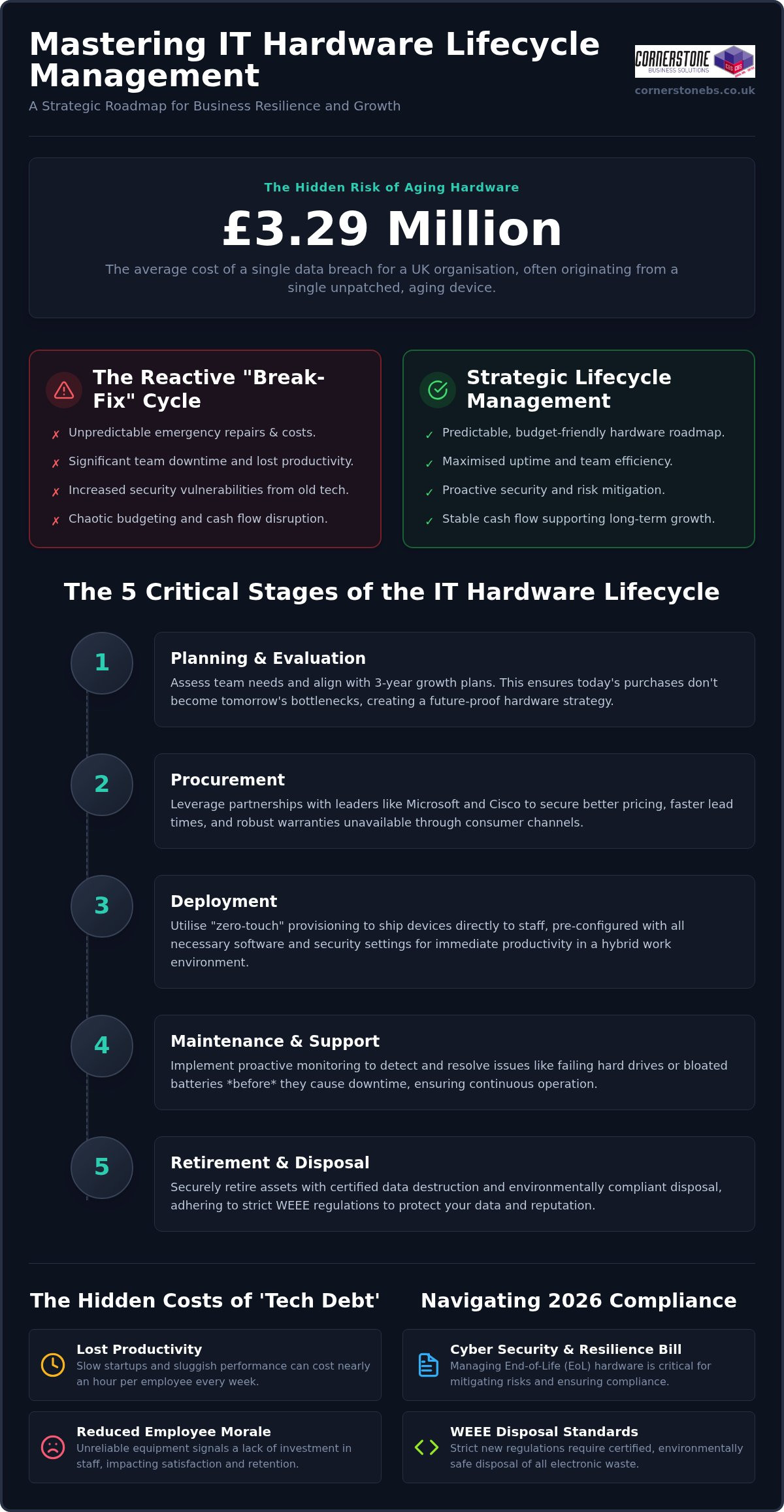
Did you know that unplanned downtime can cost a local business anywhere from $8,000 to $25,000 every single hour? It’s a staggering figure, but it reflects the reality of how much we depend on our digital infrastructure. We understand the anxiety that comes with wondering if your backups are truly reliable or if a slow system is quietly draining your team’s productivity. You want your technology to be a silent partner in your growth, not a source of constant stress. This is exactly why a structured business server maintenance checklist is no longer just a technical chore; it’s a vital insurance policy for your company’s future.
At Cornerstone, we believe in being proactive rather than reactive. With Windows Server 2022 mainstream support ending in October 2026 and the new “Danzell” Cyber Essentials framework requiring stricter patching, staying ahead of the curve is essential. We’ve distilled our years of award-winning expertise into a clear, repeatable framework designed to protect your business from security breaches and maximize your hardware’s lifespan. We’ll walk you through a professional schedule that simplifies complex IT tasks, ensures you meet cyber insurance requirements, and keeps your systems performing at their peak.
Key Takeaways
- Understand the true financial impact of server neglect and how proactive care extends the lifespan of your hardware investment.
- Master our professional business server maintenance checklist to verify backup reliability beyond a simple “green tick” and maintain critical resource buffers.
- Align your infrastructure with the 2026 Cyber Essentials “Danzell” framework by implementing disciplined patch management and strict user account hygiene.
- Evaluate the hidden costs of DIY IT and learn how a managed partnership provides the scalable stability needed for business growth.
Why Server Maintenance is Non-Negotiable for Business Continuity
Your server is the engine room of your entire operation. When it stops, everything from customer service to payroll grinds to a halt. In 2026, the financial stakes are higher than ever. Research indicates that unplanned downtime can cost a small business anywhere from $8,000 to $25,000 per hour. Beyond the immediate lost revenue, the reputational damage and the stress placed on your team can be even harder to recover from. Relying on a “set and forget” mentality is a dangerous gamble that few local businesses can afford to take.
Proactive care is the only way to protect your hardware investment. While the recommended replacement cycle for physical servers is typically 5 to 7 years, reaching that milestone without performance degradation requires consistent attention. A dedicated system administrator or a managed partner looks for the subtle signs of wear that an untrained eye might miss. By following a rigorous business server maintenance checklist, you ensure that your hardware lives its longest, most productive life, delaying expensive capital outlays until they are truly necessary.
Preventing the ‘Blue Screen’ Crisis
Hardware fatigue rarely happens overnight. It starts with small warning signs like increased fan noise or slight drops in processing speed. Often, the culprit is as simple as dust accumulation or poor thermal management. Servers generate significant heat, and if airflow is restricted, internal components cook themselves from the inside out. Regular physical inspections and performance monitoring provide the psychological peace of mind that comes with knowing your infrastructure is stable and cool.
Meeting UK Compliance and Cyber Standards
The regulatory landscape in the UK has become significantly stricter. The April 2026 update to the Cyber Essentials scheme, known as the “Danzell” framework, mandates a 14-day window for applying critical security patches. Failure to meet this window can lead to an automatic assessment failure. Beyond compliance, detailed documentation of your maintenance is vital. Should a security incident occur, your server logs become the primary tool for forensic audits, helping you understand exactly what happened and ensuring you meet your GDPR reporting obligations with clarity and confidence.
The Essential Daily and Weekly Server Health Checklist
Consistency is the cornerstone of reliability. A high-performing business server maintenance checklist begins with the tasks you perform when you first sit at your desk. These daily and weekly habits act as an early warning system. They catch minor glitches before they snowball into critical failures. By staying proactive, you ensure your team stays productive without the frustration of sluggish applications or sudden disconnects.
High-Frequency Backup Verification
We’ve seen it happen too often: a backup system reports a “successful” status, but the data itself is corrupted. Relying on a green tick alone is a risk your business shouldn’t take. We recommend performing random file restoration tests at least once a week to ensure your data is actually recoverable. This practice aligns perfectly with the Cyber Essentials scheme, which emphasizes demonstrable security controls. You should also check the sync status of your cloud solutions to confirm off-site copies are current. Always verify that backup windows don’t overlap with your busiest business hours. Overlapping tasks can throttle system performance when your staff needs it most.
Performance and Resource Monitoring
Servers need breathing room to function efficiently. Monitor your CPU and RAM usage to identify memory leaks or “resource hogs” that drain speed in real-time. A golden rule we follow is the 20% disk space rule. Never let your primary drives fill beyond 80% capacity. Running too close to the limit causes system instability and can even prevent critical security updates from installing. If you find these manual checks are consuming too much of your morning, our Managed IT Support team can automate these alerts for you. This ensures you only spend time on the issues that truly matter.
Don’t ignore the “silent” messages your server sends. Reviewing system logs weekly can reveal failed login attempts. These are often the first sign of a brute-force attack. Finally, remember the physical environment. Check your server room’s temperature and humidity levels. A failing air conditioning unit or a UPS with a depleted battery can take your business offline just as effectively as a cyber threat. Keeping these physical factors in check is a simple but vital part of your business server maintenance checklist.
Monthly and Quarterly Maintenance: Deep Infrastructure Audits
Daily checks keep the lights on, but monthly and quarterly audits ensure the building stays standing. This phase of your business server maintenance checklist focuses on deep infrastructure health. It’s the time to look beyond the dashboard and get hands-on with both your physical hardware and your underlying software architecture. In 2026, the complexity of hybrid environments means these deep dives are the only way to catch mounting issues before they trigger a catastrophic failure.
Patch Management and OS Updates
Patching is an art, not a chore. The “Danzell” update to Cyber Essentials mandates critical patches within 14 days, but blind updates can break custom applications. We recommend a staged rollout. First, apply patches in a sandbox environment to see how they interact with your specific setup. Don’t click “update” on a production server on a Friday afternoon. You don’t want to spend your weekend in the server room. Managing firmware for RAID controllers and network interfaces is equally vital during these monthly windows to maintain peak data throughput.
Hardware Health and Redundancy Testing
Physical neglect is a silent killer. Every quarter, your team should execute the “Deep Clean” protocol. This involves a visual inspection of cables, connectors, and airflow paths to prevent thermal throttling. Dust accumulation inside a server chassis acts as an insulator, cooking sensitive components. Beyond cleaning, test your Uninterruptible Power Supplies (UPS) and battery health. A UPS that hasn’t been load-tested is just a heavy paperweight. Check your RAID array consistency too. Identifying a failing drive now is much easier than recovering a failed array later.
Warranties and the 2026 Support Cliff
Quarterly audits must include a review of your hardware warranties and software support status. A major milestone for 2026 is the end of mainstream support for Windows Server 2022 on October 13. If your infrastructure relies on this version, your quarterly plan should already include a migration strategy. Deciding whether to handle these complex transitions internally or through Managed IT services is a strategic choice for any business owner. Proactive planning ensures you aren’t forced into a rushed, expensive upgrade when support finally vanishes. Finally, run a simulated disaster recovery drill. Proving your team can restore from a total failure in under four hours is the ultimate validation of your maintenance efforts.
Security-First Maintenance: Aligning with Cyber Essentials
Maintenance is often viewed through the lens of performance, but in 2026, it’s your primary line of defense. With the introduction of the “Danzell” assessment framework in April 2026, the UK’s Cyber Essentials scheme now demands demonstrable evidence of security controls. This means your business server maintenance checklist must prioritize identity and access management. Security isn’t a one-time setup; it’s a continuous cycle of hardening your environment against evolving threats. By treating security as a maintenance task, you turn your server from a potential liability into a secure fortress.
One of the most overlooked risks in modern infrastructure is “ghost accounts.” These are active credentials belonging to ex-employees or former contractors that haven’t been purged. We recommend a monthly audit of all active users to ensure only current staff have access. Alongside this, you should enforce the Principle of Least Privilege. This ensures that users only have access to the specific folders and databases required for their roles. Regularly updating your cyber security services definitions and firewall rules ensures that your automated defenses are prepared for the latest zero-day vulnerabilities.
User Audit and Access Control
Offboarding should be an immediate maintenance action. When a staff member leaves, their access must be revoked across all systems instantly. As part of your weekly checks, verify that Multi-Factor Authentication (MFA) is active and enforced for all administrative roles, as this is now a mandatory requirement under the latest standards. We also suggest reviewing remote access logs for your VPN or RDP connections. Look for suspicious geographic patterns or login attempts at odd hours, as these are often the first signs of a compromised credential.
Hardening the Server Environment
A secure server has a small attack surface. This involves disabling any unused ports or services that aren’t essential for your daily operations. During your quarterly deep dive, check the expiry dates of your SSL certificates. An expired certificate doesn’t just look unprofessional; it can cause total service interruptions for your clients and staff. Finally, ensure your anti-malware and Endpoint Detection and Response (EDR) tools are active and reporting correctly. If you want to ensure your infrastructure meets these rigorous standards without the internal headache, we invite you to explore our Managed IT Support for a proactive partnership.
Shadow IT is another growing concern. Staff often install unauthorised software to solve a quick problem, unaware that these applications can bypass your security protocols. Scanning for these installations should be a standard part of your business server maintenance checklist. When you maintain a clean, authorised software environment, you reduce the risk of conflicting applications and hidden backdoors, keeping your business stability and emotional security intact.
Implementing Your Maintenance Plan: In-House vs. Managed IT
The transition from a reactive “break-fix” model to a proactive one is where the real value lies. Waiting for something to fail before fixing it is a gamble that leads back to those high downtime costs we discussed earlier. Proactive monitoring means identifying a memory leak or a failing drive at 2:00 AM before your staff even logs in. This level of oversight transforms your IT from a stressful cost centre into a silent, reliable engine for growth.
Building a Sustainable Internal Schedule
If you choose to keep maintenance in-house, you must build a sustainable calendar. Consistency is your best defense. Don’t schedule deep audits or staged patch rollouts during your peak sales periods or end-of-month financial reporting. You should also assign clear accountability for every item on your checklist. When responsibility is vague, critical tasks like backup restoration tests often slip through the cracks. Standardising your documentation is equally vital. It ensures that if your primary technical person is away, the rest of the team isn’t left in the dark during a crisis.
The Cornerstone Approach to Proactive Care
At Cornerstone, we believe your technology should provide emotional security, not just technical utility. Our multi-award-winning team takes the heavy lifting off your shoulders by managing the entire business server maintenance checklist on your behalf. We leverage our elite partnerships with Microsoft, Cisco, and IBM to ensure your systems are always optimised and compliant with the latest 2026 standards. This collaborative approach allows you to focus on your business while we ensure your foundation remains rock-solid.
Choosing managed IT services Teesside means partnering with a local team that truly cares about your regional success. We don’t just provide a service; we act as your long-term technology partner. We invite you to have a friendly, no-obligation conversation with our experts. We can conduct a thorough audit of your current server infrastructure to identify any hidden risks and help you build a more resilient future. Let’s work together to ensure your business stays protected, compliant, and ready for whatever comes next.
Securing Your Infrastructure for a Resilient 2026
A high-performing server environment is the foundation of your business stability. By following a structured business server maintenance checklist, you protect your company from the staggering costs of unplanned downtime and ensure your hardware lives its longest, most productive life. You also stay ahead of strict UK compliance requirements like the Danzell framework, keeping your data secure and your insurance valid. Moving from a reactive mindset to proactive, expert-led care is the smartest investment you’ll make for your team’s productivity.
At Cornerstone, we pride ourselves on being more than just a service provider. As a multi-award-winning UK support team and proud partners with Microsoft, IBM, and Cisco, we have the expertise to manage your digital infrastructure with absolute precision. Our managed services include 24/7 proactive monitoring to catch issues before they disrupt your day. We’d love to help you simplify your IT and focus on what you do best. Book a free IT infrastructure audit with our award-winning team today to see how we can strengthen your business foundation. Your peace of mind is just a conversation away.
Frequently Asked Questions
How often should a business server be maintained?
Maintenance frequency follows a tiered approach to ensure maximum reliability. You should perform daily and weekly tasks for health monitoring and backup verification, while monthly and quarterly intervals are reserved for deep infrastructure audits and physical cleaning. A consistent business server maintenance checklist ensures you catch minor glitches before they escalate into costly downtime. This regular rhythm provides the proactive stability your business needs to grow without technical interruptions.
Can I perform server maintenance while staff are working?
We recommend performing major maintenance tasks outside of core business hours. Tasks such as OS updates or hardware reboots require system downtime, which can immediately halt staff productivity. By scheduling these interventions during evenings or weekends, you ensure your team isn’t disrupted. For minor checks, our proactive monitoring tools work silently in the background, keeping your operations smooth and your data secure while you work.
What happens if I skip a critical security patch?
Skipping a critical security patch leaves your business exposed to known vulnerabilities. Under the April 2026 Cyber Essentials “Danzell” update, you have a mandatory 14-day window to apply high-risk patches. Failure to meet this deadline can result in an automatic assessment failure. Beyond compliance, unpatched servers are the primary target for ransomware, making timely updates a foundational element of your emotional and financial security.
How much disk space should I leave free on a business server?
You should aim to leave at least 20% of your disk space free at all times. When a server drive exceeds 80% capacity, performance begins to degrade and system errors become more frequent. Adequate headroom is also necessary for installing critical software updates and managing temporary system files. Monitoring this buffer is a vital part of any business server maintenance checklist to prevent sudden system instability.
Do virtual servers and cloud environments need maintenance?
What is the difference between a backup and a disaster recovery plan?
A backup is simply a copy of your data, while a disaster recovery plan is the comprehensive strategy for resuming operations after a failure. Backups are the ingredients, but disaster recovery is the recipe. A true plan outlines how quickly you can be back online and the specific steps required to restore your systems. This distinction is critical for business continuity and meeting the expectations of modern cyber insurance providers.
How do I know if my server hardware is reaching its end of life?
Hardware typically reaches its end of life between five and seven years of service. You’ll notice signs like increased fan noise, frequent errors in logs, or a general drop in processing speed. Software support dates are also a major indicator. For example, mainstream support for Windows Server 2022 ends on October 13, 2026. Tracking these dates helps you plan upgrades before your infrastructure becomes a liability to your daily operations.
Is server maintenance a requirement for cyber insurance?
Most modern cyber insurance policies strictly require regular server maintenance as a condition of coverage. Providers often demand proof that security patches are applied within specific timeframes and that backups are verified regularly. If a breach occurs and your maintenance logs are incomplete or non-existent, your insurer may refuse to settle the claim. Proactive care isn’t just a technical necessity; it’s a critical requirement for maintaining your financial protection.
Posted on: July 27th, 2026 by Cornerstone
The final PSTN switch-off in January 2027 is no longer a distant date on a calendar. With legacy phone costs scheduled to jump by another 40% this October, sticking with traditional copper lines is becoming an expensive gamble. You have likely felt the sting of budget services that result in dropped hybrid meetings or non-existent customer support from faceless companies. Choosing between business voip providers uk isn’t just a utility swap anymore. It’s a strategic move to protect your team’s productivity and your long-term stability.
We believe you deserve a communications system that just works, whether your staff are in the office or working remotely. As a multi-award-winning IT service provider with deep regional roots, we know that reliability is the foundation of your success. This guide explains how to find a partner that integrates your phones with Microsoft 365 and your CRM while maintaining predictable monthly costs. We will show you how to move beyond transactional service to a partnership that offers proactive monitoring and genuine peace of mind.
Key Takeaways
- Learn why cloud-hosted systems are the only way to maintain business continuity as traditional copper networks reach their final retirement.
- Discover how to compare business voip providers uk by prioritising 99.9% uptime and accessible, UK-based technical support.
- Identify the core features, from auto-attendants to seamless mobile apps, that empower hybrid teams to work effectively from anywhere.
- Understand the critical role of integrating your communications into your wider managed IT and cyber security stack to protect your data.
- Explore the strategic advantages of bespoke managed VoIP over DIY setups to ensure crystal-clear audio and professional system reliability.
The UK Business Telecommunications Landscape in 2026
The UK’s digital transformation has reached a critical tipping point. By 2026, the old methods of making a phone call have become effectively obsolete. At its core, Voice over Internet Protocol (VoIP) is a cloud-hosted communication system that transmits voice data over the internet instead of through traditional copper wires. It’s the engine behind modern connectivity. As the final retirement of legacy networks approaches, leading business voip providers uk have evolved. They no longer just sell phone lines; they provide Unified Communications as a Service (UCaaS). This shift integrates your voice calls, video meetings, and instant messaging into one secure, manageable ecosystem.
Reliability was once a concern for early adopters, but those days are long gone. The widespread rollout of 5G and full-fibre infrastructure across the UK has transformed the landscape. High-speed internet is now the stable backbone of every successful company. You don’t have to worry about the “jitter” or lag that plagued older systems. Today’s VoIP solutions offer crystal-clear audio quality that frequently surpasses what was possible with analogue technology. This stability allows you to focus on your clients while your communication system runs quietly and efficiently in the background.
Why the PSTN Switch-Off Changed Everything
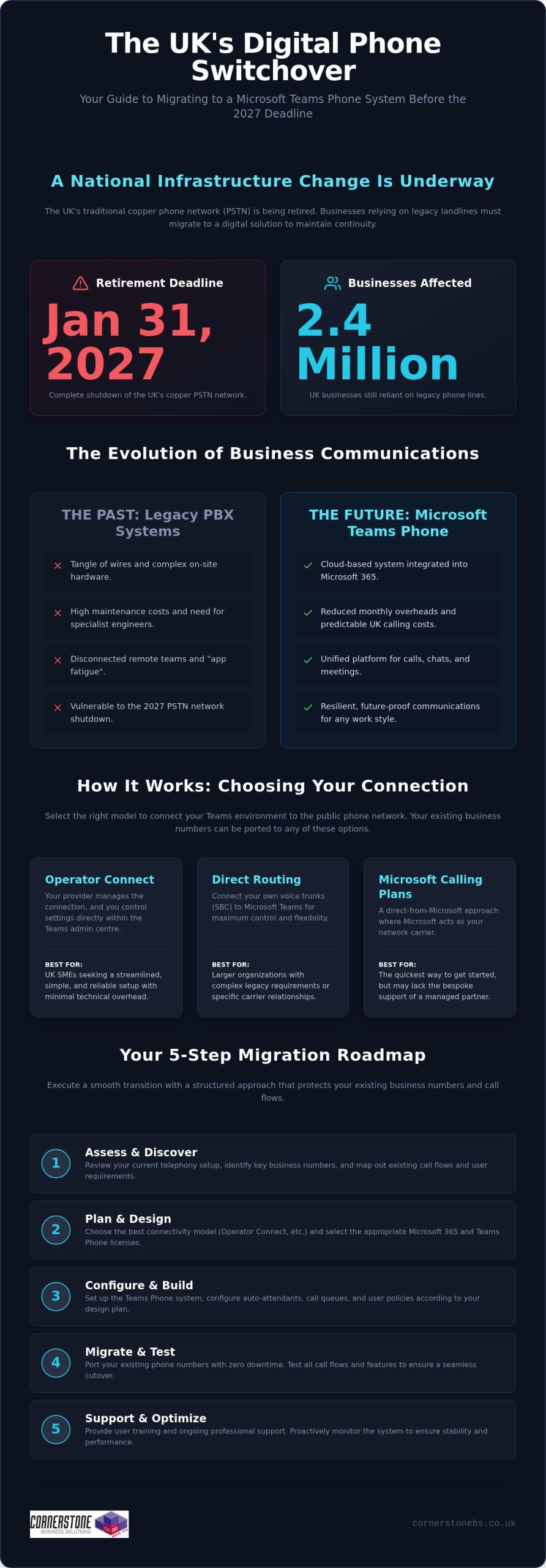
The Public Switched Telephone Network (PSTN) is entering its final months of service. By January 2027, the copper wire infrastructure that served the UK for over a century will be switched off for good. This isn’t an optional upgrade. It’s a mandatory industry transition. “Waiting and seeing” is no longer a viable strategy for any professional organisation. Throughout 2026, legacy service costs are rising sharply to encourage migration. We’ve seen scheduled price increases of 40% in July and another 40% in October. Moving to a cloud environment now isn’t just about avoiding these costs; it’s about modernising your legacy hardware before it becomes a liability.
VoIP vs. Traditional Landlines: The 2026 Verdict
The verdict is clear. Traditional landlines were built for a world where everyone worked at the same desk from nine to five. They are rigid and expensive to maintain. In contrast, VoIP offers a level of flexibility that traditional lines simply cannot match. You trade clunky on-site hardware and per-minute charges for scalable, predictable monthly subscriptions. When you choose between business voip providers uk, you’re looking for a system that supports the modern hybrid working model. Your team can take their office extension with them on their mobile or laptop, ensuring they never miss a vital call. It’s about giving your staff the tools to stay connected, no matter where they’re working from.
Key Criteria for Selecting a UK Business VoIP Provider
While the PSTN switch-off makes the move to digital necessary, the partner you choose determines whether the transition is a headache or a genuine boost to your productivity. Many business voip providers uk compete on price alone, but a low monthly fee means very little if your calls drop during a vital pitch. Your absolute minimum requirement should be a 99.9% uptime guarantee. This ensures your front door stays open digitally and your team remains reachable at all times.
Local support is another non-negotiable factor. You want to speak to an expert who understands the UK exchange system and can offer proactive advice, not a script-reader in a distant time zone. As your organisation grows, your system must grow with you. Adding a new extension or a remote user should be a simple, two-minute task. When your communications are part of a unified Managed IT and Security Stack, your voice data remains encrypted and compliant with UK regulations. This integration also allows your phone system to talk to Microsoft 365, ensuring your staff have the tools they need to collaborate effectively.
Evaluating Call Quality and Network Stability
Crystal-clear audio depends heavily on your local network. We always recommend conducting a “VoIP readiness” audit before you commit to a new system. This audit checks if your current internet bandwidth can handle voice traffic without latency. You also need a router equipped with Quality of Service (QoS) settings. These settings prioritise voice data over other internet traffic, such as large file downloads. This prevents the robotic, “choppy” audio that can ruin a professional first impression.
Understanding the Total Cost of Ownership (TCO)
It’s easy to get caught by a low headline price, but you must look at the total cost of ownership. Some providers hide additional fees for essential hardware, installation, or basic features like call recording. We’ve found that a fixed-fee model for managed VoIP support often saves money over the long term. You gain the benefit of proactive monitoring and unlimited helpdesk access without the worry of surprise invoices. This predictable approach allows you to scale your communications with complete confidence. If you’re unsure about your current network’s capacity, our team is always happy to have a quick chat about your requirements.
Essential VoIP Features for Modern Hybrid Teams
Hybrid work isn’t a trend anymore; it’s the standard. To keep your team productive, you need more than just a dial tone. Leading business voip providers uk now offer a suite of integrated tools that bridge the gap between the office and the home study. Mobile and desktop apps are the foundation of this flexibility. They allow your staff to answer their office extension from a smartphone or laptop, maintaining a professional presence without being tethered to a physical desk. This ensures that a client calling your main line reaches the right person, whether they’re in a Leeds office or a home in Cornwall.
Beyond simple calling, smart routing and auto-attendant features act as your digital receptionist. They ensure your customers always reach the right department first time, reducing frustration and missed opportunities. We’re also seeing a massive rise in AI-driven insights. Modern systems can provide real-time transcription, call recording, and sentiment analysis. This isn’t just high-tech window dressing. It’s a practical tool for training and quality control, helping you understand client needs with pinpoint accuracy and ensuring your team provides a consistently high level of service.
Softphones vs. Physical Handsets: Making the Choice
Deciding between a physical phone and a software-based “softphone” depends on your daily workflow. Softphones are incredibly cost-effective and easy to update, making them perfect for remote teams and sales staff on the move. However, physical handsets still hold a vital place in certain environments. A high-quality desk phone in your reception or boardroom provides a sense of permanence and reliability. Many of our clients opt for a hybrid approach. They use physical sets for their main office hub and mobile apps for travel. This setup gives you the best of both worlds: traditional stability and modern mobility.
Unified Communications: More Than Just a Phone Call
The goal of any modern system is to eliminate “app fatigue” by bringing everything into one place. Unified Communications is the integration of all digital touchpoints into one interface. By combining instant messaging, video conferencing, and file sharing with your voice service, you create a seamless workflow. This reduces the time wasted switching between different platforms. When you partner with experienced business voip providers uk, you gain a system that integrates directly with your existing software. This results in a more cohesive team and a significantly better experience for your customers.
Many business voip providers uk treat your phone system like a standalone utility. This is a mistake. Your VoIP system is a critical part of your digital infrastructure. If it’s left unmanaged, it can become a vulnerable entry point for cyber threats. We believe that robust cyber security services must extend to your voice network. By integrating your communications into your wider IT stack, you ensure every call is encrypted and every user is authenticated.
This holistic approach also strengthens your disaster recovery plan. If your physical office faces an unexpected outage, a cloud-based system allows your team to stay connected from any location with an internet connection. It keeps your business moving when others might be forced to stop.
Integrating your phones with a Microsoft 365 migration for business UK simplifies user management. You can sync your employee directory with your phone system, making onboarding and offboarding a seamless process. This level of synchronisation reduces administrative overhead. It ensures your security protocols remain consistent across all platforms.
Voice Security and Data Protection
Security shouldn’t be an afterthought for your phone lines. We implement Multi-Factor Authentication (MFA) for all VoIP applications to prevent unauthorised access to your network. Encryption is equally vital; it stops potential “eavesdropping” on sensitive business conversations. We also ensure that your call recordings are stored securely and in full compliance with UK GDPR rules. Protecting your data isn’t just a legal requirement. It’s about maintaining the trust your clients place in your business every single day.
The Role of Managed IT in VoIP Performance
Your call quality is only as good as the network behind it. Choosing between business voip providers uk often comes down to who can offer the most stable environment. Our managed support includes proactive monitoring to catch latency or bandwidth issues before they impact your staff. This means you don’t have to spend your time troubleshooting static on a line. Having “one neck to wring” for both your IT and telecoms issues simplifies your life. You get a single point of contact who understands your entire system from top to bottom. If you want to see how a truly integrated system can protect your business, speak with our local team today.
Why Managed VoIP is the Strategic Choice for UK SMEs
The temptation to choose a “plug-and-play” phone system from a generic website is understandable. Many budget business voip providers uk promise setup in minutes, but these off-the-shelf products often fall short for growing organisations. A DIY approach frequently leads to technical frustrations like echo, jitter, or frustrating latency during important client calls. These issues usually stem from a network that hasn’t been properly optimised for voice traffic. By choosing a managed solution, you ensure that professional engineers handle the installation, configuring your hardware and network to deliver crystal-clear audio from day one.
Moving beyond a simple transactional relationship with a vendor changes how your business operates. A managed partner doesn’t just give you a handset and a bill; they act as a long-term extension of your team. Our multi-award-winning support acts as an insurance policy for your communications. If a problem arises, you aren’t stuck in a long queue for a faceless call centre. Instead, you have immediate access to local experts who understand your specific setup and business goals. This proactive care provides the emotional security of knowing your connectivity is in safe, capable hands.
Bespoke Solutions vs. One-Size-Fits-All
Every business has a unique way of interacting with its customers. A one-size-fits-all system forces you to adapt your workflow to the software, rather than the other way around. We focus on designing bespoke call flows that match your specific customer journey, ensuring every caller experiences a professional and efficient service. This tailored approach also extends to your budget. By auditing your actual user needs, we can right-size your software licenses and hardware, eliminating the waste often found in generic “unlimited” plans. We can even customise integrations with your industry-specific software to keep your data flowing smoothly.
The Future of Your Business Communications
A robust VoIP foundation is the first step toward a more flexible, scalable future. Once your voice services are integrated into a modern digital stack, you are perfectly positioned to adopt more advanced cloud solutions. This tech-forward approach does more than just improve your internal efficiency. It positions your company as a modern, forward-thinking organisation, which is a significant advantage when you’re looking to attract and retain top talent in a competitive market.
As you scale and prepare for significant corporate milestones, you can discover The Bureau™ for AI-native boutique advisory services tailored to transactions between €25 million and €500 million.
We invite you to move away from transactional vendors and toward a genuine technology partnership. Your communications are too important to be left to chance or a “good enough” DIY setup. We’re proud of our regional roots and our reputation for delivering sophisticated, reliable systems for SMEs. If you’re ready to ensure your business stays connected and secure in the post-PSTN era, let’s start a conversation about how a managed VoIP system can support your long-term growth.
Future-Proof Your Business Communications Today
The mandatory shift away from traditional phone lines is a major opportunity to build a more resilient, collaborative organisation. By choosing between business voip providers uk based on deep integration and robust security rather than just the lowest price, you protect your team’s productivity for years to come. You’ve seen how a managed system bridges the gap between remote and office staff while keeping your sensitive voice data safe within a unified IT stack.
As Cisco and Microsoft certified partners, we don’t just provide phone lines; we build stable foundations for your long-term growth. Our multi-award-winning support team and UK-based helpdesk provide proactive monitoring to ensure your system stays online and crystal clear. You don’t have to navigate these technical changes alone. We’re here to simplify the complex and act as your dedicated technology partner. Book a consultation with our award-winning communications team to discover how a bespoke VoIP solution can transform your daily operations. Let’s make sure your business stays connected and ready for the future.
Frequently Asked Questions
Is VoIP better than a traditional landline for a small UK business?
VoIP is significantly better for small businesses because it removes the limitations of a physical desk. You gain professional features like auto-attendants and mobile integration that traditional lines can’t match. It’s about more than just making calls; it’s about building a flexible communication hub. This flexibility is essential for any modern team looking to stay competitive in a hybrid world.
What happens to my VoIP phone system if the office internet goes down?
Your communication doesn’t stop if your office internet fails. Because your system lives in the cloud, calls can be instantly diverted to your team’s mobile apps or an alternative location. This built-in disaster recovery ensures you never miss a client enquiry. It’s a level of resilience that traditional copper-based systems simply cannot provide, giving you total peace of mind.
Can I keep my existing UK business phone numbers when switching to VoIP?
You can absolutely keep your current numbers when moving between business voip providers uk. The porting process is a standard industry procedure that we manage on your behalf. This ensures your clients and suppliers can reach you without any disruption to your established brand identity. It’s a smooth transition that protects your most important business connections.
What exactly was the UK PSTN switch-off and how does it affect me now?
The PSTN switch-off is the retirement of the UK’s century-old copper telephone network. Openreach is replacing these legacy lines with digital, fibre-based technology. If your business still relies on traditional analogue or ISDN lines, you must migrate to a digital service before the final January 2027 deadline. Failing to act now could lead to a total loss of service and higher emergency migration costs.
Do I need to buy new hardware to use a business VoIP system?
You don’t always need to invest in new physical hardware. Many of our clients prefer using softphones, which are applications installed on your existing laptops and smartphones. This approach reduces initial costs and supports remote working. However, if you prefer the feel of a traditional desk phone, you will need to upgrade to IP-enabled handsets that connect directly to your internet router.
How much does a professional business VoIP system cost per user in the UK?
While pricing varies depending on your specific requirements, most business voip providers uk offer tiers between £12 and £25 per user, per month. We focus on providing bespoke managed solutions that offer a fixed monthly fee. This approach avoids the hidden costs often found in budget plans, such as extra charges for call recording or technical support. It’s about finding the best long-term value for your investment.
Is VoIP secure enough for handling sensitive customer financial data?
VoIP is highly secure when it’s integrated into a professional managed IT stack. We use advanced encryption to protect your voice data and Multi-Factor Authentication to prevent unauthorised access. This level of protection is essential for businesses handling sensitive financial or customer data, such as the fintech firms that Mark Loucas Ltd supports with specialist recruitment and executive search. It ensures your communications are compliant with UK GDPR regulations and protected against modern cyber threats.
Can VoIP integrate directly with Microsoft Teams and Outlook?
Yes, seamless integration with Microsoft 365 is a core feature of modern business communications. You can make and receive calls directly within Microsoft Teams and sync your contacts with Outlook. This integration streamlines your workflow and reduces app fatigue for your staff. It allows your team to manage all their collaboration tools from a single, familiar interface, significantly boosting daily productivity.
Posted on: July 26th, 2026 by Cornerstone
Did you know that 73% of organizations reported at least one ransomware attack in 2024, and by June 2026, the number of active threat groups reached 146? It’s a staggering figure that makes the fear of total data loss feel very real for any business owner. As a multi-award-winning national IT provider, we understand that you’re likely juggling the complexities of hybrid cloud systems while worrying about the $1.7 million average cost of recovery. You need a ransomware recovery plan that works as hard as you do, providing a clear path back to full operations without the uncertainty of legal ransom debates.
We’re here to help you turn that anxiety into a proactive strategy. You’ll discover how to build a roadmap that protects your data, slashes your recovery time objectives, and ensures every file is verified for integrity after an incident. This guide provides a step by step look at modern business continuity, from implementing immutable backups to meeting the latest 72 hour CIRCIA reporting mandates. It’s about giving your team the confidence to stay focused on growth, knowing your digital foundations are rock solid and your operations are resilient.
Key Takeaways
- Understand why standard daily backups aren’t enough to stop modern triple-extortion tactics.
- Discover how to build a robust ransomware recovery plan that ensures operational continuity and eliminates the need to pay a ransom.
- Learn how immutable backups and Zero Trust architecture keep your data safe and unchangeable during an attack.
- Master the specific steps to isolate infected systems and identify the entry point to minimize downtime.
- See how proactive monitoring and specialized cyber security audits create a foundation for long-term business stability.
Why Your Business Needs a Ransomware Recovery Plan in 2026
The threat landscape has shifted dramatically over the last few years. To understand the foundational basics, you can explore What is Ransomware?, but for a business operating in 2026, the stakes are significantly higher than simple file encryption. Modern attackers now employ triple extortion tactics. They don’t just lock your systems; they steal sensitive data and threaten to leak it publicly or contact your clients directly to demand payment. This evolution means a traditional ransomware recovery plan must do more than just restore files. It has to manage a full scale business crisis while protecting your hard-earned reputation.
Daily backups were once the gold standard for safety. However, 2026 ransomware groups are more patient and calculated. They often spend weeks performing reconnaissance inside your network before launching an attack. Their first target is almost always your backup repository. If your data isn’t immutable or kept entirely separate from your main network, it’s a sitting duck. If your current strategy relies on a single daily sync, you’re essentially handing the keys to the burglars. Resilience requires a more sophisticated approach to data integrity.
The financial reality is sobering. Research shows the average cost to recover from a ransomware attack is now $1.7 million, and that doesn’t even include the ransom itself. When you factor in the median ransom demand of $1.32 million, the potential for total financial ruin is clear. Investing in a robust ransomware recovery plan isn’t just a technical expense. It’s a strategic move to protect your balance sheet. A documented plan minimizes the variables and gives your business the muscle memory to react instantly, which is the only way to keep downtime costs from spiralling out of control.
The Shift from Prevention to Resilience
Modern cyber security assumes a breach will happen. We call this the “when, not if” mentality. While stopping an attack is the goal, surviving one is what keeps you in business. A recovery plan acts as your digital insurance policy. It ensures that when a breach occurs, your team knows exactly how to keep the lights on. It’s the difference between a minor operational hiccup and a permanent closure. We focus on building the strength and customization needed to ensure your business remains standing, no matter what the digital world throws at it.
Regulatory Pressure and UK Compliance
The legal landscape is tightening for every UK business owner. The ICO maintains a strict stance on data protection, and failing to have a documented recovery process can lead to significant fines and legal scrutiny. Furthermore, many cyber insurance providers now demand a verified ransomware recovery plan before they’ll even consider issuing a policy. Following NCSC standards isn’t just about checking a box. It’s a foundational requirement for stability. We partner with you to ensure your systems meet these rigorous standards, providing emotional security alongside technical excellence.
The Anatomy of a Modern Ransomware Recovery Strategy
A modern ransomware recovery plan is much more than a technical backup script. It’s a coordinated playbook that aligns your technical response with your core business objectives. Think of it as an operational “muscle memory” exercise. When an attack occurs, your team shouldn’t be debating what to do; they should be executing a rehearsed series of steps. This strategy ensures that your business remains resilient, even when your primary systems are compromised.
To build this resilience, you must define two critical metrics: your Recovery Time Objective (RTO) and your Recovery Point Objective (RPO). RTO is the maximum amount of time your business can survive without its systems. RPO is the volume of data you can afford to lose, measured in time. For most modern enterprises, these numbers are now measured in minutes, not days. The “Golden Rule” of any strategy is simple: never rely on the attacker for decryption. Even if a ransom is paid, there is no guarantee of data recovery, and 69% of organizations now refuse to pay entirely. If you’re looking for a structured starting point, CISA’s Ransomware Guide provides excellent foundational checklists for these definitions.
Incident Response: The First 24 Hours
The first 24 hours are about containment and evidence. You must stop the malware from spreading laterally across your network. Don’t simply “wipe and reinstall” everything immediately. You need to preserve evidence to satisfy legal reporting requirements, such as the 72 hour CIRCIA mandate for critical infrastructure. Your Incident Response team should include IT experts, legal advisors, and senior leadership to ensure every decision is documented and compliant. If you need a partner to help manage these complexities, our Cyber Security services can provide the expert oversight required.
Disaster Recovery: The Restoration Phase
Restoration is a methodical process of bringing critical business functions back online. You don’t restore everything at once. Instead, you prioritise systems that are essential for revenue and operations. We advocate for the “Clean Room” concept. This involves restoring your data into a secure, isolated environment where it can be scanned and verified. This step is vital to ensure your “clean” backup doesn’t actually contain a dormant version of the original malware, preventing a secondary infection immediately after recovery.
Strategic Pillars: Immutable Backups and Zero Trust Architecture
A successful ransomware recovery plan relies on two non-negotiable pillars: data that cannot be deleted and an environment where no user is automatically trusted. In the past, having a copy of your data was enough. In 2026, that copy must be immutable. This means once the data is written, it cannot be changed, encrypted, or deleted for a set period. It creates a “gold copy” that remains untouched even if an attacker gains full administrative access to your network. Without immutability, your backups are just another target for the encryption process.
Identity resilience is the second half of this foundation. Attackers prioritize admin credentials because they provide the keys to the entire kingdom. We focus on protecting these identities through a Zero Trust model. This approach assumes that every user, device, and connection is a potential threat until proven otherwise. When you are recovering from a ransomware attack, a Zero Trust architecture ensures that the malware cannot piggyback on legitimate credentials to re-infect your systems during the restoration phase. It keeps your recovery environment isolated and clean.
Securing the Backup Infrastructure
Modern attackers hunt for backups before they ever trigger the encryption on your main servers. To counter this, we implement the 3-2-1-1 rule. This involves keeping three copies of your data on two different media types, with one copy offsite and one copy entirely immutable or air-gapped. Air-gapped storage remains physically or logically disconnected from the network, making it invisible to hackers. We also utilize Write-Once-Read-Many (WORM) storage, which provides a hardware-level guarantee that your records remain permanent and unalterable during a crisis.
Implementing Zero Trust in Recovery
Restoring data into a compromised network is like pouring clean water into a dirty bucket. Micro-segmentation allows us to divide your network into small, isolated zones. This prevents lateral movement, ensuring that if one segment is compromised, the rest of the business remains safe. Multi-Factor Authentication (MFA) is a non-negotiable requirement for every recovery tool and administrative login. Finally, we use continuous monitoring to detect any signs of re-infection while the data dump is in progress. This proactive oversight ensures that your ransomware recovery plan results in a stable, permanent restoration rather than a secondary breach.
Step-by-Step: Executing Your Ransomware Response and Restoration
When the red alert sounds, your ransomware recovery plan transitions from a strategic document into a vital lifeline. The first action is immediate containment. You must isolate the affected network segments to prevent the infection from reaching your clean backups or uncompromised servers. Once the spread is halted, your Incident Response team begins the forensic work of identifying the specific ransomware strain and the “patient zero” entry point. This knowledge is vital. It tells you if the attackers are still present and how to close the door behind them so they can’t return during the restoration.
Restoration follows a strict hierarchy. You don’t just flip a switch and hope for the best. Instead, you follow a methodical sequence to ensure stability:
- Assess backup integrity: Select the most recent clean recovery point that predates the infection.
- Restore foundational infrastructure: Prioritise Active Directory, DNS, and Email. Without these, nothing else works.
- Business-line applications: Gradually bring these back online in order of their importance to revenue and operations.
This staged approach ensures that your core systems are stable before you attempt to resume full business activities, reducing the risk of a secondary crash.
Communication and Legal Obligations
Managing the human element is just as critical as the technical restoration. You need a clear internal communication strategy to keep staff informed without triggering a panic. Externally, you must decide when and how to notify stakeholders and clients. Transparency builds trust, but it must be handled with professional care. Remember, the ICO requires you to report significant data breaches within 72 hours. Failing to meet this deadline can lead to severe penalties and lasting damage to your reputation. Our team can help you manage these Disaster Recovery requirements with the precision your business deserves.
Testing the Plan: The Tabletop Exercise
A plan that only exists on paper is a liability. You must test your strategy under pressure through regular “Tabletop Exercises”. These simulations involve senior leadership and IT staff walking through a hypothetical attack scenario. It helps you identify bottlenecks, such as slow data transfer speeds or unclear decision-making chains. Refining your ransomware recovery plan based on these test failures ensures that when a real attack happens, your team acts with the confidence of a well-drilled unit. It turns a potential disaster into a managed operational challenge.
Building Cyber Resilience with Cornerstone Business Solutions
While the technical pillars of a ransomware recovery plan are essential, the success of your restoration depends on the team managing the process. We understand that every business has unique vulnerabilities and operational requirements. That’s why we move beyond generic security scripts to build a bespoke resilience strategy that aligns with your specific goals. Our proactive approach ensures that you aren’t just prepared for an attack; you’re equipped to thrive despite one. We act as your dedicated long-term partner, providing the expert oversight needed to turn a complex technical challenge into a manageable business process.
National businesses trust us because we provide more than just software. We deliver peace of mind through a unified recovery strategy that integrates your Cloud Solutions and Microsoft 365 environments into one resilient ecosystem. This holistic view is vital for modern hybrid-cloud setups where data is often spread across multiple platforms. By centralising your defence and restoration protocols, we eliminate the confusion that often follows a breach. Our goal is to ensure that your data remains integral and your operations continue without the need to ever consider a ransom payment.
Bespoke Technology Solutions
We don’t believe in “one-size-fits-all” security. As a multi-award-winning national IT provider, we leverage our strategic partnerships with global leaders like Cisco and Microsoft to deliver robust, enterprise-grade systems tailored to your needs. This level of industry recognition gives our clients confidence, yet we maintain the approachable warmth of a local expert. Our team manages your infrastructure with the clarity of specialists who want to simplify technical concepts, ensuring you always know exactly how your digital assets are being protected. For those looking to further evolve their digital presence, SoTechnology provides AI-enabled digital solutions to help organisations grow and create impact alongside their security foundations.
Take the First Step Toward Resilience
A specialised cyber security audit serves as the foundational bedrock for your ransomware recovery plan. We identify the specific gaps in your current defences and provide a clear, actionable roadmap to close them. Our managed IT support services take the daily burden of monitoring and system maintenance off your internal team, allowing you to focus on growth and innovation; for an example of how these service frameworks are structured globally, you can explore Monthly Managed IT Support Retainers. We invite you to speak to our experts about your business continuity today to start building the muscle memory your organisation needs to stay secure in an evolving threat landscape.
Future Proof Your Business Continuity
Building a ransomware recovery plan is about more than just data; it’s about protecting the future of your company and the people who depend on it. We’ve explored how shifting from simple prevention to true resilience, backed by immutable storage and Zero Trust principles, can eliminate the fear of total data loss. By treating recovery as a practiced muscle memory exercise rather than a technical afterthought, you ensure your operations stay stable even during a crisis.
As a multi-award-winning IT services provider and expert partner to Microsoft, IBM, and Cisco, we’re here to help you navigate these complexities. Our proactive 24/7 system monitoring ensures your infrastructure is always under a watchful eye, grounded in our commitment to the success of our local business community. We pride ourselves on being more than a vendor; we’re a dedicated partner in your long-term stability.
Ensure your business is resilient with a professional Cyber Security Audit. You don’t have to face the evolving threats of 2026 alone. Let’s start a conversation today and build a foundation that keeps your business moving forward with confidence.
Frequently Asked Questions
Should we ever pay the ransom to recover our data?
You shouldn’t pay the ransom because there’s no guarantee that attackers will actually provide the decryption key. Paying also marks your business as a profitable target for future extortion. A robust ransomware recovery plan ensures you can restore your own systems without ever opening your wallet to criminals. Refusing to pay is now the standard for 69% of organizations, according to 2026 industry data.
How long does a typical ransomware recovery take?
Recovery timelines depend entirely on your defined Recovery Time Objective (RTO) and the scale of the infection. While some critical systems can be back online within hours, a full restoration of non-essential data often takes several days. The speed of your response is determined by the “muscle memory” of your team and the efficiency of your isolated recovery environment. Proper planning ensures you aren’t starting from scratch during a crisis.
Is a cloud backup enough to protect us from ransomware?
A standard cloud backup isn’t enough because modern malware can often sync to and encrypt your cloud repositories. You need immutable cloud storage that prevents data from being altered or deleted once it’s written. We recommend the 3-2-1-1 rule, which includes keeping one copy entirely offline or air-gapped. This ensures a “gold copy” of your data remains safe regardless of what happens to your live network.
What is the first thing we should do if we suspect an attack?
You must isolate the suspected device from the network immediately by disconnecting the ethernet cable or disabling the Wi-Fi. This simple action prevents the malware from spreading laterally to other servers or your backup infrastructure. Once the threat is contained, you should activate your incident response team to begin forensic analysis. Don’t restart the machine or wipe it yet, as you need to preserve evidence for legal reporting.
Can ransomware infect our backup files?
Ransomware can absolutely infect your backups if they are connected to your primary network during the attack. In fact, 2026 threat groups specifically hunt for backup credentials as their first priority. This is why having a ransomware recovery plan that includes immutable storage and air-gapped backups is non-negotiable. Without these protections, your safety net can be destroyed before you even realize a breach has occurred.
How often should we test our ransomware recovery plan?
We recommend testing your plan at least quarterly through tabletop exercises and full restoration drills. Your IT environment changes constantly with new hardware and software updates, so a plan from six months ago might already be outdated. Regular testing identifies bottlenecks in your restoration speed and ensures your team stays sharp. It’s about building the confidence to act decisively when every minute of downtime costs your business money.
Does cyber insurance cover the cost of a ransomware recovery plan?
Cyber insurance typically covers the costs of recovery after an attack, but most carriers now require a documented recovery plan as a condition of your policy. They want to see that you have proactive controls like MFA and immutable backups in place before they offer coverage. While the insurance offsets financial loss, it’s your internal strategy that determines how quickly you can actually get back to serving your clients.
What are the reporting requirements for a ransomware attack in the UK?
You must report a significant data breach to the Information Commissioner’s Office (ICO) within 72 hours of becoming aware of it. If your business falls under critical infrastructure, you’re also subject to CIRCIA mandates, requiring a report within the same timeframe. Failing to meet these deadlines can result in heavy fines and legal scrutiny. Having a clear reporting protocol within your business continuity guide ensures you stay compliant under pressure.
Posted on: July 25th, 2026 by Cornerstone
In 2026, your technology should be a silent engine for growth, not a source of unexpected repair bills and revenue-draining downtime. You likely agree that the weight of evolving cyber threats and the complexity of the UK Cyber Security and Resilience Bill feels like a heavy burden to carry alone. It’s stressful to lead a team when you’re constantly looking over your shoulder for the next system crash or hidden invoice.
This strategic guide reveals how proactive managed IT services can shield your business from these disruptions while providing a rock-solid foundation for growth. As an award-winning partner, Cornerstone Business Solutions is here to simplify the complex and offer the clear, expert advice you need to stay ahead. We’ll look at the latest in AI-integrated security and show you how a dedicated partnership delivers the predictable costs and total peace of mind your organization deserves.
Key Takeaways
- Learn why moving beyond the “break-fix” model is essential for protecting your revenue and ensuring continuous business operations in 2026.
- Discover how fixed monthly costs for managed IT services Sunderland provide budget certainty while removing the financial sting of emergency tech repairs.
- Understand how to navigate new UK cyber legislation and safely adopt AI tools to keep your business secure and competitive.
- Explore the impact of proactive support on staff morale, helping you retain talent by providing a frustration-free digital workspace.
- Find out how a multi-award-winning local partner ensures a seamless transition to a modern infrastructure with zero disruption to your daily workflow.
Beyond the Helpdesk: Why Sunderland Businesses are Outgrowing Reactive IT Support
For many years, businesses across the North East treated technology like a utility; you only called for help when the lights went out. This “break-fix” model was the standard, but in 2026, it’s a recipe for operational disaster. Relying on a reactive helpdesk means you’re already losing money by the time you pick up the phone. Modern managed IT services Sunderland provide a far more sophisticated alternative. It’s about shifting from a defensive posture to a proactive one. When you stop worrying about when the next server will fail, you gain the mental space to focus on your actual business goals. This emotional shift from tech-anxiety to digital confidence is the hallmark of a truly strategic partnership.
What Are Managed IT Services in 2026?
In 2026, managed IT is your outsourced technology department that designs and manages your entire digital roadmap. It’s no longer just a “cost centre” where you spend money to fix problems. Instead, it’s a primary efficiency driver. By leveraging What are managed services? as a strategic framework, we use proactive 24/7 system monitoring to catch glitches before they turn into outages. This proactive stance ensures your systems are always optimized, rather than just “not broken.” It moves technology from a background necessity to a foundational element of your business stability.
The Hidden Costs of Reactive IT
The price tag on an emergency repair is only the tip of the iceberg. The real damage happens while your staff are sitting idle, unable to access files or communicate with clients. These “hidden” costs drain your resources and stall your momentum. Consider the impact on your bottom line:
- Lost productivity: Every minute of downtime is a minute of paid wages with zero output.
- Emergency call-out fees: Reactive providers often charge a premium for urgent help, making your monthly IT spend volatile and unpredictable.
- Security vulnerabilities: Systems that aren’t proactively managed often miss critical security patches, leaving the door open for modern cyber threats and compliance failures.
Being local matters. While we support clients nationally, having a multi-award-winning team that understands the Sunderland and Teesside business landscape provides a layer of reliability that remote-only firms can’t match. If a hardware failure requires hands-on attention, our regional presence means we’re through your door quickly. We don’t just fix laptops; we build the foundation for your next five years of growth. You aren’t just a ticket number in a queue; you’re a neighbor we’re invested in helping succeed.
The Anatomy of Modern Managed IT: What Does a Strategic Partnership Include?
Infrastructure and Hybrid Connectivity
Modern work isn’t tied to a single office. Robust it company solutions are now designed to maintain network stability for hybrid teams across the North East. This involves managing business VoIP and mobile communications so your clients never notice if a team member is in Sunderland or working from home. We also implement strict lifecycle management for hardware. By tracking the age and health of every device, we replace aging components before they fail. This follows recognized cybersecurity best practices to keep your physical infrastructure secure and efficient. If you want to see how these systems can work for you, it’s worth looking at our Managed IT Support options to find a fit for your team size.
Cloud Integration and Microsoft 365
The cloud is the backbone of the modern Sunderland business. Optimising your Microsoft 365 migration for business UK is about more than just moving email; it’s about building a collaborative ecosystem. We manage Azure environments and virtual desktops to provide secure, high-speed access to your data from anywhere. Crucially, we protect your SaaS data with cloud-to-cloud backup solutions. Many business owners don’t realize that standard cloud providers aren’t always responsible for backing up your specific files. We bridge that gap to ensure your data is always recoverable and your business stays resilient. This comprehensive approach to managed IT services Sunderland ensures that your digital assets are protected by an award-winning team of experts who care about your local success.
Proactive Maintenance vs. Break-Fix: Calculating the True ROI of Continuity
Running a business in the North East shouldn’t feel like a gamble with your technology. While many firms still view IT support as an emergency expense, the most successful regional leaders treat it as a strategic investment in continuity. Choosing managed IT services Sunderland replaces the volatile “feast or famine” cycle of break-fix repairs with a predictable, fixed monthly fee. This stability allows you to forecast your budget with confidence, knowing that a sudden server glitch won’t derail your quarterly financial goals or lead to a surprise invoice for thousands of pounds.
The ROI of this approach extends far beyond your balance sheet. Consider your team’s morale. When staff constantly battle slow systems or frozen screens, frustration grows and productivity plummets. Providing frustration-free technology is a powerful tool for staff retention. It shows your employees you value their time and want them to succeed. It also simplifies your relationship with insurers. In 2026, cyber insurance providers demand proof of proactive management. By maintaining a secure, monitored posture, you don’t just protect your data; you actively reduce your annual premiums by proving you’re a low-risk client.
The Real Cost of IT Downtime in 2026
Downtime is expensive. For a typical UK SME, the cost of a system outage can be staggering when you factor in lost sales, missed opportunities, and idle wages. Beyond the immediate financial hit, there’s the “ripple effect” on your brand reputation. If a client can’t reach you because your VoIP system is down or your portal is offline, their trust erodes. We use award-winning it services to build redundancy into your network. This ensures that if one path fails, another is ready to take the load, keeping your business visible and accessible at all times.
Long-term Savings Through Strategy
Future-Proofing Your Infrastructure: Navigating AI, Cloud, and NIS2 Compliance
The regulatory pressure on Sunderland businesses has reached a new peak in 2026. While GDPR was once the primary concern, the landscape now includes the UK’s Cyber Security and Resilience Bill and the EU’s NIS2 Directive for those in international supply chains. These aren’t just boxes to tick; they’re essential frameworks for business survival. Partnering for managed IT services Sunderland ensures your infrastructure isn’t just functional but fully compliant with these evolving standards. We help you move beyond basic firewalls to a Zero Trust model. This approach ensures every access request is verified, securing your team whether they’re in the office or working remotely across the North East.
AI is another frontier where strategy must lead technology. Every business wants to leverage AI for efficiency, but doing so without a secure data boundary is a massive risk. We focus on safe AI integration, ensuring your proprietary data stays private while you use modern automation tools. This level of foresight extends to disaster recovery too. In 2026, the standard for resilience is a 15-minute recovery time objective (RTO). We build the systems that make this possible. Even a significant event becomes a minor footnote rather than a business-ending crisis.
Advanced Cyber Security Services
Modern protection is about more than just antivirus. Our cyber security services prioritize supply chain protection and robust endpoint detection. We implement Multi-Factor Authentication (MFA) as a non-negotiable standard to block unauthorized access. Cyber Essentials certification is now a baseline requirement for most business tenders. If you’re looking to win new contracts, having an award-winning partner to manage your security posture is a significant competitive advantage. If you want to ensure your business meets these new standards, speak with our local experts today.
Scalable Cloud Solutions
Growth requires agility, which is why we provide bespoke cloud solutions that scale with you. A hybrid cloud strategy often provides the best balance. It gives you the control of on-premise hardware with the flexibility of the cloud. As you adopt 2026 AI tools, your network bandwidth must keep pace. We audit your infrastructure to ensure your connectivity can handle these high data demands without slowing down your daily operations. This holistic approach ensures your Sunderland business remains fast, secure, and ready for whatever the digital economy throws at it next.
Partnering for Growth: Why a Multi-Award-Winning Provider is the Logical Choice
Our philosophy moves away from transactional support. We don’t want to be a name on a ticket; we want to be a collaborative anchor for your organization. This partnership model means we’re invested in your uptime and your growth. When your systems run smoothly, we’ve done our job. This alignment of interests is what separates a dedicated partner from a standard service provider. We take the time to understand your specific workflow, ensuring our bespoke technology solutions feel like a natural fit for your Sunderland or Teesside office.
The Signature of Quality
Our multi-award-winning status serves as a recurring signature of quality. These regional accolades aren’t just trophies; they’re a guarantee that we maintain the highest service standards in the North East. We balance this local pride with global authority. By maintaining strategic partnerships with Microsoft, IBM, and Cisco, we bring enterprise-level tools to small and medium-sized enterprises. This investment in national-level certifications ensures your business benefits from the latest innovations and the most robust security frameworks available in 2026. You get the best of both worlds: sophisticated global tech delivered with regional heart.
Your Technology Roadmap for 2026
Technology moves too fast for a set-and-forget mindset. We provide a clear quarterly review process to ensure your technology roadmap stays perfectly aligned with your business goals. This steady communication rhythm allows us to anticipate your needs before they become urgent requirements. By offering unlimited helpdesk support, we foster a culture of innovation within your team. Your staff shouldn’t feel hesitant to ask for technical advice or explore new tools. When the friction of “paying by the hour” is removed, your people are free to work more efficiently. Secure your competitive edge with a Sunderland expert who is ready to help you scale. We invite you to an informal conversation to see how a proactive partnership can transform your digital stability.
Secure Your Competitive Edge for the Years Ahead
Your business deserves a digital foundation that is as ambitious as your growth plans. We’ve explored how moving away from the “break-fix” model protects your bottom line and how navigating the 2026 regulatory landscape ensures your organization remains resilient. By choosing managed IT services Sunderland, you aren’t just buying technical support; you’re gaining a dedicated local partner invested in your long-term success. We take the stress out of technology so you can lead with confidence and clarity.
As a multi-award-winning North East provider and strategic partner with Microsoft, IBM, and Cisco, we provide the proactive 24/7 monitoring and unlimited helpdesk support your team needs to thrive. We’re here to simplify the complex and keep your data secure while you focus on your core mission. It’s time to turn your technology into your greatest strategic asset. We invite you to take the first step toward a more stable, secure future for your team and your clients.
Book your free 2026 IT strategy consultation with our award-winning Sunderland team today. We look forward to having a conversation about your goals and showing you the difference a proactive partnership makes. Together, we can build a foundation that supports your success for years to come.
Frequently Asked Questions
What are managed IT services and how do they differ from basic support?
How much do managed IT services cost for a business in Sunderland?
The cost of managed IT services Sunderland depends on the complexity of your infrastructure and the number of users you need to support. Most providers in the UK operate on a per-user or per-device monthly fee, which allows for predictable budgeting and removes the risk of emergency repair bills. While we don’t provide a flat rate without a consultation, we focus on delivering a transparent model that aligns with your specific business goals and operational needs.
Will our business experience downtime when we switch IT providers?
No, a professional onboarding process is designed to ensure a seamless transition with zero disruption to your daily operations. We manage the migration of your systems and data in the background, carefully coordinating with your existing setup to avoid service gaps. Our goal is to make the switch feel invisible to your staff while we implement the proactive monitoring and security layers that will protect your Sunderland business moving forward.
Can managed IT services help us with NIS2 and GDPR compliance in 2026?
Yes, we provide the technical controls and documentation necessary to meet the requirements of the UK’s Cyber Security and Resilience Bill and the EU’s NIS2 Directive. Our team ensures your data encryption, access management, and incident response plans are fully aligned with these 2026 standards. We simplify the complex regulatory landscape, giving you the peace of mind that your infrastructure is both secure and legally compliant in a global market.
Do you support remote and hybrid workers as part of your plans?
We provide full support for hybrid teams, ensuring your employees have secure and reliable access to your systems from any location. This includes managing virtual desktops, secure VPNs, and cloud collaboration tools like Microsoft 365. Whether your team is based in a Sunderland office or working from home across the North East, we maintain the same high standards of security and performance to keep your business moving.
What happens if we already have an internal IT manager?
We often work alongside internal IT managers through a co-managed model, acting as an extension of your existing team. This allows your in-house expert to focus on high-level strategy while we handle the repetitive tasks like 24/7 monitoring, patching, and helpdesk support. It’s a collaborative approach that provides your business with deeper specialized knowledge and ensures you have coverage during holidays or busy periods without hiring extra full-time staff.
What is the typical response time for a critical IT issue?
Critical issues receive immediate attention, with our team typically responding within minutes to begin resolution. We prioritize tickets based on their impact on your business, ensuring that any problem threatening your core operations is moved to the front of the queue. Because our 24/7 monitoring often identifies glitches before you even notice them, many critical problems are resolved before they can cause any actual downtime for your staff.
Why choose a local Sunderland/North East partner over a national call centre?
Choosing a local partner means you get faster on-site support and a team that truly understands the regional business landscape. Unlike national call centres where you’re just a ticket number, we provide a personal touch and a face to the name. Being based in the North East allows us to build a genuine, long-term partnership with you. We’re neighbors who are personally invested in the success and stability of your business.
Posted on: July 24th, 2026 by Cornerstone
Did you know the average cost of a data breach for UK organisations has reached £3.29 million? This staggering figure often begins with something as simple as an unpatched, aging laptop left on a desk for one season too many. We know how frustrating it is when your team’s productivity stalls due to sluggish devices, or when an unexpected invoice for emergency repairs disrupts your monthly cash flow. It often feels like you’re playing a constant game of catch-up with your own technology. By mastering it hardware lifecycle management, you can stop reacting to these IT headaches and start building a resilient, secure foundation for your business.
Building on our recognition as a multi-award-winning service provider, we’ve helped local firms move from chaotic tech debt to streamlined efficiency. This 2026 guide reveals how to align your hardware roadmap with business growth while navigating strict new WEEE disposal standards and the latest requirements of the UK’s Cyber Security and Resilience Bill. You’ll learn how to create a predictable budget that eliminates downtime and protects your professional reputation. We’ll walk you through everything from procurement to certified data destruction, simplifying the technical details so you can lead your team with total confidence.
Key Takeaways
- Master the five critical stages of it hardware lifecycle management to turn unpredictable tech expenses into a strategic, budget-friendly roadmap.
- Identify the hidden triggers of ‘tech debt’ that lead to increased helpdesk calls and lost productivity for your team.
- Navigate the complexities of the 2026 WEEE regulations and the Cyber Security and Resilience Bill to keep your business compliant and secure.
- Learn how to transition from reactive ‘break-fix’ repairs to a predictable financial model that supports long-term business growth.
- Discover the security benefits of professional data destruction and why manufacturer ‘End-of-Life’ dates are a critical milestone for your risk management.
Why IT Hardware Lifecycle Management is the Backbone of Business Continuity
Many business owners view their servers and laptops as simple tools, much like office furniture. In reality, your hardware is the engine room of your entire operation. it hardware lifecycle management is the strategic process of overseeing an IT asset from the moment a need is identified until its final, secure disposal. It’s about moving away from a chaotic “break-fix” approach that leaves your team stranded when a critical device fails. Reactive models are silent budget killers; they force you to pay for emergency shipping and premium repair rates while your billable hours vanish. By the time you’ve identified a failure, the damage to your productivity is already done.
Effective IT asset management ensures that every piece of kit is accounted for, maintained, and replaced before it becomes a liability. We define hardware “Tech Debt” as the accumulated financial and operational cost of maintaining obsolete equipment that prevents your business from adopting more efficient, modern workflows. In the 2026 hybrid work era, the link between your hardware and your business resilience is unbreakable. If your infrastructure isn’t reliable, your business continuity plan is little more than a wish list.
Moving from Transactional Buying to Strategic Assets
Shifting from an “expense” mindset to an “investment” mindset changes how you grow. Instead of seeing a laptop as a one-off cost, we view it as a four-year productivity tool. A structured lifecycle prevents the “replacement shock” that happens when fifty laptops, all purchased during a previous expansion, fail within the same month. The right it company solutions provide a clear roadmap, ensuring your upgrades are staggered and your cash flow remains predictable. This proactive stance turns your IT from a source of stress into a foundation for stability.
The 2026 Productivity Gap: Why Old Tech Costs You Talent
Your team’s time is your most valuable resource. In 2026, business tools are increasingly AI-driven and require significant local processing power. When employees spend ten minutes every morning just waiting for a sluggish computer to start, you’re losing nearly an hour of productivity every week per person. Beyond the data, there’s a heavy psychological impact. Providing your staff with clunky, unreliable equipment sends a message that their time isn’t respected. To attract and keep the best talent, your hardware must be as fast and agile as the people using it. Modern hardware isn’t just a luxury; it’s a vital component of employee satisfaction and retention.
The 5 Critical Stages of the IT Hardware Lifecycle
Managing your technology shouldn’t feel like a series of emergencies. When you implement a formal it hardware lifecycle management strategy, you’re essentially creating a predictable rhythm for your business. This process isn’t just about buying and binning kit; it’s a circular journey that ensures every device in your office is performing at its peak. By breaking this down into five distinct stages, we can help you move away from guesswork and toward a stable, high-performing environment.
- Stage 1: Planning & Evaluation. We start by assessing what your team actually needs. A graphic designer requires a different set of specifications than a remote sales agent. We look at your growth plans for the next three years to ensure today’s purchase doesn’t become tomorrow’s bottleneck.
- Stage 2: Procurement. This is where we leverage our deep partnerships with global leaders like Microsoft, IBM, and Cisco. We don’t just find the best price; we secure better lead times and robust warranties that consumer-grade shops simply can’t offer.
- Stage 3: Deployment. Gone are the days of manually setting up every laptop. We use “zero-touch” provisioning to ship devices directly to your staff, pre-configured with your security tags and software. It’s efficient, professional, and perfect for the hybrid era.
- Stage 4: Maintenance & Support. We don’t wait for things to break. Our proactive monitoring catches a failing hard drive or a bloated battery before it causes a single minute of downtime for your staff.
- Stage 5: Retirement & Disposal. When a device reaches the end of its life, we handle the secure data wiping and WEEE-compliant recycling. This ensures your company data stays private and your environmental obligations are met.
Procurement: Why Your Choice of Vendor Matters
It’s tempting to grab a laptop from a high-street retailer when you’re in a rush. However, consumer-grade hardware isn’t built for the 40-plus hours of weekly use a professional environment demands. By standardising your fleet through a trusted partner, you simplify everything from spare parts management to software updates. If you’re looking to refresh your office kit, our team can help you select high-performance IT Hardware that’s built to last.
Proactive Maintenance: The Secret to Extending Asset Life
Stability is born from attention to detail. We use remote monitoring tools to track the health of your assets in real-time, looking at everything from storage capacity to firmware versions. Regular updates are non-negotiable; they keep your hardware stable and ensure your devices are compatible with our latest cyber security services. Catching a minor driver issue today prevents a total system crash next month, keeping your team focused on their work rather than their workstations.
Identifying the Hidden Costs of Tech Debt and Aging Assets
The true cost of an aging laptop isn’t just the price of a replacement. It’s the “iceberg” of hidden expenses lurking beneath the surface. We see it across the region every day: a business tries to save money by stretching a three-year-old fleet into its fifth year, only to find their support costs skyrocketing. Industry data indicates that devices older than three years generate three times as many helpdesk calls as newer models. These aren’t just quick fixes; they are often complex hardware failures or driver conflicts that pull your IT team away from high-value projects. This is where it hardware lifecycle management proves its worth by identifying these drains before they impact your bottom line.
Modern processors from Intel and AMD in 2026 are significantly more power-efficient than those from just a few years ago. For a company running dozens or hundreds of workstations, the extra electricity required to power “legacy” kit adds up. This isn’t just a financial issue; it directly affects your ESG (Environmental, Social, and Governance) goals. Furthermore, the risk of a cyber breach is higher than ever. With 43% of UK businesses identifying a breach in the last twelve months, cyber insurers have become incredibly strict. Many providers now refuse to renew coverage if you’re running “End-of-Life” hardware that no longer receives security patches at the BIOS or CPU level.
Calculating the Total Cost of Ownership (TCO)
Looking only at the sticker price of a new PC is a mistake. To understand the real impact on your budget, you must look at the Total Cost of Ownership. This includes the time spent on initial setup, ongoing support, software licensing, and even the cost of electricity. Year four is typically the “sweet spot” where the cost of maintaining a device exceeds the cost of replacing it. The Total Cost of Ownership for a standard business laptop is the sum of its initial procurement price plus the cumulative expenses of deployment, technical support, energy consumption, and secure disposal over its useful life.
The Environmental Cost: Green IT and WEEE Compliance
The UK generates 24.5 kg of e-waste per person, one of the highest rates globally. Because of this, the government has introduced stricter WEEE (Waste Electrical and Electronic Equipment) regulations for 2026. From October 2026, digital waste tracking becomes mandatory for all business hardware movements. Failing to comply can result in fines of up to £5,000 per offence. A professional approach to it hardware lifecycle management ensures you remain compliant while potentially recovering value. We often help clients gain credit for their old, functional hardware, which can then be put toward the purchase of new, energy-efficient equipment.
Security and Compliance: Managing the Risks of End-of-Life Hardware
The “End-of-Life” (EOL) trap is a silent threat to UK businesses in 2026. When a manufacturer stops providing security patches for a specific model, that device becomes a permanent open door for attackers. It’s not just about software anymore. Modern threats often target the BIOS and the Trusted Platform Module (TPM) at the hardware level. If your equipment is too old to receive these critical firmware updates, no amount of antivirus software can fully protect you. A proactive it hardware lifecycle management policy ensures that no device stays on your network past its safety expiration date.
Physical security is the other half of the battle. In a world of hybrid work, laptops and mobile devices are constantly moving between homes, offices, and coffee shops. You must be able to track every asset and ensure that company data doesn’t simply walk out the door. If a device is lost or stolen, having modern hardware with built-in encryption and remote-wipe capabilities is your last line of defence. This level of control provides the emotional security of knowing your reputation is protected, even when the worst happens.
Vulnerabilities You Can’t Patch
Older chips are often susceptible to hardware-level exploits that cannot be fixed with a simple download. These legacy systems struggle to run the latest, most secure cloud solutions, which often require modern hardware-based multi-factor authentication (MFA) to function correctly. The UK’s new Cyber Security and Resilience Bill, expected to receive Royal Assent in 2026, introduces a two-tier penalty system for breaches. Running unpatchable hardware is increasingly seen as negligence, potentially exposing your business to fines of up to 4% of global turnover.
Disposal as a Security Strategy
Simply deleting files or formatting a hard drive is not enough to meet the standards of the Data Use and Access Act 2025. To remain compliant with UK GDPR, you need certified data destruction that follows best practices like the NIST SP 800-88 Rev. 2 guidelines. We recommend a strict decommissioning checklist for every retired asset:
- Remove the device from all active network inventory and “ghost” accounts.
- Perform a NIST-compliant data wipe or physical shredding of the drive.
- Obtain a formal certificate of destruction for your compliance audit trail.
- Ensure the asset is recycled according to the latest 2026 WEEE standards.
Security is the foundation of business stability. If you’re concerned about the age of your current fleet, we invite you to talk to our local team about a secure hardware refresh.
How a Managed Partner Streamlines Your Hardware Strategy
Managing a fleet of devices is a full-time job that often falls on the shoulders of someone already stretched too thin. By choosing a dedicated partner for your it hardware lifecycle management, you effectively outsource the technical and administrative headaches. We track every warranty, monitor every refresh date, and handle the complex logistics of procurement so you don’t have to. This shift allows your business to move away from unpredictable capital expenditure (CapEx) and toward a stable, predictable operating expense (OpEx) model. You gain the clarity of knowing exactly what your IT spend will be months or even years in advance.
As a multi-award-winning provider, we use our deep-rooted partnerships with global leaders like Cisco, IBM, and Microsoft to give you access to enterprise-grade kit and support. We don’t just sell boxes; we build a bespoke roadmap that aligns your technology with your three-year business plan. This roadmap isn’t just a list of dates. It’s a strategic document that considers your cash flow, your hiring plans, and your specific industry requirements. We help you avoid the tech debt mentioned earlier by ensuring you’re always one step ahead of obsolescence, allowing you to focus on leading your team rather than managing your machines.
Proactive Monitoring vs. Reactive Repair
Our proactive system monitoring is designed to catch hardware failures before your users even notice a glitch. We maintain an automated inventory that tells us exactly what you own, where it is, and how it’s performing in real-time. If a workstation shows signs of a failing component, we can arrange a rapid replacement to keep your downtime to an absolute minimum. It’s about providing the emotional security that comes from knowing your systems are being watched by experts who care about your continuity. This level of oversight ensures that no “ghost” devices linger on your network to create security gaps.
Your Invitation to a Better Hardware Strategy
With the 2026 regulatory changes and the increasing demands of AI-driven tools, there has never been a better time to audit your current fleet for readiness. We are proud of our regional roots and our reputation for simplifying complex tech for our clients. We want to see your business succeed, and that starts with a stable, secure foundation. Let’s have a chat about your hardware lifecycle and how we can build a more resilient future together. Our team is ready to help you turn your IT from a source of stress into a powerful engine for growth.
Take Control of Your Business Resilience Today
Securing your business for the future isn’t just about software; it’s about the physical foundation of your office kit. By adopting a proactive approach to it hardware lifecycle management, you eliminate the surprise costs of failing devices and ensure your team has the power they need to stay productive. You’ll also stay ahead of the curve with 2026 WEEE regulations and the latest cyber security standards, protecting both your data and your professional reputation.
As a multi-award-winning IT service provider, we pride ourselves on being more than just a vendor. We’re a dedicated long-term partner. Our strategic partnerships with global brands like Microsoft, IBM, and Cisco allow us to bring enterprise-level technology to your local business. Combined with our expert proactive monitoring and support, we give you the peace of mind to focus on what you do best. It’s time to move away from reactive repairs and toward a stable, strategic roadmap. Ready to future-proof your business? Let’s talk about your IT strategy today.
Frequently Asked Questions
What is the typical lifespan of business IT hardware in 2026?
In 2026, the typical lifespan for business laptops and workstations is three to four years. For power users who rely on intensive AI-driven tools, a refresh cycle of two to three years is often necessary to maintain peak performance. Servers and networking equipment generally remain viable for five to six years with proper maintenance and proactive monitoring.
Is it cheaper to repair or replace a 4-year-old business laptop?
It’s almost always more cost-effective to replace a four-year-old laptop than to repair it. By the fourth year, the cumulative cost of maintenance, energy inefficiency, and lost productivity typically exceeds the price of a modern replacement. This is the stage where “tech debt” begins to drain your budget and frustrate your employees with sluggish performance.
What are the security risks of using ‘End-of-Life’ hardware?
Using “End-of-Life” hardware exposes your business to vulnerabilities at the BIOS and CPU level that software updates cannot fix. Many modern cyber insurance providers now refuse coverage for organisations running hardware that no longer receives manufacturer security patches. These legacy systems create an unpatchable entry point for attackers, significantly increasing your risk of a data breach.
How does hardware lifecycle management help with GDPR compliance?
Effective it hardware lifecycle management supports GDPR compliance by ensuring every device is tracked and every hard drive is professionally wiped. Under the Data Use and Access Act 2025, you must have a statutory data-protection process in place. This includes obtaining certificates of destruction for all retired assets to prove that personal data is irrecoverable and managed responsibly.
Can I lease IT hardware instead of buying it outright?
Yes, leasing is an excellent way to move your hardware costs from a large capital expenditure (CapEx) to a predictable operating expense (OpEx). This model ensures your team always has access to the latest technology without the “replacement shock” of buying a whole new fleet at once. It also simplifies the disposal process, as the leasing partner typically handles the retirement phase.
What is WEEE compliance and why does my business need it?
WEEE stands for Waste Electrical and Electronic Equipment, and it’s a legal requirement for UK businesses to dispose of tech responsibly. From October 2026, mandatory digital waste tracking comes into force, with fines of up to £5,000 for non-compliance. Following these standards protects the environment, supports your sustainability goals, and shields your business from significant legal and financial liability.
How do I start a hardware audit for my company?
You can start a hardware audit by creating a comprehensive inventory of every device on your network, including its age, specification, and current user. We recommend using remote monitoring tools to gather real-time data on battery health and storage capacity. This baseline allows you to identify which machines are nearing their “End-of-Life” and prioritize your refresh roadmap for the coming year.
What should be included in a hardware retirement policy?
A robust hardware retirement policy should include a strict decommissioning checklist that covers NIST-compliant data wiping and WEEE-certified recycling. It must also detail the removal of the device from your network inventory and all active security accounts. Finally, ensure you receive and file a formal certificate of destruction for every retired drive to maintain a clear audit trail for compliance purposes.
Posted on: July 23rd, 2026 by Cornerstone
Could your business survive a £17.5 million fine? With the ICO now empowered to levy penalties of that scale or 4% of your global turnover, it’s no wonder many local leaders feel overwhelmed. We know the pressure you’re under. Between the updated Data Protection Act requirements that kicked in this June and the constant hum of cyber threats, managing it compliance requirements uk can feel like chasing a moving target. You want to protect your hard-earned reputation, but the technical jargon often gets in the way.
We’re here to simplify the complex and help you breathe easier. This guide offers a clear, proactive roadmap for 2026 to ensure your systems are resilient and your data stays locked down. We’ll compare key standards like Cyber Essentials and ISO 27001, explain the latest MFA mandates, and provide a practical checklist for your next audit. By the end, you’ll have the clarity needed to turn compliance from a box-ticking exercise into a strategic edge that helps you win bigger contracts and grow with confidence.
Key Takeaways
- Master the 2026 updates to the Data Protection Act to avoid high ICO fines and ensure your data handling remains transparent and secure.
- Navigate it compliance requirements uk with confidence by selecting the right security framework to protect your supply chain and win more contracts.
- Identify how new regulations like NIS2 and DORA impact your specific sector and what you must do to stay ahead of upcoming implementation deadlines.
- Use our practical roadmap to audit your infrastructure and map data flows, giving you total visibility over where your business information lives.
- Shift from reactive fixes to proactive resilience by leveraging Managed IT Support to maintain continuous compliance and operational stability.
The Foundation of UK IT Compliance: GDPR and the Data Protection Act
In 2026, staying ahead of it compliance requirements uk isn’t just about avoiding a legal headache. It’s a strategic move that builds deep trust with your clients and local partners. We define IT compliance today as the proactive management of your digital infrastructure to meet strict legal standards while ensuring business continuity. It’s the bedrock of a resilient organization. When your systems are compliant, they’re inherently more secure, efficient, and ready for growth.
The core of this framework remains the synergy between the UK GDPR and the Data Protection Act 2018. While the GDPR provides the broad strokes for data privacy, the Act tailors these rules for the UK. A critical update arrived on June 19, 2026, which granted data subjects a specific right to complain directly to a controller. You must now acknowledge these complaints within 30 days. This shift underscores why accountability is the most vital principle for company directors. You don’t just need to be compliant; you must be able to prove it at a moment’s notice.
The Seven Core Principles of Data Protection
Success starts with mastering the seven core principles. You must process data with lawfulness, fairness, and transparency. This means being open with people about how you use their information. Purpose limitation ensures you only collect data for specified, legitimate reasons. We often see businesses falling into the trap of storage limitation; keeping data “just in case” is now a major compliance risk. Finally, integrity and confidentiality demand robust technical security to prevent unauthorized access or accidental loss.
Individual Rights and Subject Access Requests (SARs)
Your IT systems must be built to respect individual rights, such as the right to erasure and the right to be informed. Handling a Subject Access Request (SAR) shouldn’t be a manual scramble. Modern infrastructure allows you to locate, verify, and export personal data quickly. This efficiency is essential for data portability, allowing your customers to move their information between services. If your systems are cluttered or disorganized, meeting the 30-day response deadline becomes nearly impossible.
Essential Security Frameworks: Cyber Essentials vs. ISO 27001
Choosing the right framework is a pivotal decision for your 2026 business strategy. Baseline security has evolved from a “nice to have” into a non-negotiable entry requirement for most UK supply chains. If you’re looking to scale, you’ll find that meeting it compliance requirements uk often starts with proving your technical mettle. Cyber Essentials is the minimum entry point for UK government contracts. This government-backed scheme provides a solid foundation, while ISO 27001 offers an internationally recognized Information Security Management System (ISMS) for those managing more complex risks.
The Cyber Essentials scheme focuses on five key technical areas that stop the majority of common cyber attacks. It’s practical, effective, and tailored for businesses of all sizes. Since April 27, 2026, the scheme has also mandated that multi-factor authentication (MFA) must be enabled on every cloud service that supports it. This proactive step significantly reduces the risk of unauthorized access. We see this as a foundational element of your digital stability.
The Five Technical Controls of Cyber Essentials
- Firewalls: These act as your digital perimeter, screening incoming traffic to block known threats before they reach your network.
- Secure Configuration: We ensure you strip away unnecessary software and change default passwords that hackers often exploit.
- User Access Control: You should follow the principle of least privilege; staff only get access to the data they need for their specific roles.
- Malware Protection: This involves keeping active, updated defenses across all your devices to catch viruses and ransomware.
- Patch Management: Closing software vulnerabilities quickly is essential. Most breaches happen because a known “hole” wasn’t plugged in time.
Moving Toward ISO 27001 Certification
For larger organizations or those handling sensitive intellectual property, ISO 27001 is the natural progression. It moves beyond just technical “fixes” to create a complete culture of security. It’s about how you manage people, processes, and technology together. This standard requires a rigorous risk assessment methodology. You identify your specific business threats and build a custom plan to mitigate them. It’s a living document that thrives on continuous improvement, ensuring your security evolves as quickly as the threats do. Exploring our cyber security services is a great way to start your journey toward this global standard. We’ll help you bridge the gap between where you are now and where you need to be for maximum resilience.
Navigating Sector-Specific Regulations: NIS2, DORA, and NHS DSPT
If you operate in critical sectors like energy, finance, or healthcare, the goalposts have moved. While general laws set the bar, sector-specific it compliance requirements uk are becoming significantly more stringent in 2026. The UK’s new Cyber Security and Resilience Bill, which aligns closely with the EU’s NIS2 directive, is expected to receive Royal Assent this year. This isn’t just another layer of red tape. It’s a vital response to the increasing complexity of our digital supply chains. We believe that understanding these nuances now will give your business a massive competitive advantage when bidding for high-value contracts.
Critical Infrastructure and the NIS2 Directive
NIS2 distinguishes between ‘Essential’ and ‘Important’ entities. If you provide services in transport, water, or digital infrastructure, you likely fall into the ‘Essential’ category, facing the strictest oversight. A major shift in 2026 is the focus on supply chain security. You’re now responsible for the security posture of your third-party vendors. The UK Government’s Cyber Essentials Scheme is a fantastic starting point to ensure your own vendors meet a baseline standard. Perhaps most importantly, management bodies now face personal liability for non-compliance, making cybersecurity a top-tier boardroom priority.
Compliance for Financial and Health Services
For our partners in the financial sector, the Digital Operational Resilience Act (DORA) is now in full swing. Even if you’re UK-based, DORA applies if you have EU operations or provide ICT services to EU financial entities. DORA requires firms to map their entire ICT asset landscape for compliance. This mapping ensures you know exactly where your vulnerabilities lie before a crisis hits. You’ll also need to demonstrate resilience through regular stress testing and rigorous audits of your third-party ICT providers. It’s about moving from “if we get hacked” to “how we continue to operate during a disruption”.
Healthcare suppliers face their own unique hurdles. The deadline for meeting the requirements of the NHS Data Security and Protection Toolkit (DSPT) version 8 is June 30, 2026. If you handle NHS patient data, this annual self-assessment is mandatory. It ensures you’re following the latest 10 data security standards. We’ve seen a growing focus on AI governance in this year’s toolkit, requiring clear documentation on how machine learning systems handle sensitive information. Staying on top of these it compliance requirements uk ensures you remain a trusted partner in the national health ecosystem. We’re here to help you navigate these audits with ease, providing the technical evidence you need to prove your systems are rock-solid.
A Practical Roadmap to Achieving and Maintaining Compliance
Compliance isn’t a one-time project; it’s a continuous cycle of improvement that keeps your business stable. Meeting your it compliance requirements uk requires a structured approach that looks beyond just software. You need a clear view of your entire digital estate. This roadmap helps you move from reactive fixes to a proactive stance, ensuring your infrastructure remains a strength rather than a liability. We focus on building resilience into every layer of your operations.
Step 1: The Internal Audit and Gap Analysis
Your journey starts with a deep dive into what you already have. Legacy hardware that no longer receives security updates is a silent killer of compliance. If a device can’t be patched, it’s a wide-open door for attackers. We also recommend a thorough review of your cloud licensing and user permissions. Within Microsoft 365, it’s easy for permissions to drift over time. You must ensure that only the right people have access to sensitive data. Don’t forget the physical side; your servers and network switches need to be in secure, restricted areas to prevent unauthorized physical access.
Step 2: Technical Implementation and Disaster Recovery
Once you’ve identified the gaps, it’s time to harden your defenses. Modern cloud solutions offer built-in compliance advantages, such as automated encryption and real-time threat detection. However, technology alone isn’t enough. You need a robust disaster recovery plan that defines your Recovery Time Objective (RTO) and Recovery Point Objective (RPO). This tells you exactly how much data you can afford to lose and how quickly you need to be back online. Regular penetration testing and vulnerability scanning are also essential. These tests find the “holes” in your armor before a criminal does.
The human element is often the weakest link in any security chain. Your team needs regular training on how to spot phishing attempts and follow acceptable use policies. When your staff understands the “why” behind the rules, they become your most effective firewall. Finally, establish a regular review cycle. Regulations change, and your business evolves. A quarterly check ensures you’re always one step ahead of new it compliance requirements uk. If you’re ready to secure your future, let’s have a conversation about a comprehensive compliance audit for your business today.
The Role of Managed IT Support in Continuous Compliance
Achieving compliance is one thing; keeping it is another. In 2026, it compliance requirements uk change too fast for a set-and-forget approach. You need 24/7 monitoring to ensure your security posture doesn’t slip when you aren’t looking. We see compliance as a byproduct of high-quality Managed IT Support. By partnering with a multi-award-winning provider, you gain a dedicated long-term partner who treats your business stability as their own. Proactive maintenance is the best defense against the data breaches that lead to the heavy penalties and reputation damage we discussed earlier.
Transitioning from a reactive “break-fix” model to a strategic foundation is essential for any growing organization. Instead of waiting for a system to fail or a vulnerability to be exploited, we monitor your infrastructure in real-time. This proactive stance identifies risks before they escalate into legal liabilities. It’s about building a future-proof environment that supports your growth while keeping you on the right side of the law. When your IT is managed properly, compliance feels like a natural part of your daily operations rather than a looming deadline.
Proactive Monitoring vs. Reactive Compliance
Real-time alerts allow us to identify compliance drift immediately. If a critical security patch is missed or a user attempts to bypass security controls, we know about it instantly. Automated patching ensures your defenses are always current without disrupting your workday. We ensure our it company solutions are built on world-class partnerships with leaders like Microsoft, IBM, and Cisco. This gives you access to the same robust technology used by global enterprises, tailored specifically for your local business needs and regional identity.
Choosing a Partner for the Long Term
When selecting a partner, look at their own commitment to excellence. A provider should hold the same high standards they recommend to you. A dedicated helpdesk is also vital for rapid incident response. If a breach occurs, you have a very tight window to report it to the ICO; having an expert team ready to act provides essential emotional and financial security. Our managed IT services provide the clear, detailed documentation you need for external audits. This evidence proves you’ve taken every reasonable step to protect your data, making the audit process smooth and stress-free. We’re proud to be a local team that remains deeply connected to our roots while delivering sophisticated support. We invite you to a conversation about securing your business for 2026 and beyond.
Building a Compliant Foundation for Your Business Future
The 2026 landscape for it compliance requirements uk is undeniably complex, but it doesn’t have to be a source of anxiety. By mastering the core principles of the Data Protection Act and adopting frameworks like Cyber Essentials, you transform a technical necessity into a strategic asset. You aren’t just ticking boxes; you’re building a resilient, trustworthy brand that partners and clients can rely on for the long term. We’ve seen how proactive maintenance and real-time monitoring prevent the breaches that lead to devastating fines.
As a multi-award-winning managed IT support provider and trusted partner to Microsoft, IBM, and Cisco, we specialize in simplifying these technical hurdles. We’re proud to be a local team that brings world-class security to our regional community. Our proactive 24/7 system monitoring ensures your infrastructure stays rock-solid while you focus on growth. Ready to eliminate the guesswork? We invite you to Book a Comprehensive IT Compliance Audit with our Award-Winning Team and gain total peace of mind. Let’s work together to make your business secure, compliant, and ready for whatever 2026 brings.
Frequently Asked Questions
What are the main IT compliance regulations for UK small businesses?
The primary it compliance requirements uk focus on the UK GDPR and the Data Protection Act 2018. These laws govern how you collect, store, and protect personal information. As of June 19, 2026, you’re legally required to acknowledge any data subject complaints within 30 days. Failing to meet these standards puts your business at risk of significant fines and reputational damage in our local community.
Is Cyber Essentials a legal requirement for all UK companies?
Cyber Essentials isn’t a legal requirement for every business, but it’s mandatory for anyone bidding on central government contracts. It acts as a baseline security standard that protects you against the majority of common cyber threats. Since April 27, 2026, the scheme requires multi-factor authentication on all cloud services. We recommend it as a foundational step for any organization wanting to prove their commitment to data security.
How often should a business conduct an IT compliance audit?
You should conduct a comprehensive audit at least once a year. However, significant infrastructure changes or new regulations like the 2026 Cyber Security and Resilience Bill might require more frequent checks. For those in the healthcare sector, the NHS DSPT requires a fresh submission by June 30 every year. Regular audits ensure your defenses stay ahead of evolving threats and prevent compliance drift before it becomes a problem.
What happens if my business fails a GDPR audit by the ICO?
The ICO can issue enforcement notices, stop you from processing data, or levy heavy financial penalties. Fines can reach up to £17.5 million or 4% of your global turnover. With the average GDPR fine sitting at approximately €2.4 million, the financial impact is often devastating for small firms. We focus on proactive monitoring to ensure you never face these high-stakes enforcement actions in the first place.
Can managed IT support help with sector-specific compliance like NIS2?
Yes, a managed partner is essential for navigating complex regulations like NIS2. These rules now place a massive emphasis on supply chain security and personal liability for management bodies. We help you map your entire ICT asset landscape and implement the technical controls required by law. This partnership moves compliance from a stressful manual task to a seamless, automated part of your business strategy.
Is Microsoft 365 inherently compliant with UK data protection laws?
Microsoft 365 is built with compliance in mind, but it isn’t compliant out of the box. You’re responsible for configuring the privacy settings, access controls, and retention policies correctly. We specialize in optimizing these cloud environments to ensure they meet it compliance requirements uk. Without professional setup, you might accidentally leave data exposed or fail to meet the strict storage limitation principles of the GDPR.
What is the difference between IT security and IT compliance?
IT security refers to the technical measures you use to protect your data, like firewalls and encryption. IT compliance is the process of proving those measures meet specific legal or industry standards. Think of security as the lock on your door and compliance as the certificate proving that lock meets your insurance company’s requirements. You need both to ensure your business remains resilient and legally protected.
How much does it cost to achieve IT compliance in the UK?
The cost depends on your organization’s size, the complexity of your network, and the specific certifications you need. Standard certification fees for schemes like Cyber Essentials are tiered based on employee headcount, while ISO 27001 requires a larger investment in audits and auditor day rates. We view these costs as an investment in your business’s stability and competitive edge rather than just another operational expense.
Posted on: July 22nd, 2026 by Cornerstone
What if you discovered that Microsoft’s job is to keep the platform running, but keeping your actual business data safe is entirely up to you? Most professionals feel a sense of security moving to the cloud; however, there is a common misunderstanding about where Microsoft’s responsibility ends. To truly protect your operations from ransomware or accidental deletion, you need a dedicated Microsoft 365 disaster recovery plan that goes beyond basic retention policies.
We understand the fear of operational downtime and the headache of navigating complex compliance rules. It is a lot to manage while running a growing business. This guide will show you how to build a robust framework that protects your data beyond the cloud’s native limits. We will explore the shared responsibility model, the vital 3-2-1 backup rule, and the specific steps you can take today to ensure your company survives any major IT incident with confidence. You deserve the peace of mind that comes from knowing your digital foundation is solid and your team is protected.
Key Takeaways
- Understand the critical difference between Microsoft’s platform uptime and your own responsibility for protecting individual files.
- Learn the essential steps to build a Microsoft 365 disaster recovery plan that keeps your business operational during a major service outage.
- Identify how to shield your SharePoint and OneDrive data from sophisticated ransomware attacks that target cloud sync folders.
- Establish clear recovery time objectives and assign specific roles to ensure your team responds quickly and effectively to any incident.
- Discover how integrating proactive monitoring with tailored cloud solutions provides the foundation for long-term business stability.
The Reality of Microsoft 365 Resilience: Uptime vs. Data Protection
Many business owners believe the cloud is a “set it and forget it” solution. In 2026, with Microsoft increasing commercial plan prices for enterprise and frontline users, expectations for built-in protection are higher than ever. However, the Shared Responsibility Model is the division of duties between the cloud provider and the client. Microsoft guarantees that the service is available; you guarantee that your data is safe, compliant, and recoverable. We see many local partners struggle because they confuse service uptime with a true Microsoft 365 disaster recovery plan.
Relying solely on Microsoft’s Service Level Agreement (SLA) for Exchange Online is a gamble. While they offer service credits if uptime drops below 99.9%, those credits won’t bring back a deleted folder or a corrupted database. This distinction is a fundamental part of IT disaster recovery that every UK business leader must grasp. High availability means the “office” is open and the lights are on. Data backup means you have a spare set of keys and a copy of your files if the building is compromised. They are two different tools for two different jobs.
The “Uptime” Myth: Why Microsoft 365 isn’t a Backup
The native recycle bin is a temporary holding area, not a long-term recovery strategy. Depending on your specific setup, files might only stay there for 30 to 93 days before they vanish. If a quiet breach goes unnoticed for three months, those files are gone forever. Even worse, the “sync” features we rely on in SharePoint and OneDrive can become a liability during an attack. If ransomware encrypts a file on a local laptop, it syncs that corrupted version to the cloud instantly. Without a separate backup, you’re merely syncing a disaster across your entire organisation.
The 2026 Threat Landscape for UK Businesses
Cyber threats have become more targeted and aggressive. Ransomware has evolved to specifically hunt cloud-based files, often bypassing traditional defenses. It isn’t just external hackers you need to worry about; accidental deletion by a busy employee or a malicious act by a departing staff member can wipe out years of intellectual property in seconds. Regulatory pressures like GDPR also demand that you have a demonstrable way to restore personal data quickly. Integrating robust cloud solutions ensures that your compliance is functional rather than just a tick-box exercise on a spreadsheet.
Building Your Microsoft 365 Disaster Recovery Framework
A Business Impact Analysis (BIA) is the foundation of any effective Microsoft 365 disaster recovery plan. It isn’t just about technical settings; it’s about understanding how your business breathes. We start by mapping out every critical dependency within your environment. Your Teams channels might rely on SharePoint for storage, while your sales team depends on third-party CRM integrations. If SharePoint goes down, your collaboration stops. Identifying these links early prevents painful surprises during a crisis.
While Microsoft maintains high standards, as detailed in Microsoft’s Enterprise Resilience and Crisis Management, their focus is on the platform’s survival, not your specific business data. This is where your custom framework takes over. You need to decide which departments need immediate restoration and which can wait a few hours. This allows you to allocate resources where they matter most, keeping your local operations running smoothly even when the unexpected happens.
Defining RTO and RPO for Your Organisation
Recovery Time Objective (RTO) is your “downtime limit.” It’s the maximum amount of time your business can stay offline before the damage becomes critical. Recovery Point Objective (RPO) is your “data loss limit.” If you back up once a day, and a crash happens at 4:00 PM, you’ve lost an entire day of work. RTO and RPO dictate your technical requirements by defining the speed and frequency of your backup systems. Calculating the cost of an hour of downtime helps you prioritise your investments. You might need a near-zero RPO for financial records, while internal chat history could handle a longer gap.
The 3-2-1 Backup Rule in the Cloud Era
The classic 3-2-1 rule still applies, even when your office is in the cloud. Having your data in Microsoft 365 counts as only one “location.” If that tenant is compromised or locked by a malicious actor, you’re stuck. A modern strategy requires three copies of your data on at least two different platforms. One of these must be an off-site, cloud-to-cloud backup that is physically and logically separated from your primary 365 environment. We often recommend immutable backups for our partners. These are “read-only” copies that ransomware cannot encrypt or delete, providing a final line of defense.
Building this framework might feel complex, but it’s the only way to ensure your business stays resilient. If you’re unsure where to start, we can help you integrate these protections into your wider cloud solutions to find the gaps before they become problems.
Common Disaster Scenarios and How to Mitigate Them
It is one thing to have a strategy on paper; it is another to face a live incident. A comprehensive Microsoft 365 disaster recovery plan must account for various failure points, from global platform outages to the quiet, internal errors that can cripple a week’s worth of work. We have seen how easily a single misstep can ripple through a system. Understanding these scenarios is the first step toward building a resilient business that can weather any storm. You need to know exactly how to react when the screen goes dark or the files won’t open.
One of the most common issues we see is the “Ransomware Sweep.” Ransomware often targets the sync clients on individual laptops. Once a file is encrypted locally, OneDrive and SharePoint dutifully sync that “update” to the cloud. This effectively spreads the infection across your shared drives in minutes. Mitigation involves more than just clicking restore. You need a system that can roll back your entire environment to a specific point in time before the encryption began.
Not every disaster comes from an external hacker. A disgruntled employee or a poorly configured third-party app can delete thousands of records or corrupt metadata. If an app with high-level permissions fails, it can overwrite valid data with garbage. Proactive monitoring and granular restore capabilities are your best defense against these internal or automated errors. We prioritize these “quiet” disasters because they are often the hardest to detect until it is too late.
Scenario 1: The Ransomware Attack
Isolation is your priority if you suspect an attack. Disconnect sync clients immediately and lock down affected accounts to stop the spread. While Microsoft offers file versioning, it is not a replacement for a full recovery tool. Versioning often requires you to restore files one by one, which is impossible when thousands of documents are hit at once. This is why our cyber security services focus on both prevention and rapid, automated recovery to keep your team productive.
Scenario 2: The Global Service Outage
Total service outages are rare but devastating when they happen. If Teams and Outlook go dark, how does your team talk? Your Microsoft 365 disaster recovery plan should include an out-of-band communication channel, such as a secondary VoIP system or a secure messaging app. We also recommend keeping offline or secondary cloud copies of your most vital “emergency” documents. This ensures that even if an entire Microsoft region is offline, your staff can still access the manuals and contact lists they need to keep the business moving forward.
Implementation Checklist: Crafting Your Actionable DR Plan
A technical backup is only half the battle. Your Microsoft 365 disaster recovery plan needs a pulse. It needs people who know exactly what to do when the systems fail. We often see businesses with great software but no “Incident Commander” to lead the charge. You must assign clear roles today. Who has the authority to trigger the recovery? Who handles the communication? If your primary tools like Teams are offline, you need a communication tree that uses alternative channels like Business Mobile or a secondary VoIP system. This keeps your team connected while we work in the background.
Testing is where the plan becomes a reality. We recommend scheduling regular “Fire Drills” at least twice a year. This isn’t just a technical check; it’s a rehearsal for your entire team. You want to find the friction points in a controlled environment, not during a live ransomware attack. Checking data integrity ensures that your backups aren’t just present, but actually usable. We take pride in helping our local partners move from a state of worry to a state of readiness through these proactive measures.
Step-by-Step Restoration Procedures
Restoring everything at once is rarely the best move. You must prioritise data based on your earlier Business Impact Analysis. Typically, your live Exchange mailboxes and active SharePoint projects come first. Archives can follow later. Every test you run should be timed against your RTO. If you’re missing your targets, refine the steps until the process is lean and efficient. A backup is just a collection of bits until it is verified and restored successfully. This verification is a foundational element of your business stability.
Staff Training and Awareness
Your team is your first line of defence and your primary recovery tool. Every employee should know the “Emergency” protocol. If they see a suspicious file or lose access, they need to know who to call immediately. Our Managed IT services team acts as a central hub during these moments, coordinating the technical restoration while you focus on managing your clients. Proper documentation is also vital. You’ll need a clear log of the incident for insurance claims and GDPR compliance. This level of organisation is what separates a minor hiccup from a business-ending event.
If you’re ready to move from a theoretical plan to a battle-tested strategy, let’s have a conversation about securing your business continuity today.
How Cornerstone Business Solutions Secures Your Business Continuity
Choosing the right partner makes all the difference when your business data is on the line. At Cornerstone Business Solutions, we don’t just provide software; we deliver a multi-award-winning approach to Microsoft 365 management that puts your stability first. We bridge the gap between technical backups and total business resilience by looking at the bigger picture. Our team integrates proactive monitoring with robust cloud solutions to ensure your systems are always under a watchful eye. By partnering with global brands like Microsoft and Cisco, we bring enterprise-grade reliability to our local community.
A Microsoft 365 disaster recovery plan should be a living part of your organisation. We take the complexity out of the process, translating technical jargon into clear business outcomes. You deserve to know exactly what happens during an incident without having to guess. Our role is to provide that clarity and confidence, ensuring your digital infrastructure supports your long-term goals rather than hindering them. We believe in building partnerships that last, rooted in our geographical origins and a genuine interest in your success.
Bespoke Disaster Recovery for Your Organisation
One size never fits all in the world of business continuity. Your operational needs are unique, and your recovery strategy should reflect that. We work closely with you to tailor specific RTOs and RPOs that align with your critical workflows. Whether you need near-instant restoration for financial data or a steady recovery for archives, we build the system around you. You will always have the reassurance of our dedicated, UK-based support team. We are locally based and ready to help, providing a friendly, accessible face for high-tech solutions.
Beyond Recovery: A Foundation for Growth
A solid recovery plan isn’t just a safety net; it’s a springboard for expansion. When you know your data is secure, you can undertake a Microsoft 365 migration with total confidence. This reduces the “emotional cost” of IT management for business leaders, freeing you from the constant worry of “what if.” We believe that technology should be a foundational element of your emotional security. It’s about more than just bits and bytes; it’s about the success of your business and the people who run it. We invite you to a proactive conversation about your resilience. Let’s talk about how we can protect your future together.
Future-Proof Your Digital Workplace Today
Protecting your business in 2026 requires more than just hope; it requires a documented, battle-tested strategy. We’ve explored why Microsoft’s uptime doesn’t equal data safety and how a robust Microsoft 365 disaster recovery plan bridges that gap. By setting clear RTOs and conducting regular fire drills, you move from reacting to crises to leading through them. This level of preparation ensures that your team stays productive and your reputation remains intact, no matter what happens in the cloud.
As a multi-award-winning IT provider and a proud Microsoft Gold Partner, Cornerstone Business Solutions specialises in creating these safety nets for our local partners. Our managed support includes proactive system monitoring to catch threats before they disrupt your day. Don’t leave your continuity to chance. You can book a proactive business continuity audit with our expert team to ensure your operations remain resilient. We are here to help you grow with confidence and peace of mind.
Frequently Asked Questions
Does Microsoft 365 back up my data automatically?
Microsoft focuses on keeping the service running, but they don’t provide a traditional point-in-time backup for your specific data. While they replicate files across data centers to prevent service outages, they aren’t responsible for restoring data you’ve accidentally deleted or lost to a cyber attack. You are the primary owner of your data, and its protection remains your responsibility.
How long does Microsoft keep deleted emails and files?
Retention periods are much shorter than many business owners realize. Deleted emails usually stay in the “Deleted Items” folder for 14 to 30 days, while SharePoint and OneDrive files stay in the recycle bin for up to 93 days. Once these windows pass, the data is permanently purged from Microsoft’s systems. A dedicated backup solution allows you to recover files from months or even years ago.
What is the difference between backup and disaster recovery?
Think of backup as the “what” and disaster recovery as the “how.” A backup is the secure copy of your files stored separately from your main system. Disaster recovery is the documented process of using those copies to get your business back on its feet after a major incident. You need the copy to execute the recovery, but you need the plan to ensure the recovery is fast and organized.
Can ransomware infect my Microsoft 365 files in the cloud?
What are RTO and RPO, and why do they matter for my plan?
These metrics are the foundation of your recovery strategy. Recovery Time Objective (RTO) is the maximum time your business can stay offline before the damage becomes critical. Recovery Point Objective (RPO) is the maximum amount of data loss you can tolerate, measured in time. These figures help us build a system that matches your real-world needs, ensuring you aren’t paying for more than you need or risking too much.
How often should I test my Microsoft 365 disaster recovery plan?
We recommend testing your recovery procedures at least twice a year. A plan that hasn’t been tested is just a document; a plan that’s been rehearsed is a guarantee. Regular “fire drills” help you identify technical gaps and ensure your staff knows exactly how to respond. This practice builds the confidence that your business can survive a major IT incident without panic.
Do I need a third-party tool for Microsoft 365 backup?
Third-party tools are essential for businesses that require rapid restoration and long-term data retention. Microsoft’s native tools are designed for basic compliance and lack the granularity needed for high-speed recovery after a ransomware attack. A dedicated tool allows you to restore a single email or an entire SharePoint site in minutes, which is vital for maintaining business continuity.
How much does a disaster recovery plan cost for a small business?
Pricing varies based on your data volume and how quickly you need to be back in business. We avoid “one size fits all” pricing because every organization has different priorities and critical systems. It’s best to view the cost as an investment in business stability. Protecting your future is always more affordable than the potential cost of a total, long-term operational outage.
Posted on: July 21st, 2026 by Cornerstone
With the UK’s copper phone network scheduled for complete retirement on January 31, 2027, 2.4 million businesses are still searching for a reliable path forward. It’s a daunting deadline, especially when you’re already dealing with the high costs of traditional landlines and the frustration of disconnected remote teams. If you’ve found yourself managing a messy mix of communication vendors, you know it’s a drain on both your time and your budget. Implementing a microsoft teams phone system uk strategy isn’t just about avoiding the switch-off; it’s about finally bringing your calls, chats, and meetings into one seamless workspace.
We understand that changing your core infrastructure feels like a major hurdle. You want a solution that offers predictable UK calling costs and the security of a platform your team already knows. In this 2026 guide, we’ll show you how to transform your business communications into a cloud-based powerhouse that reduces monthly overheads. We’ll walk through the essential steps to migrate your existing numbers and explain how a unified system creates the stability your business needs to grow. It’s time to move beyond legacy hardware and embrace a communication style that works as hard as you do.
Key Takeaways
- Prepare for the 2027 PSTN switch-off by transitioning your legacy hardware to a resilient, cloud-based platform.
- Choose the best connectivity model for your microsoft teams phone system uk to balance technical flexibility with ease of management.
- Reduce monthly overheads and simplify your vendor list by integrating calls, chat, and meetings into one familiar interface.
- Execute a smooth migration using a structured five-step approach that protects your existing business numbers and call flows.
- Shift your telephony from a basic utility to a strategic asset with professional support and proactive system monitoring.
The Evolution of UK Business Telephony: Why Teams Phone is Non-Negotiable
The era of the dusty phone closet is officially coming to a close. For most UK businesses, the traditional Private Branch Exchange (PBX) was once a tangle of wires and high maintenance costs. Today, we’ve moved toward a software-defined model that prioritizes agility. A microsoft teams phone system uk implementation replaces that physical hardware with a cloud-based solution built directly into your Microsoft 365 ecosystem. It’s not just a new way to dial a number. It’s a fundamental shift in how your business stays reachable. By hosting your telephony in the cloud, you eliminate the need for expensive on-site engineers and hardware that dates the moment it’s installed.
The Impact of the UK PSTN Switch-Off
We’re currently in the final stretch of a massive national infrastructure change. The UK’s copper Public Switched Telephone Network (PSTN) will shut down completely on January 31, 2027. Recent data suggests that 2.4 million businesses are still reliant on these legacy lines. If you wait until the final months of 2026 to migrate, you’re taking a significant gamble with your business continuity. Lead times for digital installations will likely grow as the deadline nears, and support availability from providers will tighten. Moving to a cloud-based system now ensures your handsets don’t simply stop working when the network goes dark. It’s about future-proofing your operations today so you don’t have to scramble tomorrow.
Unified Communications: More Than Just a Dial Tone
Modern business requires more than just a voice connection; it requires total integration. We see many local firms struggling with “app fatigue,” where teams jump between multiple different platforms for chat, video, and file sharing. By adopting Microsoft Teams as your primary phone system, you consolidate these tools into one national infrastructure. This isn’t just about technical efficiency. It’s about the emotional security of your workforce. Knowing your team remains connected whether they’re in a city-centre office or working from home provides essential peace of mind. This transition is a core part of a modern it company solution that prioritizes stability. When your voice calls live in the same place as your project files, your business moves faster and more reliably.
The transition to a microsoft teams phone system uk strategy allows you to stop worrying about connectivity and start focusing on growth. It turns your telephony from a confusing utility bill into a strategic asset. As your long-term partner, we’ve seen how this clarity transforms day-to-day operations for small and medium-sized enterprises across the country.
How Microsoft Teams Phone System Works: Connectivity Options
Understanding how a microsoft teams phone system uk actually connects to the outside world is the first step toward a successful setup. You don’t need to be a technical genius to make the right choice, but you do need to understand the “pipes” that carry your voice data. One of the most common questions we hear from local business owners is about their existing phone numbers. Rest assured, number porting allows you to keep your established UK business presence while moving to a more modern infrastructure. This transition is a key part of navigating the future of landline calls as traditional networks fade away.
Operator Connect vs. Direct Routing
Choosing your connection method defines your daily management experience. Operator Connect has become the preferred choice for many UK SMEs because it’s streamlined. Your preferred provider manages the connection, and you control the settings directly within the Teams admin centre. It’s simple, fast, and reliable. For larger organizations with complex legacy requirements, Direct Routing offers maximum flexibility. It allows you to connect your own voice trunks, though it requires more technical oversight. Finally, Microsoft Calling Plans offer a “direct from the source” approach. This is often the quickest way to get started, but it might lack the bespoke support and regional expertise that a local partner provides.
Licensing Requirements Simplified
Getting your licensing right ensures you aren’t overpaying for features you don’t use. If your team is on Microsoft 365 Business Basic or Standard, you’ll typically need the Teams Phone Standard add-on. However, users on the E5 plan often find these features are already included. It’s worth having an expert audit your current Microsoft license usage to identify potential savings. We often find businesses paying for redundant services simply because their licensing hasn’t been reviewed in years. A quick conversation with our team can help you optimise your subscription costs before you begin the rollout.
Call quality isn’t just about the software; it’s about the foundation. To ensure crystal-clear audio, your business needs a robust cloud environment. Without a stable internet connection and proper network configuration, even the most advanced microsoft teams phone system uk will struggle. We focus on building that strength from the ground up, ensuring your voice calls are prioritised over standard web traffic. This proactive approach prevents the jitter and dropped calls that frustrate clients and staff alike.
Key Benefits of a Microsoft Teams Phone System in the UK
Transitioning to a microsoft teams phone system uk provides far more than just a replacement for your outgoing copper wires. It unlocks a level of operational agility that traditional hardware simply cannot match. You stop paying for physical infrastructure that sits idle in a closet and start using a communication tool that grows alongside your business. This shift turns your telephony into a proactive asset, ensuring your team stays reachable while keeping your overheads under control.
Financial Efficiency and Scalability
Moving from a CapEx to an OpEx model is a significant win for local business owners. Instead of sinking thousands into hardware that depreciates the moment it’s installed, you move to a predictable subscription. This flexibility allows you to scale user seats up or down instantly. If you expand your team or open a new branch, you don’t need to wait for a technician to install new lines. We also see a sharp reduction in IT helpdesk tickets after the switch. Because the interface is the same one your team uses for daily chat and meetings, the learning curve is nearly flat. This familiarity reduces the hidden costs of training and internal support, letting your staff focus on their actual work.
Empowering the Hybrid Workforce
Your team needs to maintain a professional image regardless of their location. With a microsoft teams phone system uk, a single business number follows an employee across their laptop, mobile app, and desk phone. Your clients see a consistent national presence rather than a fragmented collection of personal mobile numbers. This setup also provides vital business continuity. If a local network outage hits your main office, your staff can switch to mobile data and continue taking calls without missing a beat. It’s about providing the emotional security of a stable connection, ensuring that your customers can always reach a friendly, expert voice when they need it most.
Planning Your Migration: 5 Steps to a Successful Transition
Moving your business to a microsoft teams phone system uk requires a structured approach to ensure no client is left in the dark. It isn’t a simple case of flipping a switch. A successful migration is a journey that balances technical precision with the human element of your workforce. By following a proven roadmap, you can avoid the common pitfalls that lead to downtime or frustrated staff. We believe in getting it right the first time, turning a complex technical shift into a smooth operational upgrade.
The Audit and Discovery Phase
Every successful rollout begins with a deep dive into your existing setup. You need to identify more than just the handsets on your desks. Many UK businesses possess “hidden” phone lines for lifts, intruder alarms, or legacy fax machines that often go overlooked. These critical services must be addressed before the PSTN switch-off renders them useless. We also recommend mapping your current customer journey. How do people currently move through your phone menu? Evaluating your existing IT hardware for Teams compatibility at this stage prevents unexpected costs later. This audit ensures your new system mirrors your best business practices while stripping away redundant expenses.
Managing the UK number porting process is perhaps the most delicate step. You’ve spent years building your brand, and your phone number is a key part of that identity. We coordinate closely with existing providers to ensure your numbers move across without a second of downtime. Once the numbers are secured, we configure your call queues and auto-attendants. This ensures that even during peak times, your callers are greeted professionally and routed to the right expert immediately. Emergency routing is also prioritised, ensuring your team can always reach help when it matters most.
Ensuring User Adoption
Technical setup is only half the battle. Your team needs to feel confident using their new tools to truly see the benefits. A robust adoption program introduces staff to helpful features like “Consult then Transfer,” which allows for smoother handovers between departments. “Voicemail to Email” ensures no message is missed, even when your team is on the road. We also place a heavy emphasis on wellbeing. In a mobile-first world, staff can set “Quiet Hours” to protect their personal time. This balance ensures that while your business is more reachable than ever, your employees remain focused and energized. If you’re ready to start your journey, contact our local experts today for a tailored migration plan.
A microsoft teams phone system uk strategy is most effective when it feels like a natural extension of your team’s workflow. By focusing on these five steps, you move beyond basic connectivity and toward a truly unified communication culture. We’re here to guide you through every stage, providing the regional expertise and proactive support your business deserves.
Why Partner with a Managed IT Expert for Teams Phone
Telephony is no longer a standalone utility that lives on a separate bill. It’s a vital component of your digital infrastructure. Managing a microsoft teams phone system uk rollout requires more than just a software license; it demands a holistic approach that ensures your voice calls are as secure and reliable as your data backups. By shifting your perspective from a simple “dial tone” to a comprehensive it company solution, you gain the stability needed for long-term growth. We position ourselves as more than a service provider. We’re your dedicated long-term partner in a rapidly changing landscape.
Security isn’t an afterthought in a modern office. We integrate your phone system into your wider cyber security services strategy. This protects your business from modern threats like toll fraud, where unauthorized users hijack your lines to make expensive international calls at your expense. Our multi-award-winning expertise ensures your system maintains 99.99% uptime, giving you the confidence that your customers can always reach you. This level of resilience is only possible through proactive management and a deep understanding of cloud infrastructure.
Beyond the Initial Setup
A successful launch is just the beginning of our journey together. We provide ongoing optimization of your call data and cost reporting, helping you understand exactly how your team communicates. Regular security audits keep your system hardened against evolving threats. Perhaps most importantly, partnering with an expert gives you a single point of contact for all your communication needs. You don’t have to chase different vendors for internet, hardware, or phone issues. We handle it all under one roof, providing a seamless experience that respects your time and reduces operational friction.
The Cornerstone Approach
We take immense pride in our regional identity. That approachable, community-focused face is backed by national-scale reliability and industry-leading accolades. We’ve spent years simplifying complex technical concepts for UK business leaders because we believe technology should empower you, not overwhelm you. Our team provides 24/7 proactive monitoring and a national helpdesk ready to support your staff whenever they need it. This isn’t just about technical support; it’s about providing the emotional security that comes from knowing your business is in safe hands.
We invite you to a “no-jargon” conversation about your 2026 communication goals. Let’s discuss how a microsoft teams phone system uk can be tailored to your specific needs while maintaining the regional warmth you value. Our proactive attitude ensures your business stays ahead of the curve, turning technical challenges into competitive advantages.
Secure Your Business Communications for 2026 and Beyond
The transition to a digital infrastructure is no longer a choice for UK enterprises. By implementing a microsoft teams phone system uk, you’re doing more than just beating the PSTN switch-off deadline. You’re giving your team a single, secure space for every call and meeting while stripping away the unnecessary costs of legacy hardware. This shift provides the flexibility your hybrid workforce needs and the predictable overheads your budget requires. It’s about turning a technical necessity into a strategic advantage for your entire organization.
Success in this transition depends on having a partner who understands both the technical complexity and your specific business goals. As a specialist Microsoft 365 partner and multi-award-winning IT support provider, we bring national UK coverage with a proactive, regional approach. We’re here to ensure your migration is seamless and your uptime is guaranteed. It’s time to stop managing multiple vendors and start focusing on your growth. Book a free Microsoft Teams Phone consultation with our national experts today to start your no-jargon conversation. Let’s build a more connected future for your business together.
Frequently Asked Questions
Can I keep my existing UK business phone numbers with Microsoft Teams?
Yes, you can keep all your current numbers through a process called number porting. We manage the coordination with your existing provider to ensure your established business identity moves to the cloud without any downtime. This ensures your customers can always reach you on the numbers they already know and trust.
Do I need special desk phones to use Microsoft Teams Phone?
No, you don’t need physical desk phones to make or receive calls. The system works perfectly on laptops, tablets, and smartphones via the Teams app. However, if your team prefers a traditional setup, we can provide Teams-certified handsets that plug directly into your network. This flexibility allows you to tailor the workspace to your staff’s preferences.
What happens to my phone system if the internet goes down?
Your business stays connected even if your office internet fails. Because the system is cloud-based, calls automatically failover to the Teams mobile app on your staff’s smartphones using 4G or 5G data. This built-in disaster recovery ensures you never miss a vital client call due to local connectivity issues or power cuts.
Is Microsoft Teams Phone cheaper than a traditional VoIP system?
It often provides significant cost savings by consolidating your communication tools into a single subscription. You eliminate the need for separate line rentals and maintenance contracts for a standalone PBX. By adopting a microsoft teams phone system uk strategy, you leverage your existing Microsoft 365 investment to reduce monthly overheads and simplify your vendor management.
How long does it take to migrate a UK business to Teams Phone?
A typical migration takes between two to four weeks, depending on the complexity of your call flows. The timeline is usually dictated by the number porting process with your current carrier. We handle the technical configuration and staff training in the background so your business is ready to switch over the moment your numbers are released.
Does Microsoft Teams Phone support emergency 999 calls?
Yes, it fully supports emergency 999 and 112 calls within the UK. The system includes dynamic location routing, which provides your physical address to emergency services automatically. We prioritise this configuration during your setup to ensure your business remains compliant with safety regulations and your team stays protected at all times.
What is the difference between a Teams Meeting and a Teams Phone call?
Teams Meetings are for internal collaboration or scheduled video calls, while Teams Phone allows you to dial any external landline or mobile number. It adds a traditional dial pad to your app and assigns you a dedicated business number. This turns your existing microsoft teams phone system uk into a complete replacement for your old office hardware.
Can I record calls for training and compliance on Teams Phone?
Yes, the system includes robust recording features for quality assurance and regulatory compliance. You can record calls with a single click or set up automated recording for specific departments. These files are stored securely within your Microsoft 365 environment, making it easy to review conversations for training or to meet industry auditing requirements.
Posted on: July 20th, 2026 by Cornerstone
Did you know that the average organization wastes up to 45% of its Microsoft 365 investment on inactive accounts and unassigned seats? For many UK businesses, managing these subscriptions feels like a constant battle against license bloat and administrative complexity. It’s frustrating to watch your monthly bill climb, especially after the July 2026 price hikes for Business Basic and Standard plans. You deserve to know that every penny spent on microsoft 365 license management is actually delivering value to your team rather than funding unused software.
We’re here to help you turn that frustration into a strategic advantage. This guide provides a clear path to eliminating wasted spend and securing your environment against risks from former employees. We’ll explore automated onboarding workflows and the latest 2026 updates, including the new security features bundled into E3 and E5 plans. You’ll gain the confidence that your business is compliant, secure, and only paying for exactly what it uses. Let’s look at how you can streamline your subscriptions and protect your bottom line.
Key Takeaways
- Stop paying for “ghost” seats by identifying and eliminating licenses for inactive users to instantly reduce your monthly overhead.
- Optimize your budget through strategic microsoft 365 license management, tailoring specific tiers to individual job roles rather than using a one-size-fits-all approach.
- Strengthen your cyber security by learning how to revoke licenses from former employees, closing potential entry points for data breaches.
- Follow our step-by-step audit process to regain full visibility of your user-to-license mapping and ensure your business stays compliant.
- Explore the benefits of a managed subscription model that simplifies your billing into a single, predictable monthly fee while removing the admin burden.
What is Microsoft 365 License Management and Why Does It Matter?
Effective microsoft 365 license management is the strategic oversight of your organization’s software subscriptions. It goes far beyond simply checking a box in an IT portal or assigning a seat to a new starter. To understand the scale of this task, it’s helpful to look at What is Microsoft 365 and the vast array of services it encompasses. For a modern UK business, visibility is the primary weapon against rising overheads. In 2026, the market demands an agile approach. You can’t afford to sit on rigid, oversized plans when the economic landscape shifts so quickly. Proactive governance ensures you aren’t just reacting to a bill. You’re directing your resources where they actually drive growth.
The difference between simple administration and proactive governance is significant. Administration is reactive; it’s what happens when someone asks for access. Governance is a mindset of continuous optimization. It involves regular audits, role-based licensing, and a deep understanding of how your team uses technology. By mastering microsoft 365 license management, you transform a monthly expense into a lean, efficient engine for business continuity. We believe that technology should serve your business, not the other way around.
The Hidden Costs of “Set and Forget” Licensing
Many growing firms fall into the “set and forget” trap. They buy seats for a specific project or a hiring surge and then never look back. This oversight creates “zombie” licenses. These are active, paid subscriptions that nobody is using. Over a single year, these small monthly leaks turn into a significant financial drain. Bill shock is a common reality for businesses that don’t have a clear view of their seat count, especially following the July 2026 price adjustments. Beyond the direct cost, the administrative drain of manual tracking is exhausting. Your team spends hours in complex spreadsheets instead of focusing on innovation. It’s a cycle of waste that impacts your bottom line and your team’s productivity.
Beyond the Admin Center: Strategic Governance
True governance moves you past the basic functions of the Microsoft 365 Admin Center. It’s about resource planning. You shouldn’t just assign a seat because someone started a job. You should align that spend with their specific role. Some staff need the full power of Premium, while others might only need Business Basic for email and storage. This level of precision is what makes our cloud solutions so effective for our partners. We help you build a foundation where technology supports your staff requirements perfectly. It’s about creating emotional and financial security through technical stability. When your licensing strategy is intentional, your business becomes more resilient.
Decoding the Microsoft 365 License Matrix for Cost Optimization
Navigating the license matrix shouldn’t feel like a guessing game. Effective microsoft 365 license management is about precision, not just purchasing. Following the July 2026 price increases, the gap between tiers has shifted significantly. While Business Basic rose to $7 and Standard to $14, Business Premium held steady at $22. This change makes the decision process more nuanced for UK business owners. Microsoft often nudges businesses toward the most expensive tiers, but a “one size fits all” approach usually leads to significant waste. You can achieve better results by understanding exactly what each tier offers and where your team’s needs actually lie.
The “Mix and Match” strategy is the most effective way to protect your budget. You don’t have to put every employee on the same plan. Your field engineers or warehouse staff likely only need the $7 Business Basic plan for mobile email and the newly increased 50GB of mailbox storage. Meanwhile, your power users or management team might require the advanced security and desktop applications found in Business Premium. Moving to Enterprise tiers like E3 ($39) or E5 ($60) becomes necessary once you exceed 300 users or require high-level compliance features. If you’re unsure which combination fits your team, our managed IT services experts can help you map out a cost-effective plan that eliminates redundant features.
Right-Sizing Your Subscriptions
Right-sizing starts with mapping user personas to the correct license level. Use your Admin Center usage reports to identify over-licensed users who aren’t utilizing the premium features you’re paying for. If a staff member only uses the web version of Word and Excel, they don’t need a Standard license. By identifying these gaps, you can downgrade seats without affecting productivity. It’s a simple way to reclaim your budget while keeping everyone equipped with the tools they need to succeed.
The Role of Add-ons: Defender, Copilot, and Storage
In 2026, add-ons require careful evaluation. Microsoft Copilot is a powerful tool, with early adopters reporting an average of 11 hours saved per user per month. However, it remains a separate add-on. You must weigh this productivity gain against the extra cost. Managing standalone security licenses versus bundled tiers is also critical. Ensure you aren’t paying for a third-party security tool that overlaps with the Defender features already included in your Premium or E5 seats. Avoiding this “feature overlap” is a foundational part of proactive microsoft 365 license management.
The Security Risks of Poor License Governance
Mastering microsoft 365 license management is about more than just balancing the books. It’s a fundamental part of your business defense. Every active license represents a potential entry point for a cyber attack. If you leave licenses active for employees who have moved on, you’re essentially leaving the back door to your office wide open. This oversight creates a massive attack surface that’s often overlooked until it’s too late. We believe that true security starts with knowing exactly who has the keys to your digital kingdom.
This is why we integrate license oversight into our broader cyber security services. The Information Commissioner’s Office (ICO) expects UK businesses to maintain strict control over user access. If you can’t provide a clear audit trail of who has access to your data, you’re at risk of significant compliance failures. Finding the balance between data retention and license removal is key. You need to keep the data you’re legally required to hold without paying for the privilege of an unmonitored security risk. It’s about protecting your reputation as much as your budget.
Orphaned Accounts and Ransomware Risks
“Zombie” accounts are the primary target for credential harvesting. Because these accounts aren’t being used, suspicious login attempts often go completely unnoticed by the business. Immediate license revocation during offboarding must be a non-negotiable part of your workflow. We recommend automated microsoft 365 license management processes to eliminate the risk of human error. It’s a simple step that provides immense peace of mind for you and your team. When you automate, you ensure that no account is ever left behind to become a liability.
Compliance and Regulatory Alignment
Meeting GDPR requirements depends on structured user access. You must ensure that only authorized personnel can reach sensitive information at any given time. Regular license audits are also a core component of achieving Cyber Essentials certification. By maintaining a “Least Privilege” access model, you ensure that even if an account is compromised, the potential damage is contained. This proactive approach shows regulators and clients alike that you take their data security seriously. It builds trust and demonstrates that your business is a reliable partner in the local community.
Step-by-Step: Conducting a Microsoft 365 License Audit
Conducting a regular audit is the only way to ensure your microsoft 365 license management remains effective and lean. Start by exporting your user-to-license mapping report from the billing section of your portal. This spreadsheet is your source of truth. You should immediately identify “inactive users” who haven’t logged in for 30 days or more. These accounts are often the primary source of wasted spend. We’ve seen many local businesses reclaim significant portions of their budget by simply cross-referencing this list with their current HR payroll. It’s surprisingly common for licenses to remain active long after a staff member has moved on. Once you have a clear view, you can begin downgrading over-licensed users to tiers that match their actual workload. If you want to stop the “bill shock” for good, our managed IT support team can handle this entire audit process for you.
Consolidating duplicate subscriptions is another quick win. You might find you’re paying for a third-party backup or security tool that’s already included in your Microsoft tier. By removing these overlaps, you simplify your infrastructure and reduce your monthly outgoings. It’s about being proactive rather than reactive. We believe that every pound spent on technology should actively support your business growth. A clean, audited environment is a more secure and cost-effective one.
Analysing Usage Data for Better Decision Making
The “Usage Reports” tool provides a goldmine of information for any business owner. It shows you exactly who uses Teams or OneDrive and who doesn’t. If you spot users who haven’t touched a specific app in months, they’re prime candidates for a lower-cost license tier. This process also helps you identify “Shadow IT”. These are unauthorized third-party apps that staff might be using instead of the tools you already pay for. Setting up automated alerts for license thresholds ensures you never get hit with an unexpected bill when you reach your limit.
The Offboarding Checklist for IT Managers
A structured offboarding process is vital for both security and cost control. Avoid simply deleting a user account. Convert the mailbox to a shared mailbox first. This allows you to retain the data without paying for an active license. Move any critical files to SharePoint before unassigning the seat entirely. We recommend a strict 24-hour protocol for seat revocation once an employee leaves. This quick turnaround secures your data and stops the billing clock immediately. It’s a proactive way to keep your environment lean and protected.
Simplifying Complexity: The Case for Managed Microsoft 365
Direct billing with Microsoft often feels like a transactional burden for busy UK business owners. Managing subscriptions through a massive global portal lacks the personal oversight and strategic direction needed to stay lean. This is why many SMEs are moving away from direct billing in favour of a partnership model. By integrating your subscriptions into managed IT services, you trade administrative headaches for a single, predictable monthly fee. This approach ensures your microsoft 365 license management is handled by experts who spot potential savings before they even appear on your balance sheet. We believe that proactive governance is the only way to truly eliminate waste.
Choosing a managed route allows for seamless integration with broader it company solutions. Your licensing strategy should never exist in a vacuum. It must align with your hardware, security, and cloud infrastructure to create a stable foundation for growth. We take a proactive stance, moving you away from reactive seat assignments toward a model of continuous optimization. This shift provides both financial clarity and the emotional security of knowing your systems are in safe hands. You gain the freedom to focus on your core business while we ensure your technology remains an asset rather than a drain.
CSP vs Direct: Why the Partner Model Wins
The Cloud Solution Provider (CSP) model offers a level of flexibility that direct subscriptions simply can’t match. You gain access to flexible monthly billing, allowing you to scale your seat count up or down as your team changes. Having a local expert who understands your specific business goals is an invaluable advantage. You aren’t just another user in a database; you’re a partner. If you face a technical hurdle, you have one local number to call for all your 365 issues. We provide clear, direct support that respects your time and simplifies the complex nature of cloud licensing.
Cornerstone’s Approach to Microsoft 365 Success
We handle the heavy lifting of your Microsoft 365 migration and ongoing microsoft 365 license management. Our multi-award-winning team is committed to regular audits that keep your costs low and your security high. As a certified Microsoft Partner, we combine industry recognition with a humble, community-focused style. We provide expert guidance on securing your environment from day one, ensuring your business is resilient against 2026’s evolving threats. Our approach is built on trust, reliability, and a genuine interest in your success. We don’t just provide a service; we act as your long-term technology partner.
Take Control of Your Digital Future in 2026
You’ve seen how a strategic approach to microsoft 365 license management can transform your IT from a growing expense into a lean, secure asset. By eliminating “zombie” licenses and matching tiers to specific job roles, you protect your budget and your data. It’s about moving beyond the daily complexity of the Admin Center to a place of total clarity and control. You deserve a system that works as hard as you do without the hidden costs of underutilized seats or the risks of orphaned accounts. Taking these steps now ensures your business remains agile in an ever-changing economic landscape.
As a multi-award-winning, Certified Microsoft Partner, we’re here to ensure your technology always supports your local business goals. We include proactive cost-optimization in our managed fees so you never have to worry about bill shock again. We’re proud of our regional roots and dedicated to being your long-term partner in growth. We invite you to Get a Professional Microsoft 365 License Audit from Cornerstone and discover exactly where you can save. Let’s work together to make your business more resilient, efficient, and ready for whatever 2026 brings.
Frequently Asked Questions
How can I tell if I am paying for unused Microsoft 365 licenses?
You can identify unused licenses by visiting the Billing section of your Microsoft 365 Admin Center and comparing “Total licenses” to “Assigned licenses”. If the numbers don’t match, you’re paying for empty seats that aren’t serving your business. We also recommend checking the Usage Reports tool to find users who haven’t logged in for 30 days, as these are often “zombie” accounts that should be revoked to save money.
What is the difference between unassigning a license and deleting a user?
Unassigning a license stops the monthly cost but keeps the user’s account and data intact for a short period. Deleting a user removes the entire account and all associated files from your system. We usually suggest unassigning the license first so you can move important files to SharePoint or convert the email to a shared mailbox before the account is gone for good.
Can I mix different types of Microsoft 365 licenses in one business?
You absolutely can mix different license types within one business tenant. This “mix and match” strategy is a cornerstone of smart microsoft 365 license management. It allows you to give Premium features to your management team while keeping warehouse or field staff on a more cost-effective Basic plan, ensuring you only pay for the tools each person actually needs to do their job.
How long is data kept after I remove a Microsoft 365 license?
Microsoft typically holds onto your data for 30 days after a license is unassigned. Once that window closes, the data is purged from their servers and can’t be recovered easily. It’s vital to back up important files or convert mailboxes to a shared format before you remove the license to ensure your business continuity isn’t interrupted by accidental data loss.
Is it cheaper to buy Microsoft 365 licenses through an IT partner?
The face value of the license is usually identical to direct pricing, but the real savings come from the partner’s expertise. We provide flexible monthly billing through the CSP model, which avoids the rigid annual commitments Microsoft often pushes. Our proactive monitoring spots waste that direct billing ignores, ultimately protecting your bottom line more effectively than a direct subscription would.
What happens to my email if my Microsoft 365 license expires?
When a license expires, your email service stops working and you won’t be able to send or receive messages. You’ll have a 30-day grace period to renew before the data becomes harder to access. To avoid business disruption, it’s best to set up automated renewals or work with a partner who monitors your subscription status to keep your communication lines open.
How often should a business perform a Microsoft 365 license audit?
We suggest performing a microsoft 365 license management audit at least once every quarter. If your business is growing fast or has seasonal staff, a monthly check is even better. Regular reviews stop small leaks from turning into large annual losses and keep your user list clean, which is essential for both your budget and your overall cyber security.
Does Microsoft 365 Business Premium include cyber security features?
Business Premium is packed with high-level security features like Microsoft Defender for Business and Intune for mobile device management. It’s a significant step up from the Standard tier, offering advanced protection against sophisticated ransomware and phishing attacks. It’s often the best choice for UK businesses that want to combine top-tier productivity tools with robust, built-in security defense.